After starting an automation, the time counts down from ‘in 45 seconds’ until it starts running correctly at ‘1 second ago’

I have a problem with the time display after executing any automation. It used to be that the time in the ‘last triggered’ column ran in ascending order, starting with ‘1 second ago’. Now, for all automations, it starts with ‘in 45 seconds’ and counts down to ‘in 1 second’ before counting up again to ‘1 second ago’.
This has not always been the case; the time was always displayed correctly with ‘1 second ago’ and counting up.
However, the automation was already running completely from the start without a wait timer.

  • Installationsmethode Home Assistant OS
  • Core 2025.12.4
  • Supervisor 2025.12.3
  • Operating System 16.3
  • Frontend 20251203.3

Probably a local time should be fixed in your client.

No the Systemtime is corect

Including seconds?

Thank you, that’s it.
Thank you very much, and have a nice weekend.

1 Like

I am using this site to check a difference between my system time and NTP, it is Russian, but you will definitely understand it: https://www.ntp-servers.net/

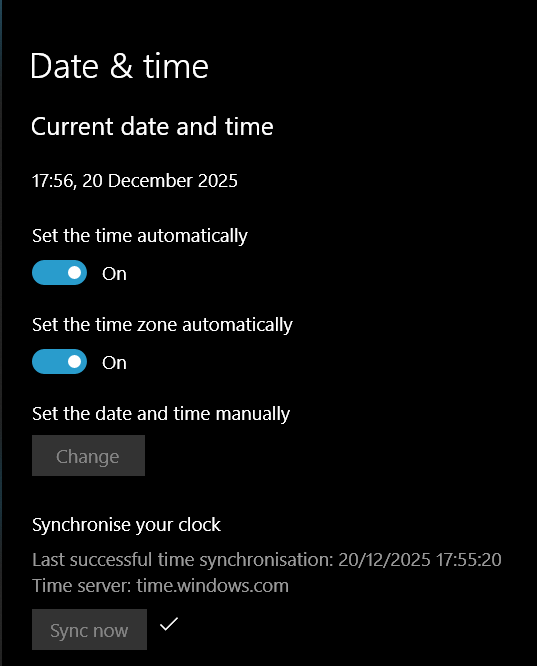
In case you’re using Windows, I’ve seen it happen a couple of times when using my PC to access HA.

Just go to Settings > Date & time in windows, then hit Sync Now. That’ll fix it until the next time your PC decides to have another time drift.

1 Like