[Custom integration] Solax Cloud API 2.0 (SolaXCloud), for multi and single inverters

Hi!
Ive made an integration for Solax, using the official Solax cloud API 2.0.
It supports multiple and singe inverters (micro inverters and “regular” inverters)

Read all about it here at Github: Solax Cloud API 2.0 at GitHub
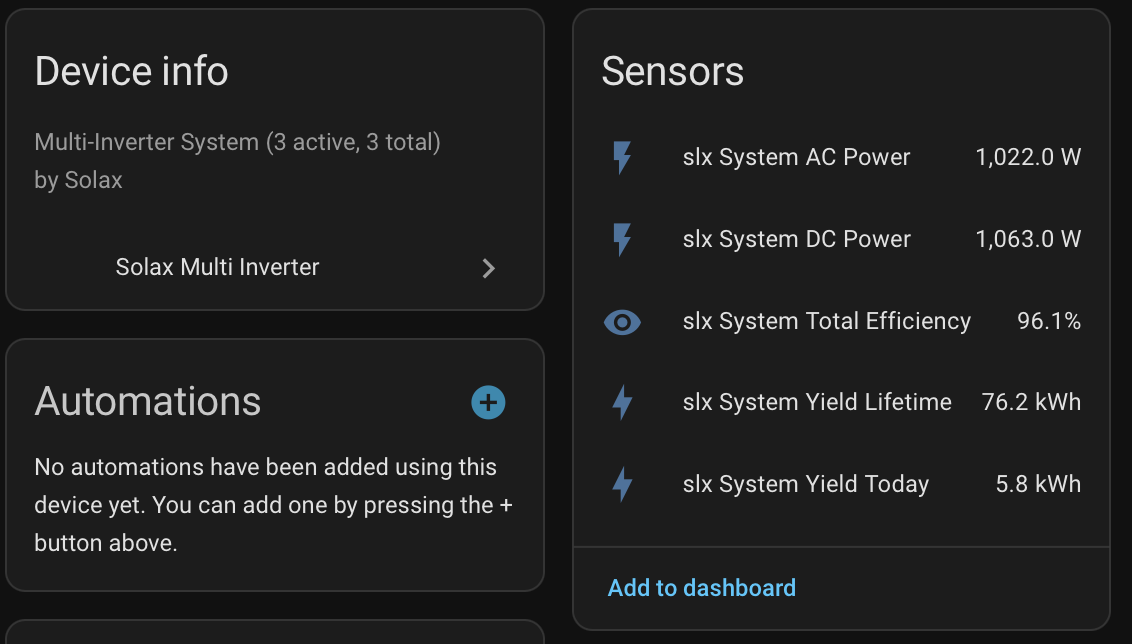
I fetches all your inverters, and also creates a new “System Total” entity that combines all inverters, and gives you a total overview of your system.
That way you get total system sensors, without having to create anything manually.

It also calculates the inverter and system effiency etc.

It supports a single account (Single API token).

Total System information (this system contains 3 micro inverters):
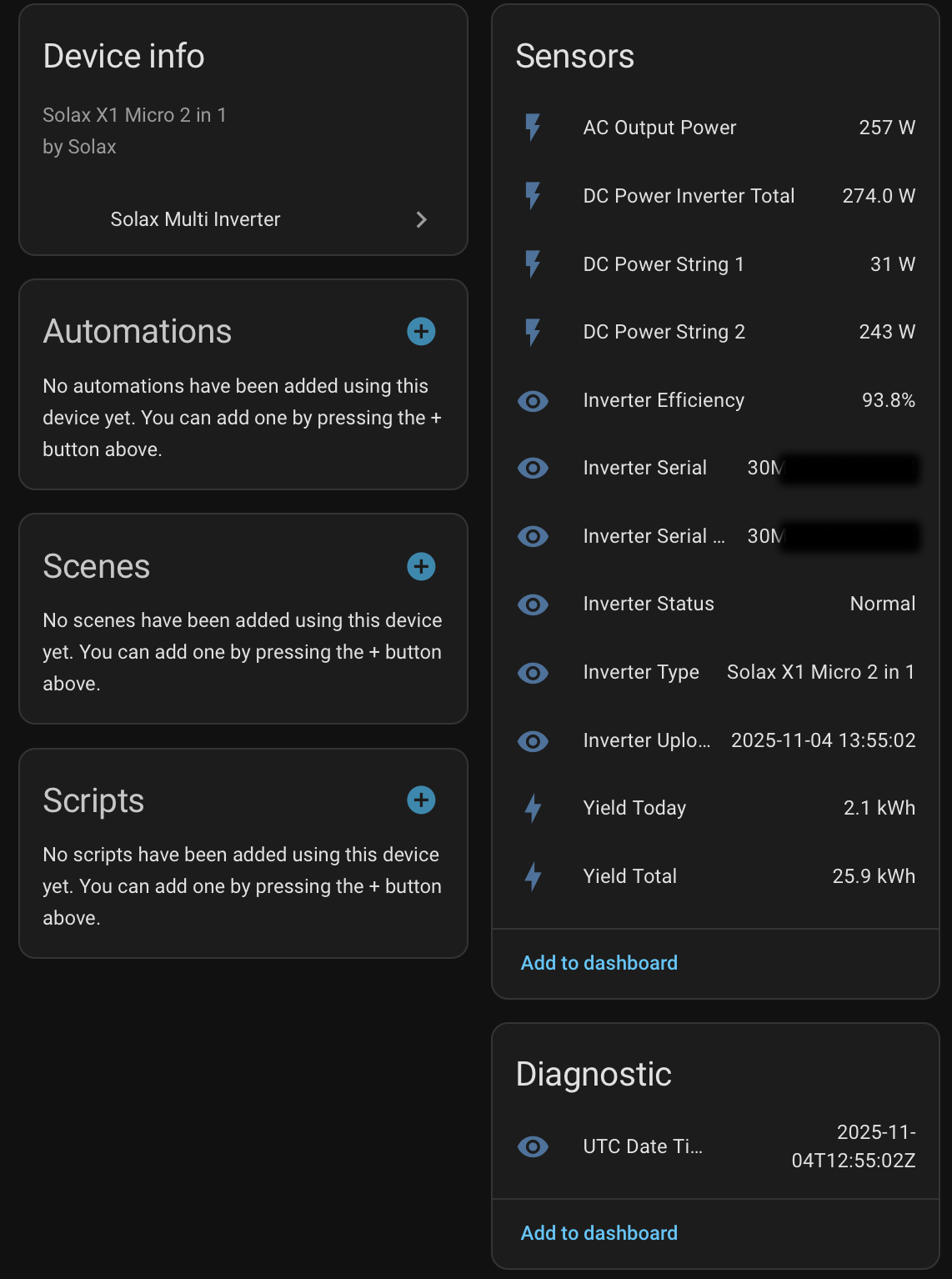
Single inverter info:
Ive tested it for 2 months, but as you know, all systems, setups etc are different, and we all have limited time, so any bug fixes or updates might be slow, if there are any :slight_smile:

Happy holidays!

Hello everyone.

Many new updates and stability fixes done.

  • Support for multiple languages

    • :uk: :de: :netherlands: :czech_republic: :poland: :portugal: :es: :it: :fr: :sweden: :denmark: :norway: :finland: :lithuania:
  • Estimated Battery Energy Sensors (Opt-in)

    • Estimated daily and total charge/discharge energy from batPower (W) sample.

    If you have a system with batteries, i would appreciated your feedback :pray:, as this is calculated from the battery charge and discharge W data.
    Sensors are hidden by default for this reason, so if you want to try them, you must enable them.
    Daily and Total kWh data for both charging and discharging.

    Battery kWh data is not part of the official Solax API, that is why it’s estimated.

  • Built-in Diagnostics Export

    • Download diagnostics with masked token and masked serial if you find a bug, or want to add a inverter type.

Alright, that’s it for now :+1:

Hi there, thought id give this integration a shot with my new X1-Micro, the only issue i have is i cant see the API option to get the Realtime API token i understand things have changed on the Solax cloud portal, but i'm stuck on getting this to work? any ideas?

Hello @flummus

Yes, Solax changes their site often, so they moved the API token button again.

This is what i see in my account, press the API button and then you will get to the token page.
This menu is in the top right on you account page.

Let me know how it goes!

Hi @NoUsername10

That takes me to the developer login, ive done that but that nothing on their regarding the TokenID, only setting up an app, which ive done, but im just getting client id and secret

Im New to HA so bear with me ...

@flummus
No worries at all, it sure is a learning curve with HA, and can be frustrating somtimes :slight_smile:

Do you login here?: SolaX Power Login

Then in the top right corner you select the API (as in image above)

Then you should see this view, with token ID.
Can you see a tokenID here?

Now looking at it, perhaps Solax have started to move away from the "regular" API, and towards the developer API...
I have that plugin also, but its not released yet.
That would be a good thing, as the developer API is much better, and gives ALOT more info from your inverter.
But, must find the time to do the plugin for the developer API.

Nope, nothing

Ill try some of curl scripts ive found, that might genrate the TokenId from the Id and secret

Hi.

You don't need that.

Are you using mobile or computer?
Use a computer, have seen issues with using mobile (or request desktop site might work also on mobile if that is the issue)
Using mobile, some don't see the TokenID on the page.

Can you share a screenshot so we can see what you see?

Generating a token (from the id and secret) is for developer access, not the cloud api.

Solax developer API:

If you want to use the developer API, then install this integration instead (I have made it):
Solax Developer API

There you input your developer id and secret (from your developer portal), and then the integration handles everything.
No need for curl or token generation, the integration handles everything, and gives you all your supported sensors.
100% YAML free.

You sir, are a genius, all working now thankyou so much, now to mess with your panel card for the individual inverters :slight_smile: coffee on its way!

1 Like

Thank you so much for your support (and your kind comment) !
That was really nice of you to send coffee over, it really helps to continue the work and find time to do it, knowing its appreciated and helps others :folded_hands:

What did you end up doing, Solax Cloud API, or did you use the Solax Developer API integration?

Cheers!