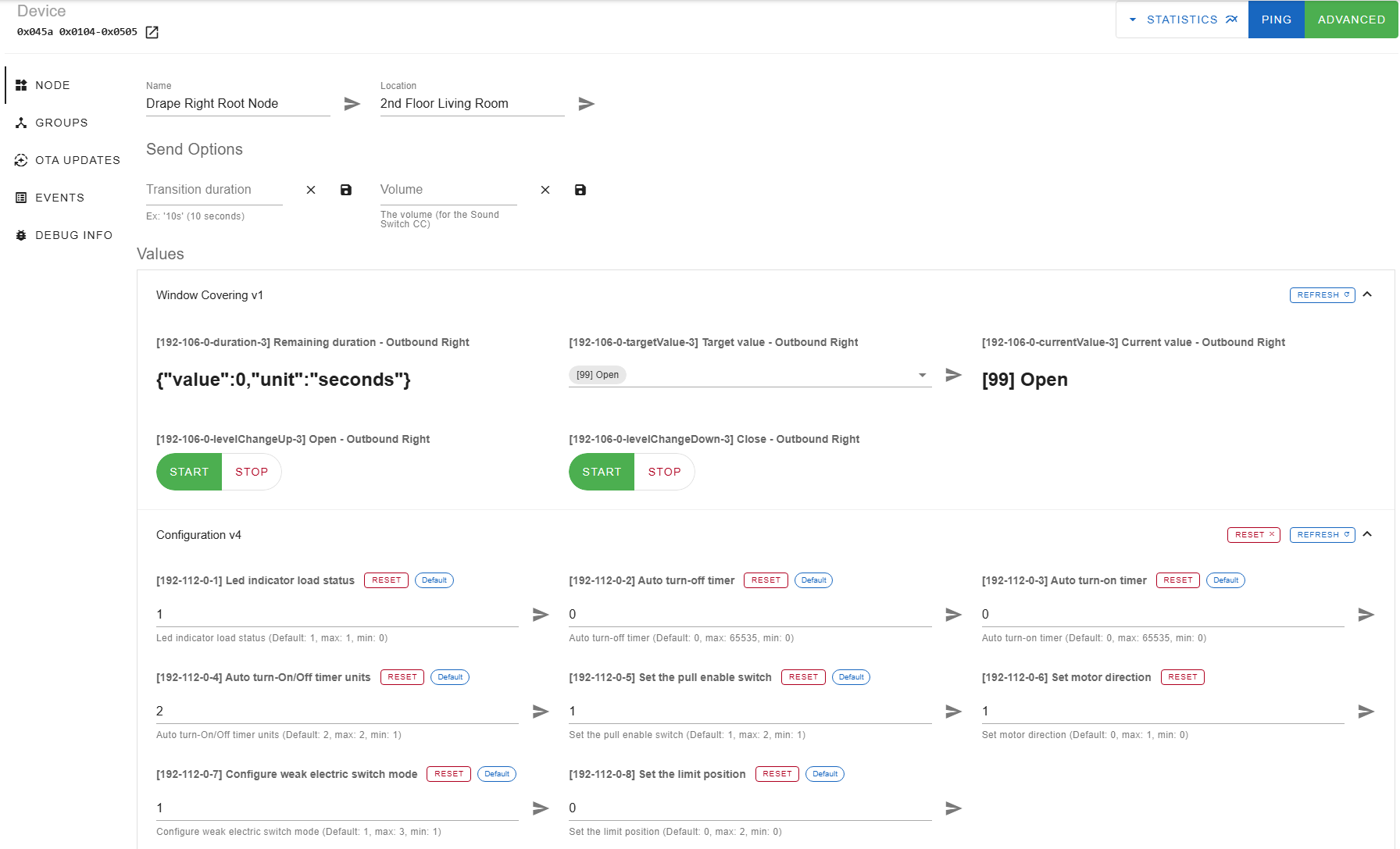
I got two curtain motors from Zemismart (these ones: Zemismart Smartthings Control Z-wave Motorize WiFi Curtain With Track Customized Smart Curtains). They are installed in the opposite corners of one room, and drag their respective curtains towards the center of the room to close. So the “Left” motor closes its curtain from left to right, and the “Rigth” one closes from right to left. Left motor works totally fine, but the right has the open/closed states working incorrectly. Once installed, with the default config, the “Right” motor has both its state, and the command buttons reversed. Luckily, half of this is fixed by a z-wave parameter called “reverse motor direction”. When I flip it, the “Open”
button actually opens the curtain, and the “Close” button closes it. But the Open (99) / Closed (0) states reported by the device are still reversed, which looks broken in Homekit. Is it possible to fix this somehow?
Another weird thing is that I can’t find the device config file for these in Z-Wave-JS-UI’s repo. Dumping the node produces
I have the exact same issue. I used to have it working. Following the setup instructions with the included remote got it working initially. However now I have moved to a new zwave controller and no longer have the remote, and am having your exact same issue. I bought a new remote from zemismart, but I can’t get it to pair. Let me know if you find a solution besides using the RF remote.
For me the actual pairing is not the problem – zwavejsui can pair and interview them “fine”. The issue is that the zwave command classes implementation is broken on the device. I.e. it reports itself as a “window cover”, but then does not provide the updates that the window cover is supposed to, so the status of the window cover is just wrong in HA. Instead the curtain provides these updates under the “multilevel switch” class. So in zwavejsui this thing looks like a combination of a window cover and a dimmer.
My current workaround is:
interview the device from HA (this generates the “cover” entities)
pull the curtain by hand for it to move (this generates the “dimmer” entities)
have a template “cover” device that does the translation between the buggy native commands/status updates and HA
the template in configuration.yaml looks like this:
I have found out the bottom of the motor below the blue ring can be pulled off with a little downard force. There is a hidden button and RJ45 port. The button can be used to pair a new remote, or if you press 5 times it will reverse the direction just like the zwave parameter. I still have not figured out how I had this configured before where it worked without using a template, but it was working at one point.