**Describe the bug**
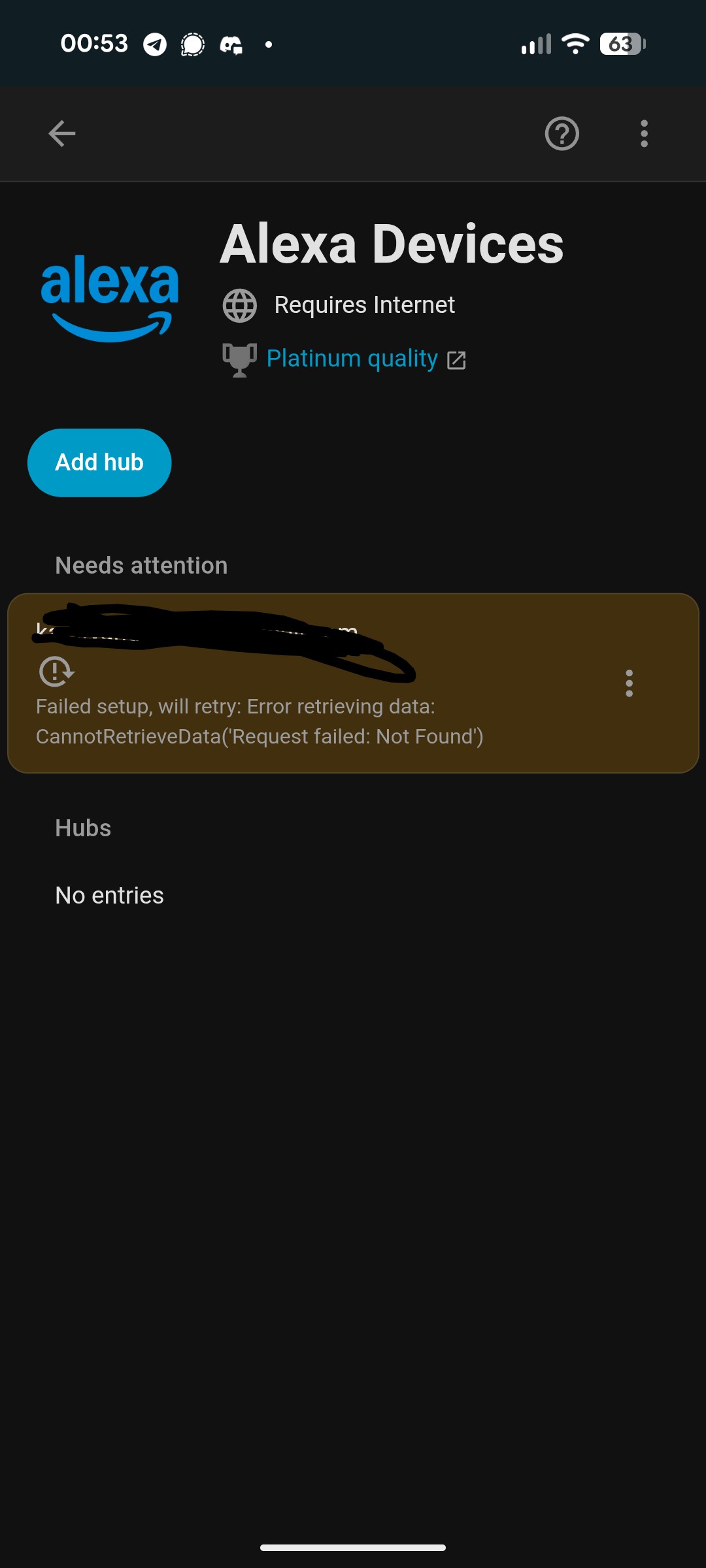
After updating HA to 2025.11.0, the integration no longer …works. It reports that you need to log in again.
Re-logging in does not work. It says: “Alexa Media Player could not be logged in.” (original German message: "Alexa Media Player konnte nicht angemeldet werden.")
I tried removing and re-adding the integration, but it still doesn’t work.
I don’t see anything in the log, except right after the update there was the following message:
`2025-11-06 07:19:57.140 WARNING (MainThread) [alexapy.helpers] alexalogin.login((<alexapy.alexalogin.AlexaLogin object at 0x7fe9650797f0>,), {'cookies': {'JSESSIONID': xxxxxxxx }}): A connection error occurred: An exception of type ClientOSError occurred. Arguments:
(None, 'Can not write request body for https://www.amazon.de/ap/exchangetoken/cookies')
2025-11-06 07:19:57.714 ERROR (MainThread) [homeassistant] Error doing job: Unclosed client session (None)
2025-11-06 07:20:03.279 WARNING (MainThread) [homeassistant.helpers.frame] Detected that custom integration 'alexa_media' initialises a reauth flow without a link to the config entry at custom_components/alexa_media/__init__.py, line 1566: ] = await hass.config_entries.flow.async_init(. This will stop working in Home Assistant 2025.12, please create a bug report at https://github.com/alandtse/alexa_media_player/issues
`
**To Reproduce**
Update HA to 2025.11.0
**Expected behavior**
Successful login
**System details**
- Home Assistant version: 2025.11.0
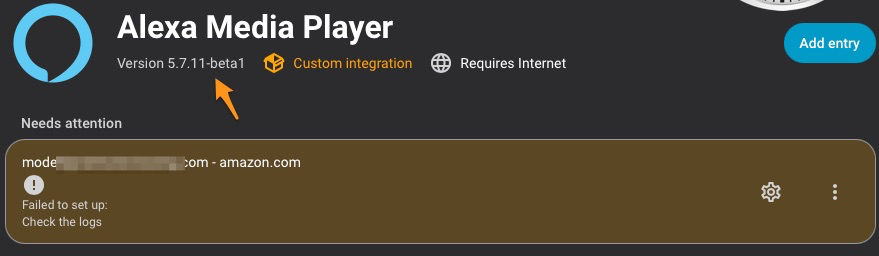
- alexa_media version (from `const.py` or HA startup log): in const.py 5.7.5 but installed from HACS 5.7.10 Why don't the versions match?
- alexapy version (from `pip show alexapy` in homeasssistant container or HA startup log): 1.29.8
- Is Amazon [2SV via Authenticator App](https://github.com/alandtse/alexa_media_player/wiki/Configuration#enable-two-factor-authentication-for-your-amazon-account) (not 2SV OTP via SMS) enabled? (y/n): y
- Amazon Domain: amazon.de
**Debug Logs (alexa_media & alexapy)**
The log is quite large and contains sensitive data, so I can’t just post it here as is.
It’s difficult for me to determine what can safely be shared publicly.
I’ve therefore removed some parts. If something important is missing, please let me know.
`
2025-11-06 08:19:02.049 DEBUG (MainThread) [alexapy.alexalogin] Header: {"User-Agent": "AmazonWebView/Amazon Alexa/2.2.556530.0/iOS/16.6/iPhone", "Accept": "*/*", "Accept-Language": "*", "DNT": "1", "Upgrade-Insecure-Requests": "1"}
2025-11-06 08:19:02.050 DEBUG (MainThread) [alexapy.alexalogin] Attempting to register with amazon.de
2025-11-06 08:19:02.816 DEBUG (MainThread) [alexapy.alexalogin] auth response <ClientResponse(https://api.amazon.de/auth/register) [200 OK]>
2025-11-06 08:19:02.817 DEBUG (MainThread) [alexapy.alexalogin] Successfully registered FREDERIC's 4th Alexa Media Player device with Amazon
2025-11-06 08:19:02.817 DEBUG (MainThread) [alexapy.alexalogin] Received registration data:
2025-11-06 08:19:02.817 DEBUG (MainThread) [alexapy.alexalogin] New access token(396) received which expires at 2025-11-06 09:19:02.817751 in 0:59:59.999949
2025-11-06 08:19:03.090 DEBUG (MainThread) [alexapy.alexalogin] capabilities response <ClientResponse(https://api.amazonalexa.com/v1/devices/@self/capabilities) [204 No Content]>
2025-11-06 08:19:03.314 DEBUG (MainThread) [alexapy.alexalogin] Exchange cookie json {'tokens': {'ttl': 2592000, 'cookies': {'.amazon.de' .....
2025-11-06 08:19:03.315 DEBUG (MainThread) [alexapy.alexalogin] updating jar with cookie Set-Cookie: session-id=*****; Domain=.amazon.de; expires=1 Nov 2045 07:19:03 GMT; Path=/; Secure
2025-11-06 08:19:03.315 DEBUG (MainThread) [alexapy.alexalogin] updating jar with cookie Set-Cookie: ubid-acbde=*****; Domain=.amazon.de; expires=1 Nov 2045 07:19:03 GMT; Path=/; Secure
2025-11-06 08:19:03.316 DEBUG (MainThread) [alexapy.alexalogin] updating jar with cookie Set-Cookie: session-token="******"; Domain=.amazon.de; expires=6 Nov 2026 07:19:03 GMT; Path=/; Secure
2025-11-06 08:19:03.316 DEBUG (MainThread) [alexapy.alexalogin] updating jar with cookie Set-Cookie: x-acbde="*****"; Domain=.amazon.de; expires=1 Nov 2045 07:19:03 GMT; Path=/; Secure
2025-11-06 08:19:03.317 DEBUG (MainThread) [alexapy.alexalogin] updating jar with cookie Set-Cookie: at-acbde=Atza|*****; Domain=.amazon.de; expires=6 Nov 2026 07:19:03 GMT; HttpOnly; Path=/; Secure
2025-11-06 08:19:03.317 DEBUG (MainThread) [alexapy.alexalogin] updating jar with cookie Set-Cookie: sess-at-acbde="*****"; Domain=.amazon.de; expires=6 Nov 2026 07:19:03 GMT; HttpOnly; Path=/; Secure
2025-11-06 08:19:03.318 INFO (MainThread) [alexapy.alexalogin] Exchanged refresh token for 6 .amazon.de cookies: ['session-id', 'ubid-acbde', 'session-token', 'x-acbde', 'at-acbde', 'sess-at-acbde']
2025-11-06 08:19:03.318 DEBUG (MainThread) [alexapy.alexalogin] Attempting to discover CSRF token
2025-11-06 08:19:03.319 DEBUG (MainThread) [alexapy.alexalogin] Session cookies for 'https://alexa.amazon.de/spa/index.html': ['lc-main', 'session-id', 'session-id-time', 'ubid-main', 'session-token', 'x-main', 'at-main', 'sess-at-main', 'ubid-acbde', 'x-acbde', 'at-acbde', 'sess-at-acbde']
2025-11-06 08:19:03.409 DEBUG (MainThread) [alexapy.alexalogin] CSRF token not found from /spa/index.html
2025-11-06 08:19:03.410 DEBUG (MainThread) [alexapy.alexalogin] Session cookies for 'https://alexa.amazon.de/api/language': ['lc-main', 'session-id', 'session-id-time', 'ubid-main', 'session-token', 'x-main', 'at-main', 'sess-at-main', 'ubid-acbde', 'x-acbde', 'at-acbde', 'sess-at-acbde']
2025-11-06 08:19:03.548 DEBUG (MainThread) [alexapy.alexalogin] CSRF token found from /api/language
2025-11-06 08:19:03.548 DEBUG (MainThread) [alexapy.alexalogin] Session cookies for 'https://alexa.amazon.com/api/bootstrap': ['lc-main', 'session-id', 'session-id-time', 'ubid-main', 'session-token', 'x-main', 'at-main', 'sess-at-main']
2025-11-06 08:19:03.697 DEBUG (MainThread) [alexapy.alexalogin] GET:
https://alexa.amazon.com/api/bootstrap with
<CIMultiDictProxy('Host': 'alexa.amazon.com', 'User-Agent': 'AmazonWebView/Amazon Alexa/2.2.556530.0/iOS/16.6/iPhone', 'Accept': '*/*', 'Accept-Language': '*', 'DNT': '1', 'Upgrade-Insecure-Requests': '1', 'Accept-Encoding': 'gzip, deflate, br, zstd', 'Cookie': 'at-main=*****
2025-11-06 08:19:03.697 DEBUG (MainThread) [alexapy.alexalogin] Not logged in: An exception of type ContentTypeError occurred. Arguments:
(RequestInfo(url=URL('https://alexa.amazon.com/api/bootstrap'), method='GET', headers=<CIMultiDictProxy('Host': 'alexa.amazon.com', 'User-Agent': 'AmazonWebView/Amazon Alexa/2.2.556530.0/iOS/16.6/iPhone', 'Accept': '*/*', 'Accept-Language': '*', 'DNT': '1', 'Upgrade-Insecure-Requests': '1', 'Accept-Encoding': 'gzip, deflate, br, zstd', 'Cookie': 'at-main=*****
`