By now I didn’t have a closer look at the blueprint, maybe it does things I’d like to have, but I need some input for understanding how to deal with things.
The sun reaches a point (azimuth/elevation/whatever) at a given time. This time can be calculated, as the sun does not move unexpectedly.
To make the movement of blinds predictable to the users, it makes sense to show the time some movement will happen to the users (and maybe even editable so one could shift it as wanted).
This also is expected to lower CPU usage. You need only a trigger at that time, instead of watching every minute (“Did the sun arrive at the point? Oh, it will be there in 5 hours? Fine, I’ll check again next minute, can’t expect it.”).
I’m searching how to get that time. You don’t calculate/use/expose that time already somewhere?
This is not really a concern. The blueprint uses the information about the sun’s position from the sun.sun entity which is already throttled by itself and are not stopped by not using the blueprint. You can look into the Sun component in HA core to see more details on how the throttling works.
The blueprints only outputs the calculated best position for your blinds, so no time or something.
The integration on the otherhand provides you with two entities with the start and end time when the sun enters and leaves the field of view of your window calculated on a 5 minute interval to reduce the amount of calculations.
Hoi @langestefan . Have you considered adding a function for an Awning? I’ve got the formula to calculate required extension (horizontal awning), just tossing up whether to add to this Repo, or to create a new Repo.
There is horizontal awning available, you can select it and it works quite good in my experience.
What’s missing from my point of view ist the roof windows that can be managed as an horizontal awning with 45° angle, but does not consider that the window is on a roof and the sun still reaches the windows and thus is “in front” even if the sun is already “behind it” based on the calculation (but in reality is still somewhere above the roof)
I’ve installed the integration but it does not move the blinds. It acts like it should, but the blinds do not move. My blinds only have up,down and memory, they don’t do 10%, 12%, etc. What am I missing?
I’m trying to setup vertical shades and I understand the entering of the fully open shade. But the distance to work area seems odd. I have in one room a window and patio door where the tops are aligned but obviously the window does not reach the ground but the patio door does. I entered the correct heights of both window and patio door with the same distance to work area and during the day they will open to different heights. I feel they should open to the same relative height off the ground. How can I configure this? It seems you would need the height off the ground of the shade for the calculation to work. How does adaptive cover compensate for this? Thanks!
Hi,
First of all, thank you and congratulations to Basbruss for this superb work on roller shutters.
Could you help me to solve a problem with the Range Adjustment function?
Question 1:
When you open a roller shutter (previously closed at 100%), it must first rise a little (± 12%) to reach the bottom level of the window, the time to completely open the slats.
That’s why I shifted the marks from 0/50/100 to 12/60/100.
The level 60 has been found as ( (100 - 12) : 2 ) +12
Is this the right way to proceed?
Question 2:
I noticed that once adjustments have been made on the first two sliders (value where opening and closing start) it is impossible to erase them, even after validation.
Is this a bug or a bad manipulation?
Question 3:
I have a roller shutter that goes up higher than the top level of the window (± 10%). How should I adjust the parameters of the Range Adjustment option in this case?
Question: One of our windows is facing the daily sunset. I tried various adjustments to try to make our rollershades stay closed during the 30 minutes or so when the sun is very low and intensely shining through that window, but without success – the rollershades fully open well before that. Anything I can do with the adaptive cover integration? Thanks!
Unless I don’t understand what you mean by the location of your backyard in reference to where the house appears to be positioned in relation to the street, it looks to me like windows facing the backyard point ~226°.
Hi,
Do your tests without climate mode, there will be fewer parameters to manage.
Check that Control Method is on Intermediate (neither summer nor winter)
In Modify automation adjustment:
entity indicating ending time: sensor.sun_next_setting
It will override end time
In Fine-tune blind settings:
mini position: 0%
mini elevation: ON (0%)
sunset position: 10% (different of mini position to ovoid confusion)
sunset offset: -30 min (30min before sunset)
30 min before sunset, the blind should gon on sunset position (10%)
If test is ok, you’ll can adjust sunset position
Hello everyone, maybe someone can help me. I can’t seem to get this set up correctly.
When I run the automation to test it, my blinds always go up. It seems like no matter what azimuth I enter, it doesn’t matter. Maybe I’m making a mistake here, too.
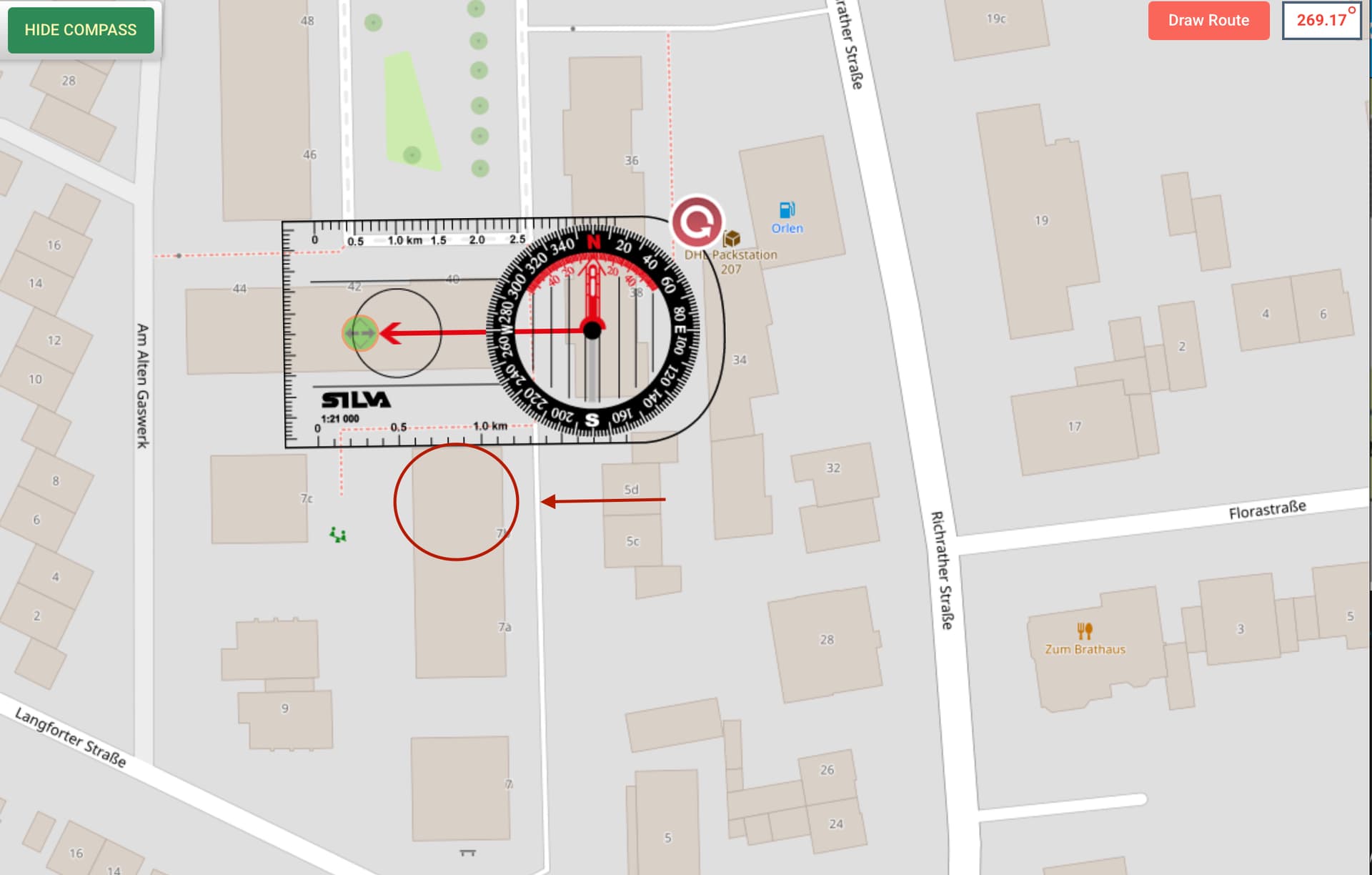
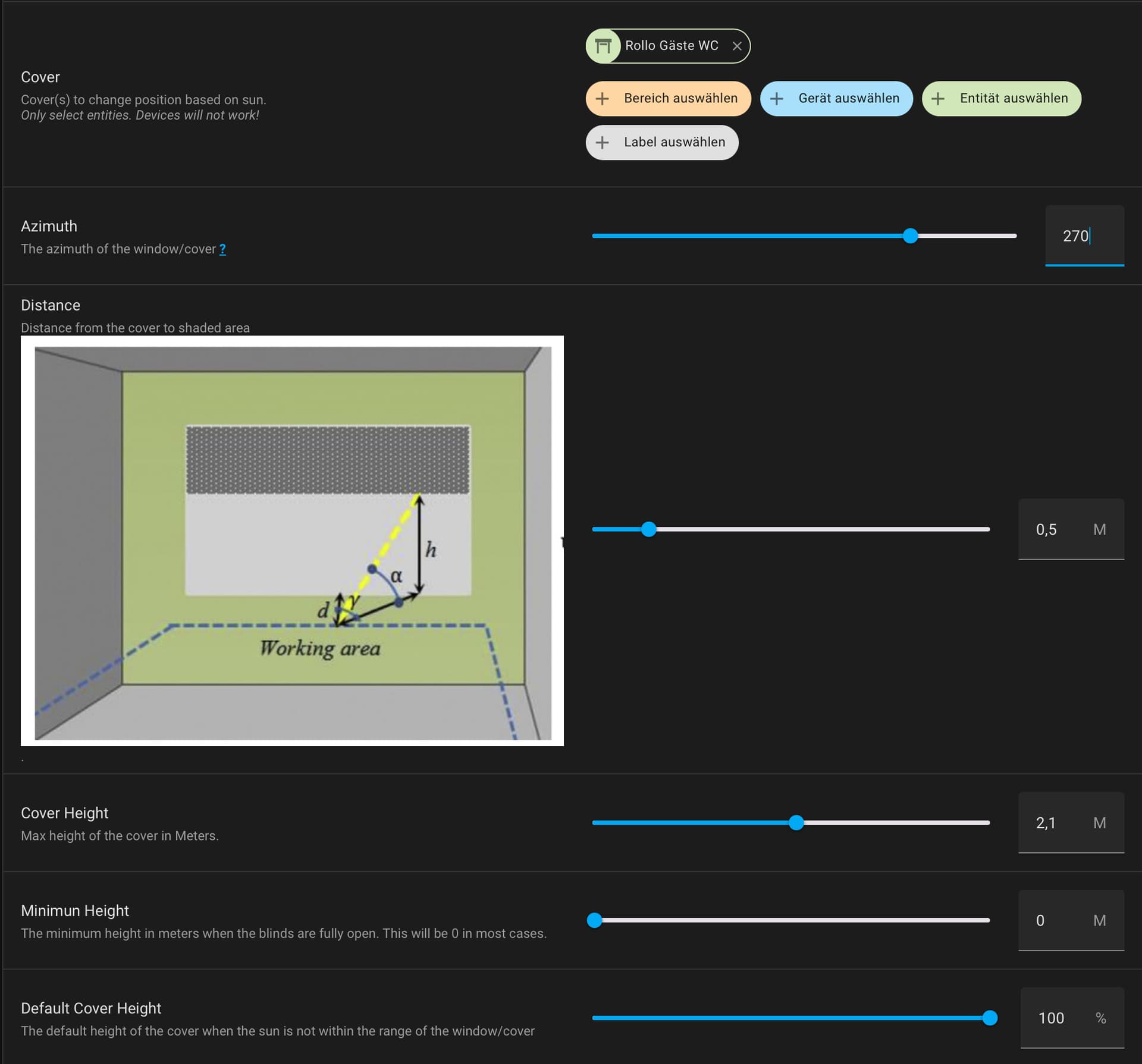
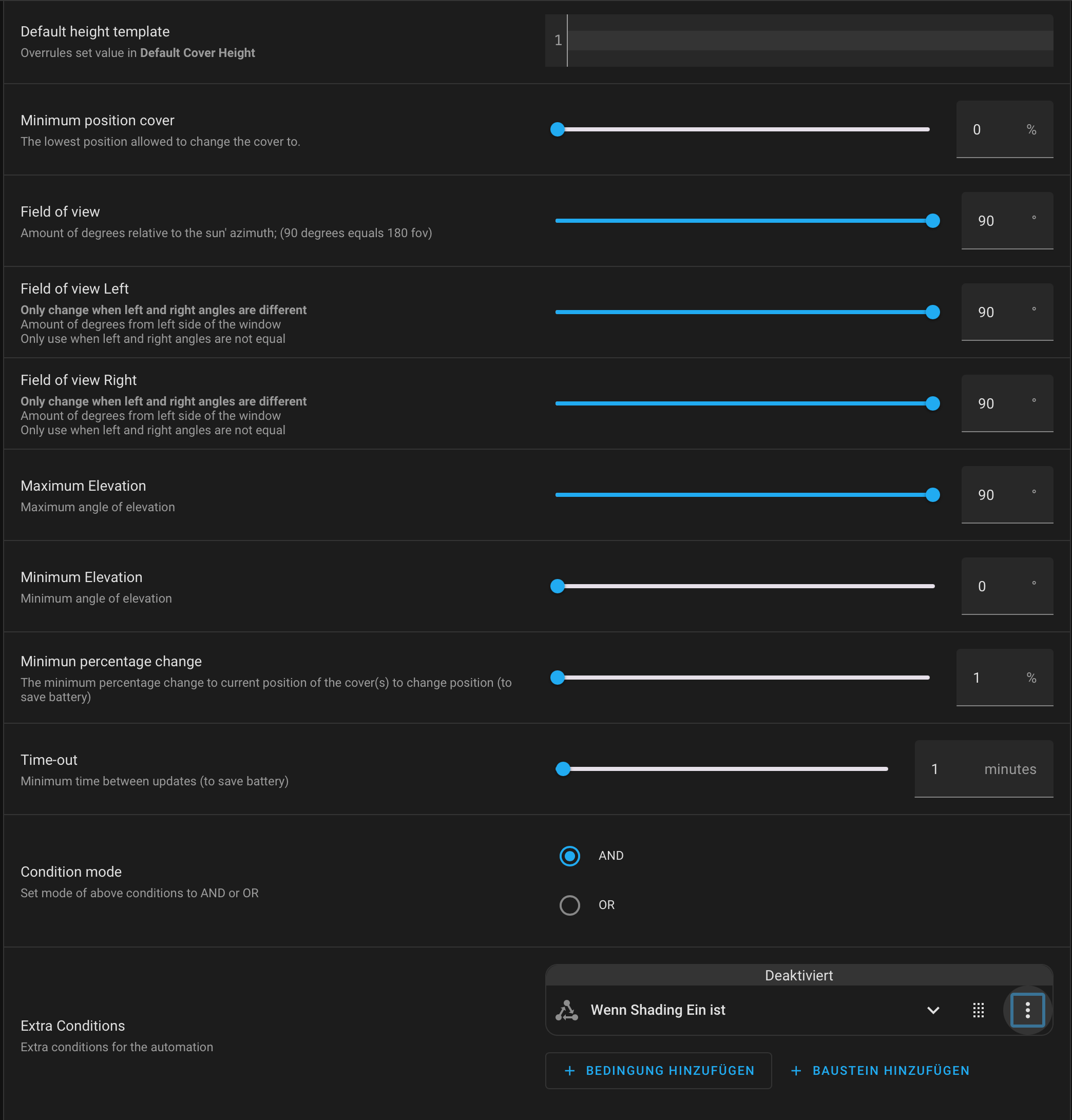
In the picture, you can see my house. Number 7b (red circle) and the arrow point to one of the windows. Then my azimuth should be 270, right? In the second and third pictures, you can see my configuration for this one window. Can anyone give me a tip on what I’m doing wrong?
Hi,
If you see the sun rising in the morning, it means the window faces east. So, between 0 and 180°!
The red arrow on the ruler should point outward from the facade.
I also think you should work with @basbruss’s HA integration and then watch the tutorial I published there.
 . The backlog seems to be very long and timely perhaps due to the new updates released for HACS recently.