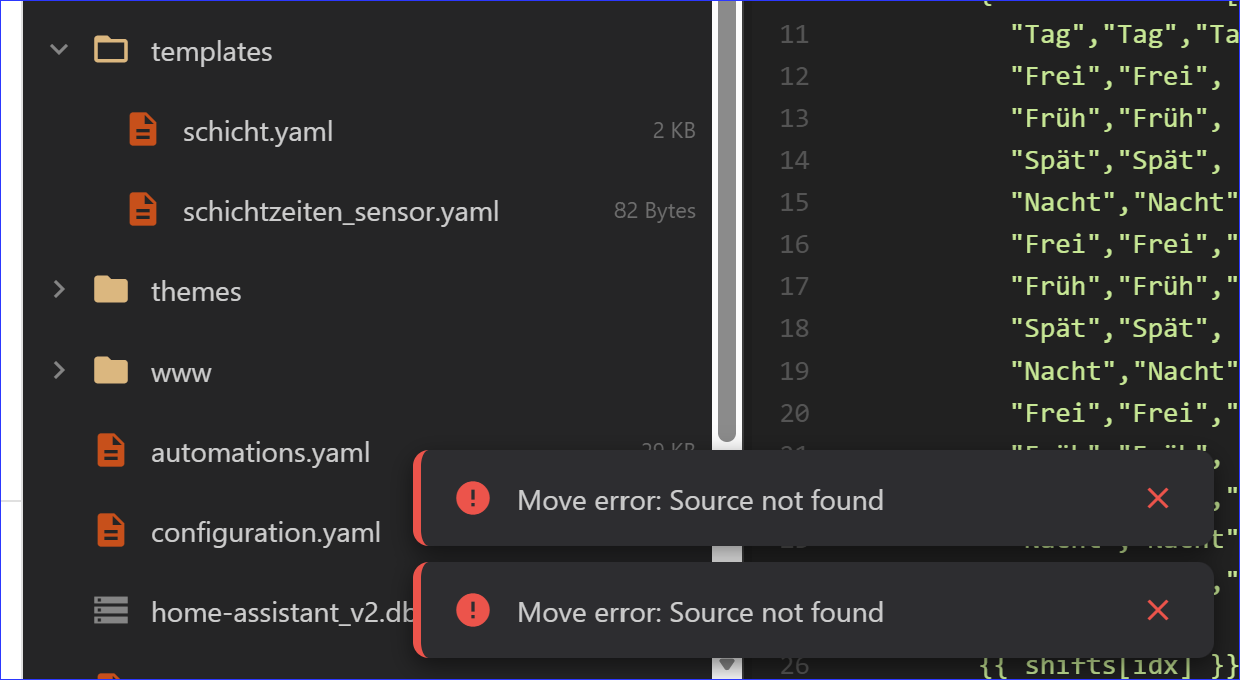
There is some flaw when moving and deleting files: whenever I move a file from folder 1 to folder 2, the “root” message is popping up, regardless to what directory and level it is moved.
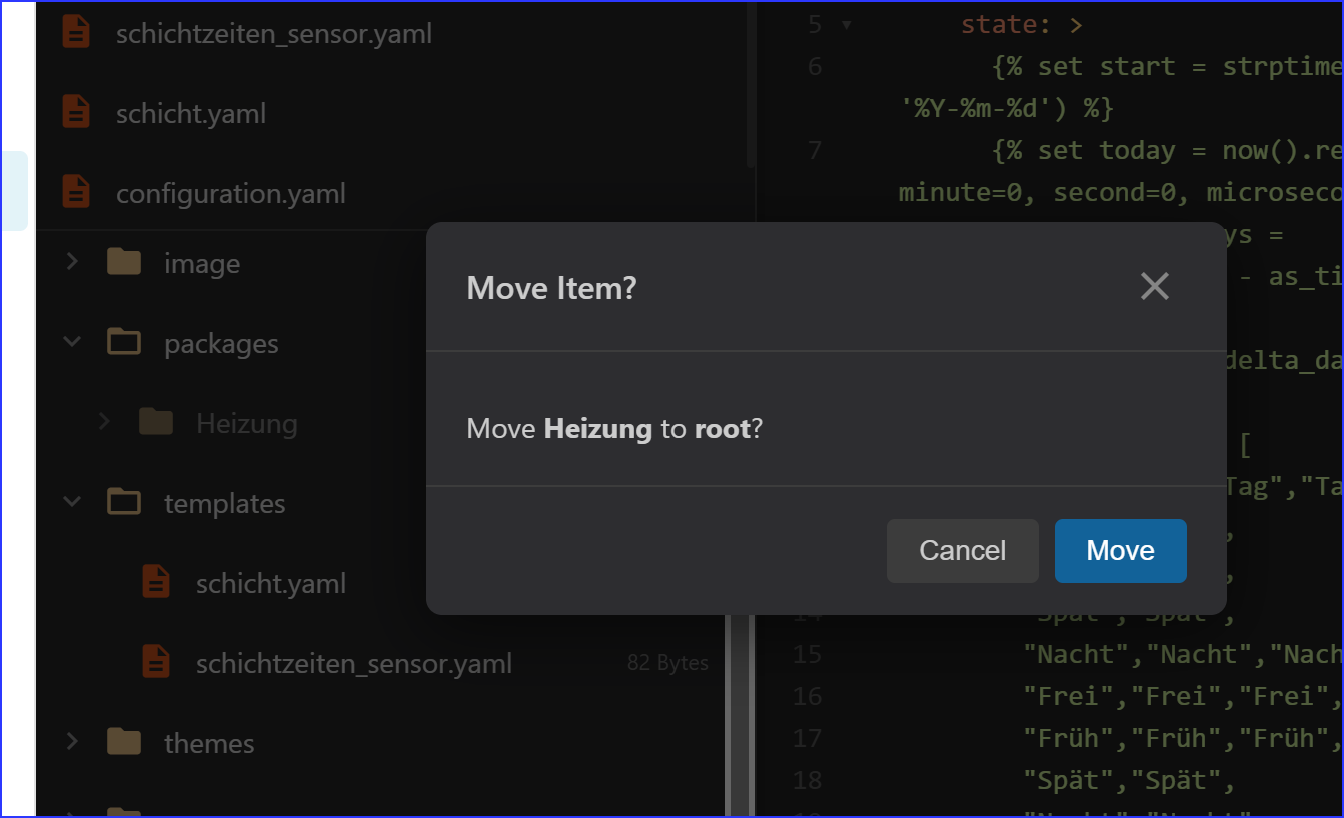
Abd these “Source not found” messages appear
There is some flaw when moving and deleting files: whenever I move a file from folder 1 to folder 2, the “root” message is popping up, regardless to what directory and level it is moved.
Abd these “Source not found” messages appear
But it does move the files for you correct?
Yes, it does.
Hi soulripper,
A few more small things to consider:
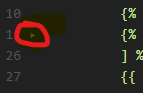
Already implemented in upcoming version 
# 🎉 Blueprint Studio v2.0.0 - The AI Revolution

## 🚀 Major Release: AI Copilot & Total Customization

Blueprint Studio v2.0.0 marks a pivotal moment in Home Assistant configuration. We have combined our powerful new **AI Studio Copilot** with a massive **UI Customization Engine** and **Intelligent Automation Tools** to create the ultimate development environment.

---

## ✨ Headline Features

### 🧠 AI Studio Copilot
Bring next-generation AI intelligence directly into your workflow.
*   **2026 Model Ready**: Native support for **Gemini 3 Pro**, **Gemini 2.5 Flash-Lite**, and **GPT-5.2**.
*   **Context-Aware**: The AI understands exactly which file you are editing and provides relevant, syntax-perfect YAML.
*   **Smart Trigger Detection**: Automatically extracts times, sun events, and device states from natural language.
*   **Fix My Error**: Real-time structural analysis to pinpoint and solve YAML syntax errors instantly.
*   **Professional Chat UI**: A dedicated sidebar with formatted code blocks, one-click copy, and persistent settings.

### 🎨 Ultimate UI Customization
Make Blueprint Studio truly yours with our new personalization engine.
*   **6 Professional Themes**: Dark (VS Code style), Light, High Contrast, Solarized (Dark/Light), Ocean, and Dracula. All accessible instantly from the bottom toolbar.
*   **8 Accent Colors**: customize the entire UI with vibrant accents (Blue, Purple, Pink, Cyan, etc.).
*   **Advanced Font Control**: Fine-tune your experience with adjustable font sizes (10-24px), 7 programming fonts, and custom colors for **Line Numbers** and **Fold Arrows**.
*   **Responsive UX**: Fold icons are now larger and scale automatically with your font size for a more comfortable editing experience.
*   **Productivity Boost**: New **UUID Generator** (`Ctrl+Shift+U`) allows for instant insertion of unique IDs for automations and scripts.
*   **Settings Dashboard**: A beautiful new tabbed interface to manage all your preferences in one place.

### 🎭 Intelligent Scene & Script Generation
Transform natural language into complex Home Assistant actions.
*   **7 Smart Scene Presets**: distinct presets like "Morning", "Movie", "Romantic", and "Party" that auto-configure brightness, color temperature, and icons.
*   **Multi-Step Scripts**: "Turn on lights, wait 5 minutes, then turn off" — generated perfectly with proper delays and sequence logic.
*   **30+ Device Domains**: Comprehensive support for lights, climate, media players, vacuums, and more.
*   **Natural Language Synonyms**: Understands over 100+ terms (e.g., "chandelier" for light, "roomba" for vacuum).

### 📝 Full Jinja Template Support
*   **First-Class Editor**: Complete syntax highlighting for `.jinja`, `.jinja2`, and `.j2` files.
*   **Visual Clarity**: Distinct coloring for Jinja brackets, keywords, variables, and text ensures complex templates are easy to read and debug.
*   **Intelligent Validation**: Detects missing quotes, invalid filters, and syntax errors in real-time.

### 🔍 Advanced Search & Entity Explorer
*   **Entity Search Mode**: A new dedicated mode within Global Search (`Ctrl+Shift+F`) allows you to browse your entire Home Assistant entity registry. Find IDs instantly, see their current states, and click to copy or insert them directly into your YAML.
*   **Filter by Content**: Directly in the File Explorer, toggle "Content Match" to filter the file tree by text contained within files (e.g., search for "input_boolean.test" to see only files using that entity).
*   **High-Performance Global Search**: Optimized search engine now skips hidden folders (`.storage`, `.git`) and binary files, providing near-instant results even in large configurations.

---

## 🛡️ Stability & Security
*   **Local Privacy**: Zero external dependencies in local mode ensures your configuration stays private.
*   **Smart Auto-Save**: Hardened auto-save logic prevents accidental saves and strictly respects your settings.
*   **Robust Git Integration**: Self-healing sync recovery and automated branch management.

## 🐛 Bug Fixes
*   **Auto-Save & Colors**: Fixed issues with background timers and ensured all custom color changes (including line numbers) apply instantly without refresh.
*   **UI Layering**: Fixed an issue where toast notifications could appear behind modals; notifications are now always visible in the foreground.
*   **Drag-and-Drop**: Fixed a race condition/event bubbling issue where moving files triggered duplicate API calls and displayed false error messages.
*   **Double Save**: Fixed an issue where using `Ctrl+S` triggered two save operations and duplicate notifications.
*   **Git Integration Toggle**: Hardened the UI to ensure the Git Changes panel and all related buttons are strictly hidden when the integration is disabled.

---

## 📊 V2.0.0 By The Numbers
*   **3** Major AI Provider Integrations
*   **7** Smart Scene Presets
*   **6** Visual Themes
*   **30+** Supported Device Domains
*   **100%** Private Local Mode
Give 2.0.0 a try and let me know
I admire your productivity!
First impressions:
This has very quickly become a great add-on. Be mindful though of not overloading it with features, but that is certainly at your discretion,
What do you mean can’t create folders in the config folder? I can. Collapse arrows are showing.
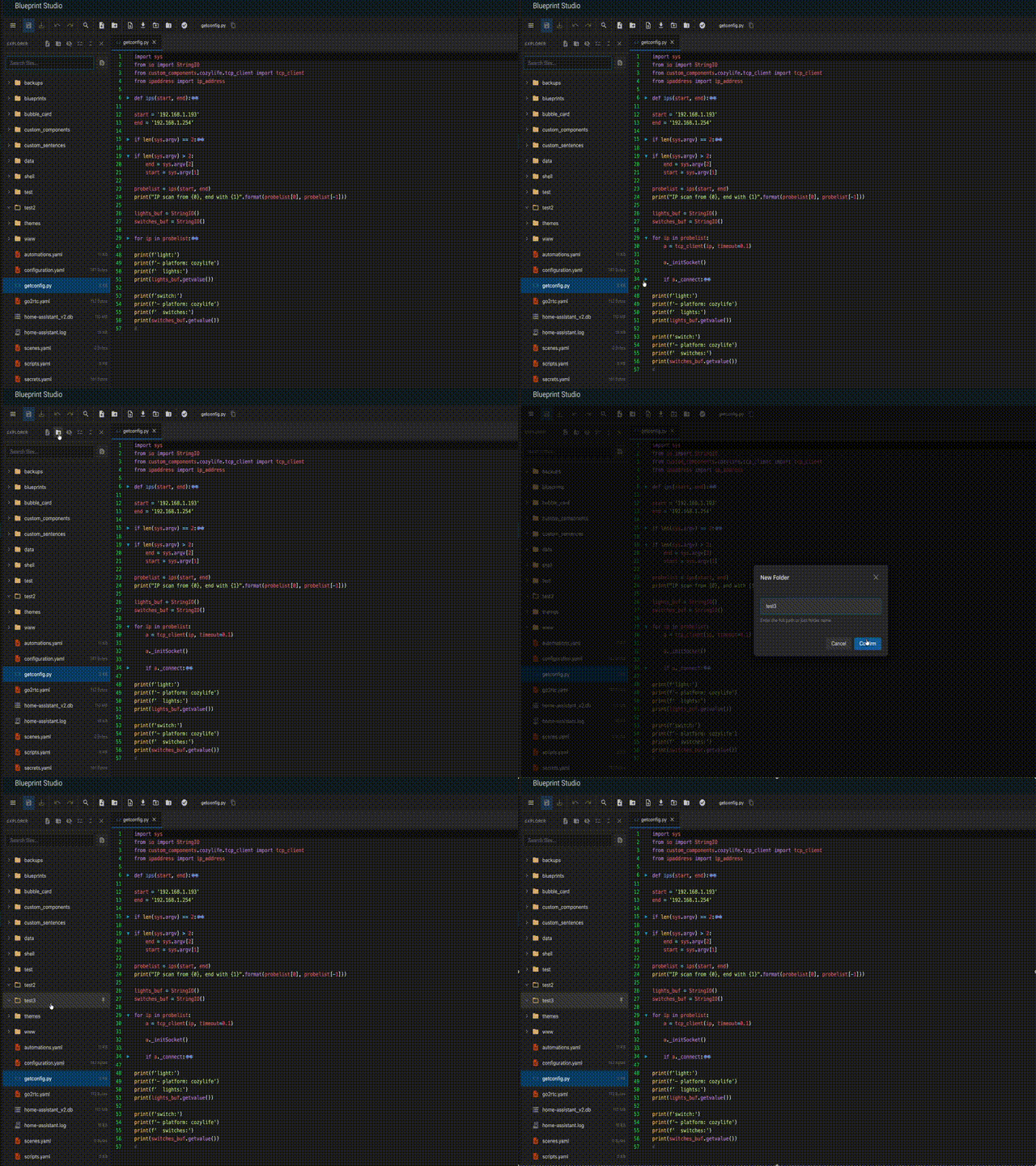
Try to create a folder at the same level as packages and templates - how does one do that?
Not here  The previous version was showing the arrow.
Would you mind to send a snippet of your code, I’ll test it and get back to you tomorrow.
Nevermind found the culprit. Will get a fix tomorrow. About folder i don’t quite get your query.
I have the following requirement:
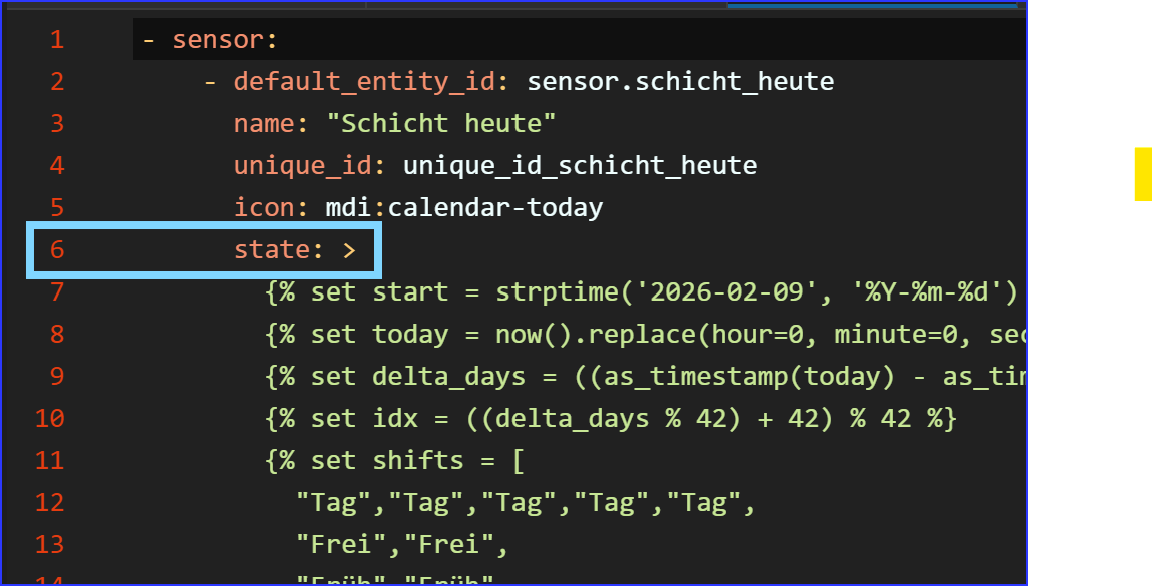
I have some complex templates that use fixed data (in this particular case a lot of time slots, imagine 20-30 lines with start end end times). At this time I put this info into every sensor definition that builds upon it. Technically not a problem, but programmatically not really efficient.
So my approach was to put this time information into a separate file and address it from the template. However, there is no directory under config/… that is not pulled by !include, so it throws errors in the log.
you mean you need a folder in /config/folder/… folder is the name of your folder?
Correct . For example config/data
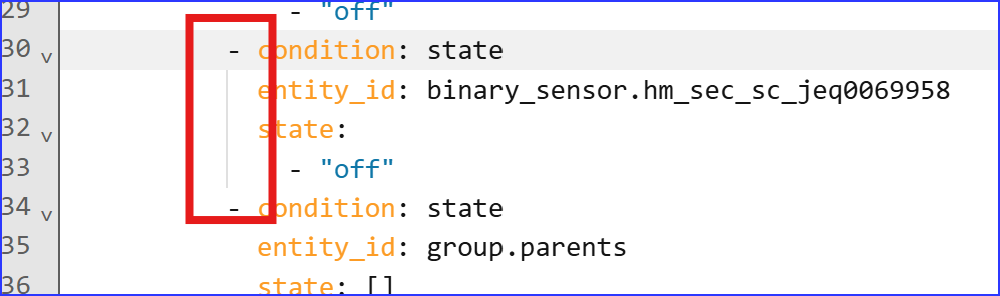
I am probably getting greedy  This is a screnshot from the automation GUI editor. When you click on one of the keywords, the respective code block gets an additonial vertical line.
This is very helpful when you search for wrong indentations and missing }. What do you think about it?
More flaws
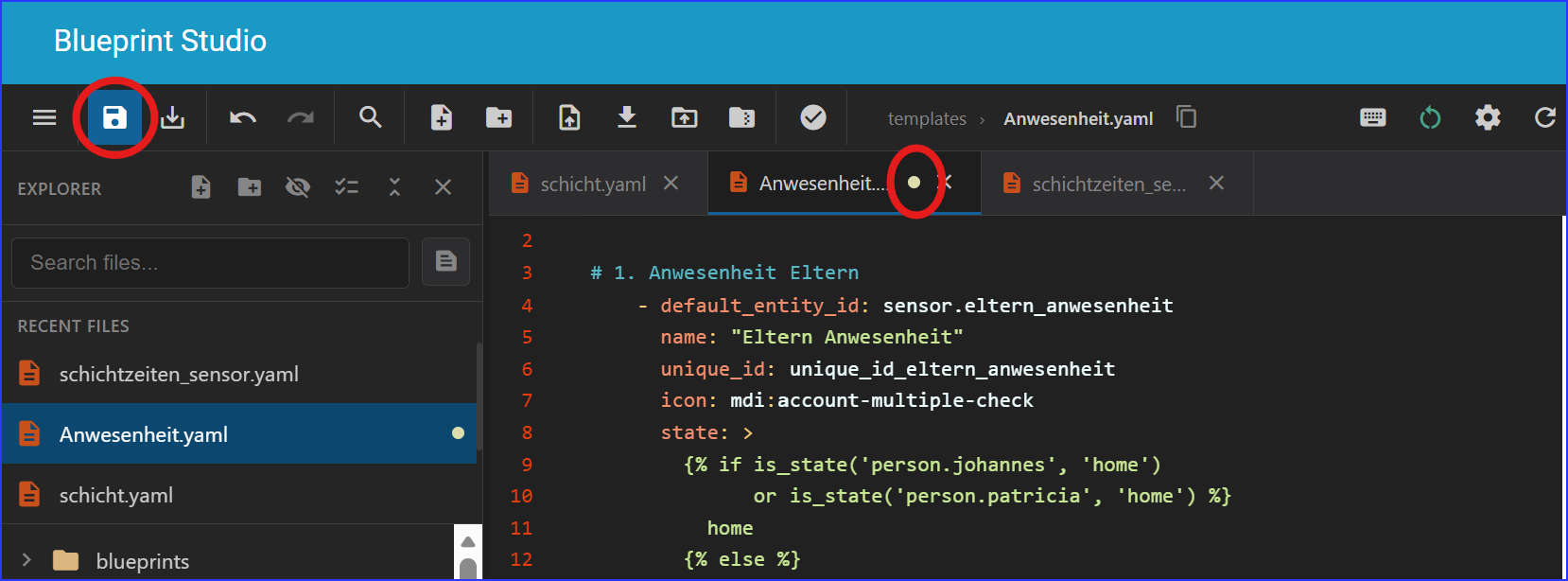
Here is a file that I am editing. You can see that in the tab is the small white dot to signal changes. Clicking on Save is not clearing the status. The file is not getting saved - closing the window triggers the pop-up about unsaved changes.
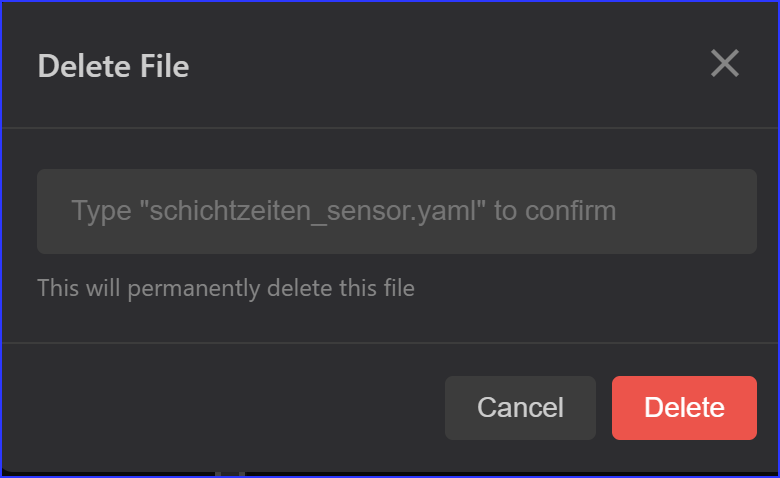
File deletion:
This nagging screen is more a nuisance than a help. Having to enter the filename is unusual, time-consuming and tpo prone with long names like this one.
You can do this. For example if you want to create a folder in in the config folder. Just click on any file that is in there. Then click on create a new folder there is one icon in the toolbar another one in the file explorer toolbar. If want to create one in another folder select said folder and create new folder. If you mean by typing /config/folder like that this feature is not there.
Oh now i’ve noticed the save button no longer works  but ctrl+s / cmd+s does. THe typename to delete is a more of a safety feature.
I’ve fixed the missing collapsible arrows and save button also added the block highlight.