It also seems to actually change the value in SignalK, but it immediatley switches back to the old value (in SignalK and HomeAssistant).
One thing I noted is, that the log output from the signalk-mqtt-bridge plugin seams to go into debug mode after the first try. Maybe it’s an issue on the SignalK Plugin side.
Thanks for the HA Integration, it’s great and if it’s only about getting some data from the N2k bus, it works great.
But SignalK has a lot more to offer and therefore I still want to bridge the two.
One thing I noted when using your Integrtion is, that it get really noisy in the log, when he finds a message on the bus that he can decode and I guess one would have to go and exlude these PGNs manually. Would be great if there was on option to set the log-level and if it’s not on Warning, it would just simply ignore it, if he can’t decode a certain PGN.
The yaml files in Home Assistant are very senssitive about syntax. I feel (as opposed to know) that your syntax does not look correct. A check per ChatGPT reveals the following (see below the line). And sorry for using ChatGPT, but with regards to syntax it can be very helpful and has supported me to iron out mistakes from my HA-yamls:
Your configuration.yaml for the MQTT switch in Home Assistant looks mostly correct, but there are a few issues and improvements that can be made. I’ll point them out and suggest a better approach.
Key Issues:
Incorrect payload_off format:
The payload_off is currently defined as a JSON-like string, which is not valid for the payload_off setting. It should be a simple string (like "off") unless you intend to send a JSON payload, which requires a command_template (more on that below).
payload_off: "{ value: 'off' }" should be "off" (if you intend to send a string).
Use of inline YAML for device:
The inline format ({ key: value }) is allowed, but it’s less readable and not the most common practice in YAML. A more standard format would use regular indentation.
Potential issue with value_template:
value_template: "{{ value_json.value }}" is fine if your device sends a JSON payload that looks like this:
{ "value": "on" }
But if you’re not sure about the payload format or it doesn’t return a valid value_json.value, you may need to adjust it.
Recommended Setup
Here’s a revised version of your configuration with some improvements:
Changed to "off" instead of "{ value: 'off' }". This will now send the correct payload for turning the switch off.
device section reformatting:
Rewritten in standard YAML format (no inline { key: value }). It improves readability and is more consistent with how Home Assistant configurations are usually structured.
Consideration for value_template:
Your value_template: "{{ value_json.value }}" seems appropriate if the incoming data is a JSON object containing a value field. If the state returned by the MQTT topic is something like {"value": "on"}, this template should work. Make sure to test and adjust based on the actual message structure.
Additional Recommendations:
Check Payload Structure:
If your state_topic sends a more complex payload, you might need to adjust the value_template. For example, if the state payload is simply "on" or "off" instead of JSON, you wouldn’t need value_json.value. Instead, just use:
value_template: "{{ value }}"
Use command_template (if needed):
If you need to send a JSON payload (for example, { "value": "off" }), you would need to use command_template in combination with payload_on and payload_off:
command_template: '{"value": "{{ value }}"}'
payload_on: "on"
payload_off: "off"
Debugging:
If the switch doesn’t behave as expected, use Home Assistant’s MQTT debug features to listen to the topics and verify the payloads being sent/received.
Testing the Setup:
After applying the changes, test the switch in Home Assistant:
Ensure the state updates correctly based on the state_topic.
Toggle the switch and verify if it sends the correct payload to command_topic.
Check Home Assistant logs for any errors related to the MQTT setup.
Let me know if you need more adjustments or run into any issues!
Which MQTT plugin are you using? I know of six MQTT plugins for SignalK, but the only one that I got to work properly is: signalk-mqtt-bridge
SignalK Node server plugin that acts as a bridge between SignalK data and MQTT by Iuri Aranda
but this works very reliable and its author Iuri Aranda is also here on the HA forum…
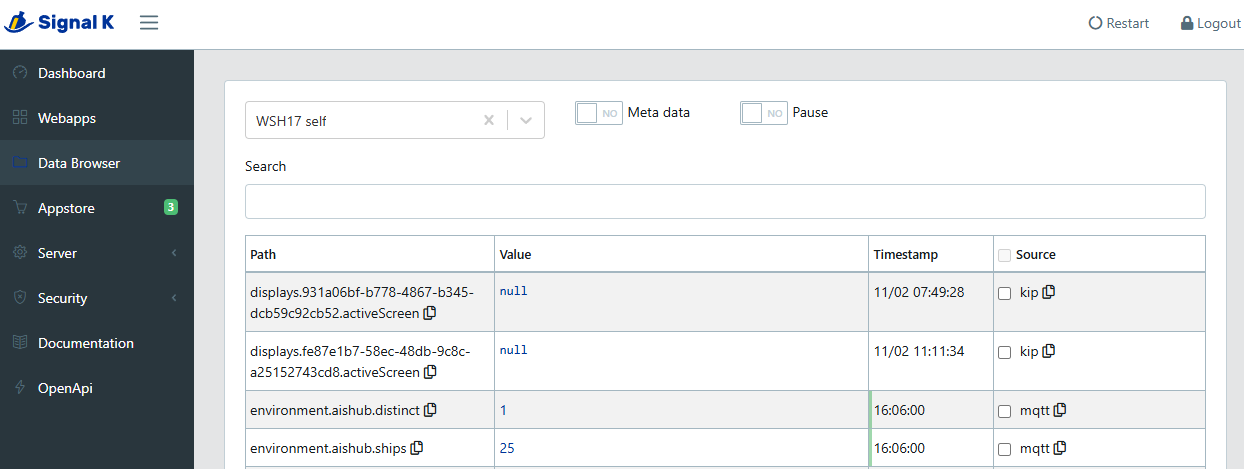
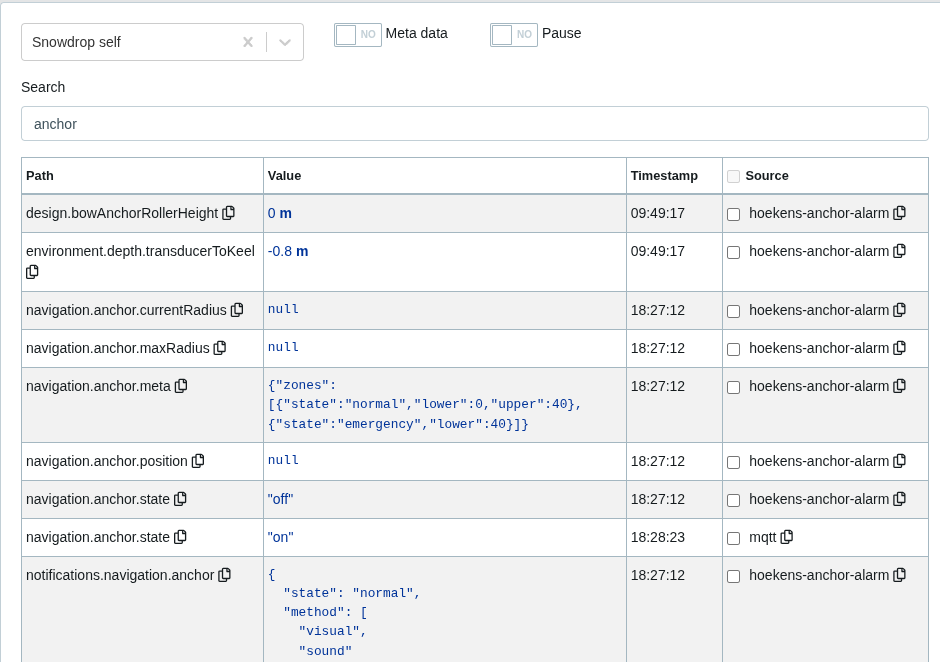
I’m using exactly signalk-mqtt-bridge and I’m trying to turn off the Anchor alarm set Hoeckens Anchor Alarm.
I noticed that the Hoeck Anchor Alarm requires the use to be logged in to change the anchor alarm. So I think that might be an issue. Or maybe I’m just sending the wrong payload. Do I need to send a complete Signalk delta? Do you have an example with signalk-mqtt-bridge where you write a value?
I saw the post about the AIS ship tracker. There the OP sent the total amount of tracked ships to SignalK in an Automation. That seems to work.
So maybe the anchor alarm is a special property that needs some extras to send along to change it?
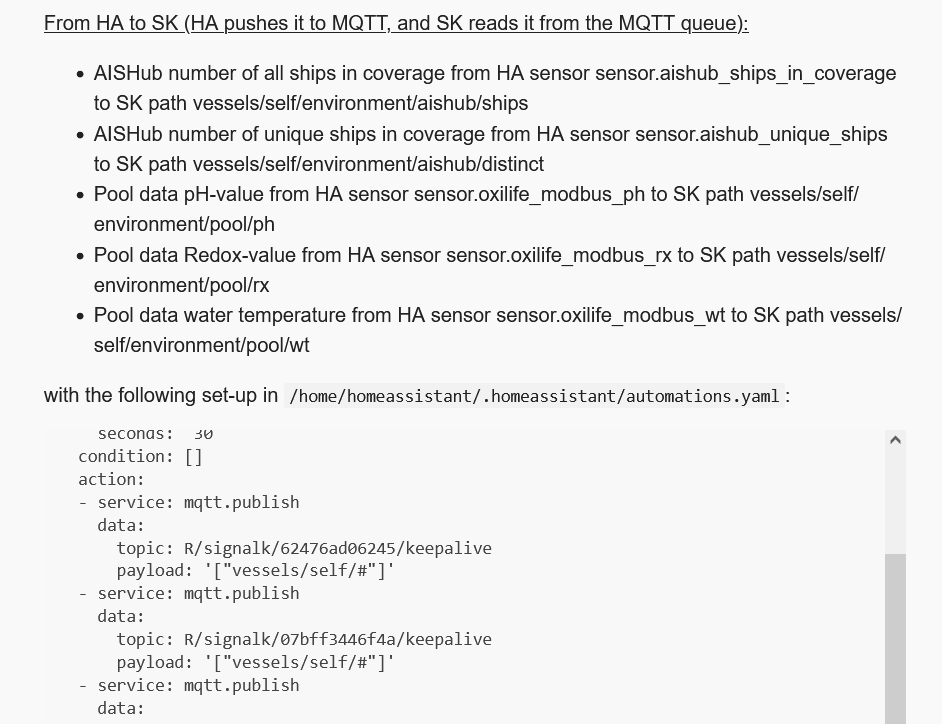
Yes, in my local set-up I have a SignalK and a Home Assistant instance and transfer data between both of them. Here is the section from my automations.yaml where I send AIS data from HA to SignalK:
But Hoechken Anchor Alarm does not turn on based on that. And, as seen before, it does not turn off either. To turn that on/off by writting a value through MQTT is apparently not the way to go.
Okay, I looked at the source code of hoeckens anchor alarm:
The issue is, that is sets the anchor again, whenever it receives a position and there is an anchor position. To Raise the anchor from the HA I would have to not only write anchor-state “off”, but also delete the anchor position and the current radius.
On top, I would need to remember that information before, in case I want to “drop” it again.
I have to think about this a bit more and come up with a new strategy.
Control the effectiveness of the anchor alarm via the radius, i.e. set radius to 20m => anchor alarm active, set radius to 999.999m => anchor alarm inactive;
Control the anchor alarm via propulsion variable, citation: If you have engine data in SignalK (propulsion.*.rpm or propulsion.*.state ) then you can enable the engine check functionality. Then, when you leave the anchorage under engine power, it will automatically end the anchor watch.;
Connect with Zach Hoeken whether a remote on/off switch can be implemented, last change in this repository was 4 months ago, so the repository seems to be alive.
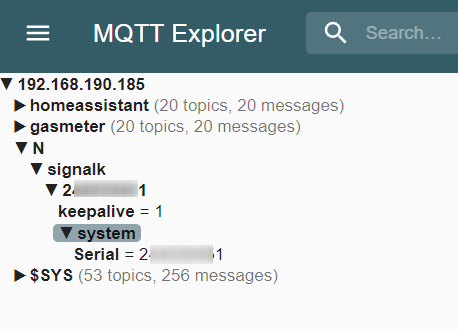
I assume you are using the integration signalk-mqtt-bridge (v0.3.2 released by iuri on 2023-09-02). I can observe the following in your post above:
-you have set your MMSI as “system Serial”
-in MQTT Explorer only the “system Serial” is arriving. This is not the MMSI, but the system Serial (which happens to be similar to the MMSI)
-this means no SignalK (SK) values are transferred from SK, only the system Serial
-this means something in your set-up on SK side is not working. Only if you can see all the values from SK in MQTT Browser will it be possible to retrieve them for Home Assistant.
So you need to check the set-up on SK side.
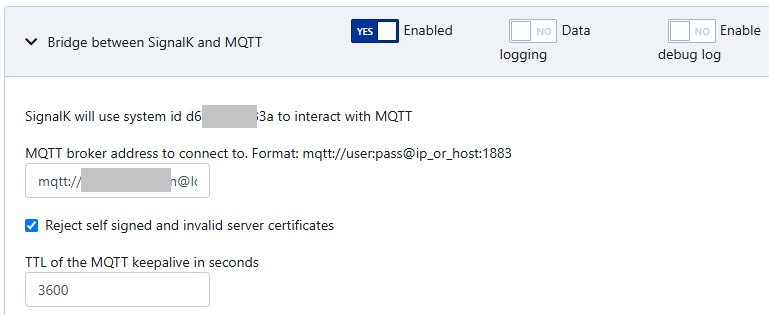
Check: in my SK plugin config there is a sentence “SignalK will use system id d6cxxxxxx33a to interact with MQTT” - what is written there in your installation?
Hi Thonglor
Thanks for taking the effort to look into the issue.
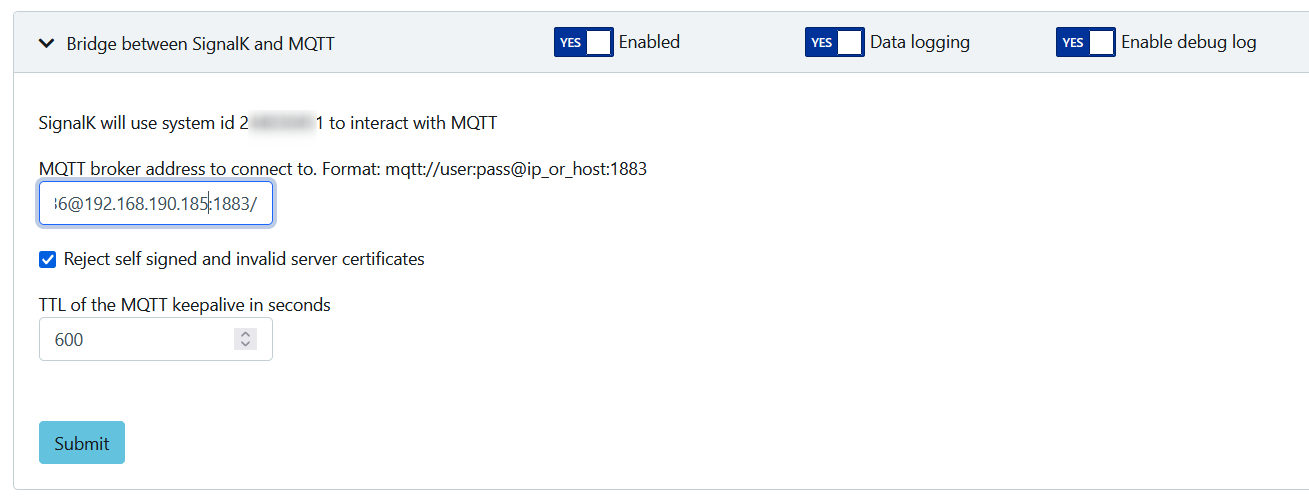
I indeed have my MMSI as the MQTT id (not sure if I have set or it’s taken from Server → Settings → Vessel Base Data
After fiddling and a lot of trying i found when I execute on the HA bash mosquitto_pub -m '' -t 'R/signalk/<bridge ID>/keepalive'
I get ALL data in my MQTT monitor
Next is to find how to find the coorect syntax and to limmit to only some / selected topics.
A bit difficult as I already get all now.
Now comming back after a few days (and HA / SK restart’s !?) I see only the “Serial Topic” comming in again.
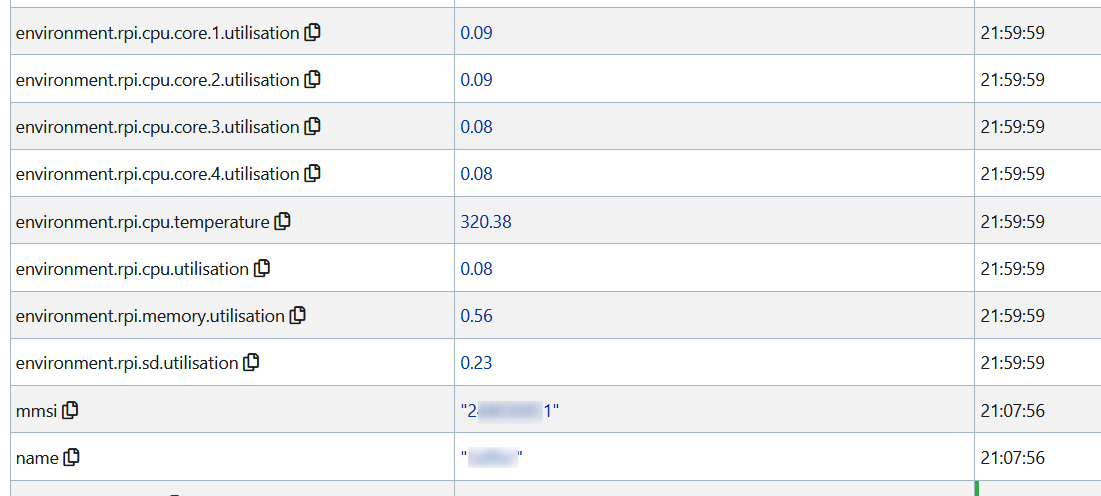
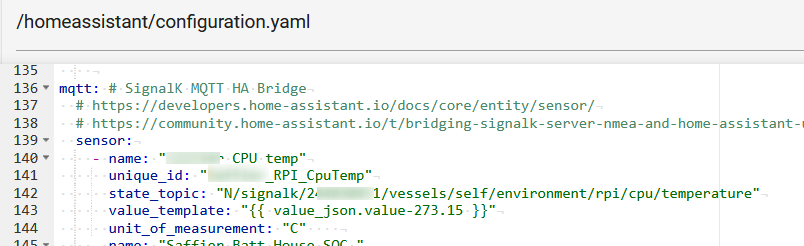
Fideling again with the BASH command I found this give me the RPI temp: mosquitto_pub -m '["vessels/self/environment/rpi/cpu/temperature"]' -t 'R/signalk/<bridge ID>/keepalive'
from SK data browser:
environment.rpi.cpu.temperature
So Syntax : vessels/self/<past from databrowser replace '.' with '/' >
I was ignoring this part as I was not interested to send any data from HA to SK (in this stage)
But if I understand now the sending the “keepalive” every min is causing the start sending the data.
It may be that a “keepalive” needs to be sent to start sending the data. The fact that data was available after fiddling with mosquitto commands on HA bash level might seem to confirm that fact. I’m not sure about it as I never had a set-up without “keepalive” signal, but… just try it out!
Hi,
You definitely need the keepalive to make sure that SK keeps sending data.
Only when sending a keepalive periodically, SK-Plugin keeps sending data to MQTT.
Once you have that Automation setup you should see all Topics in MQTTExplorer. From there it is easy to copy the Topic and setup the MQTT-sensors in HA.
Is there a way to use this with a cerbo with a n2k to can adaptor? SignalK lets me export it in to MQTT as described above, but it would be great to bypass mqtt and signalk