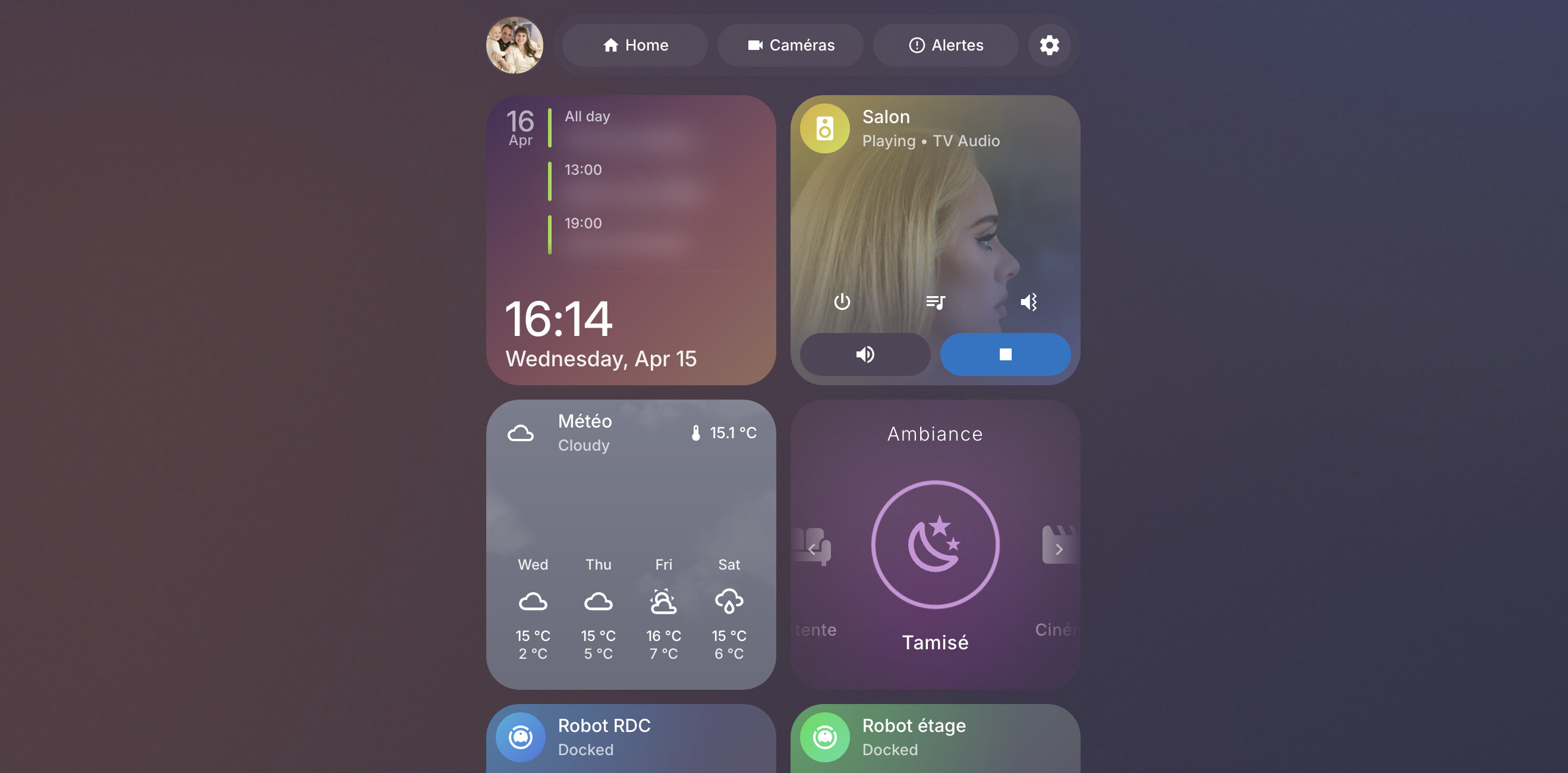
⚪ Bubble Card - A minimalist card collection for Home Assistant with a nice pop-up touch

Oh I did do the migration and upgrade on all of my bubble pop-ups, I love the new style and editor! Oh and yes I can definitely notice the speed upgrade and the classic/adaptive style works very well on mobile.

I just made sure to keep all new popups separate instead of one big vertical stack, because the old ones are all in one single vertical stack so if I add to that it deletes all of them and just replaces them with the single new one. When I have time later I plan to separate all of those out of that vertical stack too it's probably just confused cuz I did the migration but they stayed in one big vertical stack where all my popups were kept before.

Don't have a video right now but I tried to explain the bug best way possible so hopefully fixed now but again I'll separate them all later anyways.

1 Like

Yeah this is exactly what I fixed :grinning_face_with_smiling_eyes:

This migration was the only way to improve everything and to make Bubble Card more future proof, so I'm glad you like the new version after all!

1 Like

Done. Migration fubars layout · Issue #2425 · Clooos/Bubble-Card · GitHub

1 Like

I can confirm that scrolling in pop-up windows after expanding the input_select list doesn't work for me either.

1 Like

Great work @Cloos for maintaining this project!
I have a feature request regarding the new auto-updating height for multiple-row cards. I still use older versions of the cards for my layout as it better suits my needs (see below), and every time I change the JS, the auto-calculation breaks my setup. As a workaround, I have to constantly set rows: 1 in the YAML.
Could you add an option to switch the height calculation between "automatic" and "manual"?
image

1 Like

Thanks again Clooos for this excellent card. But I'm wondering if this has changed: if I press a button and this opens a pop-up, then I press another button to open a different pop-up, I think it used to just open the new pop-up. Now, it just closes the original pop-up and needs a second press to actually open the second pop-up. I understand the working of this, but I don't think it used to be this way--maybe I'm remembering badly (a common problem). Either way, it would be nice to make this a one-step operation instead of needing the two-steps it now requires.

1 Like

Bubble Card 3

v3.2.1

Hi everyone!

After all the big changes in v3.2.0, I’m really happy to share this follow-up update with all of you!

This new release should fix most of the issues reported during the pop-up migration process (this part was definitely the biggest one). It also brings a little extra performance boost (yes... this is still a bit of an obsession for me :grinning_face_with_smiling_eyes:), along with fixes for the other bugs reported after v3.2.0. It now feels much more solid overall, and I hope it will make updating a lot smoother for everyone. I’m also really sorry for the issues that were reported and that I missed during the betas!

Thank you all so much for your support, to everyone who recently joined me on Patreon, for your donations, and for all the feedback that helped me put this version together :clinking_beer_mugs:

And now, here is everything that has been fixed in this release:


:check_mark: Bug fixes and improvements

  • Improved standalone pop-up migration:
    Greatly improved migration to standalone pop-ups, with better layout preservation for more complex setups and migrated cards. #2425 #2418 #2414

  • Fixed migration and editing inside stacks:
    Pop-up migration and editing now work correctly when a pop-up is placed inside a stack. #2422 #2417

  • Fixed scrolling inside pop-ups:
    Reworked scroll locking and interaction handling so scrolling behaves correctly inside pop-ups again. #2410 #2416

  • Better migration guidance:
    Added more information directly in the migration dialog, along with a built-in video demo for the new pop-up editor.

  • Show header with sub-buttons:
    Pop-ups now automatically display a header when sub-buttons are configured. #2423

  • Bottom offset support for default standalone pop-ups:
    Added the missing bottom offset support for the default standalone pop-up mode, especially useful on dashboards that use footer cards. #2406

  • More efficient large pop-ups:
    Cards that are outside the visible area of a pop-up now update more intelligently, improving responsiveness on heavier pop-up configurations.

  • Fixed pop-up editor edge cases:
    Resolved a blocked pop-up editor when the YAML editor is open.

  • Fixed some Home Assistant cards appearing blank on open:
    Scrollable cards that could stay visually blank when a pop-up opened are now refreshed correctly. #2410

  • Improved compatibility with previous pop-up custom styles:
    Restored compatibility with older custom styles after the v3.2.0 changes. #2411

  • Fixed a backdrop blur edge case:
    bg_blur now works correctly when the backdrop is hidden while backdrop_blur is still configured.

  • Fixed the migration dialog on mobile:
    The Got it... button now works correctly on mobile devices.

  • Fixed the empty column height regression:
    Fixed the height difference introduced on empty columns after v3.2.0. #2419

  • Migration is now scoped to the active view:
    Fixed cases where migration could target the wrong pop-up when the same hash existed in multiple dashboard views.

  • Better diagnostics:
    Added clearer warnings and error handling for missing legacy module YAML files and template subscription failures. #342


Bubble News :clinking_beer_mugs:


Over the past few years, I’ve been working on Bubble Card almost every day to make it the best it can be, and I still can’t believe how much it has grown in popularity. Watching the community getting this big and seeing so many people using my work has been incredibly rewarding :heart:

This is why I decided to create a Patreon as a way to offer something more for those who want to support me. Over the past few months, I’ve released 5 modules that are easily configurable in the editor, like any other feature:

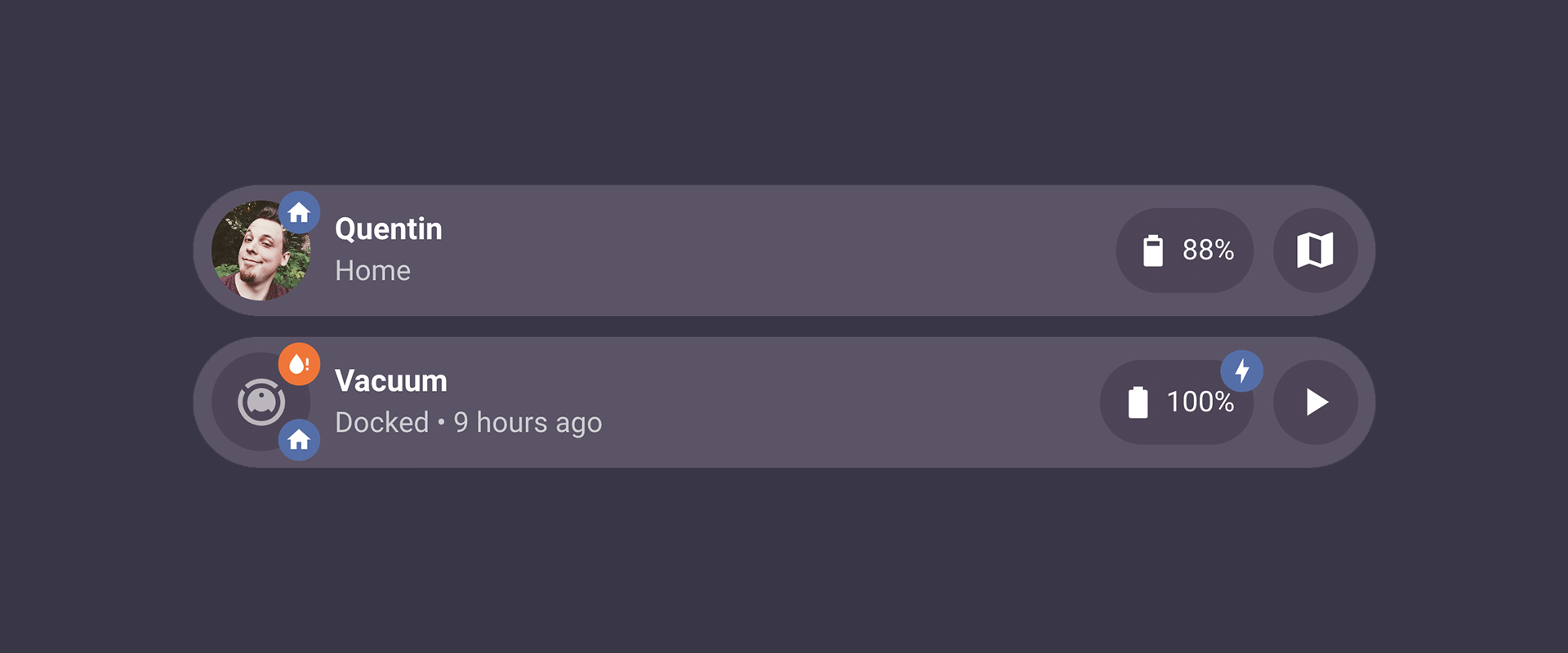
  • Bubble Badges 2 - Unlimited badges on any sub-button or the main icon
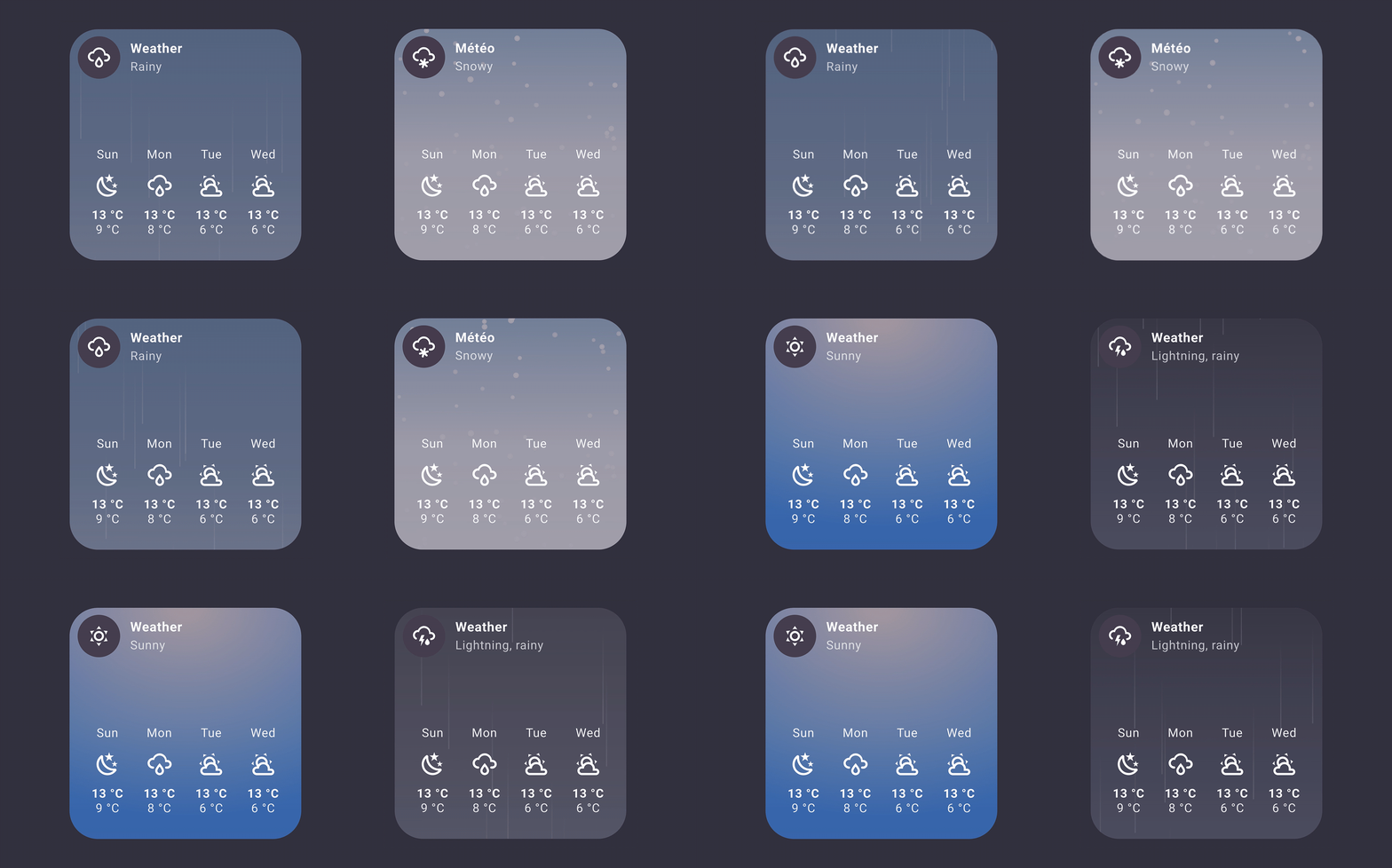
  • Bubble Weather - Animated weather backgrounds with daily/hourly forecasts
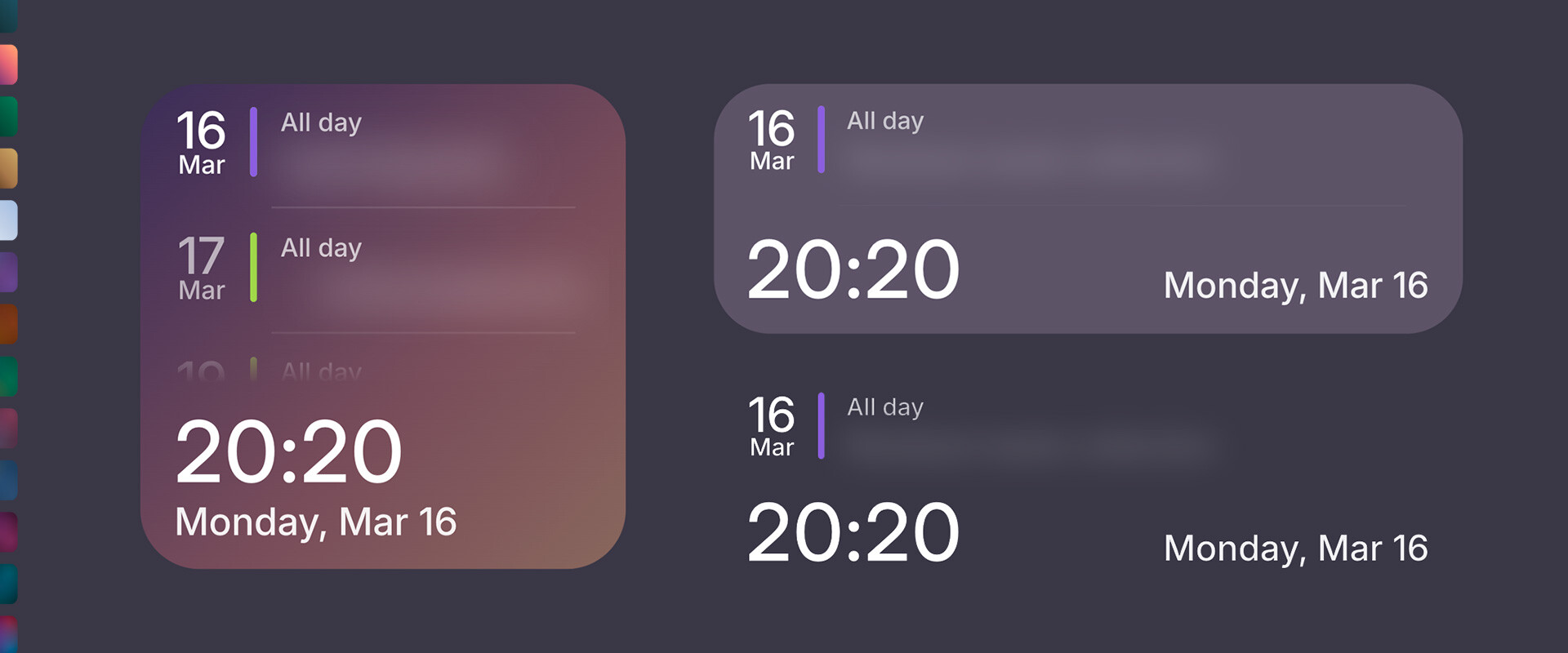
  • Bubble Calendar Enhanced - Add time and date on buttons or calendar cards with customizable layout options
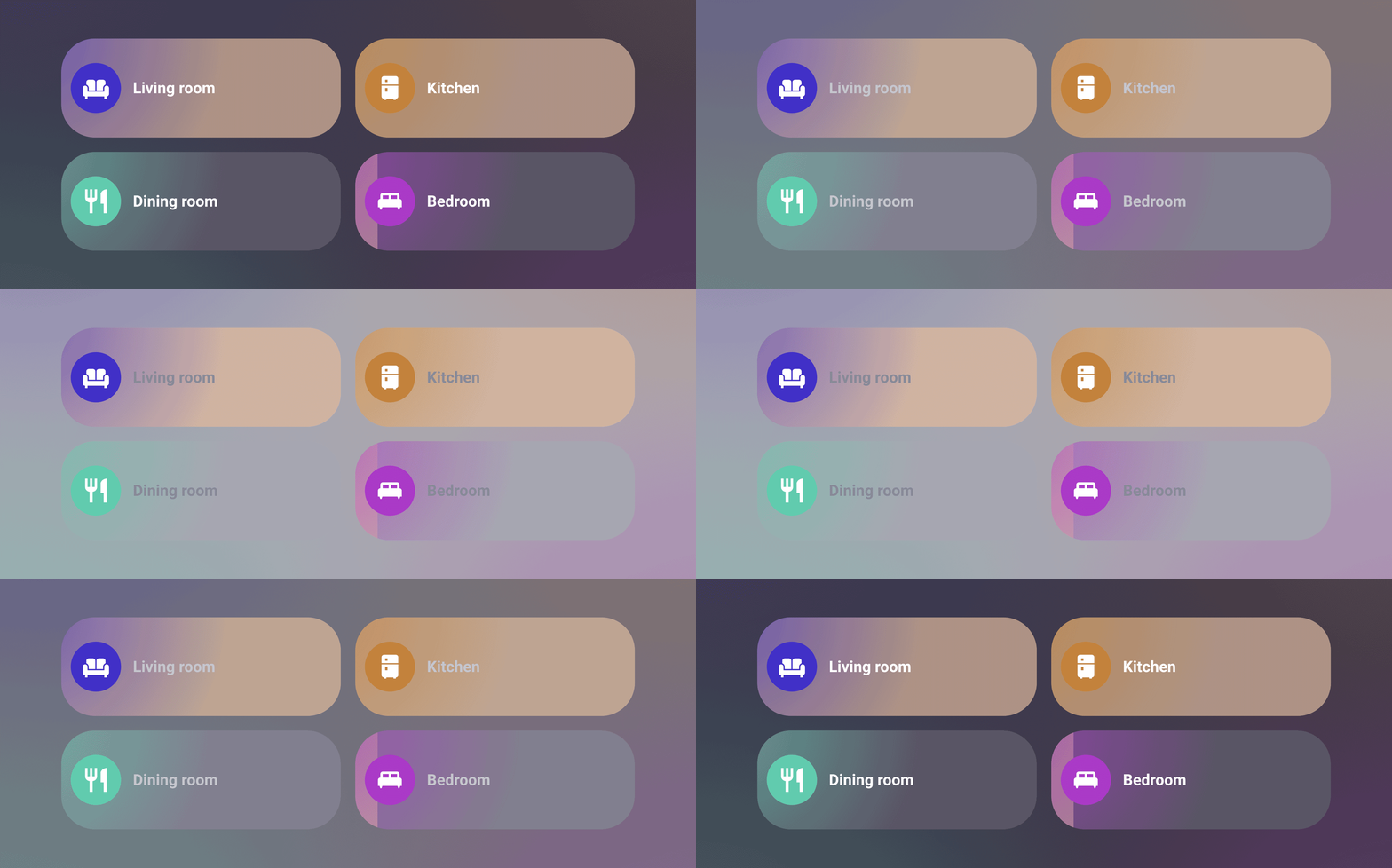
  • Bubble Neon - A dynamic theme that automatically assigns unique vibrant colors to each Bubble Card
  • Custom dropdown - Full control over labels, icons, and actions on select cards and sub-buttons
Bubble Weather Bubble Module 2
Bubble Module 3 Bubble Module 4

I’m also finally happy with my own dashboard, built entirely with Bubble Card and only new custom modules I've been working on for months! Including one that adds unique colors and styles to all cards, one for the weather, one for graphs, square cards, time... I’ll release more of these modules soon, with a detailed post on Patreon and a new YouTube video. I would love to know what you think!

Thank you so much for being part of this amazing community, your support always makes a huge difference! :heart:

Support my work on Patreon


I’ve been wanting to start my own YouTube channel for a while, focusing on tutorials around Home Assistant and Bubble Card, and I really hope you will enjoy my videos. Don’t hesitate to subscribe to help give my channel more visibility. Thank you in advance!

YouTube


I want to highlight that on the GitHub page, in the Discussions section, you can share and discover some amazing YAML examples from the community. Go check it out! Some of the creations are absolutely incredible!

Community creations


And if you are interested I've opened a Subreddit for Bubble Card where I post my progress on the project. Here it is:

Reddit Page


Also, if you ever want to grab me a fresh beer, here are some easy ways :clinking_beer_mugs:

Buy me a beer PayPal Patreon

Hi.

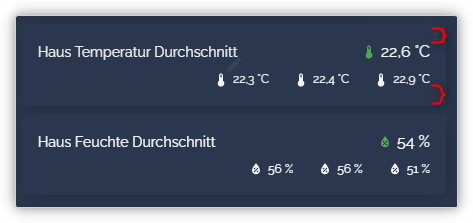
I have a card with two rows of sub-buttons and a set row. Unfortunately, the overall map is too large, i.e. the distance from the contents to the edge of the map. If I reduce the row value, the distance between the bottom subbuttons and the main row is reduced, but the map isn't actually any smaller. However, I want to keep the distance and only display the map itself smaller so that more of these maps can be displayed.

How can I do this, but I can't find a way to use styles to reduce the red marked areas and leave the rest as it is?

  - type: custom:bubble-card
    rows: 1.4
    card_type: button
    button_type: state
    entity: sensor.mmx_haus_temp_mean
    show_state: false
    show_icon: false
    show_attribute: false
    tap_action:
      action: none
    button_action:
      tap_action:
        action: none
    sub_button:
      main:
        - entity: sensor.mmx_haus_temp_mean
          show_background: false
          show_icon: true
          show_state: true
          tap_action: null
          action: none
      bottom:
        - name: Sub-Temp
          buttons_layout: inline
          justify_content: end
          group:
            - entity: sensor.mmx_haus_temp_og_mean
              show_background: false
              show_icon: true
              show_state: true
              tap_action:
                action: none
              fill_width: false
            - entity: sensor.mmx_haus_temp_eg_mean
              show_background: false
              show_icon: true
              show_state: true
              tap_action:
                action: none
              fill_width: false
            - entity: sensor.mmx_haus_temp_ug_mean
              show_background: false
              show_icon: true
              show_state: true
              tap_action:
                action: none
              fill_width: false
    styles: |
      .bubble-sub-button {
        font-size: 16px !important;
      }
      .bubble-sub-button-bottom-container .bubble-sub-button {
        font-size: 12px !important;
      }

If you want to show a pop-up and you are using the lovelace-wallpanel screensaver on the same dashboard, you need to switch off the screensaver with an automation before you trigger the pop-up, otherwise the pop-up will not show.

[Sharing] Claude skill library for Bubble Card dashboards — HA_Bubble_Skill

Hi all,

I've been working on a structured skill library for Claude that focuses on building Bubble Card dashboards, and wanted to share it in case it's useful to others in the community.

What it is

HA_Bubble_Skill is a set of reference files you load into Claude (either as project knowledge in claude.ai, or on disk if you use Claude with file system access). Once loaded, Claude has detailed, version-specific knowledge of Bubble Card 3.2.x, Streamline Card, Sidebar Card, and the Mushroom chip card — plus a shared CSS theme architecture that wires all of them together.

It's an initial release, so treat it as a solid foundation rather than something polished and battle-tested.

What it covers

  • Bubble Card 3.2.x — all card types, v3.2 standalone pop-up format, sub-button schema (v3.1+ index ordering), JS template API, module authoring
  • Streamline Card — template syntax, UI-mode vs YAML-mode distinction, Bubble Card interaction patterns
  • Sidebar Card — config, known issues (including the HA 2026.x caveats), fallback patterns
  • Mushroom chip cards — including the template chip and a Mushroom ↔ HA state-colour integration via the CSS theme
  • CSS theme — a merged HA/Bubble/Mushroom theme (Casa5HeyneV2-based) with a colour intelligence layer: WCAG contrast checks, 12 ready-made palette recipes, advisory and prescriptive palette generation
  • Troubleshooting — symptom → cause → fix tables for the most common failure modes

What it doesn't do

It won't replace understanding how these cards work. Claude still makes mistakes, especially on things that changed between Bubble Card versions. The skill helps it get the common patterns right more consistently, not perfectly.

GitHub

Includes the skill files, a base Casa5HeyneV2 theme YAML (with the Bubble + Mushroom CSS integration already wired), and a test dashboard you can import to verify the recipes work on your setup.

Happy to answer questions, and feedback on gaps or errors is very welcome — especially from people running setups I haven't tested against.

3 Likes

Hi everyone,

We all spend an insane amount of time optimizing our dashboards, creating sleek designs, and tracking down the slightest latency. But amidst all these binary sensors and charts, I felt that a missing "organic" touch was needed. So, I wanted to integrate humanity's oldest sensor into my interface: the Moon.

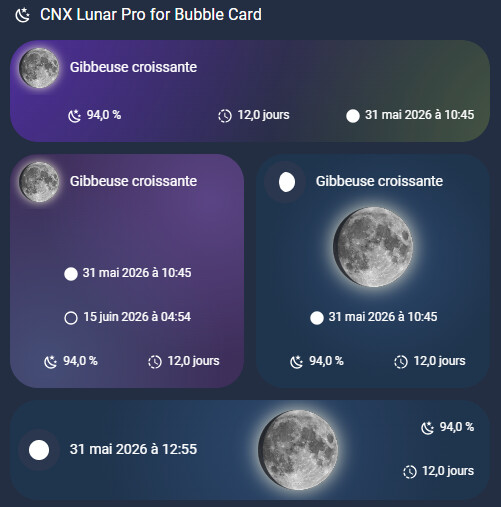
Let me introduce CNX Lunar Pro, a custom module designed specifically for Bubble Card.

:glowing_star: What is it?

It is a graphics rendering engine (HTML5 Canvas) that replaces the static MDI icon of your Bubble Cards with a visual, textured, and real-time calculated representation of the moon.

Instead of using pre-generated images, the module dynamically draws the shadow geometry (the terminator) based on data from your own Home Assistant instance.

:rocket: Key Features

  • Ultra-realistic rendering: Dynamic drawing with a customizable photographic texture or solid color. Complete with an Earthshine effect and an adjustable glow.
  • HA Backend-Driven: The thickness of the shadow isn't just an estimate; it is locked to the exact value of your illumination sensor (ideally paired with the excellent Moon Astro integration).
  • Local Topography (Parallactic Angle): The moon rotates on your card to tilt exactly as you see it when you look up at the sky from your location.
  • "Dual-Mode" Architecture:
    • Native Mode: The render is automatically injected in place of the Bubble Card icon, neatly taking up 100% of its size.
    • Free Mode: For complex themes (e.g., Bubble Neon), detach the moon from the icon and place it anywhere on your card using X/Y coordinates, floating above the background layers.
  • Square Format: Built-in option to force the card's aspect ratio to a perfect 1:1.

:open_book: Learn More

I wrote a comprehensive article on my blog detailing the genesis of the project, the philosophy behind this approach, along with the full YAML code and technical prerequisites (including how to create a Template Sensor to calculate the exact age of the moon).

:backhand_index_pointing_right: Read the full article and get the CNX Lunar Pro code

Feel free to share your feedback if you integrate it into your dashboards; I'd love to see the result on your interfaces!

  1. Download the module
    Download the YAML file for this module from the bottom of the Patreon post.

    Get this module on Patreon

Happy tweaking everyone!

1 Like

While everyone else on here donates their time and effort for free, you want to make money from it....

And using someone else's Moon integration which is also available for free!

Yeh I agree with this. Feels icky. Loved the idea of these and they are well polished, but Clooos spent a lot of time and effort on Bubble card and the Patreon for these modules is more than what Clooos is asking for. Prefer my money to go there.

2 Likes

Hi everyone,

Thanks for taking the time to share your feedback. I'd like to clarify two important points to clear up any misunderstandings:

Regarding Moon Astro: I am absolutely not selling this integration. It is 100% free, doesn't belong to me, and I gain nothing from it. I simply highlighted and recommended it because it provides the highly reliable data my rendering engine needs. You can absolutely use any other moon integration with CNX Lunar Pro if you prefer.

Regarding Bubble Card & Patreon: I have the utmost respect for Clooos's incredible work — in fact, I am a monthly Patreon backer of his myself. Developing this custom rendering engine also required time and technical development. Offering a Patreon option for my own work is just a way to value that time, which is standard practice for many creators.

Everyone is entirely free to choose how they build their dashboards. Have a great day and happy tweaking everyone!

Probably it is mentioned before but I simply could not find it. I'd like to change the background color of the sub-buttons but maintain the feature that is follows the entuity state. So instead of the basic blue, I'd like it to be pink with white icon and when the state is off or unavailable as is now.
Any help is appreciated.
I am on HA2026.5.4 and Bubblecard 3.2.2

Just use a suitable module, in my opinion it's the best way instead of building stylings yourself. This should fit:

hi @Cloos

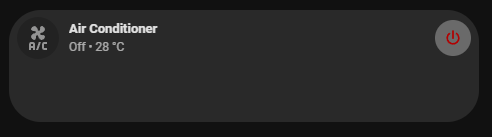
just wondering if what is the proper way to auto resize the height of the card?
what im trying to do here is to stay the card in 1 row when the state is off and then just auto expand if it is turned on.

what would you recommend for this?

this is what it looks like without my workaround

then this is my workaround.

{% if is_state('climate.air_conditioner', 'off') %}
  .bubble-climate-container {
    height: var(--bubble-row-size, 56px) !important;
  }
{% endif %}

let me know your thoughts.

thank you :slight_smile:

Looks as if this module is no longer available

Is available and is up to date and it is working fine.

Why you think it is no longer available?