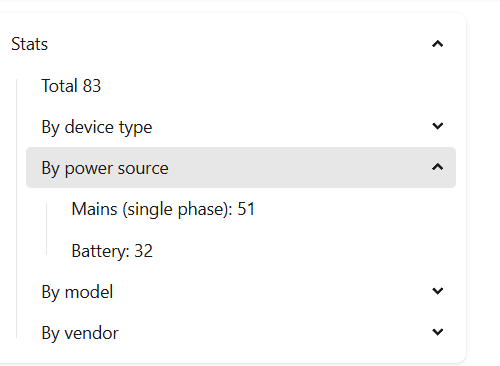
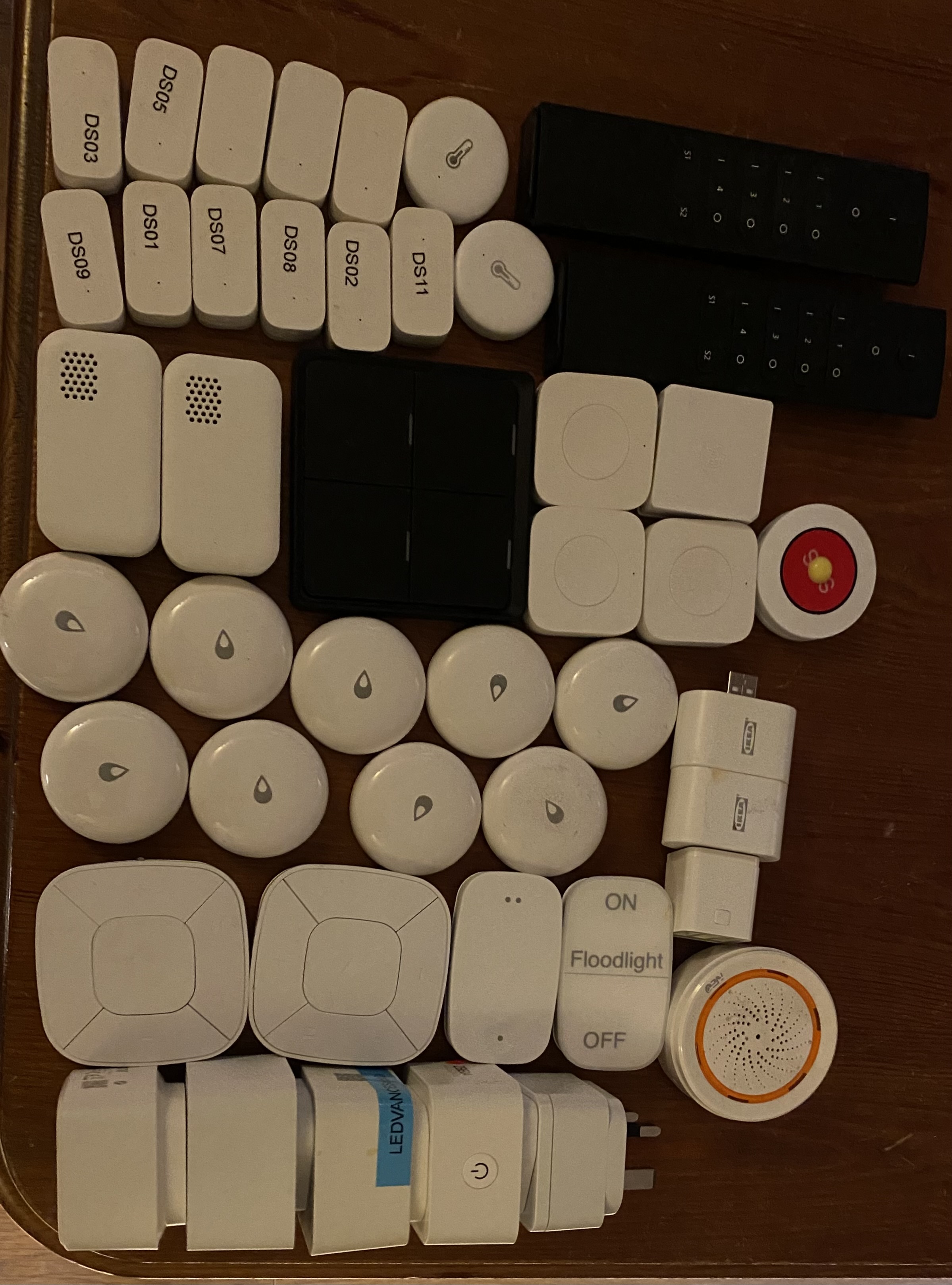
19 mains powered - dual wall sockets spread evenly across the whole property in very room and they are all getting a great signal from the coordinator mounted in the dead centre of the house away from all electrical or transmitting devices
And about 28 wireless devices all sat with line of sight to an mains powered router device.
Once I have replaced zigbee2MQTT switches with hue switches that will being battery operated devices down by another 3 devices
And it is only the battery powered devices you’re having issues with? Or both? You might have too few router devices. This is my stable network for comparison. You could try moving your Hue bulbs from the Hue hub to Z2M so you get more routers and see if that helps.
Very much appreciated I was running about another 30 mains powered devices but I have removed them as it was causing too much work for zigbee2MQTT.
I have been going around this for 20 months and have tried 4 routers to end device to little avail along with 1001 other suggestions on how to make it stable.
So most of the remaining battery devices are working ok, with about 10 of them playing up, I am replacing those with a more stable solution so will keep reducing it workload as I find a replacement. Hopefully stabilising with the critical, minimal, and hard to replace devices
I’m curious as to what wireless channels are in use since you say things are stable. Not just the Zigbee channels but the 2.4Ghz WiFi as well.
With multiple co-ordinators in nearby locations it could well have been an anomaly that cause the Zigbee2Mqtt to think there was a duplicate PANID.
I would say a practical limit for most home users would be 100 devices with a good Zigbee controller and a few router devices.
For an advanced network you should be able to achieve 200+ devices with a proper planning, a high quality co-ordinator and positioning of router capable devices.
Both those numbers are a far cry from the maximum of 65,536 devices since the protocol uses 16-bit addressing.
I really appreciate the engagement but this has been exhausted as an issue over the last 20 months.
But …
Two Hue zigbee channels 20 and 25
Wifi 2.4Ghz 6 & 11
zigbee2MQTT zigbee Channel 11
The PanID - the extended PANID and the networkID were all randomised/unique and the chances of any neighbour running up a zigbee network with identical IDs is astronomical
zigbee2MQTT saw a reflection of itself and panic dumped everything.
Realistically the coordinator sets the limit and currently on the existing coordinator that is 200.
I have been building home automation since X10 days and the only reason I am so fed up is that I foolishly felt this was getting reliable and I spent a lot of time building sophisticated automations that are all trash now.
I’ll migrate as much as I can away from zigbee2MQTT and move automations into node red so I can run up a zigbee2MQTT elsewhere and still use the devices.
I see no reason why this should be so unreliable and hold out hope it will get there one day.
In a few weeks I’ll run up a factory wiped Home Assistant green and run up zigbee2MQTT on it transfer devices across to it.
If zigbee2MQTT cannot run stable on a vanilla, factory wiped, Home Assistant green with NOTHING else on it then it will be a clear correlation.
That is why planning is needed and whilst you say the co-ordinator sets the limit are you aware that most co-ordinators only allow 32 directly connected children?
Yes and why I pair all the router devices first starting near the coordinator and spiralling out, then go back and add the end devices
Yeh having built a zigbee2MQTT network 30 or 40 times over the last 20 months, can do it quite quickly, but have built up confidence over recent months and have devices in awkward places to reach so currently have 10 zigbee devices ‘lost’ and unpaired until move furniture, go under the kitchen cabinets, take out a screwdriver and remove them all from the gates and shed doors.
Unfortunately the current hue hubs are limited to 50 odd devices, the new hue hub pro will support 150+ devices, is out next week.
The hue hubs have been running for over 10 years without issue or needed my involvement being 95% automated.
So that will reduce me down to two zigbee hubs.
I am increasing the devices on the reliable hue system and have decreased the zigbee2MQTT devices down from 120 to less than 50.
When I consolidate the hue hubs I’ll run up a factory reset Home Assistant green and add zigbee2MQTT and MQTT and migrate the existing zigbee2MQTT devices across.
I have 10 ikea relays and another 20 router devices I can re-add when I do, but they were of no use when zigbee2MQTT dumped everything.
I’ll keep all the zigbee devices for when I can get a zigbee2MQTT installation that requires no re-pairing devices and things are stable for 3 months.
I have bought in a pile of hue switches/ lights to replace some of zigbee devices and ordered some eufy devices to replace zigbee ones.
So not in a hurry if I can keep the ~20 odd dual socket devices, ~10 odd blind controllers and plant management devices running, can’t find easy replacements for them.
I migrated from 3 Hue hubs to Z2M due to reaching the ~50 bulb / ~20 accessory limits on the Hue hubs. I do agree that they were solid hubs and the only issues I had was when the limits were reached.
You have described your WiFi environment and there are no obvious reasons there so I wondered whether this could be external.
Do you live in a high density WiFi area like a block of flats? Maybe there is someone using a 40MHz channel width on the 2.4GHz band. You could check with a WiFi monitoring app on your phone.
Could there be something like a video sender (Baby monitor) in your vicinity. More difficult to check but you could buy an SDR to look at the 2.4GHz spectrum.
Finally, I have had issues with certain devices not playing happily together on Z2M (Possibly ZHA as well but I’ve never used that). Specifics I remember were Samsung smart plugs and Aqara contact sensors. The older Aqara devices were known to not fully support Zigbee 3.0 and could drop off the network if not connected to an Aqara hub or connected via a repeater that wasn’t so relaxed about the zigbee protocol. I run 3 * Z2M networks partly to be able to keep problematic devices apart and partly because I have had stability issues when Z2M networks get larger than ~ 100 devices. (I know Zigbee can support 200+ devices, I am just stating my real world experience)
We live in a detached property, with thick cement walls downstairs.
So ended up with 5 UniFi access points, 4 inside one outside.
Using the UniFi WiFi survey I can see no external issues.
Went through all of 2024 ensuring clean WiFi and zigbee.
Given the stability exhibited over the last 8 months apart from the intermittent, every 14 to 20 days, zigbee2MQTT devices going offline and subsequent need to reboot Home Assistant and coordinator.
Which indicates a coordinator issue rather than a channel clash.
The latest total failure of zigbee2MQTT came out of the blue, removing all devices from zigbee2MQTT requiring several days effort to get minimal capability operational.
I now have 27 router devices and 25 end devices having moved the function of the other 70 devices no longer in zigbee2MQTT to other systems.
Once the Hue Hub Pro is released (next week) I can move the 2 Hue Hubs onto it consolidating 2 zigbee channels down to one.
Which will allow me to run up a factory reset Home Assistant green with another smlight and start migrating the ~50 devices across in a sterile environment. Using Node Red for automations across Home Assistants
Hopefully will allow me to establish a stable, clean zigbee2MQTT.
Due to being detached I am guessing not much interference from neighbouring WiFi and with 5 access points you should have good coverage.
As for Zigbee, whilst you have split things, you appear to have done so more by manufacturer / brand, where as I would have looked at doing it spatially (eg. by floor).
(Zigbee) zigbee2MQTT runs all the sockets in the house, plant sensor and watering, presence sensors, window blinds.
I did try last year to run everything on zigbee2MQTT but having experienced so many zigbee2MQTT outages it was upsetting family.
Subsequently, changed my fundamental philosophy of home automation, in that reliability trumps all else and now drive Home Assistant as a hub to drive hubs.
Separating out lighting, heating, security etc into self managing functions providing much higher level of stability and reliability previously unobtainable.
Then have Home Assistant providing a glue and oversight layer enhancing each autonomous hub.
There are some similarities between our setups so I’ll talk through my environment in case there is something you can pick out of it to help.
I invested heavily in Hue early on and ended up with 3 hubs to manage ~ 120 bulbs and accessories. I also had a Samsung smarthings hub to manage 40+ smartplugs and sensors. Due to the spread of zigbee channels I was on and the lack of expandability and management I started to migrate to Z2M.
Started with a conbee II but quickly moved to a Sonoff V3.0 dongle (Since renamed to SONOFF ZB Dongle-P Zigbee 3.0) as it was the first coordinator with the new (at the time) CC2652P chipset.
That worked fine until I reached ~ 100 plus devices where I started to have stability issues. As I mentioned before I read about Aqara and Samsung smart sockets having issues. I also think the number of smart sockets reporting power usage was a factor. I was having lights not responding so I am pretty sure the zigbee channel was saturated.
This led me to split smart plugs and Hue/Aqara devices onto 2 zigbee networks. The other major thing I did was install HA and Z2M onto separate RPi3B+ boards with their own dongles. These then report back to my main HA server running Mosquitto. I have since added another RPi3B+ with another dongle due to the amount of Zigbee devices I have. The Pi’s only run Z2M and have not been updated for 12 months+. I also am not affected by updates and reboots on my main server.
I treat the Pi’s as an appliance so they are currently running Z2M 1.40 and HA 2024.5. They run on Zigbee channels 20, 24 and 25 and my 2.4GHz WiFi is on channels 1 and 6. I have no current plans to update them.
I am fortunate that I live in a bungalow and have access to the loft space so my coordinators are on 5M extension cables and live in the loft. All my coordinators are CC2652 based. I tried the ZBDongle-E which has the EFR32MG21 chipset and it was a nightmare for me. I now use that to monitor zigbee for some small insight into channel usage.
I note you are currently using a SMLIGHT coordinator. I did look at getting one to try as ethernet and PoE seems a sensible upgrade. I haven’t pursued it because as you mention stability is vital - especially with lighting.