I will update the macro to set time_format='isoformat' automatically when mode='all' is used
1 Like
Just released v7.0.1 which sets time_format='isoformat' automatically when mode='all' is used.
1 Like
Hi!
I don´t get it. I my be stupid.
I wont to have a binary.sensor and I think I have to use mode = ‘is_now’.
But as my time window is from 14:00 today until 10:00 tomorrow i have to use a Trigger. Otherwise it will be messed up after midnight.
But on the other-hand mode=‘is_now’ do not work if I use a trigger at 13:45.
I think I´m missing something, or?
There are options to achieve what you want. It depends a bit on the integration which you are using for the price data, and how you determine the hours input which approach would be best.
Can you give some more details on which integration you use for the data. It would be rather easy if you have access to the price data from yesterday.
Anyway, you are not stupid, using mode='is_now' with a period which spans the night is not the most straightforward thing to set up.
Edited NL → EN:
I just upgraded to HA 2025.10.4, and my binary template sensors no longer work. An example is below, which displays “Not Available”:
{% from 'cheapest_energy_hours.jinja' import cheapest_energy_hours %}
{{ cheapest_energy_hours('sensor.nordpool', attr_today='Today', hours=3, split=true, lowest=True, mode='is_now', value_key='price', time_key='time') }}
In the developer tools, it displays “ZeroDivisionError: division by zero”
Any idea what I can do about this and what has changed? I also updated the integration to V7.0 afterward, but no difference.
Hi, I’ll have a look later, but could you please use English on the community forum 
And could you post the content of that Today attribute of sensor.nordpool
I think it has something to do with summertime stopping this night, in combination with the check I added in 6.0.4
You can revert to 6.0.3 to have a working version again, unfortunately I don’t have time to fix this this weekend, and I expect 7.0.1 will work again on Monday.
Sorry, I thought I was still on tweakers.net  But I edited the previous post. And no problem at all since I can use an alternative solution in the mean time. I will check on monday what the status is and report it back. Thanks for the quick response!
And the today data:
Today
0,15, 0,15, 0,15, 0,15, 0,15, 0,15, 0,15, 0,15, 0,15, 0,15, 0,15, 0,15, 0,15, 0,15, 0,15, 0,15, 0,15, 0,15, 0,15, 0,15, 0,15, 0,15, 0,15, 0,15, 0,15, 0,15, 0,15, 0,15, 0,15, 0,15, 0,15, 0,15, 0,15, 0,15, 0,15, 0,16, 0,16, 0,16, 0,16, 0,16, 0,16, 0,16, 0,16, 0,16, 0,16, 0,15, 0,16, 0,16, 0,15, 0,16, 0,16, 0,16, 0,15, 0,15, 0,15, 0,15, 0,15, 0,15, 0,15, 0,16, 0,15, 0,15, 0,15, 0,15, 0,15, 0,15, 0,15, 0,16, 0,16, 0,18, 0,19, 0,24, 0,21, 0,22, 0,23, 0,24, 0,24, 0,24, 0,23, 0,22, 0,24, 0,22, 0,2, 0,19, 0,21, 0,21, 0,2, 0,19, 0,19, 0,18, 0,19, 0,18, 0,17, 0,16, 0,16, 0,15
Found the issue, you can update to 7.0.2
BTW you are giving the macro a lot of additional work because you are using wrong settings, which causes the macro to perform extra tasks in correcting those.
If you use the custom Nordpool integration, do not provide anything for attr_today, value_key and time_key as the defaults are already correct.
Thanks for the fix! And I found the setup somewhere on the internet, thats why I am not using the best possible version. Will update it with your recommendation, thx!
I’m quite new to the HA community but trying to get this working and bumping into a problem.
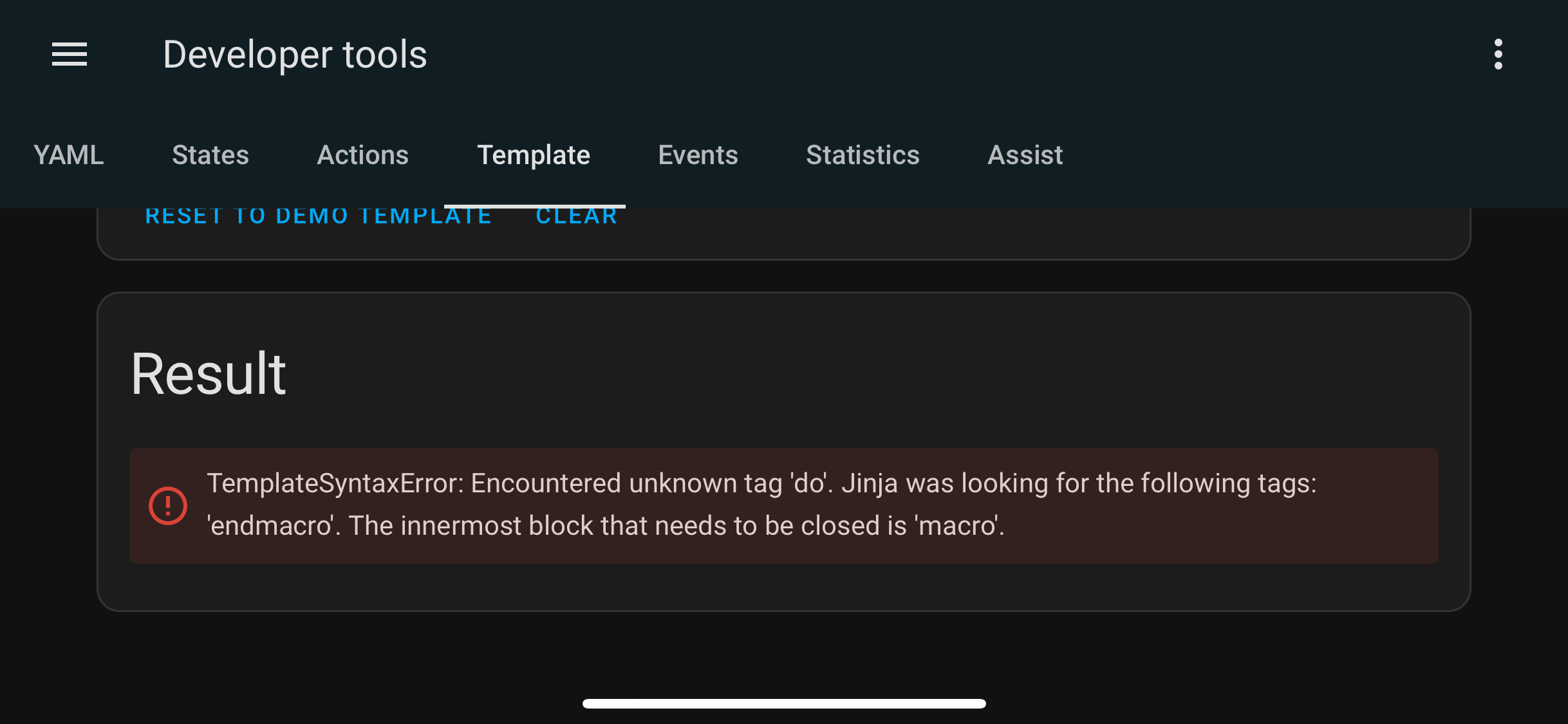
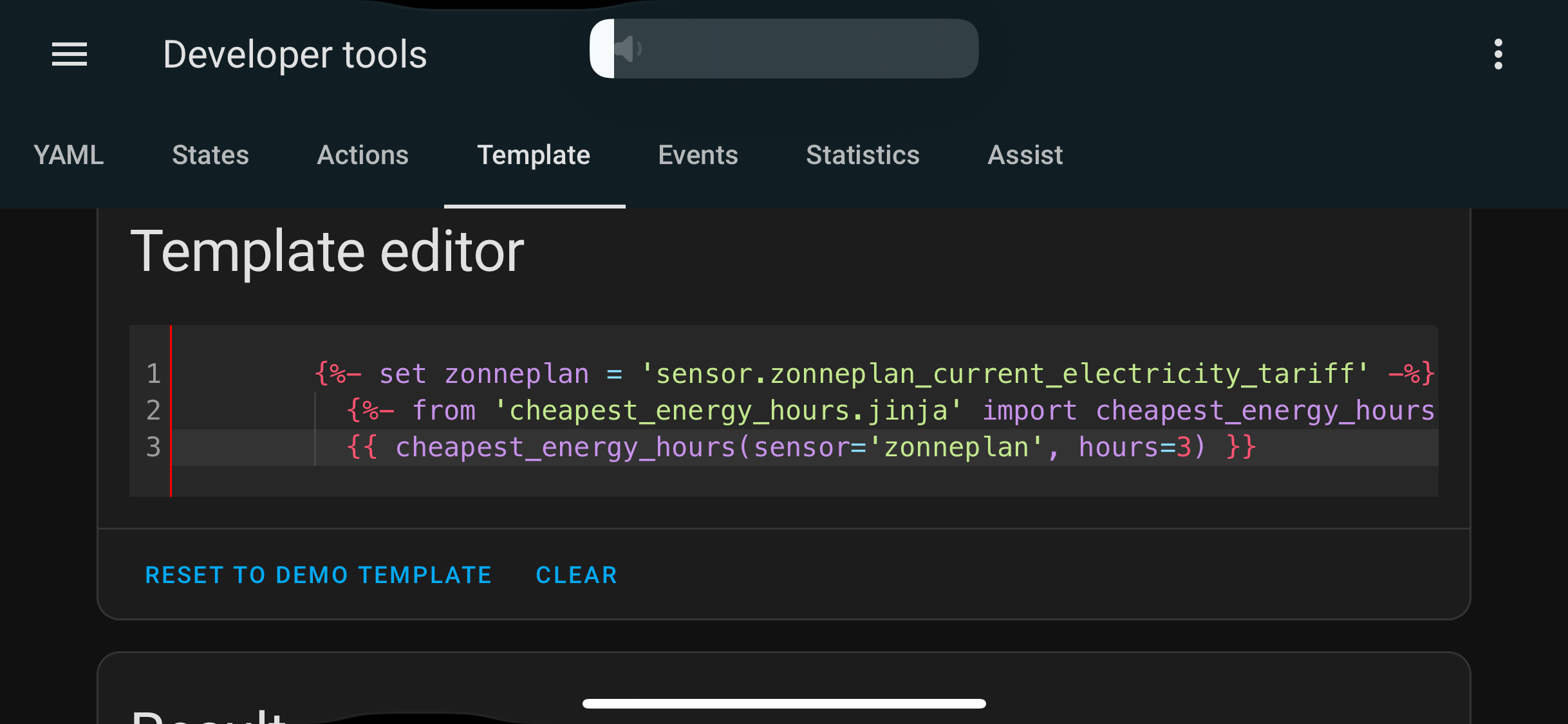
Problem I get when trying to get some output via dev tools is find in the screenshot below.
I have HA installed via docker on my Synology NAS. Also I have HACS running and installed the macro. I’m not able to enable experimental features in HACS but not sure if this might be the problem?
Your HA version is too low.
The functionality added in v7 to return native types requires at least HA 2025.6
If you’re unable to update, or dinner want to update for some reason, you can use v6. Note that versions 6.0.4 introduced a bug which now surfaces due to the ending of daylight savings time this night. I fixed that in v7.0.2, but it you want to use v6, you can use v6.0.3. As of Monday, v6.0.4 and later should work again, so you could update to the last v6 version then, which is v6.0.6.
1 Like
Good afternoon! Your maskos is awesome.
Would be great to have the ability to search for consecutive hours (it coul’d be any number of hours 1,3,5 etc) where the price is below a specified threshold. This would be extremely useful—for example, for calculating battery charging strategies. If I have low electricity prices for three consecutive hours, I could use a charging current three times lower, which would positively impact the battery’s lifespan
How would you want to set the threshold? Is that a relative or absolute difference compared to the daily average?
For now you could try this
It will give the longest cheapest period, where the highest price in that period is below a set threshold. In this example I’ve set the threshold to 70% of the average price of the entire day
Please try it first in developer tools > template
{% from 'cheapest_energy_hours.jinja' import cheapest_energy_hours %}
{# set settings for source data #}
  {% set sensor = 'sensor.nordpool_kwh_nl_eur_3_10_021' %}
{# determine average of the day using the macro and set threshold
  in this case I've set it to 70% of the average #}
  {% set average = cheapest_energy_hours(sensor, hours='all', mode='average') %}
  {% set threshold = average * 0.7 %}
{# for loop to determine longest number of consecutive hours below threshold #}
  {% set ns = namespace(result=none) %}
  {% set max_hours = 24 %}
  {% set dph = cheapest_energy_hours(sensor, mode='all').datapoints_per_hour %}
  {% for i in range(max_hours*dph) %}
    {% set all = cheapest_energy_hours(sensor, hours=(i+1)*(1/dph), mode='all') %}
    {% if all.max < threshold %}
      {% set ns.result = all %}
    {% else %}
      {% break %}
    {% endif %}
  {% endfor %}
{# output of result #}
  {{ ns.result }}
Thanx! It works right as it was expected!
1 Like
v7.1.0
 NEW FEATURES
- A new setting
source_settingsis added to add all values forattr_today,attr_tomorrow,attr_all,time_keyandvalue_keyin one go. See the source data documentation for more info on which integrations are supported. - For the core integrations which use an action and action response to retrieve the data I’ve made a blueprint to easily create a template sensor which has all the prices in an attribute. This blueprint currently supports EasyEnergy, EnergyZero, NordPool and Tibber. More information can be found in the documentation for the blueprint. Big thank you to @rrozema for giving feedback and testing this for Tibber, as I don’t have a Tibber subscription myself.
 IMPROVEMENTS
- The macro converts all dates in the source data to UTC datetime now to avoid issues on start and end of Daylight Time Savings.
Hi, I added the blueprint and the new sensor was created, but it’s showing as unknown even though I ran update_ceh_prices. I’m using Tibber.
Is is still showing unknown now, and if so, is there anything in the log?
You are using the core HA Tibber integration right, not the custom Tibber integration?