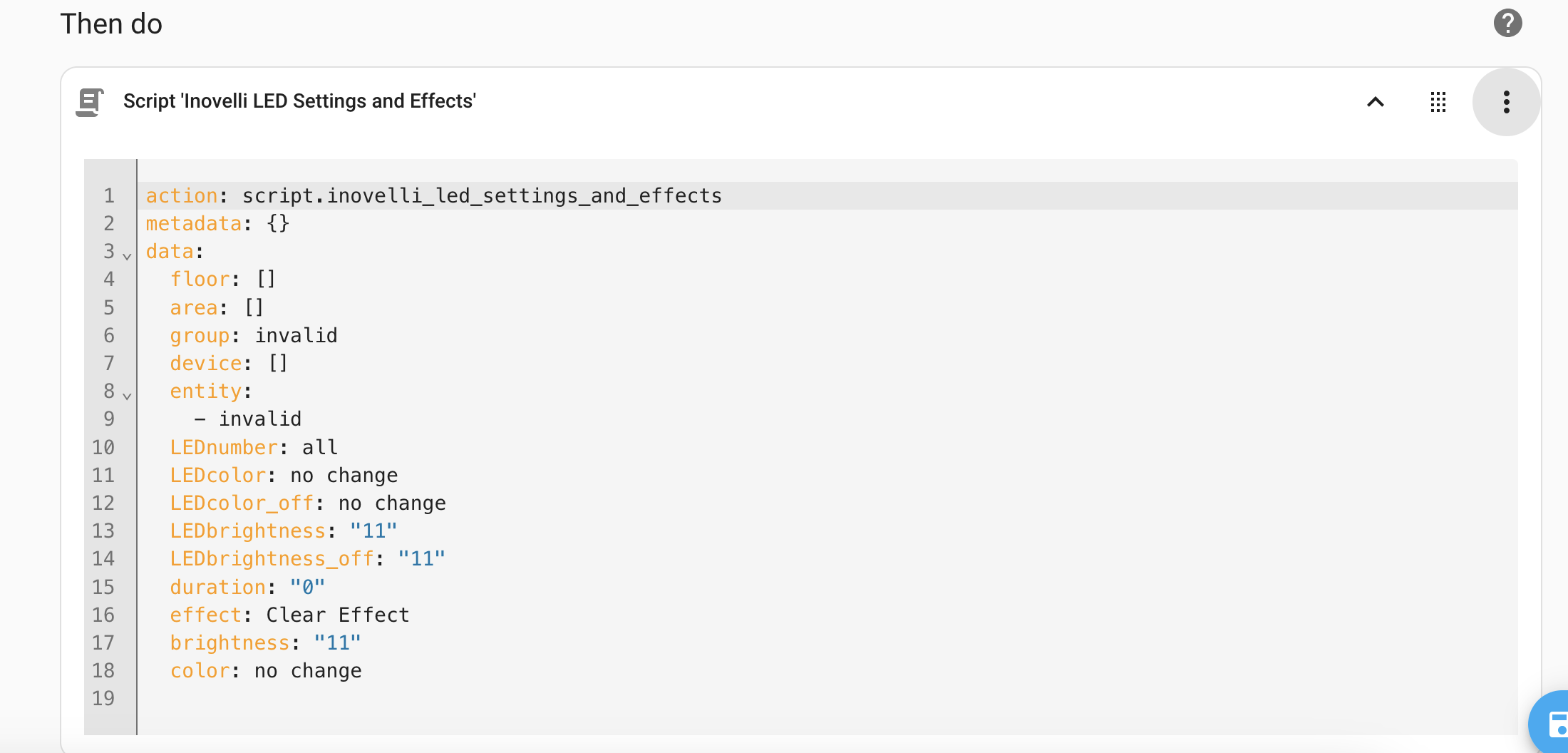
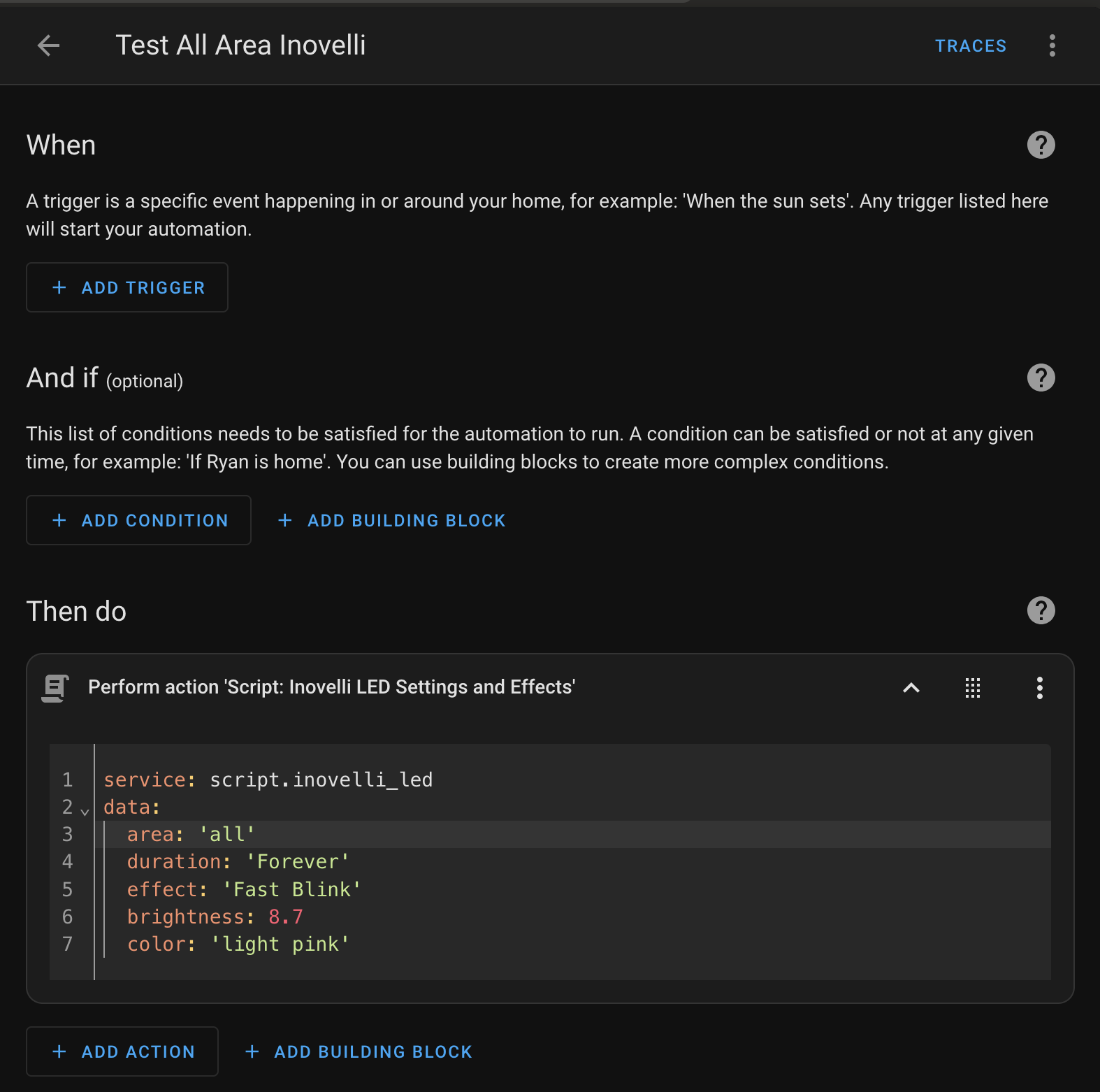
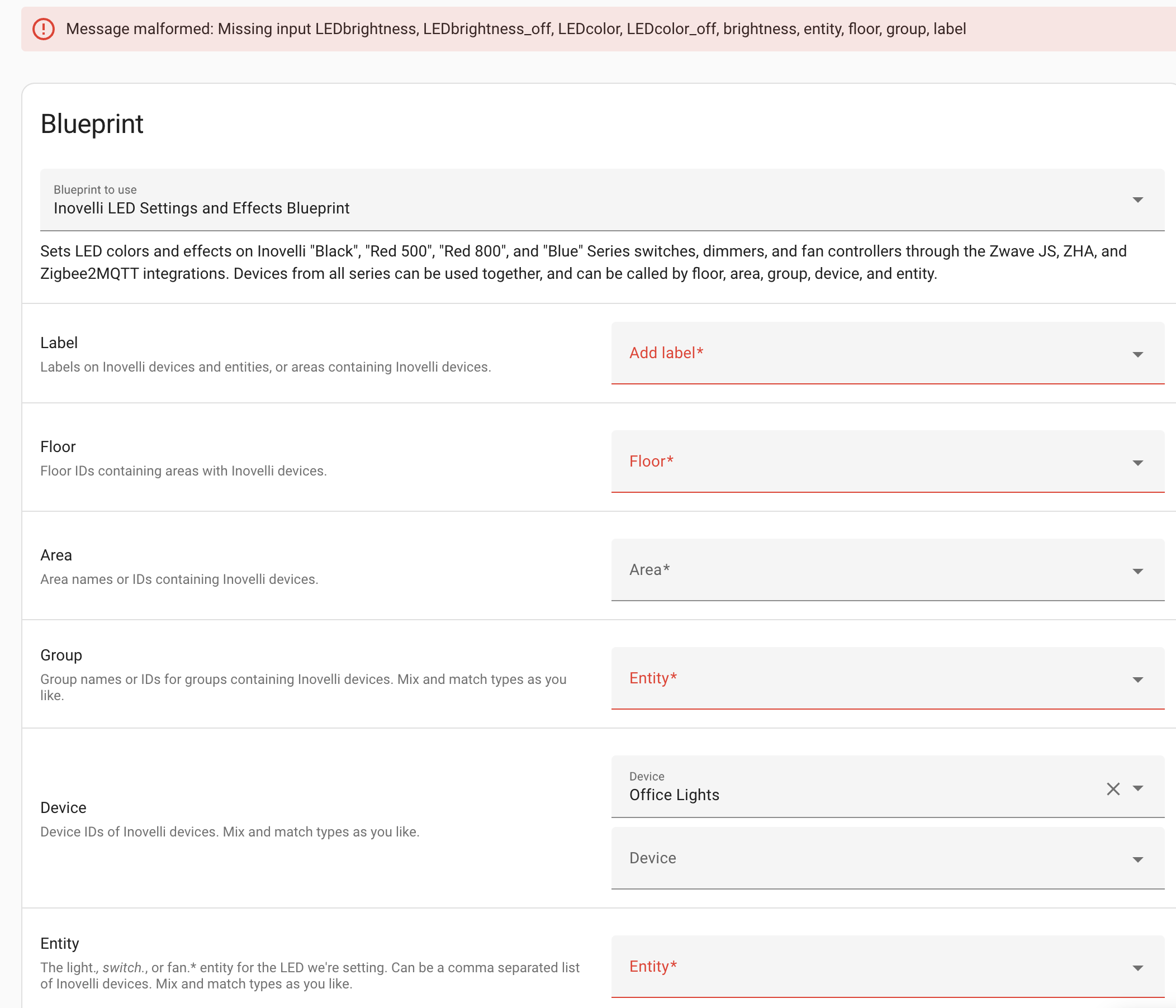
Appreciate the quick fix! I actually have another issue: the areas and groups don’t seem to work, I’ve only had success when addressing a specific device. I’m no expert in reading these traces but it looks like it’s interesting through 11 device_types and not finding any switches, but I have several VZM31-SN. I’m using Z2M, I’m not sure where to find the model name in HA to see if it matches but perhaps this screenshot helps. Otherwise please let me know where I should look to figure it out?
The model is in your second screenshot ("2-in-1 switch + dimmer) and that’s what it’s searching for. These should be in the light domain (i.e. light.entity_id) but if you’ve changed them to switches, they’ll be filtered out. That’s one possible issue. If the entity_id is still in the light domain, take a look at comment #106 above and send me that info? I’m especially looking for anything with an exclamation mark, like the service call at the bottom of this trace:
I found two bugs and fixed them. Reimport your blueprint after 12:00PM Pacific and see if that helps. One is a bug in ZHA but the other fix might be what you were seeing. If it doesn’t help, get me the service calls and variable info from comment #106 and I’m sure I can figure this out.
I tried out the latest version but have the same error. I haven’t changed any of the types, they’re still lights. I also don’t have any errors or exclamation points in the trace. The only service call that runs seems to be clear effects.
To keep it basic I’m using one of the examples from github like so, can you let me know if this part looks correct, it could just be my error:
action: script.inovelli_led
data:
  entity: light.bathroom_ceiling
  LEDcolor_off: RED
  LEDbrightness_off: 2
The only service that runs is this one and it actually seems correct, but all the others are skipped.
That example is only going to set the off color but it should work. Can you send me the output of your travel from the top box and “changed variables”? When I get home I can try that example on one of my VZM31-SN entities.
I’ve joined discord but I don’t know how to find you. I used my real name so you can find me. That’s okay on the internet; right? Anyway…
entity: light.bathroom_ceiling
LEDcolor_off: no change
LEDbrightness_off: 11
That didn’t get the LEDcolor_off or LEDbrightness_off values. Are you calling the script from the actions tab or from an automation? The output looks like it was run with all the defaults; just the entity_id and nothing else. You seem to be using the script–not the blueprint–so I’ve run the script with:
action: script.inovelli_led
data:
  entity: light.office
  LEDcolor_off: RED
  LEDbrightness_off: 2
I get these changed variables (excluding the stuff that isn’t changed) and you can see it picks up my entity_id and the variable values. It’s already converted RED to lowercase as well.
Did you import the blueprint and then call it like a script from the Developer Tools → Actions tab? I don’t think that will work. If you imported the blueprint, you’ll have to navigate to Settings → Automations & Scenes → Blueprints (at the top), click on my blueprint (whatever you named it) to open the configuration UI. Configure it however you’d like and save it as a script. It’s then a static script which won’t accept inputs from the Actions tab. In other words, you can’t set it for red one time and blue another time. You’d need to open the blueprint, configure it for red, save it as Inovelli_red_leds and then do it again to generate inovelli_blue_leds. Calling those will do the needful but you need to save it as a statically-configured script for each configuration you want.
Personally, I find it limiting and so I don’t use blueprints very much. If you want to call it with different values that can be templated in automations, you’ll need to save the script as a script. To do that, go to the github link and open the inovelli_leds.yaml file. Copy the contents. In Home Assistant, navigate to Settings → Automations & Scenes → Scripts (at the top), then click on the “+ Create Script” button in the lower-right corner. On the dialog box that pops up, click “create a script” to open a new script editor. In the upper-right click the vertical ellipsis menu and “edit in YAML”. Delete everything you see there and paste in the contents from github. After you save it, you can call the script with dynamic values from templates. To update the script you’ll have to edit it again and copy / paste the contents but it’s so much more powerful than using a statically configured blueprint. That’s my opinion, anyway.
Thanks, Kevin. Just getting into the Inovelli switches and have been trying to get the script up and running. I’ve gone ahead and manually imported the contents of inovelli_led.yaml into a script. Is the best practice for dynamic attributes to call the script inside an animation? When I do it this way, I can’t get any changes pushed to the light switches (VZW31-SN 800 Series). The only time I can call the script successfully is through developer actions tab. I assume I’m doing something wrong. Appreciate any insight.
Thanks for checking out my script! The only way to use dynamic attributes today is to call it as a script. I don’t know how to do it with blueprints (but I’m happy to learn if someone points me at the right documentation or an example).
In the screenshot you’ve sent, the script has no way of knowing which switches you want cleared. You’ll have to pass a value to any—or any combination—of:
floor
area
group
device
entity
Try some of the examples in the readme. This one should work, assuming you have things assigned to areas:
If you want to template the values, I think you need to call it with data_template: (although this is off the top of my head and I could be wrong). Here’s an example of what that might look like, to get you pointed in the right direction:
Thank you! So I went ahead and did the script import through the configuration.yaml change and putting your script on Github in that folder and am now able to build automations around this, awesome! This might be out of scope of this thread, but how do you clear a notification signal after you’re done with it. I built an automation that just has blank entries, but wondering if there is a way to use the config button on the switch to trigger it?
I’ve only included the Z-Wave config button single-press, but from developer tools → events → you can listen to zwave_js_value_notification and figure out the rest of what you need.
Maybe I misunderstood your question. In the Z-Wave JS to MQTT UI you should have a configuration parameter to do that with a double click. I think that’s what it does, anyhow. I don’t use it; double clicks do something else in my house.
If it’s removing the single quotes, it’s probably fine. Under the circle with a question mark in it, click the vertical ellipsis and you should see an option called “run action” which you can use to test it. Be sure you’re using the correct name of the script. In your first post, it looks like you called it something else. You should be able to copy and paste the code from “developer tools” → “actions” if you run into trouble.
The update this morning now supports labels. It will pick up labels on entities, devices, or areas. Whatever method you’ve been using should work; you don’t need to re-label your light.* entities. Using groups, entities, or labels on devices and entities should give you the fastest results because there’s less for the script to search through to find the appropriate Inovelli entities. Areas and floors might have a lot to search through, so they might be slower (especially floor: all, since it’ll look at every entity on every device in the house).
If I want to specify specific devices or entities, is there really a reason to specify labels, floors or groups? Additionally, is there any way to specify default switch values (for things like brightness, colors, etc)?
Or is there a different way that I should be using/configuring it?
Try refreshing the browser page, or maybe selecting something and then clicking the X to clear it. Nothing should be required. If you can’t figure it out, let me know and I can take a look tomorrow. Maybe I have a typo but I can see it’s not set to required:
    label:
      name: Label
      description: Labels on Inovelli devices and entities, or areas containing Inovelli devices.
      #required: false
      #example: 'christmas lights, bedrooms, fans'
      #default: 'invalid'
      selector:
        label:
          multiple: true
There’s not a way to set default brightness or color. If they aren’t specified in the configuration, they’re simply left alone. You can send values for every parameter or just color, for example. If you want to set an effect, however, you’ll have to configure all of the effect options.
If you want a script you can configure dynamically, you’ll have to save this as a script. There are instructions for that on the github page in post 1. I use the script version with templates: