I also get the pop sound. I have not investigated further. Here is how I am setting the default volume. 75% is fine for me with the speaker taped to the back of the unit, above that there is too much distortion IMO.
  on_boot:
    priority: 800
    then:
      # turn on PA before initializing es8311
      - switch.turn_on: audio_pa_ctrl
      - delay: 100ms
      - speaker.volume_set:
          id: rlcd_speaker_hw
          volume: 75%
hey,
i’ve tried several configs, but my screen it only showing some snow on my device and in 2 parts (but not equally). On the left side mostly white, on the right mostly black. any ideas?
refresh changing to 1s doesn’t change
esphome:
  name: rlcd
  friendly_name: RLCD

esp32:
  board: esp32-s3-devkitc-1
  framework:
    type: esp-idf

# CRITICAL: Enables the 8MB Octal PSRAM required for the display buffer
psram:
  mode: octal
  speed: 40MHz

logger:

api:
  encryption:
    key: ""

ota:
  - platform: esphome
    password: ""

# ===== Wi‑Fi =====
wifi:
  ssid: ""
  password: ""

  # Fallback AP; handig bij Wi‑Fi issues
  ap:
    ssid: "Esp32S3 Fallback Hotspot"
    password: "CxWcHMh6SjcC"

# Captive portal voor fallback-AP
captive_portal:
spi:
  clk_pin: GPIO11
  mosi_pin: GPIO12
  #miso_pin: GPIO8      # Added dummy pin to satisfy SPI initialization

# External component
external_components:
  - source: github://kylehase/ESPHome-ST7305-RLCD
    components: [ st7305_rlcd ]
    refresh: 0s


font:
  - file: "gfonts://Roboto"
    id: roboto
    size: 40


display:
  - platform: st7305_rlcd
    model: WAVESHARE_400X300
    rotation: 0
    id: my_display
    width: 400
    height: 300
    cs_pin: GPIO40
    dc_pin: GPIO5
    #te_pin: GPIO6
    reset_pin: GPIO41
    data_rate: 1MHz
    update_interval: never
    show_test_card: false
    lambda: |-
      // Get dimensions
      int w = it.get_width();
      int h = it.get_height();
      id(my_display).display_on();

      // Print "Hello World!" in the center of the screen
      // Arguments: x, y, font_id, color, alignment, text
      it.printf(w / 2, h / 2, id(roboto), COLOR_ON, TextAlign::CENTER, "Hello World!");
      id(my_display).low_power_mode();
you may want to draw a full rectangle on the display after initialisation (with a delay of 100ms or so) to ensure the buffer is fully initialized. I get random pixels/noise on boot-up too until the display is redrawn.
This screen is a great alternative to e-paper, I had a waveshare e-paper display before which I used as a clock, partial refreshing every second, I know I wasn’t suppose to do that, hence it died after 2 years.
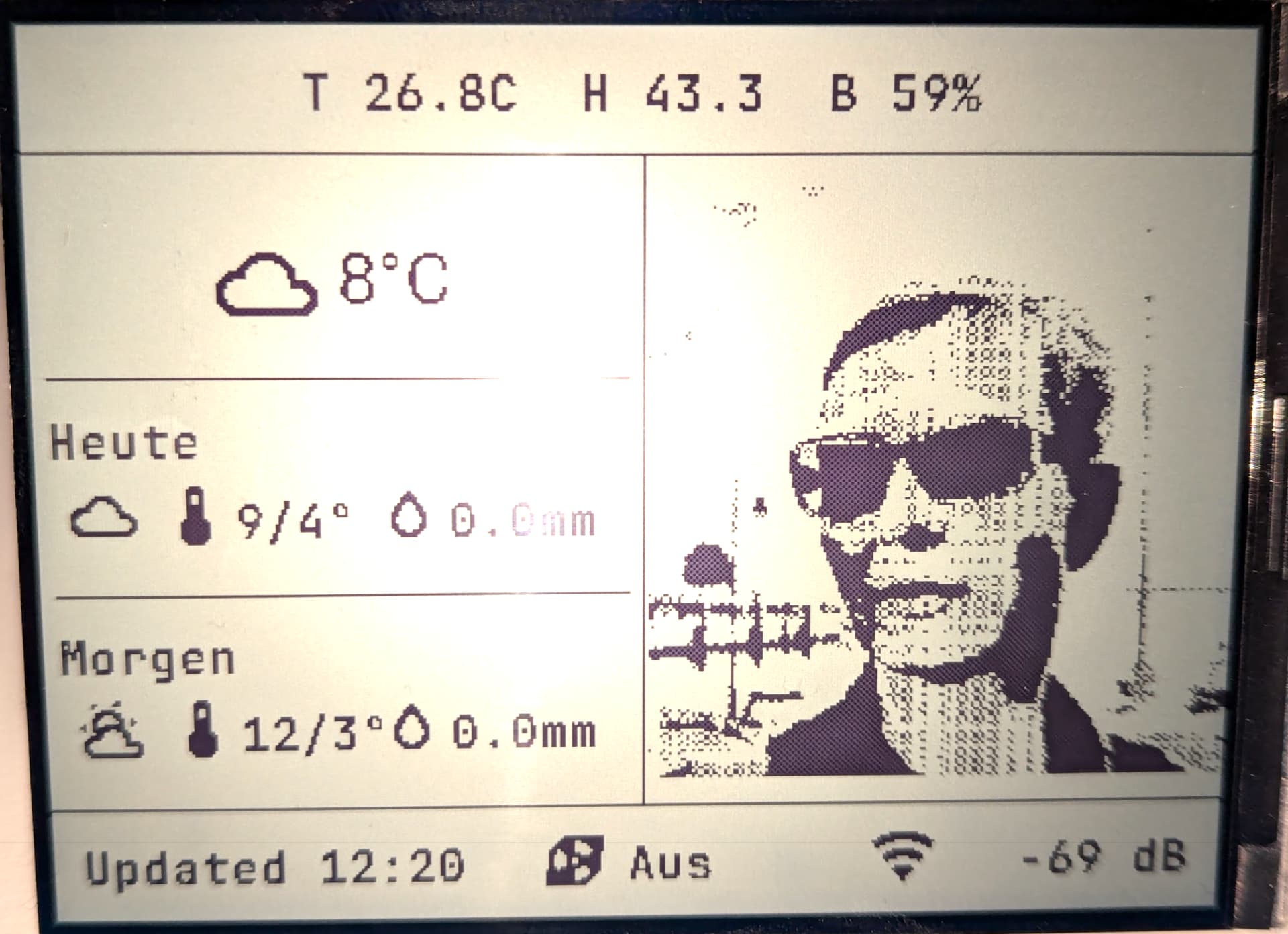
With this LCD screen I’ve programmed it as a Clock/Weather Station, taking sensor data from HA, showing weather forecast, hourly and daily. Plus temp/humidity from sensor around the house.
Also when I’m doing 3D print, instead of showing weather data, it shows the progress of the 3D print, when print is complete, it plays a chime to let me know it’s done. When I turn the printer off, it reverts back to weather.
Unfortunately what the screen can’t do is maintain the display in deep sleep. I am trying to explicitly manage power for the audio and wifi components, but I haven’t been too successful yet.
Hi, just got two of these displays and fiddling around with them.
First, the driver works great.
But sadly, I cannot get LVGL working. Maybe it isn’t really neccessary to use this but self aligning layout managers sound cool to me.
All I get is a black screen: