went ahead and released 1.1.2. Please let me know if that resolves your issue or if is still ongoing
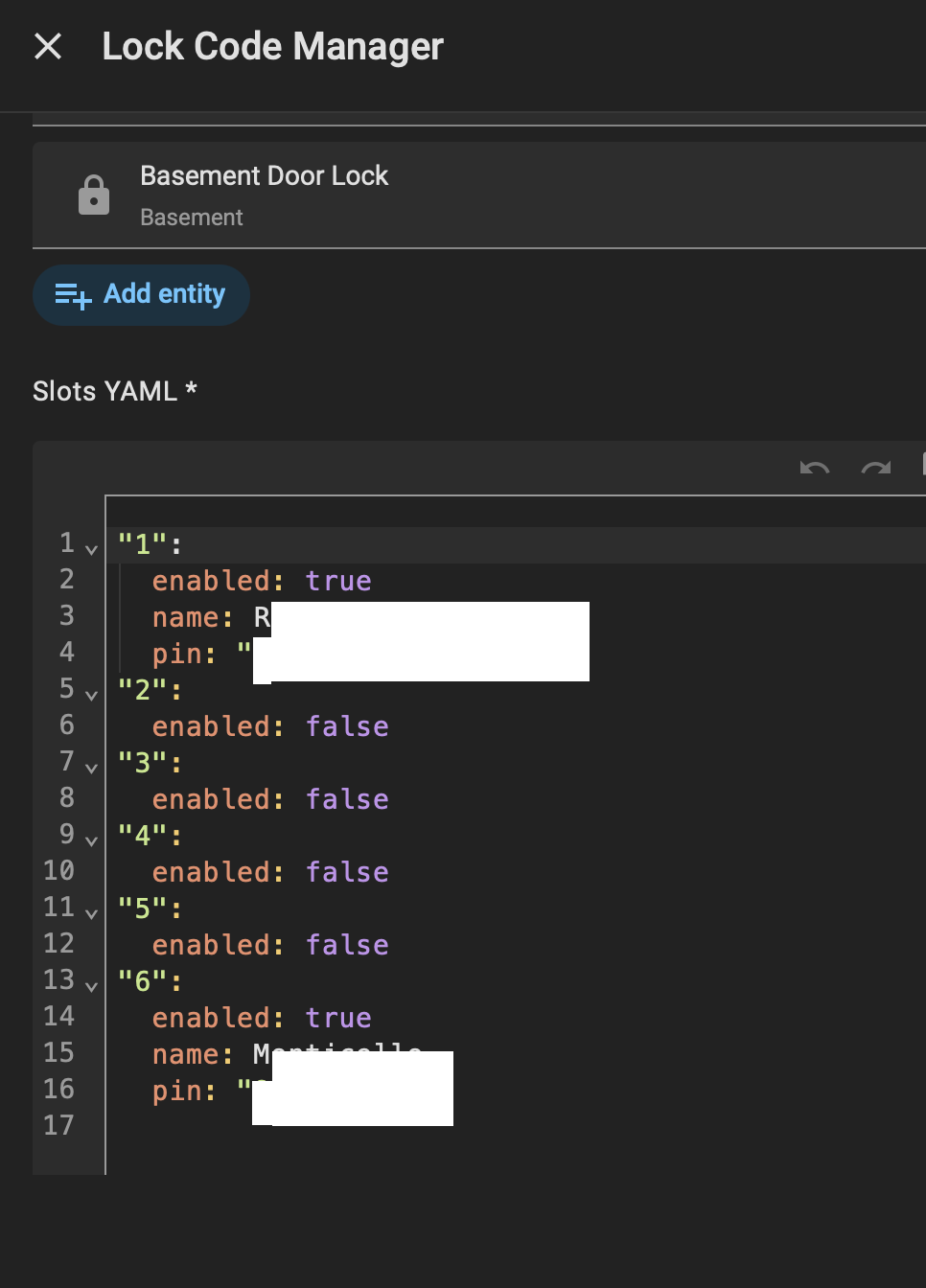
How do I simply add a new lock code to all locks without setting up from the beginning again? When I initially setup I setup codes -1-5. I want to add code 6. How do I do that?
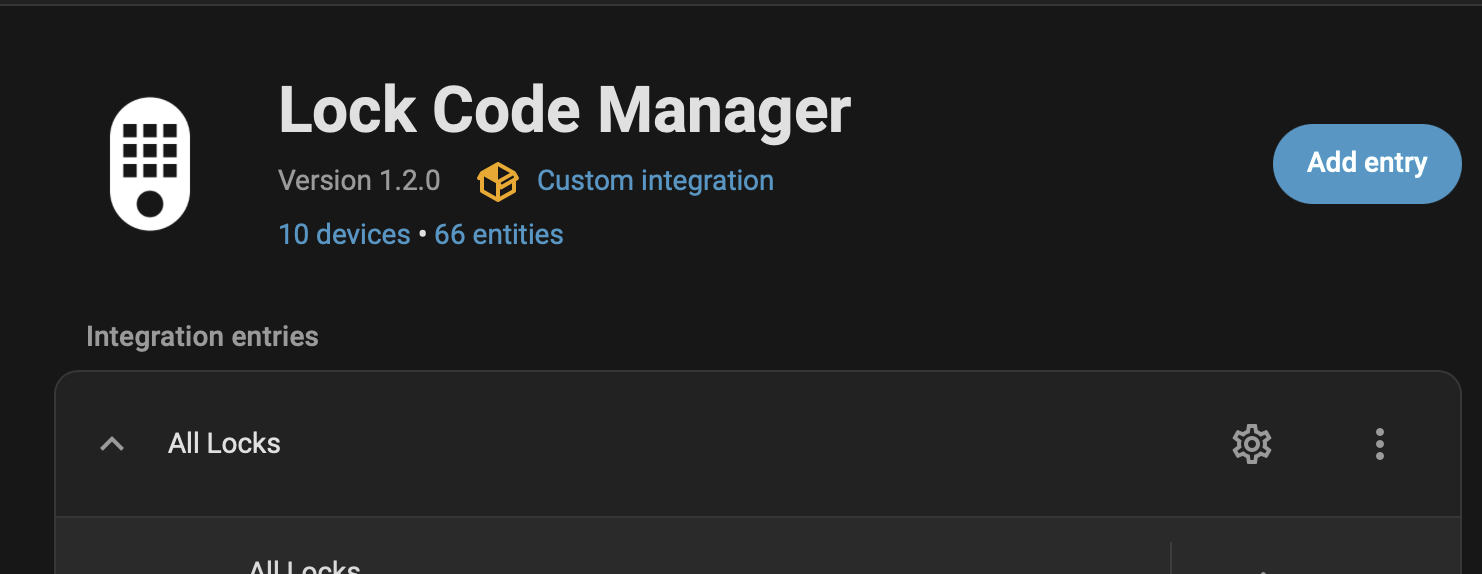
Go to Settings > Devices and Services > Lock Code Manager which should take you to the LCM page. On your config entry, you should see a gear icon towards the right. When you click that you will see a YAML block at the bottom where you can add a definition for slot 6
1 Like
@raman325 looks like HA 2026.4.0 has a Matter Lock Manager integrated. Would be really nice to unify Lock Manager and have Zwave and Zigbee all in one place, in one UI
Any thought to merging your code?
working on some refactors to make the code more reliable and also to prep for Matter now that I have a better understanding of how it’s modeled. Matter support will come “soon” although I am flying a bit blind because I don’t have any Matter locks to test with
what I’m saying is as of HA 2026.4.0 has a built-in Matter Lock Manager support >> I was suggesting you add your code for Zwave and Zigbee, all lock mgmt can be built-into the core of HA
ah, I’ve poked around to find out what the plan is there but my understanding is that it’s specific to matter for now.
…but I did just release matter support in LCM anyway, upgrade to 2.0.0!
FYI, it does not look like the the original post or title
and README has been updated yet but @raman325 has now as well merged new code that also adds a ZHA (Zigbee Home Automation) lock provider to this Lock Code Manager that should make it work with devices connected to the ZHA integration in Home Assistant:
Proposed change
Adds support for Zigbee locks connected via ZHA. This is a complete rebuild of Add ZHA (Zigbee Home Automation) lock provider by raman325 · Pull Request #739 · raman325/lock_code_manager · GitHub against the current codebase (the old branch was 116 commits behind main with significant API changes).
What it does
Communicates with Zigbee locks through the zigpy DoorLock cluster for PIN code get/set/clear operations.
- Push updates via cluster listeners for operation events (lock/unlock with user ID) and programming events (PIN code changes)
- Programming event detection via event mask attributes, with hourly drift detection fallback when unsupported
- Code slot events for automations (keypad unlock → fire event with user ID)
Architecture
Single-module provider (providers/zha.py) following the same pattern as other providers. Uses managed_slots property, source parameter on async_set_usercode, and the current BaseLock interface.
Test coverage
17 unit tests covering properties, connection checks, cluster access, usercode operations, push subscription lifecycle, and programming event support detection.
thanks, updated!
Wonderful Integration, but I could really use some assistance!
I’m running HA 2026.5.1 with the latest version of LCM. Everything seems to be working great and I’m able to update codes and create automations based on PIN codes. I’m using the Slot Usage Notifier blueprint but by default it applies the automation to all locks. My objective is to have the automations only occur when a given code is entered on specific locks as opposed to all of them. I found the write-up on Slot Event Entities but have had very little luck implementing it in my setup.
When I activate the listener in Dev Tools for lock_code_manager_lock_state_changed I can see the various events as they occur. My entity_id is locks.front_door_access_control and the entity_id for the code slot is event.edh_locks_code_slot_3. When I put event.edh_locks_code_slot_3 in the listener, it never sees anything. Perhaps I’m using the incorrect ID? My YAML for the automation trigger looks like this:
trigger:
- platform: state
entity_id: event.edh_locks_code_slot_3
attribute: event_type
to: locks.front_door_access_control
Perhaps I’m doing something wrong. Any help, guidance or an example would be greatly appreciated.
Cheers,
Craig
Craig - I hadn't thought of that use case but it makes sense so I just merged this: Add optional lock filter to Slot Usage Notifier blueprint by raman325 · Pull Request #1152 · raman325/lock_code_manager · GitHub
Pull the blueprint again and now you won't have to fumble with the events.
Regarding the events, there are two ways to capture events:
- Using the event entities. There you would use state triggers as you indicated
- Using the
lock_code_manager_lock_state_changedevent. There you would use an event trigger and you can pull things directly from the payload. The event entities do that underneath the hood, they're effectively just filtered views of the larger event timeline.
Awesome! And thanks. I’ll check it out soon and report back.
Craig
It works perfectly! My use case is that I have a front gate that gives access to service personnel to bring in packages to an inner courtyard and then leave. The same individual may then need to go through a front door lock to enter the house, but not always. Therefore, I only have the automations for that person triggered when they access the lock on the front door. No need for the automations if they are just coming in the gate. The revised blueprint does that beautifully!
I am using Pushover notifications, and with the blueprint as it is, I need to have separate automations for each code_slot. There are only a small handful of code_slots where I need anything more than the notification. What would be great, if possible, is to have an option in the blueprint to select multiple code_slots for the trigger instead of just one. That way I only need one automation for all the other code_slots. I hope that makes sense. If not, no biggie! What you’ve done so far was a HUGE improvement.
Cheers,
Craig
I just added support for multiple event entities. So you select all the event entities for the corresponding code slots, you pick your specific locks, and I think you are good to go?
It works perfectly! Thank you so much for this!
Cheers,
Craig
I’m noticing that whenever HA restarts, the code_slot status for some of the code_slots must be changing and causing the automation to fire even though there was no real activity. I started noticing this this morning when I restarted HA a couple of times. The automation would trigger immediately after HA came back online. I was able to confirm this by looking at the Trace and the time in the log when HA became operational. What’s odd about it is it only triggered for two of the code_slots ( 3 and 4) and not for any of the other code_slots. As it turns out, those are the only code_slots I’ve used when testing the blueprint automation. Looking at the Trace step details after HA starts up, it is reporting a state change from: unavailable to: unlocked. The time of the state change indicated in the Trace step (time_fired) was yesterday when I actually performed the automation testing but it’s somehow sensing the restart as a state change. Despite this, the blueprint is wonderful!
Cheers,
Craig
I just pushed a potential fix. Try the latest and let me know if it's resolved
So far so good. I survived several restarts and those errant triggers are gone. I’m not a blueprint expert, but looking at the changes you are making are extremely helpful in my learning. I suspected you would add the condition to not trigger from an unavailable state but wasn’t sure how you would address that in the blueprint itself. Thanks!
Craig.
I originally had not_from: unavailable and unknown but the problem is that swallowed the first event. Not from unknown prevented the unnecessary firing on restarts (restored entities go from unavailable -> unknown -> restored state) but it also prevented the first firing of the event entity (on first creation, the state is unknown). Claude helped me find a solution that carved out the right things
Gotta love Claude!