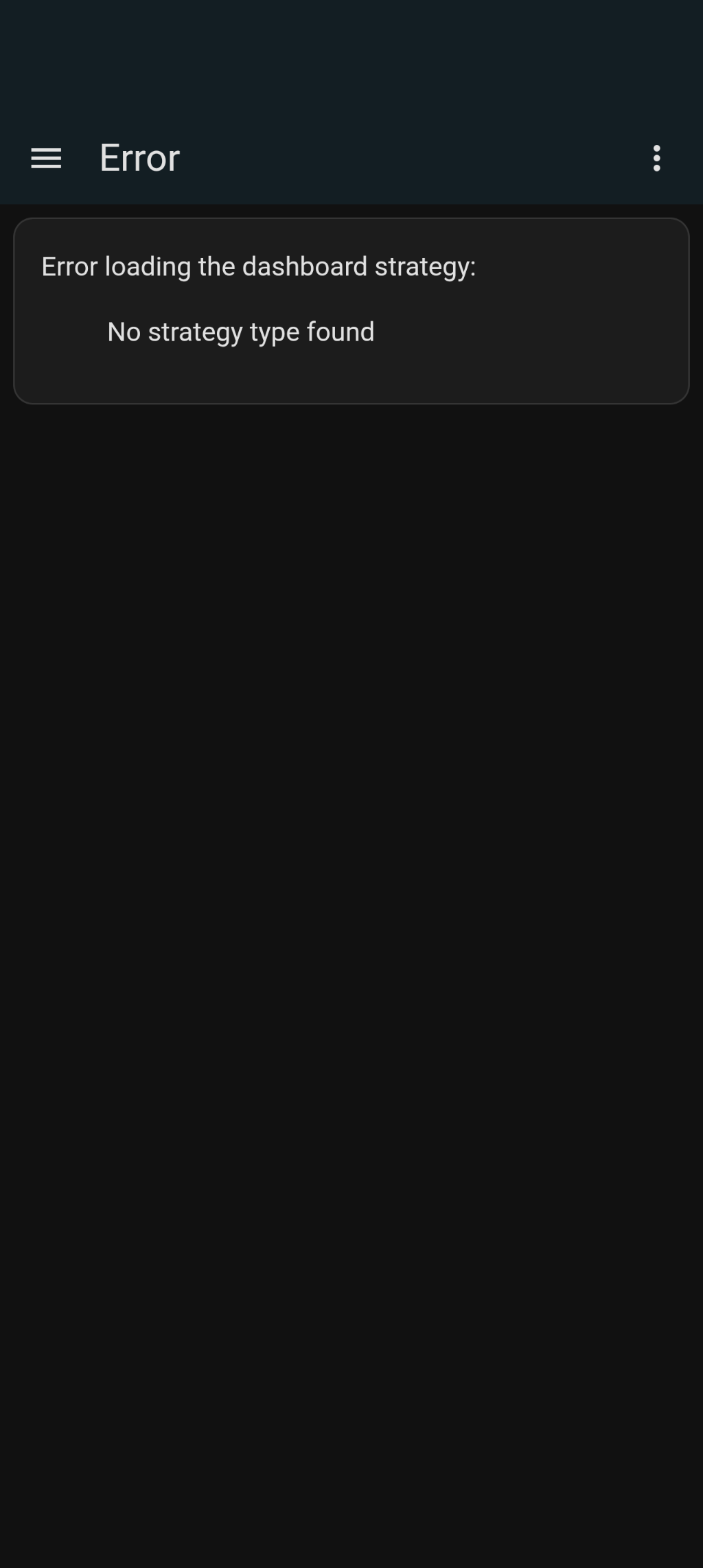
Apologies all, there is a bug that is rendering the integration unusable. I’m a newly minted father and I have had less time than I expected to work on this but I hope to come back to it soon.
The issue is, that this is not an Home Assistant Add-on.
This is a HACS Integration.
Open HACS
++ Search for “Lock Code Manager”
++ Select the Integration
++ On the bottom right press the Download button
++ On the pop-up download the latest version.
++ Restart Home Assistant
Trying to attach the config to a dashboard or view, i’m getting general errors stating “Timeout waiting for strategy element ll-strategy-dashboard-lock-code-manager to be registered”
Ultimately facing the same issue mentioned above, any idea if/when this might get resolved so I can give this seemingly awesome integration a run?
2024-11-11 18:11:33.527 DEBUG (MainThread) [custom_components.lock_code_manager] 01JCEMMNJDV4CVSSQCJCJBH9P1 (House Lock Manager): Lock lock.prosl_key_free_keypad_deadbolt_with_z_wave_plus is not connected to Home Assistant yet, waiting 32 seconds before retrying
2024-11-11 18:11:35.352 INFO (MainThread) [custom_components.lock_code_manager] 01JCEMMNJDV4CVSSQCJCJBH9P1 (House Lock Manager): Creating and/or updating entities
2024-11-11 18:11:35.352 DEBUG (MainThread) [custom_components.lock_code_manager] 01JCEMMNJDV4CVSSQCJCJBH9P1 (House Lock Manager): Adding following locks: ['lock.prosl_key_free_keypad_deadbolt_with_z_wave_plus']
2024-11-11 18:11:35.352 DEBUG (MainThread) [custom_components.lock_code_manager] 01JCEMMNJDV4CVSSQCJCJBH9P1 (House Lock Manager): Reusing lock instance for lock ZWaveJSLock(domain=zwave_js, lock=lock.prosl_key_free_keypad_deadbolt_with_z_wave_plus)
2024-11-11 18:11:35.352 DEBUG (MainThread) [custom_components.lock_code_manager] 01JCEMMNJDV4CVSSQCJCJBH9P1 (House Lock Manager): Lock lock.prosl_key_free_keypad_deadbolt_with_z_wave_plus is not connected to Home Assistant yet, waiting 1 seconds before retrying
2024-11-11 18:11:36.353 DEBUG (MainThread) [custom_components.lock_code_manager] 01JCEMMNJDV4CVSSQCJCJBH9P1 (House Lock Manager): Lock lock.prosl_key_free_keypad_deadbolt_with_z_wave_plus is not connected to Home Assistant yet, waiting 2 seconds before retrying
2024-11-11 18:11:38.354 DEBUG (MainThread) [custom_components.lock_code_manager] 01JCEMMNJDV4CVSSQCJCJBH9P1 (House Lock Manager): Lock lock.prosl_key_free_keypad_deadbolt_with_z_wave_plus is not connected to Home Assistant yet, waiting 4 seconds before retrying
2024-11-11 18:11:42.355 DEBUG (MainThread) [custom_components.lock_code_manager] 01JCEMMNJDV4CVSSQCJCJBH9P1 (House Lock Manager): Lock lock.prosl_key_free_keypad_deadbolt_with_z_wave_plus is not connected to Home Assistant yet, waiting 8 seconds before retrying
2024-11-11 18:11:50.356 DEBUG (MainThread) [custom_components.lock_code_manager] 01JCEMMNJDV4CVSSQCJCJBH9P1 (House Lock Manager): Lock lock.prosl_key_free_keypad_deadbolt_with_z_wave_plus is not connected to Home Assistant yet, waiting 16 seconds before retrying
2024-11-11 18:12:38.359 DEBUG (MainThread) [custom_components.lock_code_manager] 01JCEMMNJDV4CVSSQCJCJBH9P1 (House Lock Manager): Lock lock.prosl_key_free_keypad_deadbolt_with_z_wave_plus is not connected to Home Assistant yet, waiting 64 seconds before retrying
2024-11-11 18:13:09.531 DEBUG (MainThread) [custom_components.lock_code_manager] 01JCEMMNJDV4CVSSQCJCJBH9P1 (House Lock Manager): Lock lock.prosl_key_free_keypad_deadbolt_with_z_wave_plus is not connected to Home Assistant yet, waiting 128 seconds before retrying
Hi @raman325 I’m trying to install and it’s definitely not working at all right now. Here’s some warnings, and an error, from my logs.
2025-10-15 13:42:58.876 ERROR (MainThread) [homeassistant.config_entries] Error occurred loading flow for integration lock_code_manager: cannot import name 'DATA_CLIENT' from 'homeassistant.components.zwave_js.const' (/usr/src/homeassistant/homeassistant/components/zwave_js/const.py)
2025-10-15 13:45:19.484 WARNING (ImportExecutor_0) [homeassistant.core] The deprecated alias Config was used from lock_code_manager. It will be removed in HA Core 2025.11. Use homeassistant.core_config.Config instead, please report it to the author of the 'lock_code_manager' custom integration
2025-10-15 13:45:19.531 WARNING (ImportExecutor_0) [homeassistant.const] The deprecated constant STATE_LOCKED was used from lock_code_manager. It will be removed in HA Core 2025.10. Use LockState.LOCKED instead, please report it to the author of the 'lock_code_manager' custom integration
2025-10-15 13:45:19.541 WARNING (ImportExecutor_0) [homeassistant.const] The deprecated constant STATE_UNLOCKED was used from lock_code_manager. It will be removed in HA Core 2025.10. Use LockState.UNLOCKED instead, please report it to the author of the 'lock_code_manager' custom integration
2025-10-15 13:45:19.577 WARNING (MainThread) [homeassistant.util.loop] Detected blocking call to import_module with args ('custom_components.lock_code_manager.config_flow',) inside the event loop by integration 'config' at homeassistant/components/config/config_entries.py, line 186: return await super()._post_impl(request, data) (offender: /usr/src/homeassistant/homeassistant/loader.py, line 1295: return importlib.import_module(f"{self.pkg_path}.{platform_name}")), please create a bug report at https://github.com/home-assistant/core/issues?q=is%3Aopen+is%3Aissue+label%3A%22integration%3A+config%22
For developers, please see https://developers.home-assistant.io/docs/asyncio_blocking_operations/#import_module
I’ve been playing with Claude and I’m trying to let Claude figure these bugs out. The pushes you saw were actually commits from Claude. I did some basic reviews but need to go through the PRs more in depth before committing the changes. I would like to get this integration back into a working state, and I’d love as a next step to add support for additional locks (zigbee, matter, direct integration, etc) although would probably need some help to do that correctly. If anyone is interested in helping out with that, DM me on Discord
Hi there, I’m a past user of LCM and really liked it but unfortunately it broke last year (v0.5.1) and I uninstalled it.
However, I see that v0.5.2-b3 is on the repository so I reinstalled it. It installs well (which, from memory, is better than where I was at with v0.5.1). The slots are all unavailable and other fields greyed out.
If you need anyone to do some testing, let me know as I have some time at the moment to get into it.
Good news is I am actively working on it and hope to get it to the state I wanted it to be in before I dropped it. Bad news is what was just shared. Which entities are unavailable exactly? Can you set log level for the integration to debug, reload the integration, and share the logs? If you don’t want to do that here, same username on discord. Alternatively same username @gmail.com via email
OK, found something in the main Core logs - is this what you need?
2025-11-07 15:15:04.535 DEBUG (MainThread) [custom_components.lock_code_manager.binary_sensor] 01K9F9XBHQ6ED9HFPGYVAV64SF (Lock Code Manager): Unable to set usercode for lock.front_door_lock slot 1: Cannot set usercode on lock.front_door_lock - lock not connected
2025-11-07 15:15:04.548 DEBUG (MainThread) [custom_components.lock_code_manager.binary_sensor] 01K9F9XBHQ6ED9HFPGYVAV64SF (Lock Code Manager): Unable to set usercode for lock.front_door_lock slot 2: Cannot set usercode on lock.front_door_lock - lock not connected
2025-11-07 15:15:04.557 DEBUG (MainThread) [custom_components.lock_code_manager.binary_sensor] 01K9F9XBHQ6ED9HFPGYVAV64SF (Lock Code Manager): Unable to set usercode for lock.front_door_lock slot 3: Cannot set usercode on lock.front_door_lock - lock not connected
2025-11-07 15:15:18.523 DEBUG (MainThread) [custom_components.lock_code_manager.binary_sensor] Code slot 1 on lock.front_door_lock is out of sync, syncing now
2025-11-07 15:15:18.523 DEBUG (MainThread) [custom_components.lock_code_manager.binary_sensor] 01K9F9XBHQ6ED9HFPGYVAV64SF (Lock Code Manager): Unable to set usercode for lock.front_door_lock slot 1: Cannot set usercode on lock.front_door_lock - lock not connected
2025-11-07 15:15:18.524 DEBUG (MainThread) [custom_components.lock_code_manager.binary_sensor] Code slot 2 on lock.front_door_lock is out of sync, syncing now
2025-11-07 15:15:18.524 DEBUG (MainThread) [custom_components.lock_code_manager.binary_sensor] 01K9F9XBHQ6ED9HFPGYVAV64SF (Lock Code Manager): Unable to set usercode for lock.front_door_lock slot 2: Cannot set usercode on lock.front_door_lock - lock not connected
2025-11-07 15:15:18.525 DEBUG (MainThread) [custom_components.lock_code_manager.binary_sensor] Code slot 3 on lock.front_door_lock is out of sync, syncing now
2025-11-07 15:15:18.525 DEBUG (MainThread) [custom_components.lock_code_manager.binary_sensor] 01K9F9XBHQ6ED9HFPGYVAV64SF (Lock Code Manager): Unable to set usercode for lock.front_door_lock slot 3: Cannot set usercode on lock.front_door_lock - lock not connected
2025-11-07 15:15:20.724 DEBUG (MainThread) [custom_components.lock_code_manager.coordinator] Finished fetching lock_code_manager lock.front_door_lock data in 0.000 seconds (success: True)
to set debug logs, you have a couple of options, but the easiest way to do it is as follows:
Go to Settings > Devices and services
Find the LCM card and click on it (the top half of the card)
In the top right of the screen, there is a … menu where you can enable debug logging for the integration
Reload the integration. You can do that in the … menu in the middle of the screen for your particular config entry
Post the results, when you are done disable debug logging
I am about to push another pre-release that may help with the startup issues. Basically the integration tries to do too much all at once and overloads the Z-Wave network (that’s what I think is happening anyway). This newest release makes things more efficient, adds some delays between updates, etc. Coming out shortly
They current stable version has issues. The developer has a pre release beta he’s working on to fix. The latest still isn’t working for me yet. On my todo is to pull error logs to share with the developer