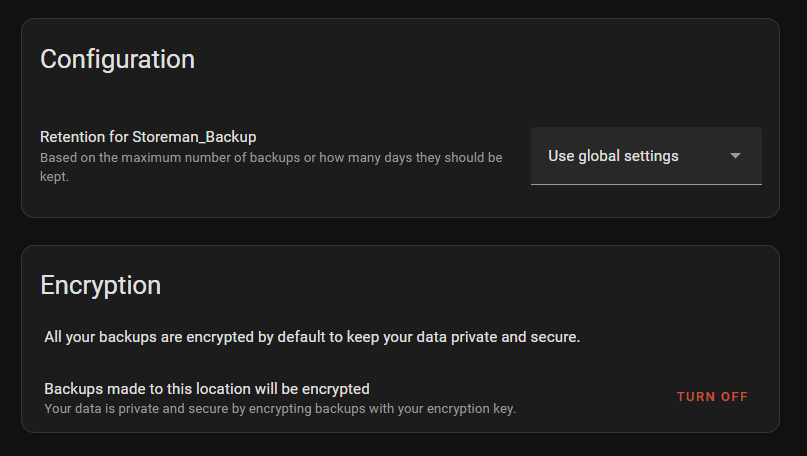
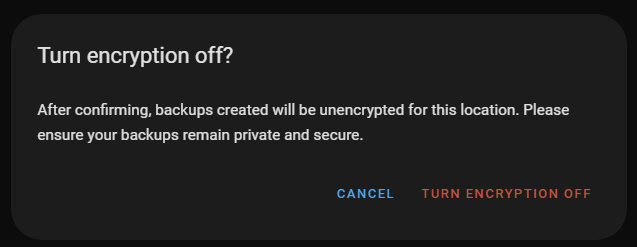
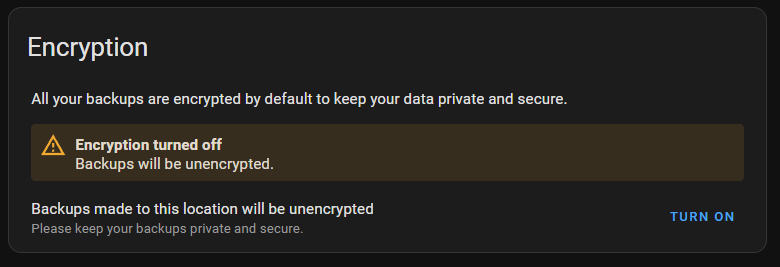
This option was readded in 2025.2. Update your system or at least read the latest release notes before complaining next time.
Thank youy million times 
well, I’ll whine some more.
Not knowing that encryption was forcely introduced I just reverted to a 28.12.24 backup which did not have the encryption key nor the options.
I have several later backups but now I am unable to use them as my HA has a version from before the encryption was introduced.
Any idea how to to solve this?
I second that encrypting backups is a very bad idea that ruins backup functionality and intriduces thousands of new issues, exactly like mine now ;-(
Yes - update to the current version of HA (or any version from 2025.2 onwards).
You will be able to make both encrypted and unencrypted backups, while also being able to restore any existing encrypted backups (if you know the encryption key).
thank you.
seems I did save the encryption key in my other backup folder.
lucky me…
What a ridiculous argument. Clown
I created simple console app for decrypt backup in different OS. Try it: GitHub - librun/ha-backup-tool: Tool for work with Home Assistant Backup
I created an easy to use shell script which processes the backup with tar. You can use it like you would normally with tar.
Great thread!
Just want to add an experience.
Today I realised that a test-dashboard deleted 2 weeks ago had all new cards needed for a major Lovelace overhaul.
**PANIC**
No worries, you have backups!
The horror…
Suddenly I realized that I can only restore ALL "settings and history - not just part of a dashboard.
SO often I want to
- restore a file
- check a config
- check some code
that was stored in a backup.
I will NEVER restore a 2 month old backup!
(and probably not even 1 month old)
That would overwrite so many changes that happened in the mean time.
So is the built-in backup nothing more than a “disaster recovery” thing? Something you use to get up & running after your (raspberry)  Server bursts into flames?
Probably.
Thanks to “Decrypt and decompress HA backups” my backups are decrypted and I was able to restore critical files.
In the (near) future I will probably test Auto backup.
Ideally?
Encrypting is fine with me as long as I can browse and download backup (content) via the webinterface.
I have a virtualbox HA instance on my Windows computer. I start it once a month and restore a backup to test if I have good backups. Then it is off again for a month.
After realizing all my backups for months cannot be decrypted no matter which community tool I use, I’d like to turn off this feature.
While it seems nice to have encrypted backups, if they’re all corrupt, the entire thing is moot. Is there any sort of verification process when a backup is created?
These are stored on my NAS. I’d like to be able to take one of the backup files and manually recover or remove files if need be.
I found this script which finally worked!
I had to run this command first though:
pip install pycryptodome
For your NAS, you can disable encryption
Where’s that setting?
The cog, then turn encryption off