Here’s a couple of weeks worth of data from outdoors.
Dew Point is the dew point value from my weather provider along with the temperature and humidity sensors. Dew Point Test is Stimo’s integration with data points fed from the same weather integration. Looks like the weather integration is actually using the Lawrence formula which is a little disappointing. Anyway, Arden Buck consistently has values below the Lawrence and as expected the lower the humidity values the more the 2 methods vary. Above 90% the difference is down to 0.1°C.
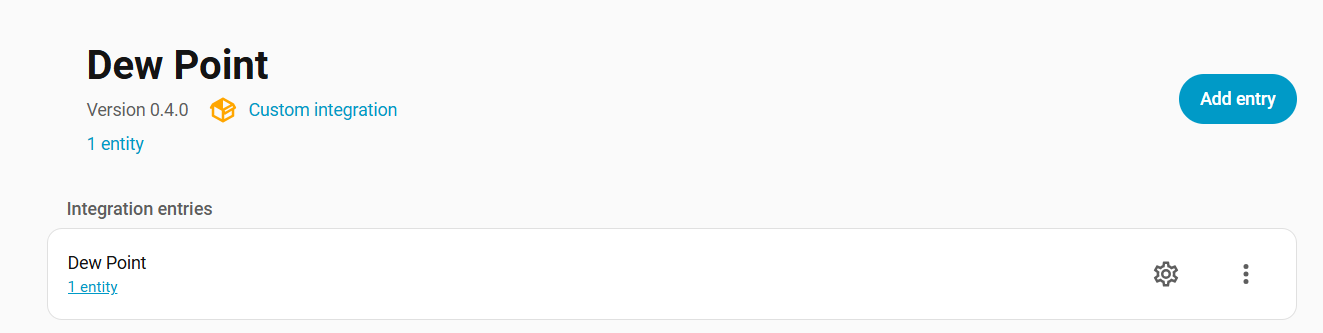
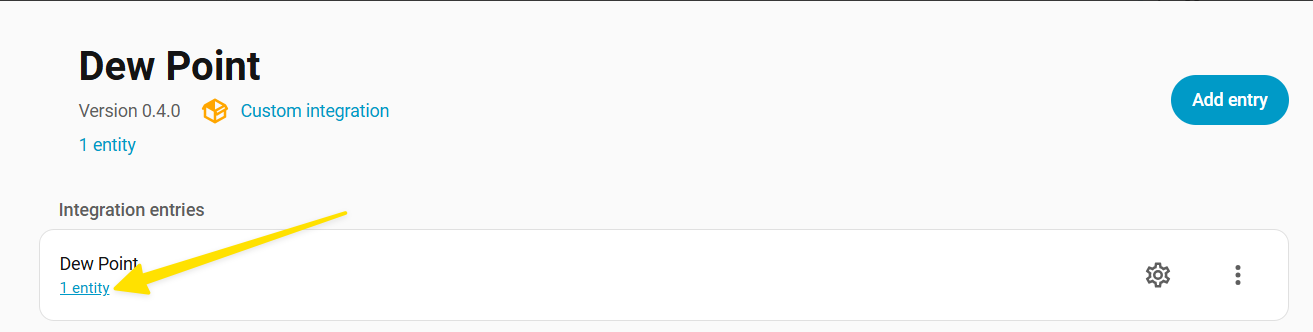
I was able to install your dew point sensor and added my thermometer’s temperature and humidity sensor information, but then what? I can see the integration, but I don’t see an option to see the value or add it to my dashboard.
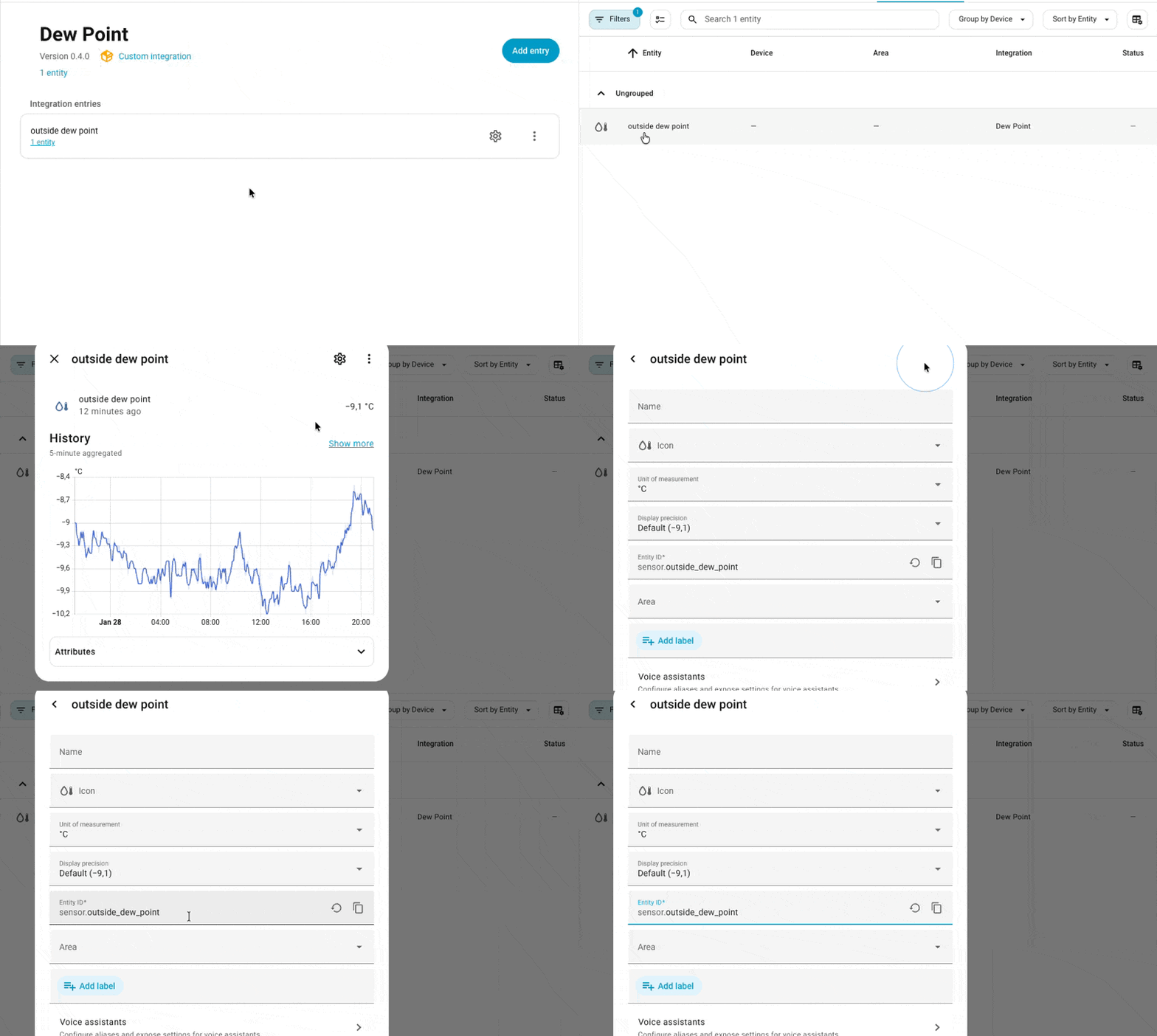
Ah, my bad. Didn’t know I had to click on the entity and then the words ‘dew point’. Thanks!
One more question. Is the formula valid for calculating dew point using degrees C? My thermometer (Lacrosse) reports in C but when I change the units under settings, the dew point is negative. Maybe I’m doing something wrong.
Yes, the formula is valid for °C. This integration uses the (1996) Arden Buck dew point equation, where T is in °C and RH is used as a fraction (0.0–1.0).
Also, a negative dew point is completely normal. Dew point is the temperature the air would need to be cooled to (at constant pressure) to reach 100% RH, and in very dry air that temperature can be below 0 °C (then it’s essentially a “frost point”).
If the negative value looks wrong (for example you expect something close to the air temperature), the most common causes are:
Unit mismatch on the temperature entity (Home Assistant thinks it’s °F while the value is actually °C, or vice versa).
Humidity format mismatch (some sensors report RH as 0.45 instead of 45%). The integration expects percent input and converts internally to 0–1, so a 0.45 input would be treated as 0.45%, giving an unrealistically low dew point.
Thanks Stimo, I didn’t know about negative dew points. Living in Houston, I only pay attention in the summer when it is brutal and hardly ever falls below 60.
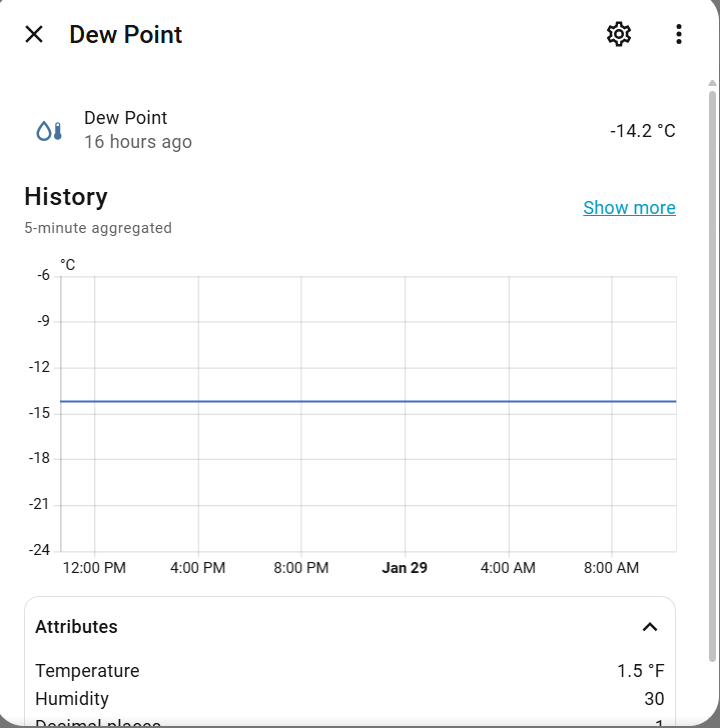
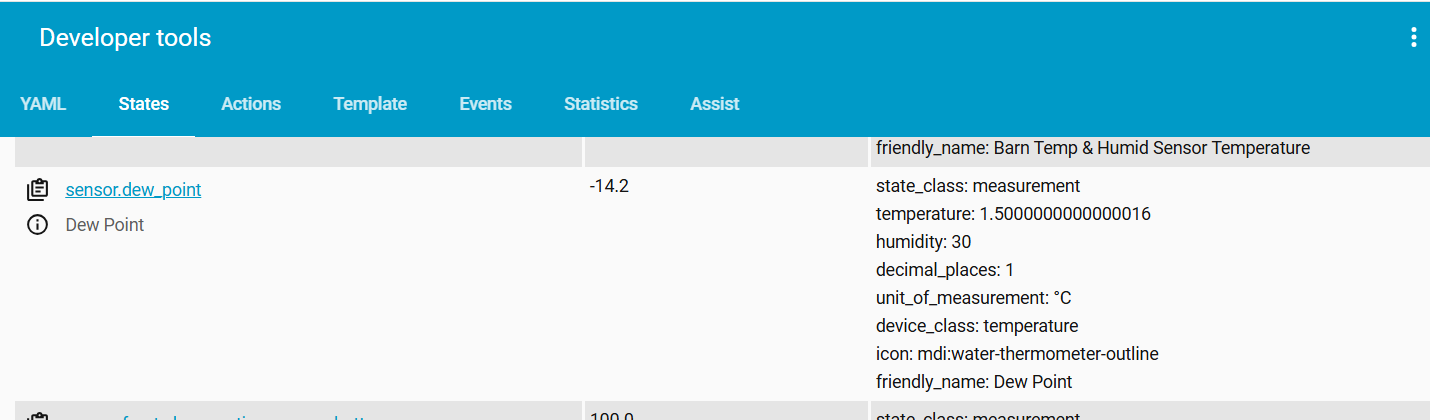
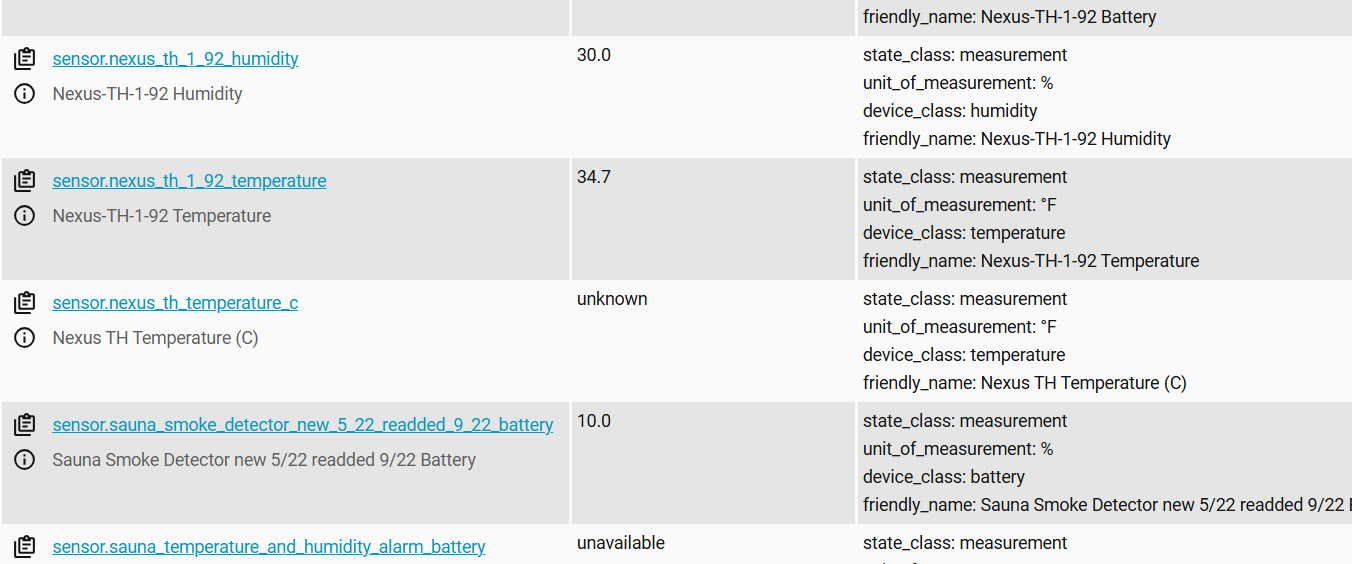
I think my issue is cause number 1, and possibly something else. My thermometer reports in C. But still not sure why (see the first screen shot), the attribute for temp is 1.5F, while it should be around 53 with an input of 12C.
Is there a way to get around the problem of a thermometer reporting in C? If not, do you know of any fairly accurate, bur reasonably priced thermometers that report in F?
Your Dew Point sensor is actually calculating correctly based on its inputs. With Temperature ≈ 1.5 and RH 30%, the dew point ends up around −14.2 °C, which matches your screenshot. So the formula is fine, the issue is that the temperature entity used as input is wrong (value and/or unit metadata).
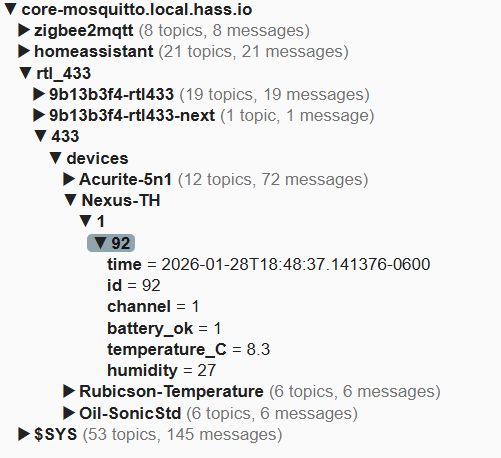
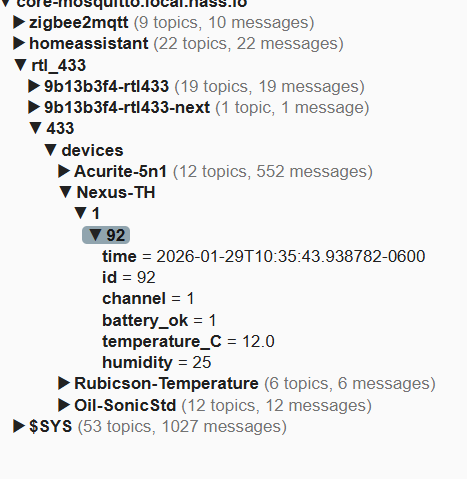
From your rtl_433 MQTT payload we can see the raw value is correct:
temperature_C = 12.0
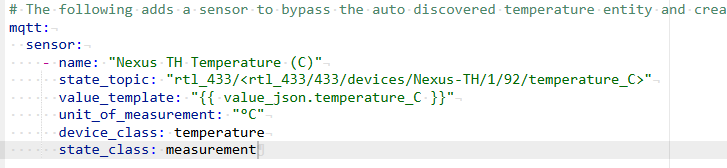
Best way around this is to bypass the auto discovered temperature entity and create your own MQTT sensor that reads temperature_C directly and labels it as °C, then use that “fixed” sensor as the temperature source for the dew point sensor.
Example (YAML), adjust the topic and entity ids to match your setup:
mqtt:
  sensor:
    - name: "Nexus TH Temperature (C)"
      state_topic: "rtl_433/<your_topic_here>"
      value_template: "{{ value_json.temperature_C }}"
      unit_of_measurement: "°C"
      device_class: temperature
      state_class: measurement
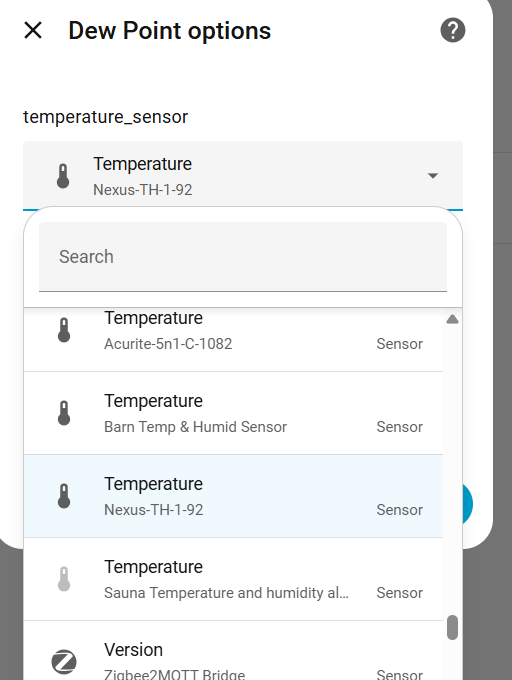
Then select “Nexus TH Temperature (C)” as the temperature input for the Dew Point integration.
If you paste the exact topic you subscribe to (the full rtl_433 MQTT topic) and the current temperature entity id you’re using in Dew Point, I can point out exactly what is being mis tagged and how to replace it cleanly.
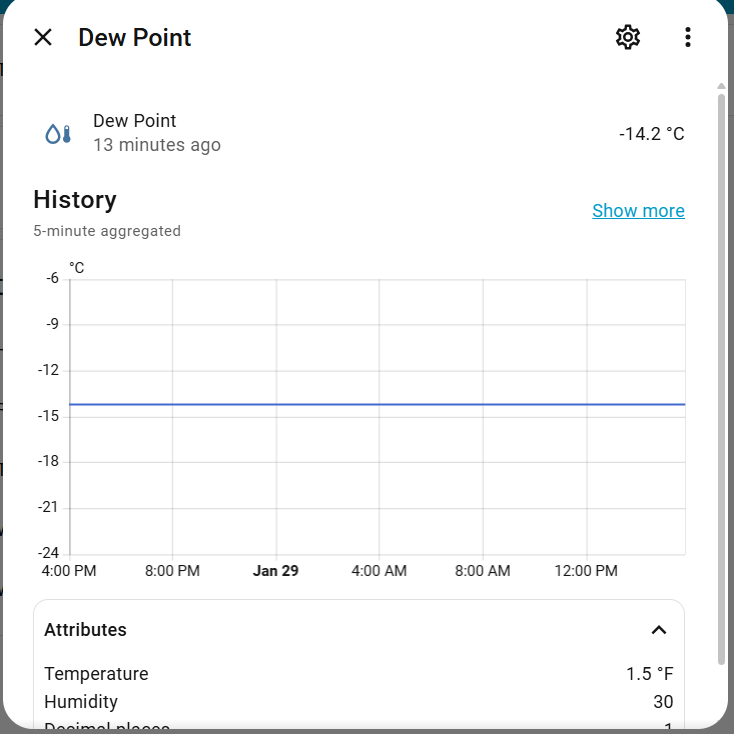
But for some reason, the attributes under the dew point sensor haven’t changed, even after a restart. However, the data is being updated correctly in MQTT Explorer.
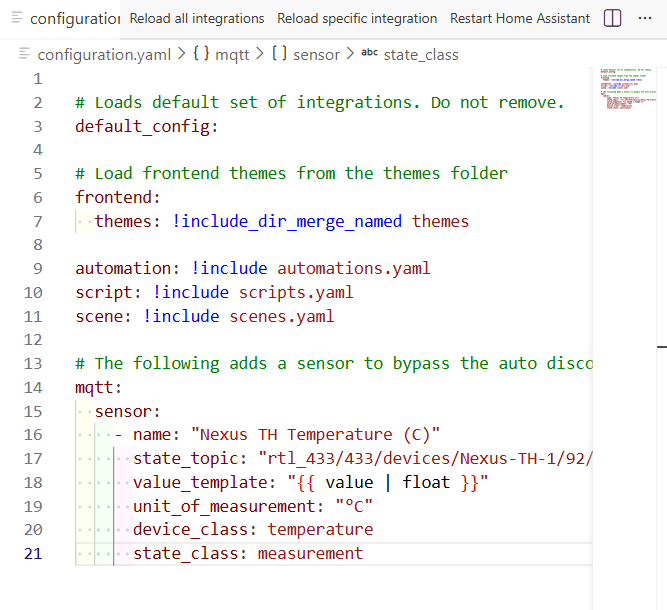
I commented out a few of the lines I thought might be causing the error because of noobie formatting errors, but now the attriburte in dew sensor is unknown. Will do some more troubleshooting/googling.
Thanks, this is very helpful. I think the main issue is the MQTT template sensor.
You are subscribing to a “field topic”:
rtl_433/433/devices/Nexus-TH-1/92/temperature_C
That topic typically publishes a raw payload like “12.0”, not a JSON object. If the payload is just a number, then this template will never work: {{ value_json.temperature_C }}
Result: your new temperature sensor stays unknown, and Dew Point keeps showing the last valid attributes (still 1.5°F, 30%) even after changing options.
Fix 1, keep the same topic, treat payload as a number:
mqtt:
  sensor:
    - name: "Nexus TH Temperature (C)"
      state_topic: "rtl_433/433/devices/Nexus-TH-1/92/temperature_C"
      value_template: "{{ value | float }}"
      unit_of_measurement: "°C"
      device_class: temperature
      state_class: measurement
Next checks:
In Developer Tools → States, confirm “Nexus TH Temperature (C)” shows ~12.0 and unit °C (not unknown).
Then reload the Dew Point integration (Settings → Devices & services → Dew Point → Reload), or restart HA.
Make sure you are viewing the correct Dew Point entity if you have multiple entries.
Once the input temperature sensor is valid, the Dew Point attributes should update on the next sensor update cycle.
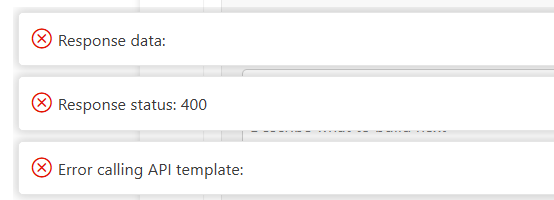
The “Response status: 400 / Error calling API template” is very likely from Studio Code Server trying to render the template via HA’s Template API. In that context the variable value does not exist, it only exists inside the MQTT sensor template context. So that warning is annoying, but not the root cause.
The real issue is that your new MQTT sensor is not being created. If “Nexus TH Temperature (C)” does not show up in Developer Tools → States (or in Settings → Devices & Services → Entities), then Home Assistant did not load that YAML sensor. In that case the Dew Point integration will keep using the previous temperature entity, which is why you still see 1.5°F.
Please check these in order:
A) Settings → System → Repairs → “Check configuration”
Fix any YAML errors it reports.
B) Settings → System → Logs
Search for “mqtt” and “sensor” right after restart, there is usually a clear error if the YAML platform wasn’t loaded.
C) Make sure you do NOT have multiple mqtt: sections in configuration.yaml (or in included files). If you define mqtt: twice, the last one wins and the first is ignored, which often causes “my sensor never appears”.
When the config is clean, use this exact sensor (note the safer float + a unique_id):
mqtt:
  sensor:
    - name: "Nexus TH Temperature (C)"
      unique_id: nexus_th_1_92_temperature_c_fixed
      state_topic: "rtl_433/433/devices/Nexus-TH-1/92/temperature_C"
      value_template: "{{ value | float(0) }}"
      unit_of_measurement: "°C"
      device_class: temperature
      state_class: measurement
Restart Home Assistant.
After restart, confirm:
sensor.nexus_th_temperature_c (or similar) exists and shows ~11.5–12.0 °C
Then select THAT sensor in the Dew Point options and reload the Dew Point integration.
If you paste your config check result and any MQTT related log lines after restart, I can point out exactly why the sensor isn’t being created.
The new sensor doesn’t appear in MQTT Explorer either, but my guess is that it shouldn’t because we created a virtual sensor from the actual sensor data.
Yes, please send me a link to make a contribution. I am learning a lot!
Settings → System → Repairs → “Check configuration”
Fix any YAML errors.
Restart Home Assistant (a full restart, not just reload).
Developer Tools → States:
Search for “Nexus TH Temperature Fixed”.
It MUST show a numeric value (around 11.5–12.0). If it is still unknown, paste the MQTT payload and any relevant log lines.
Only when the sensor has a numeric value, go to the Dew Point integration and select it as the temperature source, then reload the integration.