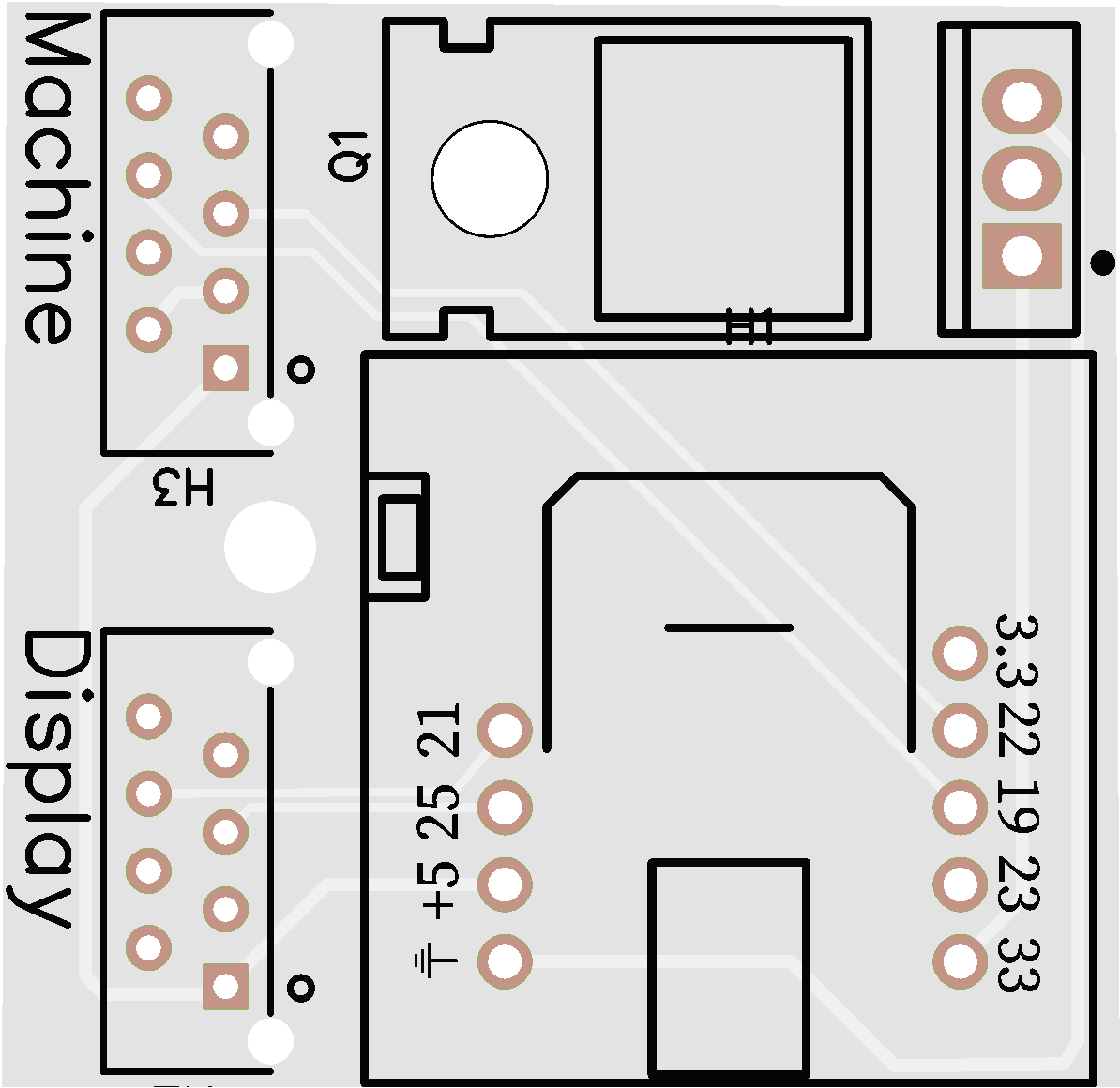
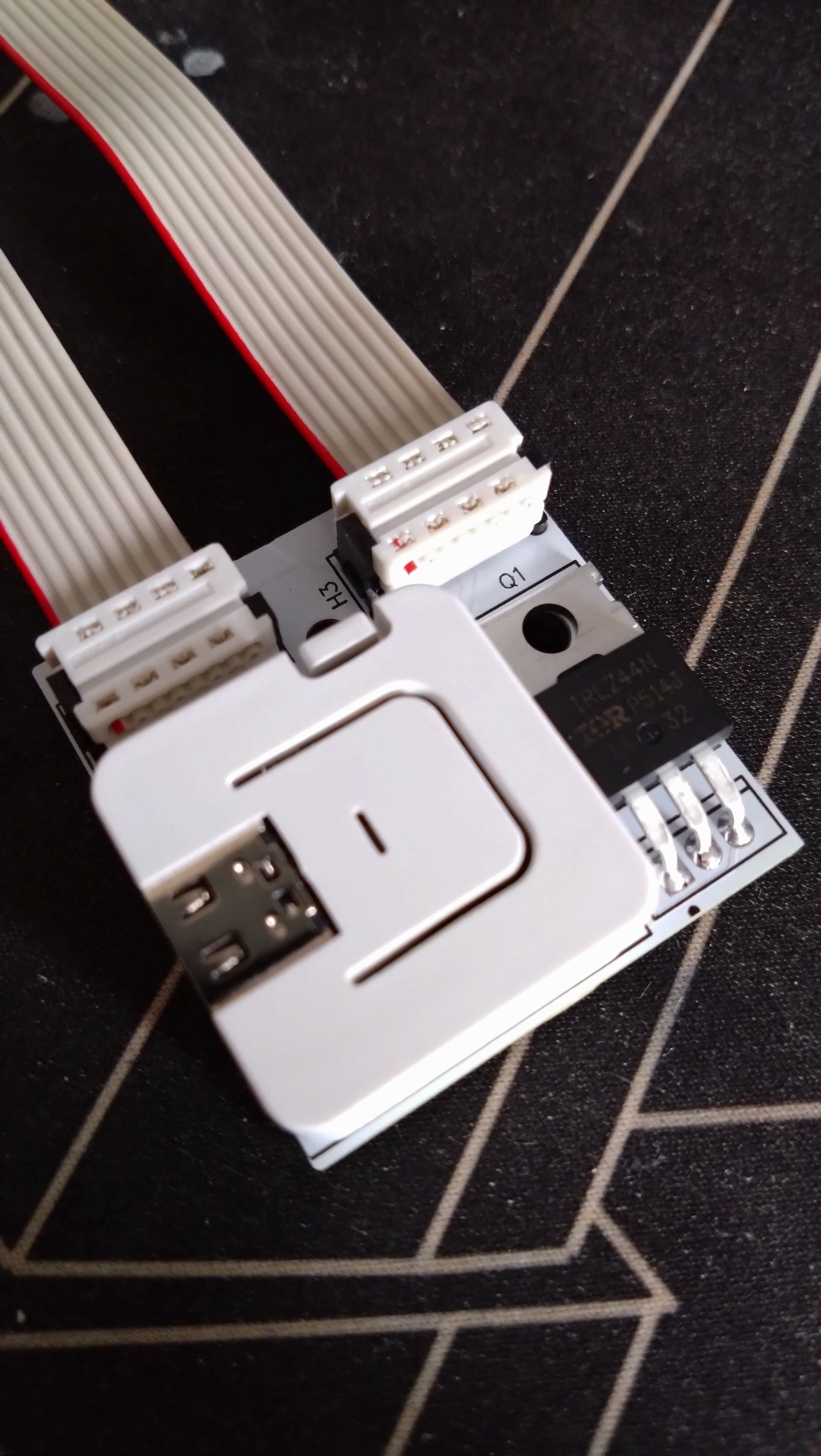
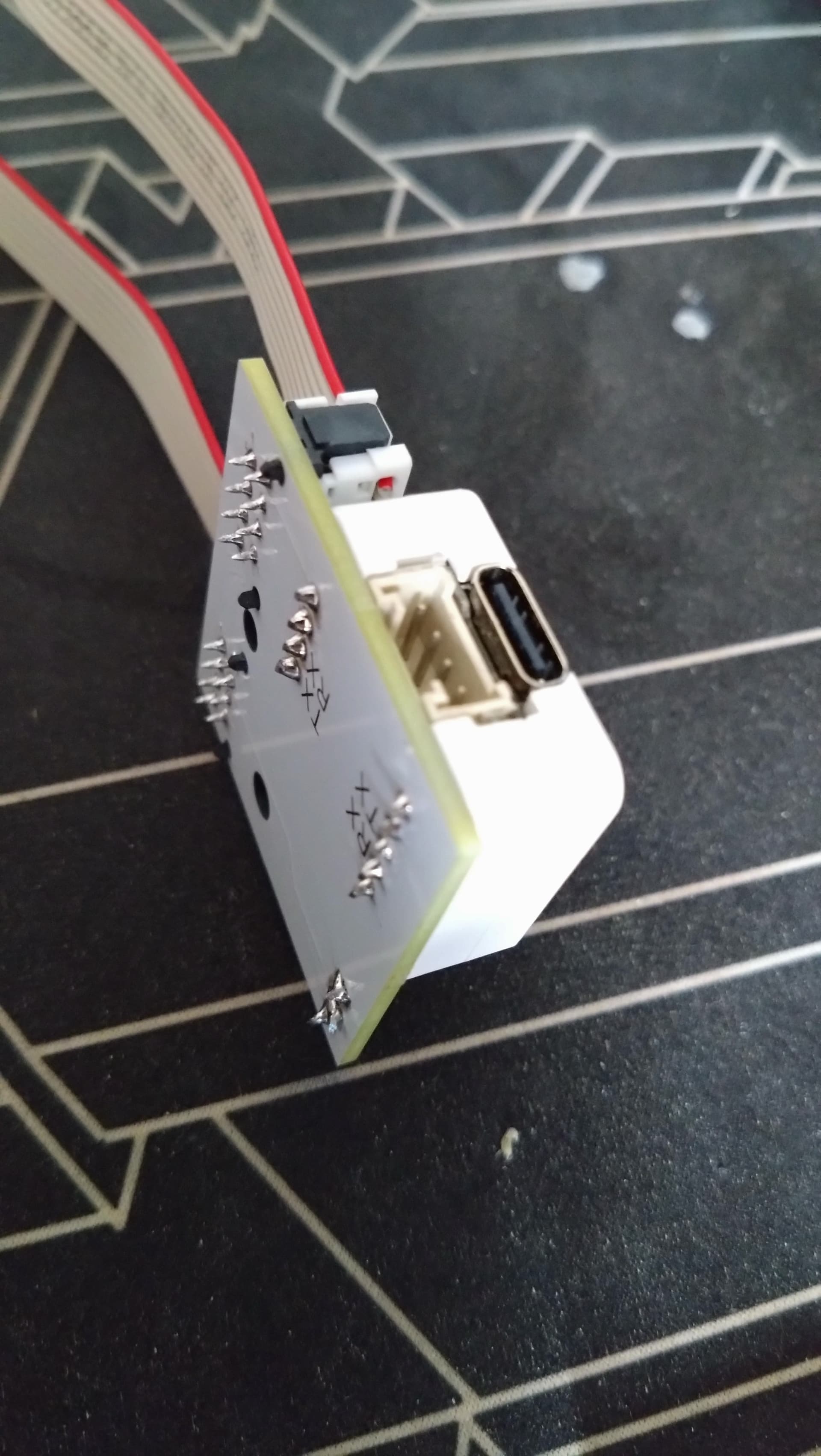
Sry for answering too late @koenhendriks im currently hyper busy…
Try following on your own risk:
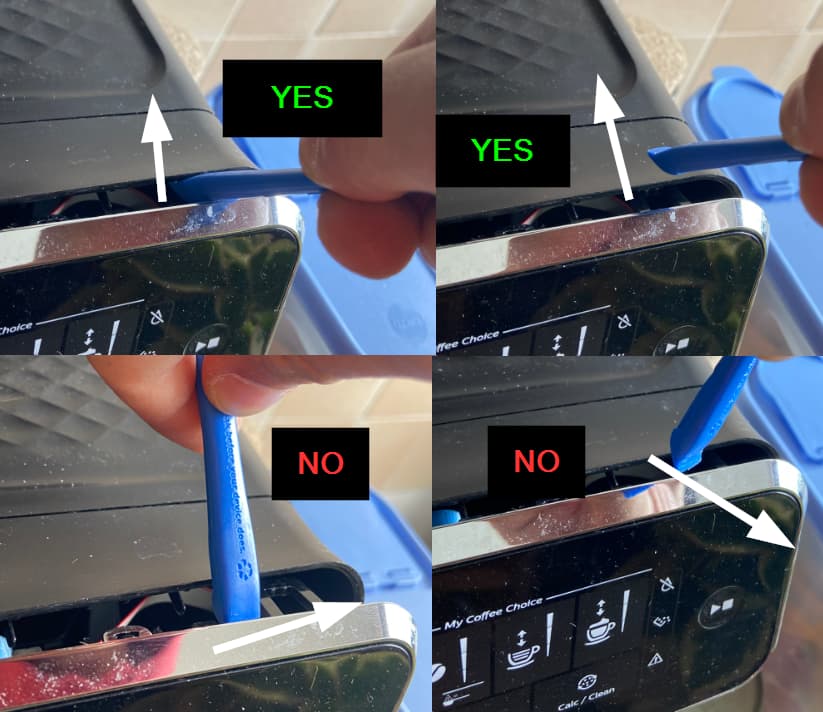
dont try to lever the silver part away otherwise it will break pins (it happened to me)
Try to get in between the silver and black and try to lever the black UP instead (this worked for me)
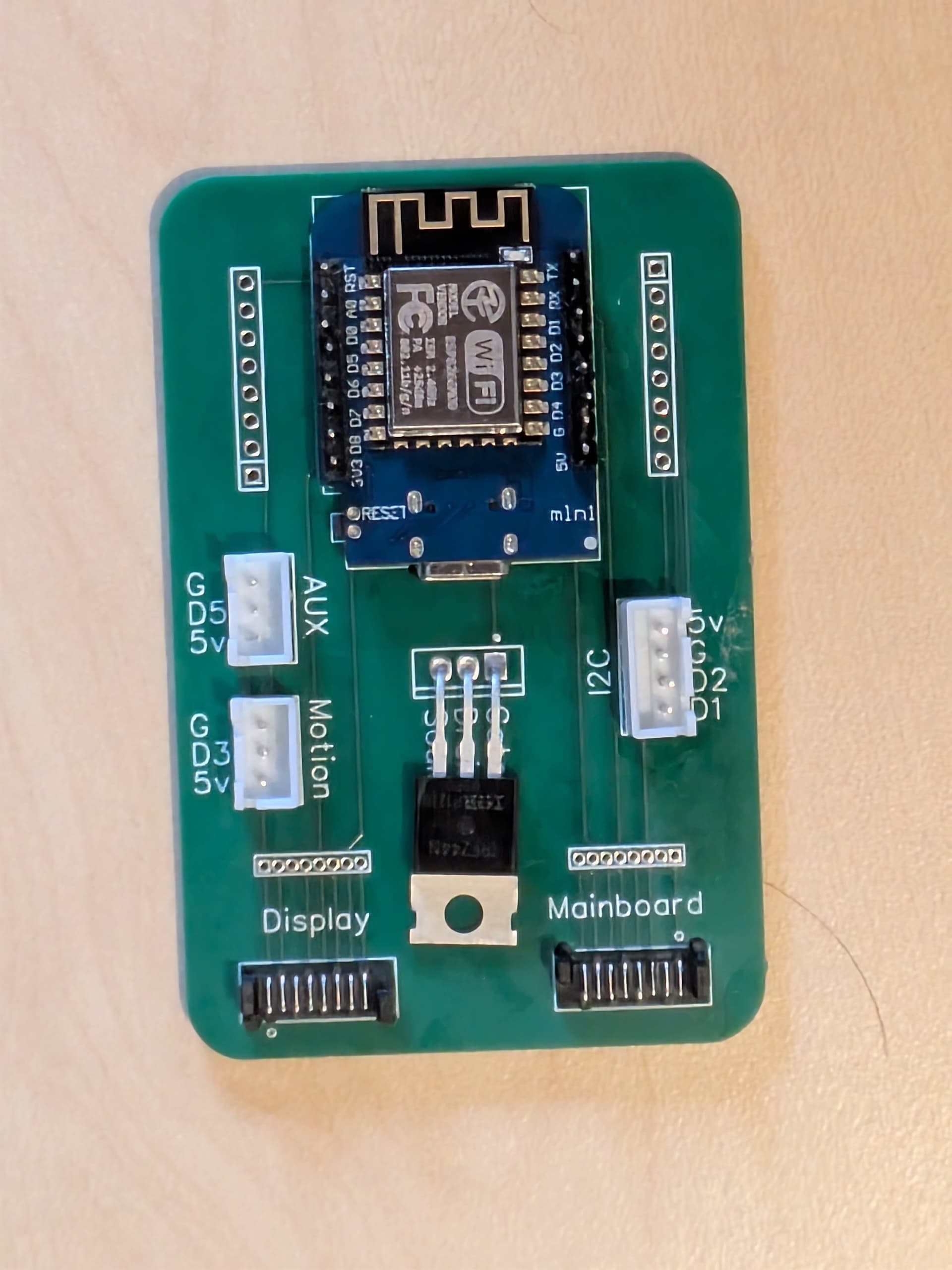
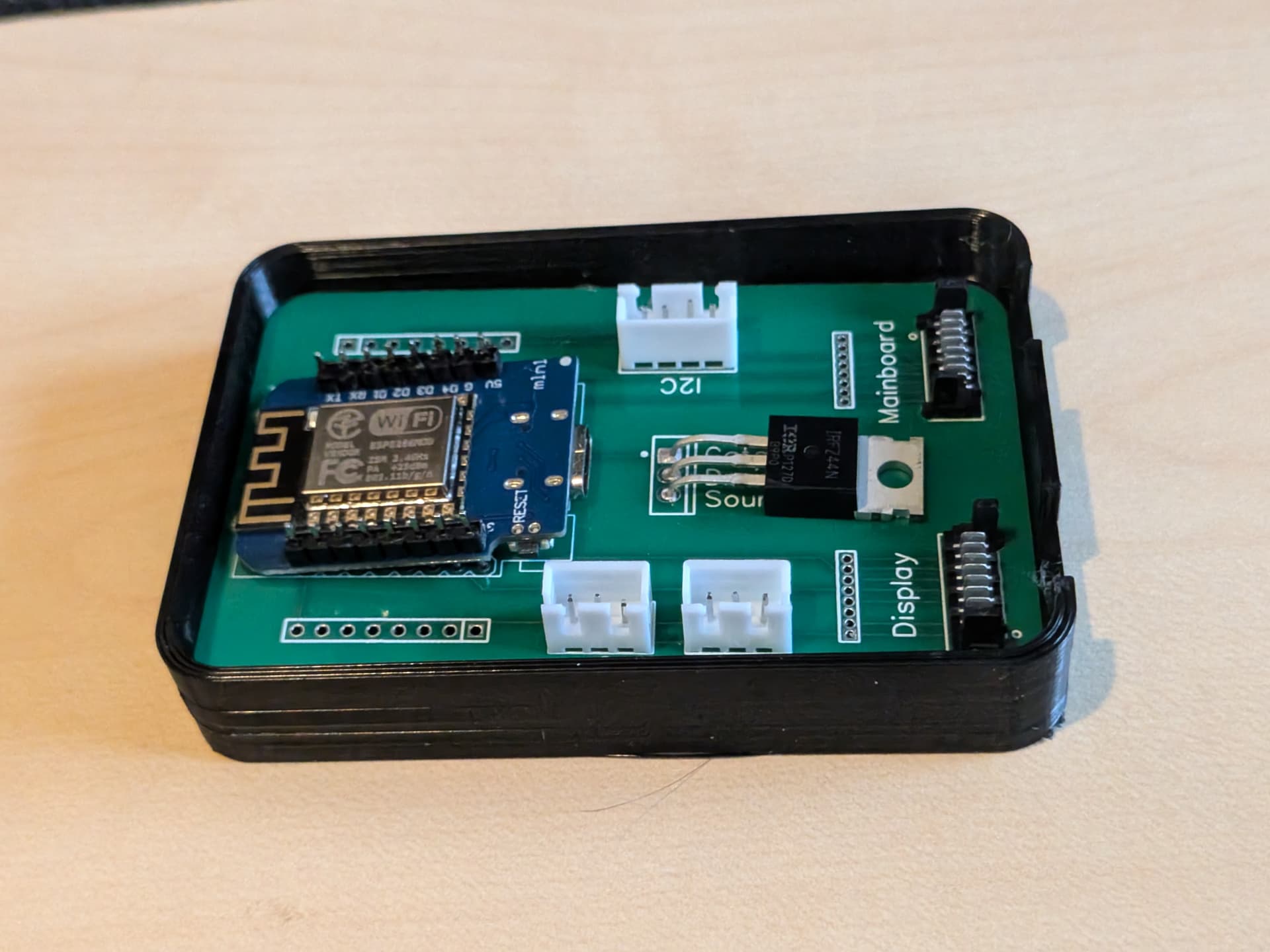
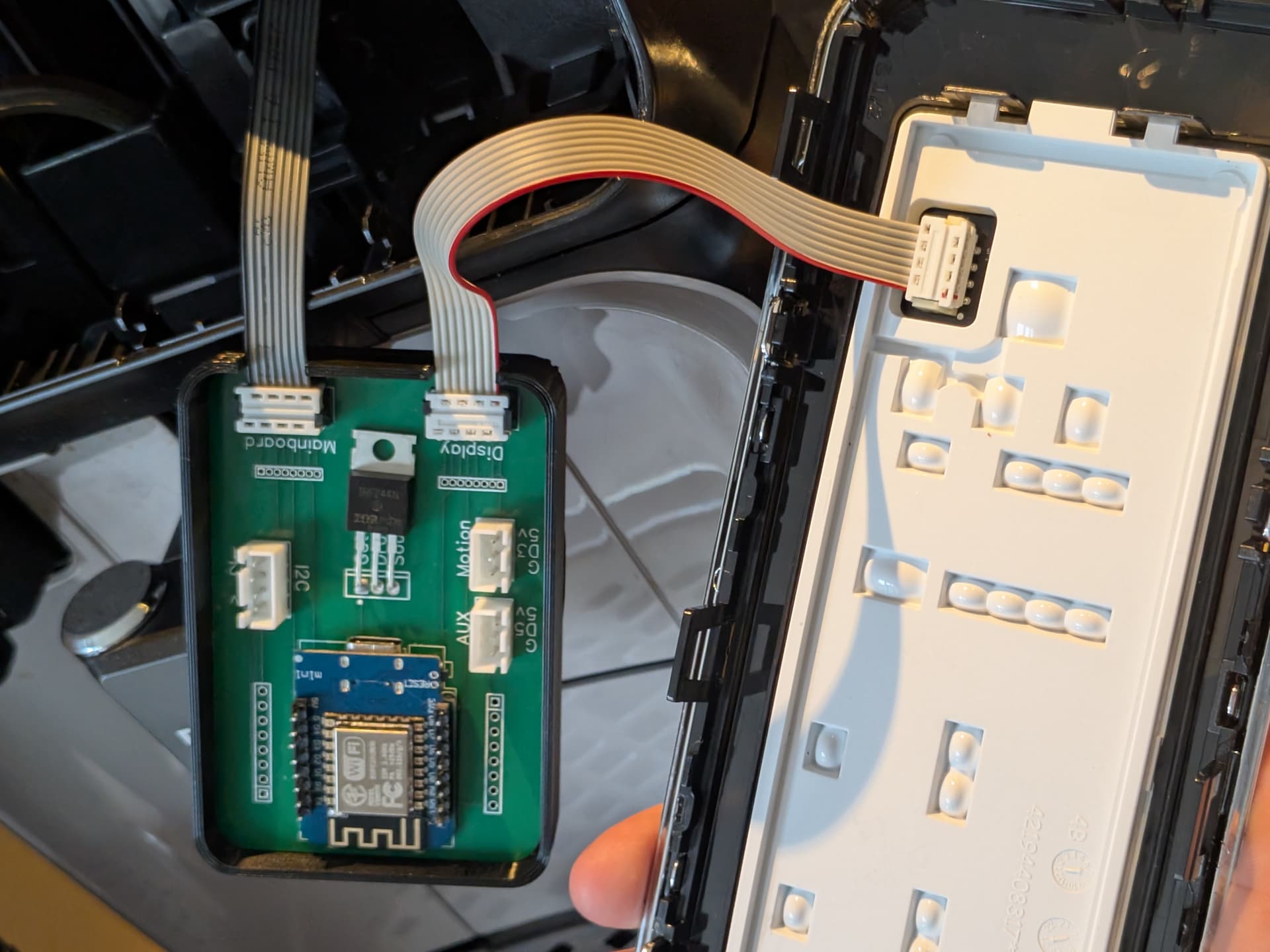
Got the last parts today and soldered it all to the PCB.
Creating the home assistant card now and can’t wait to brew my first coffee from Hass tomorrow. Everything seems to be working.
Thanks @The-May , not only for sending the parts but making this look very tempting to do as project by creating this forum thread
What exactly are you doing? How are you turning on?
What do you expect? How should it behave otherwise? Maybe I can help…
Or even the latest Video - they had the same Idea like me lol
Update: Yeahh its looks like im also somehow affected…never realized that it only “detects” status changes when i have pressed the buttons somewhen.
When doing a “cold start” (using the switch-entity it does not get feedback and powertripping doesnt work
BUT when i press/hold a button physically on the coffeemachine, the display turns on and the esp registers all statusses. It is super weird and needs some debugging. But it seems like the code is not very well maintained or so. I also need to find out what the problem is, but currently I have other priorities now…
Next step is going to be on the esp12 if this one works somehow just like the code maintainer designed/made to see if there is a difference…super annoying.
I have done more testing, more debugging but it seems to work now.
Do note the boot sequence on the ESP.YAML.
esphome:
  name: ph-ep2235-coffee
  friendly_name: PH-EP2235-COFFEE
  # Automatically power on machine after ESP boot
  # This wakes the display and powers on the machine
  # Physical buttons will work after this sequence completes
  on_boot:
    priority: -100  # Run after everything else is set up
    then:
      - logger.log: "Boot complete - waiting 10s for all components to be ready"
      - delay: 10s
      - logger.log: "=== AUTO BOOT: Checking power switch state ==="
      - lambda: |-
          auto sw = id(power_switch);
          ESP_LOGI("boot", "Power switch state: %d", sw->state);
          ESP_LOGI("boot", "Now triggering power-on...");
      - logger.log: "=== AUTO BOOT: Triggering power-on sequence ==="
      - switch.turn_on: power_switch
      - logger.log: "=== AUTO BOOT: Power-on command sent ==="
      - delay: 20s
      - logger.log: "=== AUTO BOOT: Complete - machine should be ON, physical buttons should work ==="
Now the esp can do its thing, and the machine can do its thing. The power on does take patience, but it eventually lets you make coffee. Do test and report
I am right now enjoying automated coffee
DO NOTE: if you turn on the machine like this:
  - platform: philips_coffee_machine
    controller_id: philip
    name: "Power (No Cleaning)"
    icon: mdi:coffee-maker-outline
    clean: false  # Skip cleaning cycle for quick power-on
You will need to press it twice, either quickly (10 secconds later, or 5 min later) then only the display will be awake. It seems that clean: true is a more reliable way to turn on ? (1 press)
You are awesome and big thanks in forking it. I was already havin at least once a day the deprecation notice floating in my head whenever I brew a coffee.
Imma go and try to update this to your code before December 2025.
Its a shame that the OG maintainer abandoned this. Dont wanna fingerpoint though since I am also heavily bound on private/reallife projects which make HA a second/third priority for me at the moment.
I know this might be a bit lazy, but if someone is willing to sell a completed (hardware) solution to this, I’d be very happy to purchase it at a price that compensates someone for their time/energy/experience/parts/etc…
I don’t have some of the tooling needed to create a full solution, and I honestly worry about messing up in the process. Ideally, I’d love it to include any connectors/etc. needed for the Phillips 3200.
If I don’t find someone willing to put that type of effort, then I suppose I’ll bite the bullet, ask some friends to do the 3D printing, etc… But, I figured I would ask here first.
I don’t mind working my way through the ESPHome configuration bits/etc… using the guide here, but putting together the hardware myself seems a bit daunting on the surface.
That actually would be fine. I would want someone to be properly compensated for their effort+time/materials/shipping appropriately. If you like, we could discuss privately and try and come up with a number that makes sense.