I can’t remember what release but doesn’t Home Assistant support MCP now or am I fundamentally misunderstanding what MCP is for?
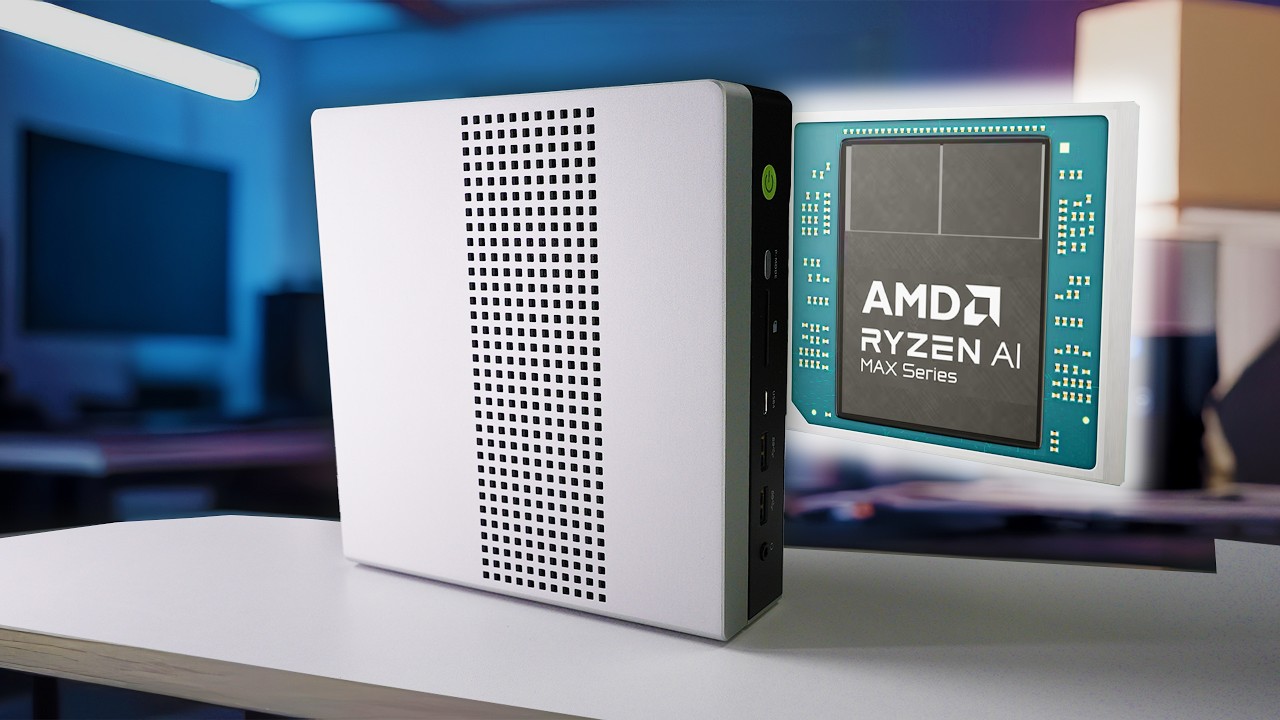
The new AMD CPU with NPU, I think there is only one model out right now, with its RAM partitioning sounds promising also. Not cheap but uses regular DDR5 RAM so 2K with 128GB of RAM with supposedly 256GB/s memory bandwidth. It’s like apples unified memory but you have to specify how much RAM you want dedicated to the CPU and GPU. Nvidia makes a GPU with 96GB of VRAM but it’s 10K. Probably not near as fast but allows you to run 70 billion parameter models granted it’s 5 tokens per second but for something like lama3.2 it’s around 250 tokens per second. Regardless way cheaper than VRAM even if it’s not as fast but I have a feeling some of these new Nvidia Jetson models are going to be extremely expensive. I hope to be proven wrong but it’s Nvidia so… That and the AMD can be both a daily driver PC and AI machine for HA once you get the memory partitions so it performs both. At least with the Jetson lineup, it’s not going to be a daily driver outside web browsing. That and the technology will only get better. Then again something else may come along. My only requirement is 100% local and price which does need to come down.
No. you aren’t BUT. It’s still not quite Plug and play. Most solutions are currently built assuming the MCP ‘server’ (read service running on a machine) feeds an MCP client (read: client software - usually assuming same box…) and takes a bit of knowhow to setup - and that brings next.
I REALLY want to not NVidia – but my issues getting intel Ipex has taught me -
If you’re an enterprise with money, have a corporate sponsorship, a specific build reason to use one of the others… like pain, or really want to BYO docker containers… Do Intel Ipex or AMD
OTOH, if you’re homelab - NVidia CUDA. Industry standard, most stuff just works, do not pass go, do not collect 200 dollars. You’ll still fight stuff but it wont be arcane weird stuff nobody’s ever seen.
(edit: money where my mouth is - EGPU Nvidia 5600ti/16g kit ordered)
My question is what size/parameter model you need to actually control Home Assistant. Obviously a small model like lama2. 3 (I think 4 billion parameters) don’t work, in fact HA documentation recommends 2 installs, one for general questions with the one controlling HA having less than 24 exposed entities. I tried this and it still was unreliable, which I get because it’s a small model.
I’ve tried ChatGPT and obviously it’s amazing at understanding what you want, even when not saying the trigger word but cloud based and it’s going to cost money if you even wanted to run full time. Not sure if you can answer that and if that’s even possible with an LLM right now.
Yeah, I dodn’t really want Nvidia pulling ahead but as you said, others are catching up or even match but support on Nvidia means it just works, I’m sure the Nvidia Spark will be insanely priced and while 1000TOPS (or whatever) but still only 128GB of RAM with a speed of 273 GB/s. Seems slow compared to the Apple M4 which is over 800 GB/s or whatever their top model ARM chip is. Maybe it doesn’t matter at that point as I’m far from an expert. I just know if the model won’t load into RAM, either VRAM or RAM that the GPU can directly access, things get real slow real fast. That’s why any kind of machine load balancing is so slow regardless if it’s TB5 or 10G Ethernet. It becomes the bottleneck by default.
It seems like MCP is a protocol that everyone has seemed agreed on but based on some diagrams it runs on a different server as you mentioned and is kind of an “interpreter” on how to handle things but requires the code or API’s setup to interpret things and that’s not an easy task. Even the diagrams were a bit over my head so that’s probably not the best analogy but I get what you are saying so thanks for the detailed explanation. So if you want to send an email it has to be created and requires another piece, the MCP server, which adds complexity. At least at the moment and near future.
You want a long-context, Mixture of experts, tool user. Or a long context tool user.
Thats something like qwen3, Llama3.2, gpt-oss:20b. Mixtral should also work but I’ve had trouble to get anything based on mistral to shut up…
Filter models on tool use first on Ollama then go from there.
A small model can work fine with the right context. Friday’s context STARTS AT 16K Iif I only include entity state. So I need at least that. Preferably 32 if I want room for tools. AND when adding context window size your me or use required goes up logarithmically.
The trick will be using a lot of presummarize jobs and storing state for the conversation agent to pickup, summarize and act on. Huge balancing act.
I think we need stateless assist on Ollama long term to help but for now watch your context size. That’s the killer.
Are you using docker-compose? Any chance you can share you compose file if you are. I have Ollama running on my jetson nano for frigate to start but all the text to speech and speech to text is running on my home assistant box. It doesn’t work at all. Sounds like you have a solution?
Sorry for the late reply. Nabu and Nvidia worked together to port to GPU based on the Jetson for whisper and Piper. Honestly piper isn’t needed but takes very little resources. Might have to play with the models a bit. I find medium.en to be the perfect blend of speed and accuracy but resources may require something slightly smaller. I think medium.en is about 700MB shares GPU RAM.
Once installed on the Jetson go t Wyoming, then add and use the IP/port for each. Really don’t think OpenWakeWord is needed anymore and it’s CPU based in the link below.
Thank you for that update. I don’t think I am accurately asking my question though. With your setup on the Jetson Orin nano, can you use something like Ollama to provide smart responses? I am trying to do something like, “it is dark in the office, can you help me?” When I say things like, “turn on the office lights”, it works fine. The integration with ollama is the piece I am trying to see if keeping the jetson-container setup for whisper/piper is beneficial. Maybe the piece I am missing here is you have something bigger than the Orin nano with gpu’s
No, I use the fallback option for the reason that’s documented. Per Nabu, small models aren’t good at controlling HA. In fact they suggest setting up 2 Ollama instances and less than 25/35 exposed entities. I never had any luck and really don’t have RAM to run 2 models even if it did. What would work is probably sentence trigger automations but that usually involves some sort of jinka templating and at that point you aren’t using Ollama anyway.
I was hoping MCP would bridge the gap but haven’t heard anything about it outside HA supports it. MCP was supposed to be something similar to an API or standard for making AI more useful by acting as a “translator” for lack of a better term. I don’t know how many billion parameters are needed before it would be useful but lack of RAM to run bigger models without spending a fortune is limiting what I, and most people, can run.
If you want to experiment with local LLMs using Home Assistant, we recommend exposing fewer than 25 entities. Note that smaller models are more likely to make mistakes than larger models.

Only models that support Tools may control Home Assistant.

Smaller models may not reliably maintain a conversation when controlling Home Assistant is enabled. However, you may use multiple Ollama configurations that share the same model, but use different prompts:

Add the Ollama integration without enabling control of Home Assistant. You can use this conversation agent to have a conversation.
Add an additional Ollama integration, using the same model, enabling control of Home Assistant. You can use this conversation agent to control Home Assistant.
Don’t use mcp. Use deferred loading techniques that are friendly to the tiny context window most of you are going have to live with.
Most of you are never going to be able to afford the required hardware to run a model smart enough (120 billion parameters at least) with a generous enough context window (100k at least).
Some of you lucky ones are going to (at best), running a 3090ti with 24gb of VRAM.
In this category, You’ll be able to run a 30b model with about 60k of context. But you won’t be doing anything else with that machine once you do load the model in this way.
Most of you are probably still running 1080ti with 8gb of vram. or using a laptop version of a 2060/3060 with 8gb of vram.
This scenario means you’re limited to a 1b or a 3b model with a laughable 4-8k of context.
So all this means, that using MCP will just mean you’ll get an error that says something like:
Failed to send initial 20k tokens …
So what you want, is:
a small but smart enough and focused enough fine tuned model, something that has been fine tuned on home assistant things so you don’t have to teach it in your system prompt.
an ai harness that can lazy load SKILL.md
a system prompt that directs the model to use subthreads and skills as much as possible.
good luck, but i predict most of you will just sign up for codex,anthropic or give up once the reality of good LLM experience dawns on you
I bought my Strix Halo last year and it allows me to run gpt-oss-120b.
I also build my own assistant, speech interface with Whisper and output with ZipVoices cloned voices. Whisper Large runs little under 100% real world speed and ZipVoice maybe 70-80% in Strix Halo. Have build a couple of assistants, and HA assistant connects to HA MCP Server and a couple others. I’ve only exposed a small set of sensors/devices.
Good thing with gpt-oss-120b is you can ask questions like ‘what is the average electricity price tomorrow between 12 - 16’ and it knows how to get that from json data and calculate average.
Normal commands like “turn on living room reading light” takes about 6-7s.
Bigger model is needed because commands are given in Finnish, gpt-oss-120b thinks and HA devices are in English and the results are then translated back to Finnish. Just tested qwen3 next 80B. It was ok too, but in benchmarks gpt-oss-120b seems to be a winner.
Strix Halo is not the fastest but it’s idle is about 20w so it’s more reasonable to be always-on, and it has also other use.
It is actually very easy to run HA on a new M4 Man Mini. Run it inside a virtual machine. HAOS runs directly on the VM and it works just like running on a Raspberry Pi, but faster. The LLM should run on macOS, not in a VM so that it has direct access to Apple’s AI acceleration hardware.
Surprisingly, the M4 can still be used for web browsing and whatever while running all of this as long as you have enough RAM. The VM will need about 4GB and the LLM may use 4GB for a smaller model, but large models can use RAM without limit. If after all of this you still have about 6 or 8 GB RAM, then the Mac runs just fine for watching cat videos on YouTube, posting to forums, or whatever.
That said, if you happen to find a used gamer PC with a mid-range Nvidia card and 32GB RAM that is cheaper than a Mac, go for it. The extra electric power used by a PC is not going to cost that much.
My main point here is that running HA inside a virual machine under macOS is not hard at all. It is a “point and click install” and easier then etiing up a Pi because there is no need to flash and SD card. Just point the VM to the image file.
Tried qwen3.5-35B-A3B-Q8.
(+) faster pp that gpt-oss-120b-f16 (950t/s vs 780 t/s). But the problem here is how to compare, because qwen3.5 requires a newer version of llama.cpp and with each new version the pp has gone down with gpt-oss-120b. From 900 to 560, so I’m using older version.
(+) has vision already = smaller memory footprint. It’s accurate enough, recognized that in my test picture I have a leaf blower. Gpt-oss-120b does not have vision, so I have to run separate transformers model via MCP and it’s +20GB.
(—) It’s Finnish is terrible. First test sentences were ok, but when I gave it YLE ( Finnish BBC) news and told it to read them to me, I could not understand sometimes what it was trying to say. Can’t use this