Thanks, good to know and yea I mostly use Steam but I do have Xbox app for gamepass games as well.
Ok, I added an example in my comment above. That way you’ll have less “sensor clutter” since it makes quite a few for each user.
Please let me know if it works for you and if the statuses update properly when you start gaming. See my YAML card examples for cards you can use on your dashboard as well, which is where the fun really begins. 
1 Like
Thanks, will try this out.
Edit: Seems it worked! Now only have sensors I actually care about, thanks!
1 Like
Awesome! I’m super excited to have someone else trying this out! 
1 Like
If you want an easy card to test things, the Recent / History card is a good place to start since you’ll be able to see if it’s showing proper online/offline and history statuses. You’ll need Mushroom Cards, Card-Mod, and Auto-Entities installed for this to display properly, but otherwise you should be able to copy/paste it as-is.
type: grid
cards:
  - type: heading
    heading: Recent
    heading_style: title
    icon: mdi:controller
    grid_options:
      rows: 1
  - type: custom:auto-entities
    card:
      type: vertical-stack
    card_param: cards
    filter:
      include:
        # 1. ONLINE USERS (Colorful)
        - entity_id: sensor.*_gaming_status
          state: /^(?!Offline|offline|unavailable|unknown).+/
          sort:
            method: last_changed
            reverse: true
          options:
            type: custom:mushroom-template-card
            primary: >-
              {{ state_attr(entity, 'friendly_name') | replace(' Gaming Status', '') }}
            secondary: "{{ states(entity) }} {{ state_attr(entity, 'secondary') }}"
            picture: "{{ state_attr(entity, 'entity_picture') }}"
            badge_icon: |
              {% set p = state_attr(entity, 'active_platform') | lower %}
              {% if 'steam' in p %} mdi:steam
              {% elif 'xbox' in p %} mdi:microsoft-xbox
              {% elif 'playstation' in p %} mdi:sony-playstation
              {% else %} mdi:gamepad-variant {% endif %}
            badge_color: |
              {% set p = state_attr(entity, 'active_platform') | lower %}
              {% if 'steam' in p %} rgb(2, 173, 239)
              {% elif 'xbox' in p %} rgb(11, 124, 16)
              {% elif 'playstation' in p %} rgb(0, 48, 135)
              {% else %} rgb(100, 50, 100) {% endif %}
            tap_action: { action: more-info }
            card_mod:
              style: |
                ha-card {
                  position: relative; overflow: hidden; pointer-events: none;
                  /* Colored border for online */
                  {% set p = state_attr(config.entity, 'active_platform') | lower %}
                  {% if 'steam' in p %} {% set color = '2, 173, 239' %}
                  {% elif 'xbox' in p %} {% set color = '11, 124, 16' %}
                  {% elif 'playstation' in p %} {% set color = '0, 48, 135' %}
                  {% else %} {% set color = '100, 50, 100' %} {% endif %}
                  border-right: 8px solid rgb({{color}});
                }
                ha-card::before {
                  content: ''; position: absolute; top: -10px; left: -10px; right: -10px; bottom: -10px;
                  {% set game_art = state_attr(config.entity, 'game_cover_art') %}
                  {% set profile_pic = state_attr(config.entity, 'entity_picture') %}
                  {% set bg_image = game_art if game_art else profile_pic %}
                  background-image: linear-gradient(-90deg, rgba(0, 0, 0, 0), rgba(0, 0, 0, 1)), url('{{ bg_image }}');
                  background-size: cover; background-position: center;
                  filter: blur(5px) brightness(0.7); z-index: 0;
                }
                ha-card > * { position: relative; z-index: 1; }

        # 2. OFFLINE USERS (Grayscale)
        - entity_id: sensor.*_gaming_status
          state: /^(Offline|offline|unavailable|unknown)$/
          sort:
            method: attribute
            attribute: last_online_valid_timestamp
            reverse: true
          options:
            type: custom:mushroom-template-card
            primary: >-
              {{ state_attr(entity, 'friendly_name') | replace(' Gaming Status', '') }}
            secondary: "{{ state_attr(entity, 'secondary') }}"
            picture: "{{ state_attr(entity, 'entity_picture') }}"
            badge_icon: |
              {% set p = state_attr(entity, 'active_platform') | lower %}
              {% if 'steam' in p %} mdi:steam
              {% elif 'xbox' in p %} mdi:microsoft-xbox
              {% elif 'playstation' in p %} mdi:sony-playstation
              {% else %} mdi:gamepad-variant {% endif %}
            badge_color: grey # Grey badge for offline
            tap_action: { action: more-info }
            card_mod:
              style: |
                ha-card { position: relative; overflow: hidden; pointer-events: none; }
                ha-card::before {
                  content: ''; position: absolute; top: -10px; left: -10px; right: -10px; bottom: -10px;
                  {% set game_art = state_attr(config.entity, 'game_cover_art') %}
                  {% set profile_pic = state_attr(config.entity, 'entity_picture') %}
                  {% set bg_image = game_art if game_art else profile_pic %}
                  background-image: linear-gradient(-90deg, rgba(0, 0, 0, 0), rgba(0, 0, 0, 1)), url('{{ bg_image }}');
                  background-size: cover; background-position: center;
                  /* Grayscale effect for offline */
                  filter: blur(5px) grayscale(100%) brightness(0.5); z-index: 0;
                }
                ha-card > * { position: relative; z-index: 1; }
    grid_options:
      columns: 12
      rows: auto
I just pushed out v1.6.5 which moves the SteamGridDB API Key to the UI configuration. If you’ve already installed it, you can restart after updating, and it should grab your API key from gaming_profiles.json and store it. After that, you can leave it in the JSON file or remove it. For new installs, users will not add it to the JSON file.
Version 1.6.8 is live now, which moves the configuration to an HTML sidebar interface. This should make it MUCH easier for new users to setup. Advanced options still need to be configured manually, but that should only affect a very small percentage of users.
I should have waiting for the hassfest check to finish. I have corrected a missing dependency and released 1.7.0. Hopefully it’ll be good for now unless I find any other security vulnerabilities introduced with the recent changes.
Have you had a chance to play any games to see if it’s properly tracking online status, play duration, total time, etc.?
Not sure what’s wrong tbh it seems to be half working, I’m playing fortnite on PS5 right now and the PS5 integration knows its Fortnite but yours says unknown game for whatever reason, not just fortnite it did it with every game I played NHL 26 and AC Shadows as well and same thing, so no tiem isn’t tracking cuz of that rn.
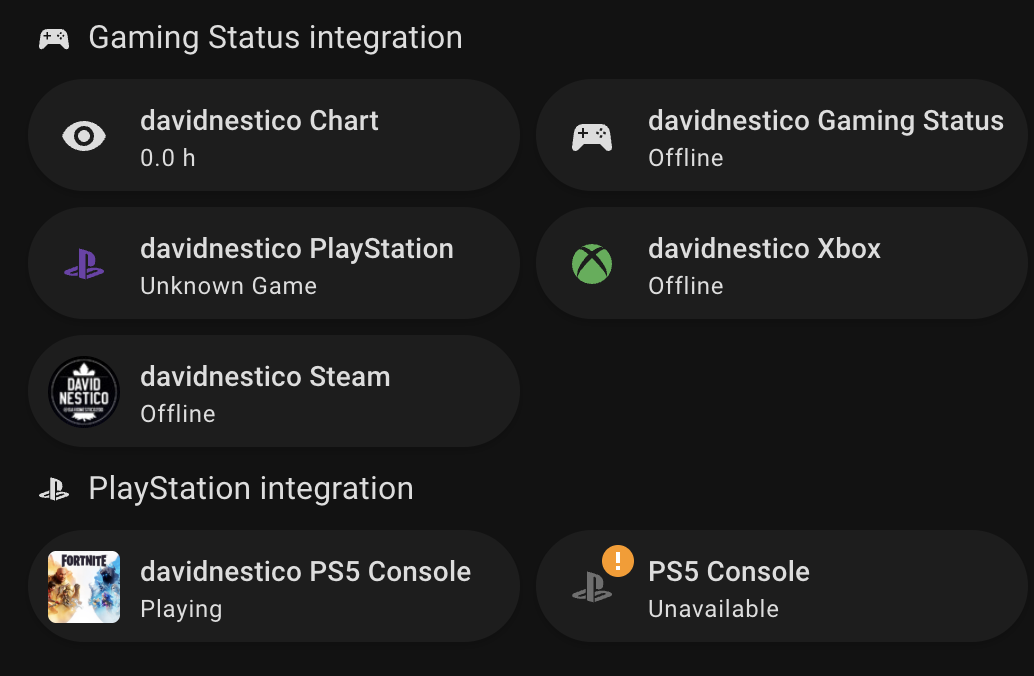
And you have the official PlayStation integration installed and working, correct? Does that integration properly report your in game status in the davidnestico_now_playing sensor?
I will test it again on my PS5 shortly to make sure I didn’t break anything with any recent updates.
PS5 is still working fine for me, so I’m not sure yet what is causing yours to not properly display your game status.
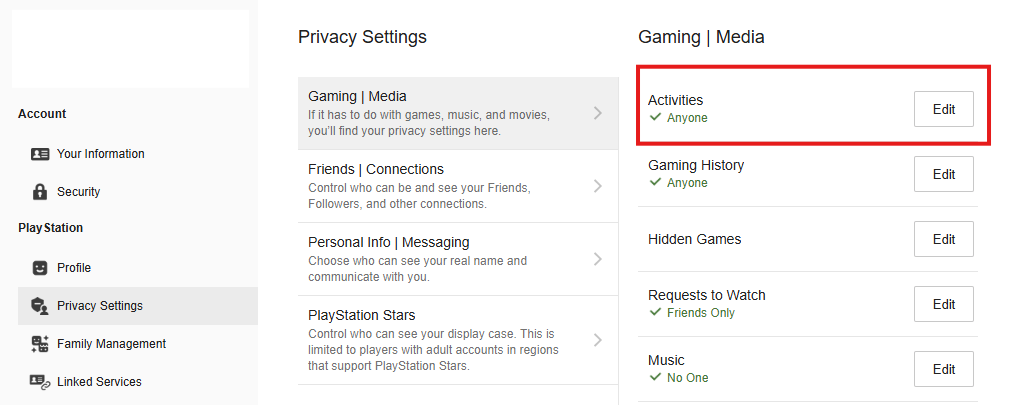
You may need to check your PSN privacy settings though, using the steps below (on your PS5, or similarly through the PlayStation web site):
- Settings > Users and Accounts > Privacy > View and Customize Your Privacy Settings.
- Find the setting: “Who can see your online status and what you’re currently playing.”
- You need to change this to Anyone
- On the web, it’s located as shown below
I think I will update the code so that PlayStation users are reported as “Offline” if they’re not in a game. This is currently how the Xbox and Steam statuses are handled. PlayStation appears to be seeing you as online but is unable to determine what game you’re playing, so it shows as “unknown”. The same would likely happen if you opened Netflix or something else that’s not a game. I haven’t run into this myself since I only use my PS5 for gaming and I already had my activity being shared publicly.
There is no “now playing” sensor for the PS integration, there’s a status integration that says “playing”. There’s a PS5 media player that says I’m playing NHL 26 right now also.
I’ve already set that up because the regular PS integration works fine for me.
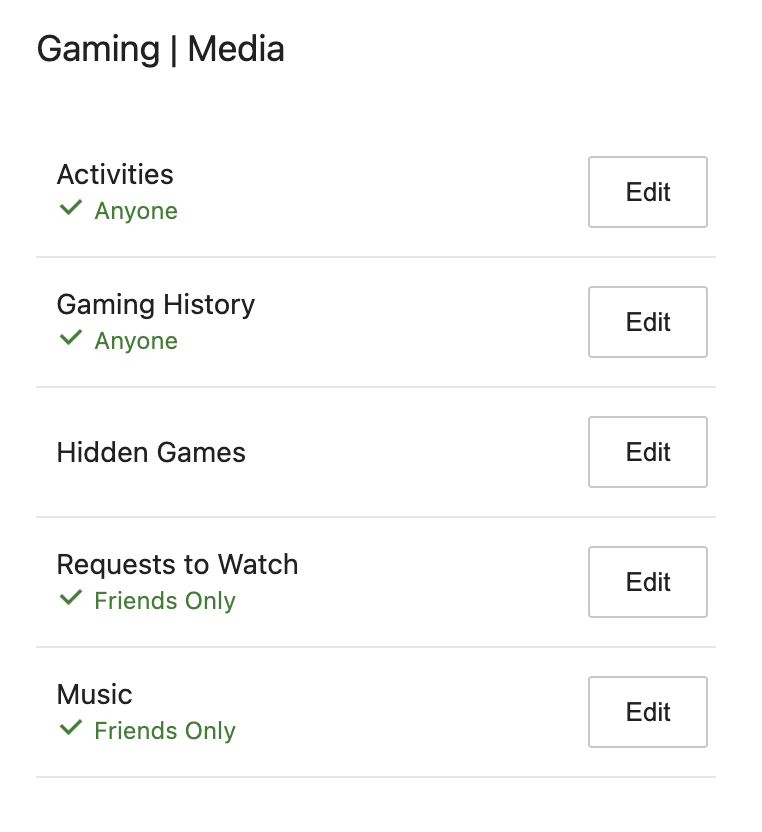
PlayStation integration
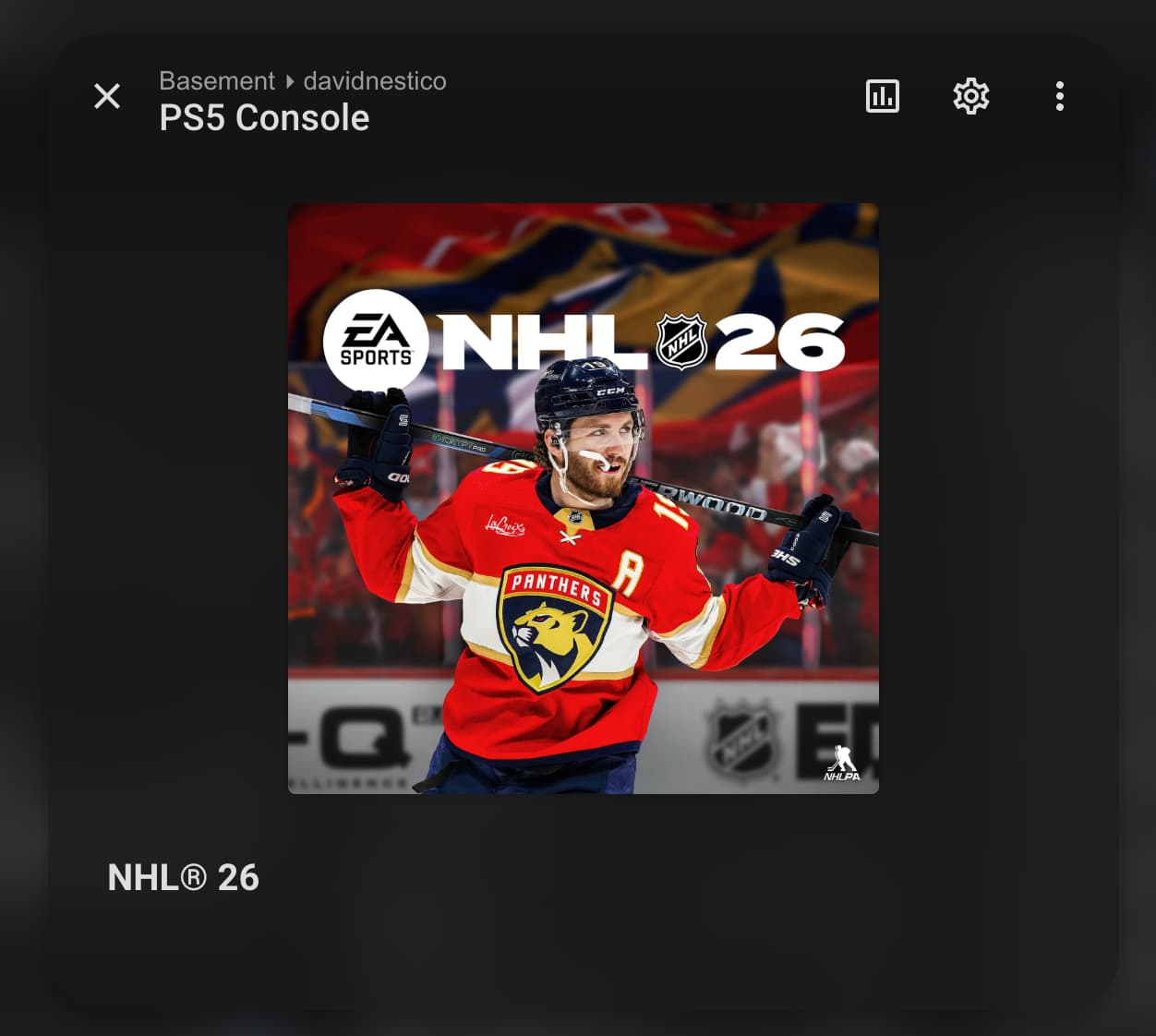
Also a status integration that says NHL 26 in the attribiutes
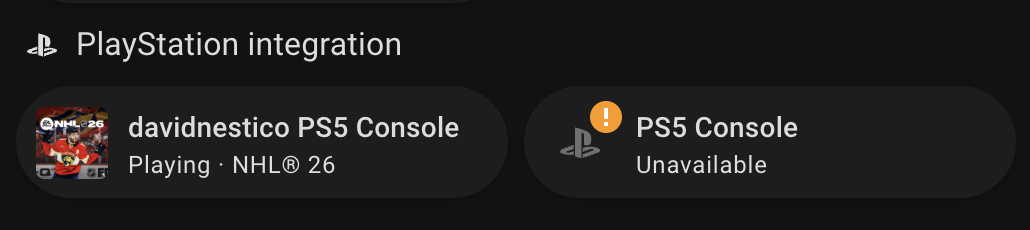
Your integration
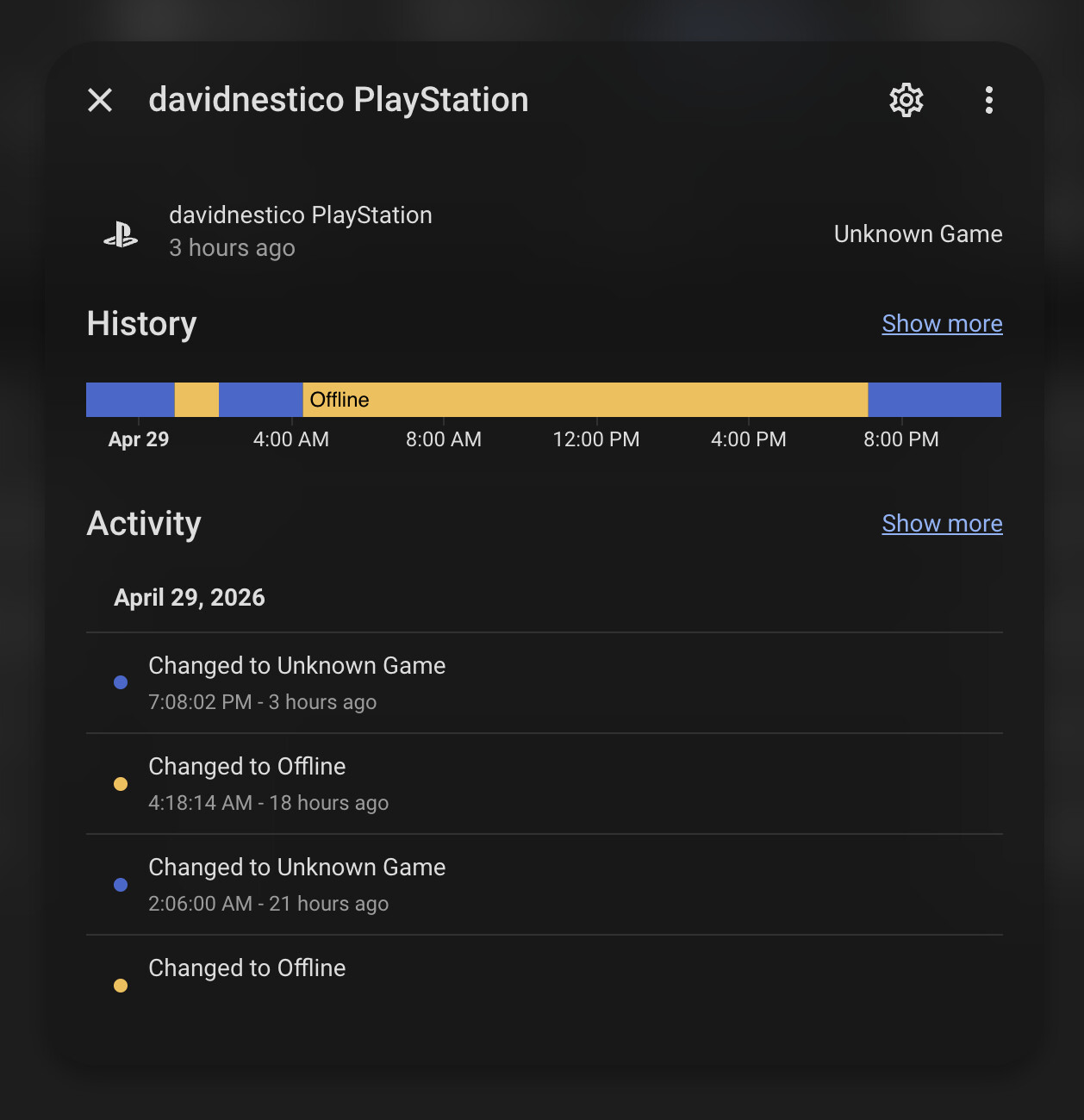

So, under Settings > Developer Tools, there are no PlayStation sensors ending in “_now_playing”? Im assuming we’re using the same PlayStation Network integration, since there’s only one that I know of, and all of the accounts I have added provide a “_now_playing” sensor.
When I view my account in the PlayStation Network integration, I have 23 different entities that it creates, including a “Now Playing” status and image, which are necessary for the Gaming Status integration to function properly. If your sensors are somehow missing or named something different, I can try expanding the code to account for other naming conventions.
This is the one I’m using, he moved it to a HA integration but I never migrated cuz I think the HACs version has more features then the integration as of rn but could be wrong.
I don’t have that many sensors
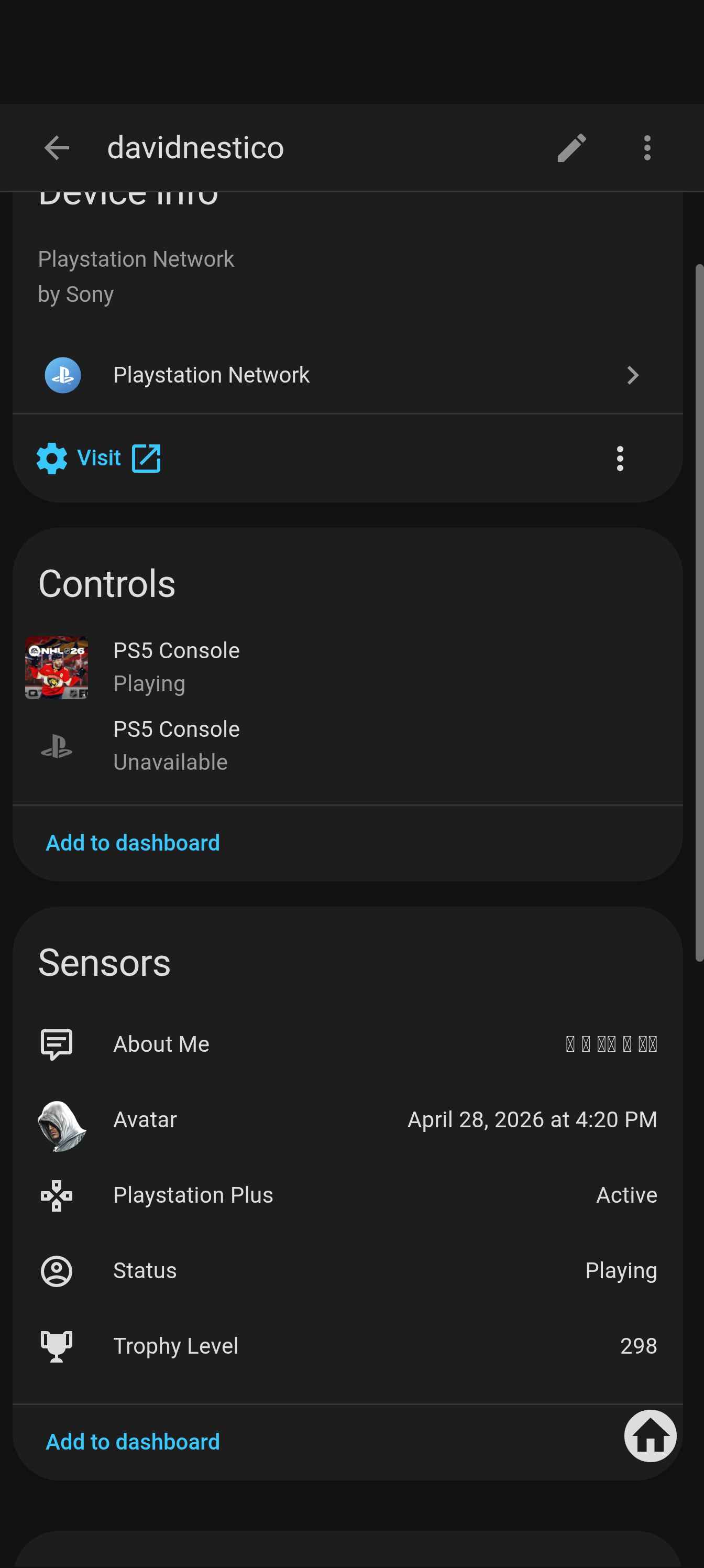
Ah, ok. I have no experience with that one, but it doesn’t look like it reports the game being played from your screenshot. If you want to try the official PlayStation Network integration, it SHOULD work for you. It’s pretty robust now. The only downside is having to re-authenticate it every 60 days.
To make my integration work with what you’re using, I think I’d have to extract the game title from the media player, which should be doable, but it would requires some architectural changes and I’d rather focus my support on the official integrations if possible.
Have you tried Xbox or Steam yet to see if those are working for you?
1 Like
Oh… wait a minute. I think I DID try that integration previously. Can’t you have it generate additional sensors from some of the attributes? That might be where the “now playing” information is hiding currently.
1 Like
Looking again at the integration, I think it may be time for you to update to the official version (released by the same developer). As far as I am aware, it now includes all of the same features, plus it’s still being actively developed, unlike the HACS version. And, as a bonus, it should work with my Gaming Status integration.
1 Like
If that’s the case I think I’ll finally switch, tbh I never switched because the HACs version never broke lol
I just checked the PS integration and it links to the same github so confused lol.
Edit: Just checked the HA integration page and it seems it’s basically the same so think Ill switch over later, nice.
1 Like