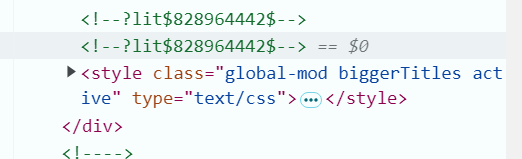
This is exactly what I was looking for, except maybe in an easier form.
If you have any suggestions how this component could be easier to setup or work with, I’m fully open to suggestions .
I’m trying to make bigger the titles of the new dashboard sections. But it’s not working.
You were almost there. The thing was that spaces are used to jump between CSS classes, while $ is used to traverse shadowRoot. You can’t really combine them. With this rule your code shows up in the inspector:
However than you’ll need to traverse yet another shadowRoot, which is impossible from regular CSS.
Still according to this post by piitaya you can override these with regular theme variables. You could also set them in global mod, but I think setting them globally is a lot easier for you.
I’m also struggling to get started. Could someone please help me to sort this out? Thanks!
I’m trying to apply a mod to the device page.
(I want to increase the width of the column showing entities on the device overview page. I could do this by moving the third column under the first (the logbook) or by increasing the relative column width.)
I expected this simple example to work, sadly it does not. What am I doing wrong?
I don’t know if it’s possible but all I could think of is some sort of side-app/site or browser extension that could “translate” actual html/css structure of picked-up item into selector+style rule lines.
Ah, I did not think it had an importance. I inserted spaces simply for readability.
Ok, so I understand that by just changing my line with yours it won’t work, that I should instead use the variable “ha-heading-card-title-font-size” to achive my goal, and that in the end I should set that variable globally instead of through GlobalMod.
I really don’t know anything about themes so is this below what you meant by “setting them globally” ?
That would be awesome. But maybe a little complex within the scope of this project. But I’m going to save this as a feature request.
No worries. I should clean and clear up the readme of the project. @ThomDietrich also suggested this on GitHub.
It may or may not work but is a rather convoluted option where you rely on GlobalMod. Which I don’t mind but there is a bigger chance of something breaking than solely relying on Home Assistant theme variables.
That would probably do it. You can also split up configuration which I coincidentally illustrated in my previous post .
default:
modes:
dark: {}
light: {}
# not working
ha-heading-card-title-font-size: "18px"
# working
root-selector: ""
root-style: |
:host {
--ha-heading-card-title-font-size: 18px;
}
I don’t know why but trying to override the default theme with HA global theme variable “ha-heading-card-title-font-size” directly did not work (i.e. line ‘ha-heading-card-title-font-size: “18px”’), but using global-mod with above code did work.
BTW, if I did not specify the “modes” then only light mode would now work whatever I would set my preference to dark or auto in HA.
I thought I had added this to the README but apparently not. I just did anyway . This is due to a limitation in Home Assistant default theme, not because of Global Mod. The default theme just works differently and normally it is impossible to override any variables. Using the root-selector is the proper way to do this.
Yeah. That happens because without the modes, Home Assistant thinks you are trying to set theme variables that don’t have light/dark modes. Having those two empty keys will let you switch. Again, a limitation from Home Assistant.
I’ve completely styled the sidebar, header, background and many small elements. I’ve based my design on Material Design and is injected into the default theme. Which means I have a functioning primary and accent color selector:
But like I mentioned, performance has improved massively:
Without browser caching
With browser caching
The only main gripe I currently have is what @dmatik mentioned earlier. That selecting multiple elements is currently impossible. So I guess that’s on the roadmap for 0.4.0.
Could you share all yaml/theme files which make thuis possible?
I’ve tried to setup globalmod multiple times, but I can not succeed to get things globally modified unfortunately. Also not by following the tutorial on the GitHub-page,
Most of this is already in the GitHub read me. The only major thing that is missing is the sidebar. You should be able to get going using the example(s) that are in the read me.
I made up the default-global-mod.js file and put the example code in there, and it magically works.
Great!
However, to let this work I need to goto to the user settings page and select “default-global-mod” as my main theme. But… What I want is to add these global-mod yaml thingies into my custom Bronx-theme.
Selecting the Bronx-theme, will reverse the changes made within the deafult-global-mod. How Could I let the default-global-theme be part of my custom main theme: Bronx.yaml?
Renaming the file default-global-mod.js to bronx-global-mod.js doesn’t seem to work. Even when I change the lines: default-global-mod: into bronx-global-mod: on top of the renamed file default-global-mod.js (into ‘bronx-global-mod.js’.
Thanks! I did and got it working…
It’s pretty hard to grasp, but when it works it’s amazing and really useful!
Could you help me target the “config/devices/dashboard” table to set another font style and size?
I don’t think I’m doing it the right way, as it aint working so far: