I tested this yesterday and it works like charm. Thank You for great work!
1 Like
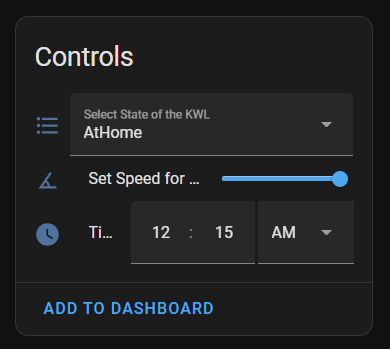
The way UI looks on my end is I’m actually choosing a time (AM/PM ?) and not the duration itself. I also tried setting it to 00:15 (which I though would be 15 minutes), but it doesn’t seem to work (it reverts to 12:15 AM).
To add to my findings. Intensive mode on my KWL 360 is set to 15 minutes both in web interface and EasyControls panel on my wall, but if I activate it from Home Assistant, it seems to activate for 3 hours (that’s what’s displayed on my EasyControls panel).
What is happening if you change the settings (time and fan speed %) in the WebUi and wait 5 mins. Are the changes somehow noticable in the hass sensors?
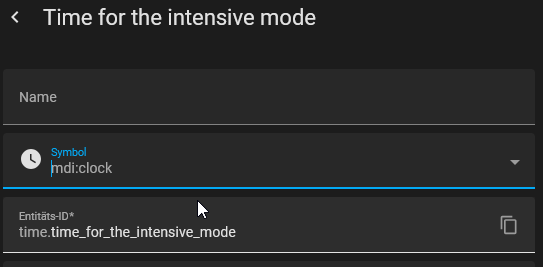
For me the time field looks like:

in more detail:
Also I can change in hass or in WebUi and the changes are noticable some time (wait at least 1.5 min) in the other view.
Maybe the easy control panel is cousing the sideeffekt, I at least don’t have one. Maybe someone else has one and can give feedback to that setup?
Because I think beside that we have the same KWL (please compare):

Hi and thank you for getting back to me. 
I’ve managed to make some progress. The issue with the duration control in UI is that unless you have 24hr format set in your profile, it displays as previously shown on my image (as time with AM/PM). Once I set time format to 24hr, it displays as on your end. I’ve also tested setting the time and it reflects in the settings (both in web interface and in EasyControls panel) so this part works as it should.
Now to the bad news… even though the setting is correct, setting Intensive mode still sets the unit to 3 hours instead of set value.
I’ve checked my unit info and indeed we have the same unit, but I have newer SW version installed, so I guess that’s where the issue comes from?
Model: KWL 360 W ET
Type: 40062-002
SW version: 1.0.23
Hi,
interessting, I didn’t know, that changing the time format makes such a difference  .
.
Are you able to create some wireshark traces and supply them to me, then I may can try to look into it when I find time.
If you need more information about wireshark or what traces I would need, led me know.
Btw, how do you know it is running for 3h? Did you measure the time, or check the status log in home assistant?
Though still not 100% relevant to the integration itself, more of a generic Helios KWL question - what is your experience with the enthalpy heat exchanger?
Based on the model / firmware stats I’m seeing popping up some people (@vision2003 , @fr4w3) actually have that version.
I have a “regular” KWL500 and relative humidity gets up to 70% in the summer (as we’re colling with surface cooling that doesn’t solve humidity issues like an AC) and down to 30% in the winter and was wondering if the enalphy component (which can be retrofitted, I’ve checked) would solve this problem (or at least make the situation less bad)…
We also cool in summer via surface (climate ceiling), there it does nothing I think (sometimes humidity gets up, then we need to stop to cool, or increase the cooling water temperature).
But I think the enthalpy has nothing to do with it, because the KWL runs there already in bypass mode.
At the moment in winter with dropping outside humidity we are at ~55% (hope that will decrease in the future and is currently only because we are still in the renovation phase).
I heared from other people also getting the entalphy heat exchanger and say that it is better (was also the reason for us to buy that version)