The arduino R4 shows D0 and D1 as being TX/RX, but I’ve tried with other pins with no success.
Should I expect the TX LED of the pzem flash to blink when not connected, or nothing until connection is established?
The arduino R4 shows D0 and D1 as being TX/RX, but I’ve tried with other pins with no success.
Should I expect the TX LED of the pzem flash to blink when not connected, or nothing until connection is established?
Thanks, I only have one LED come up. Waiting for a UART TTL->USB cable tomorrow to try to diagnose with the PC.
Did you get the v4 working?
Hello, my pzem-004T v3 was working perfectly with Home Assistant. I updated esphome builder to 2025.08 and all the sensors were showing as unknown. I reverted to esphome builder version 2025.06 and the sensors are now giving correct readings. Could something have changed in the pzem-004t v3 configuration? help me. I have the following:
esphome:
  name: consumo-electrico-esp32
  friendly_name: Consumo electrico esp32
esp32:
  board: esp32dev
  framework:
    type: arduino
# Enable logging
logger:

# Enable Home Assistant API
api:
  encryption:
    key: "My key"

ota:
  - platform: esphome
    password: "my pass"

wifi:
  ssid: !secret wifi_ssid
  password: !secret wifi_password

  # Enable fallback hotspot (captive portal) in case wifi connection fails
  ap:
    ssid: "Consumo-Electrico-Esp32"
    password: "my pass"

captive_portal:
uart:
  rx_pin: GPIO1 # cable verde
  tx_pin: GPIO3 # cable blanco
  baud_rate: 9600
  stop_bits: 1
# Configuracion PZEM-004T V3
modbus:
sensor:
  - platform: pzemac
    id: pzemac_1
    current:
      name: "P Corriente"
    voltage:
      name: "P Voltaje"
    energy:
      name: "P Energia"
    power:
      name: "P Potencia"
    frequency:
      name: "P Frecuencia"
    power_factor:
      name: "P Factor de Potencia"
    update_interval: 1s
2025.10 (latest) integrated a change regarding pzem, but not marked as breaking 
Logs from the not working setup would be fine 
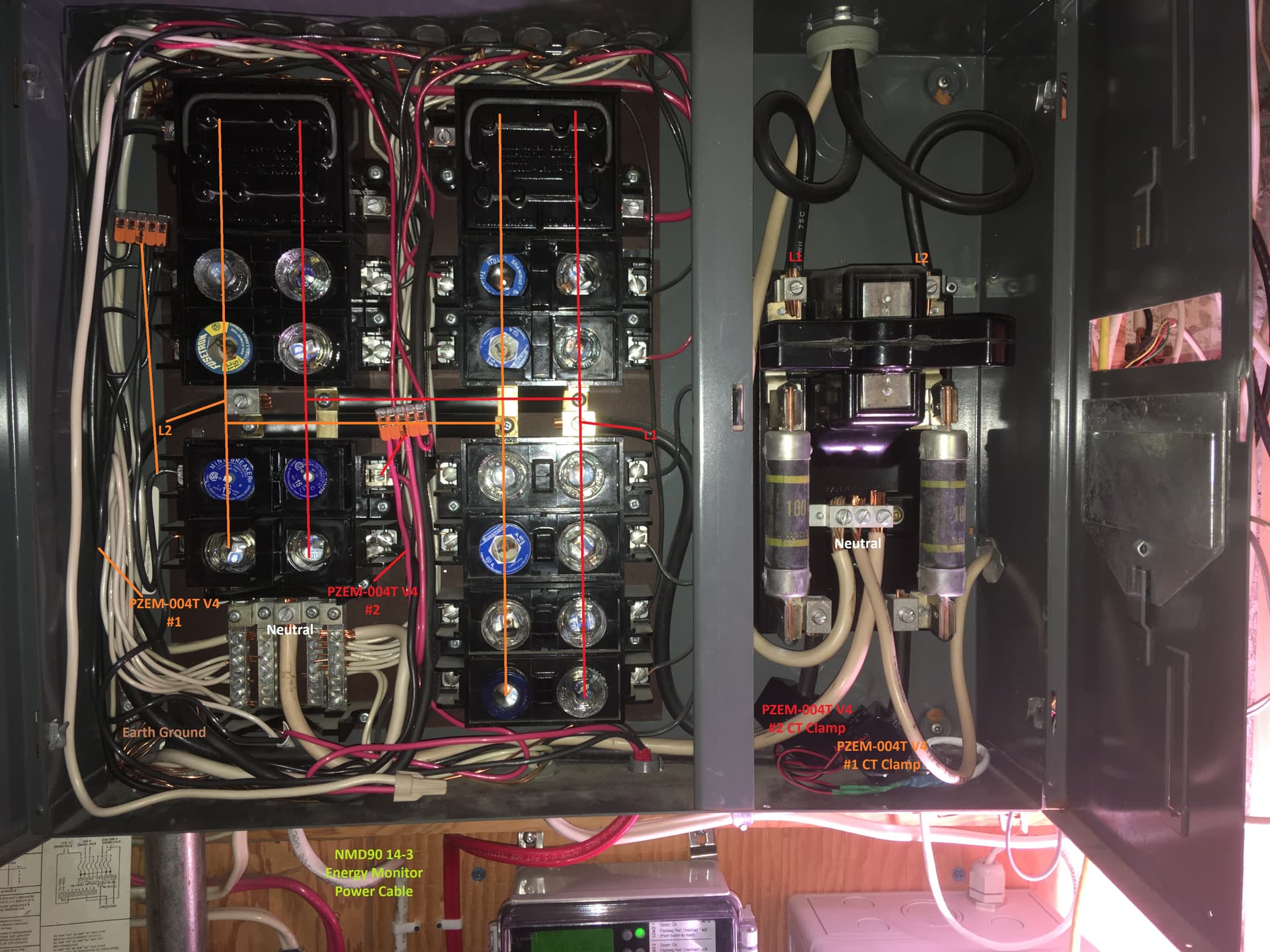
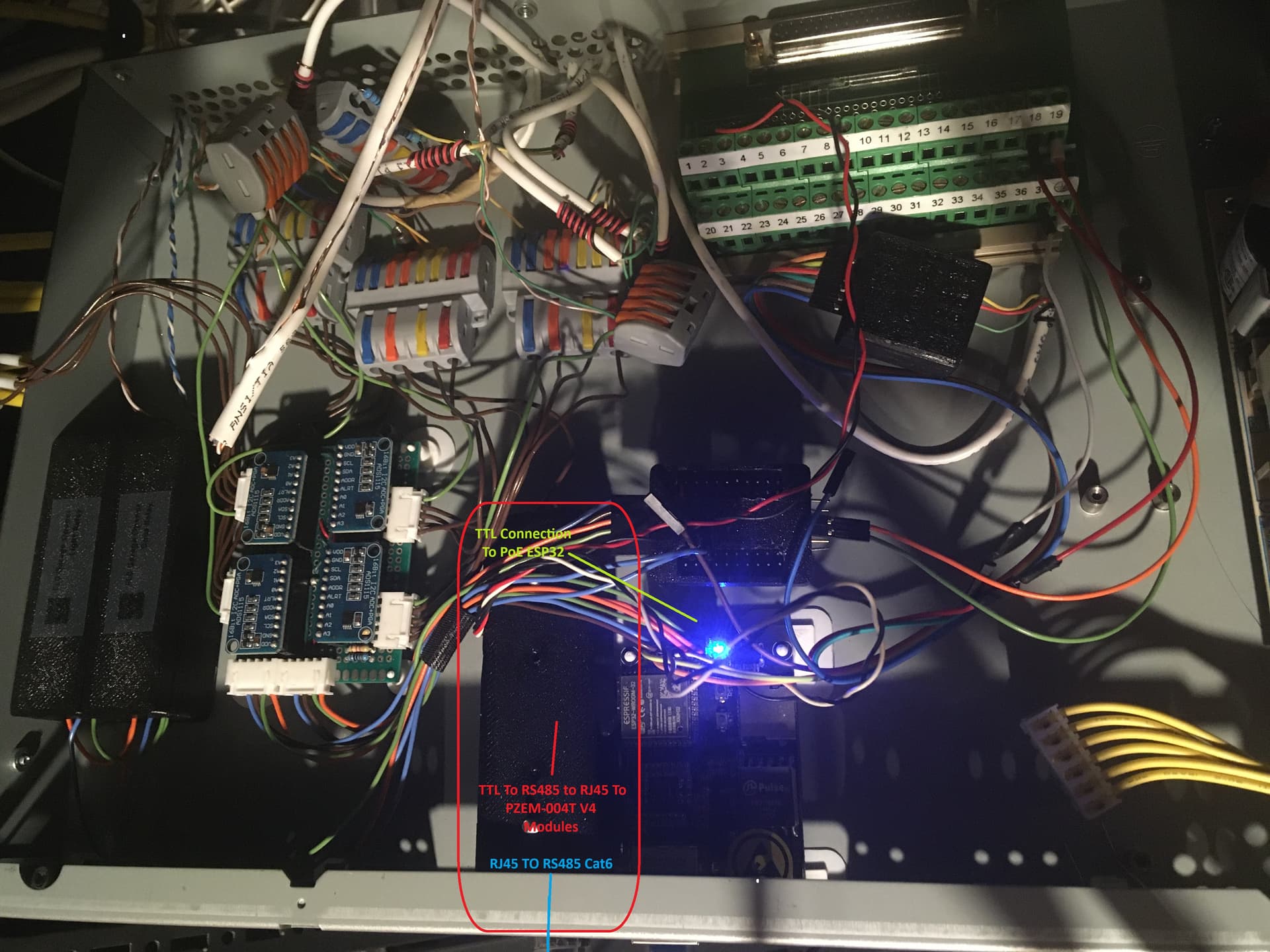
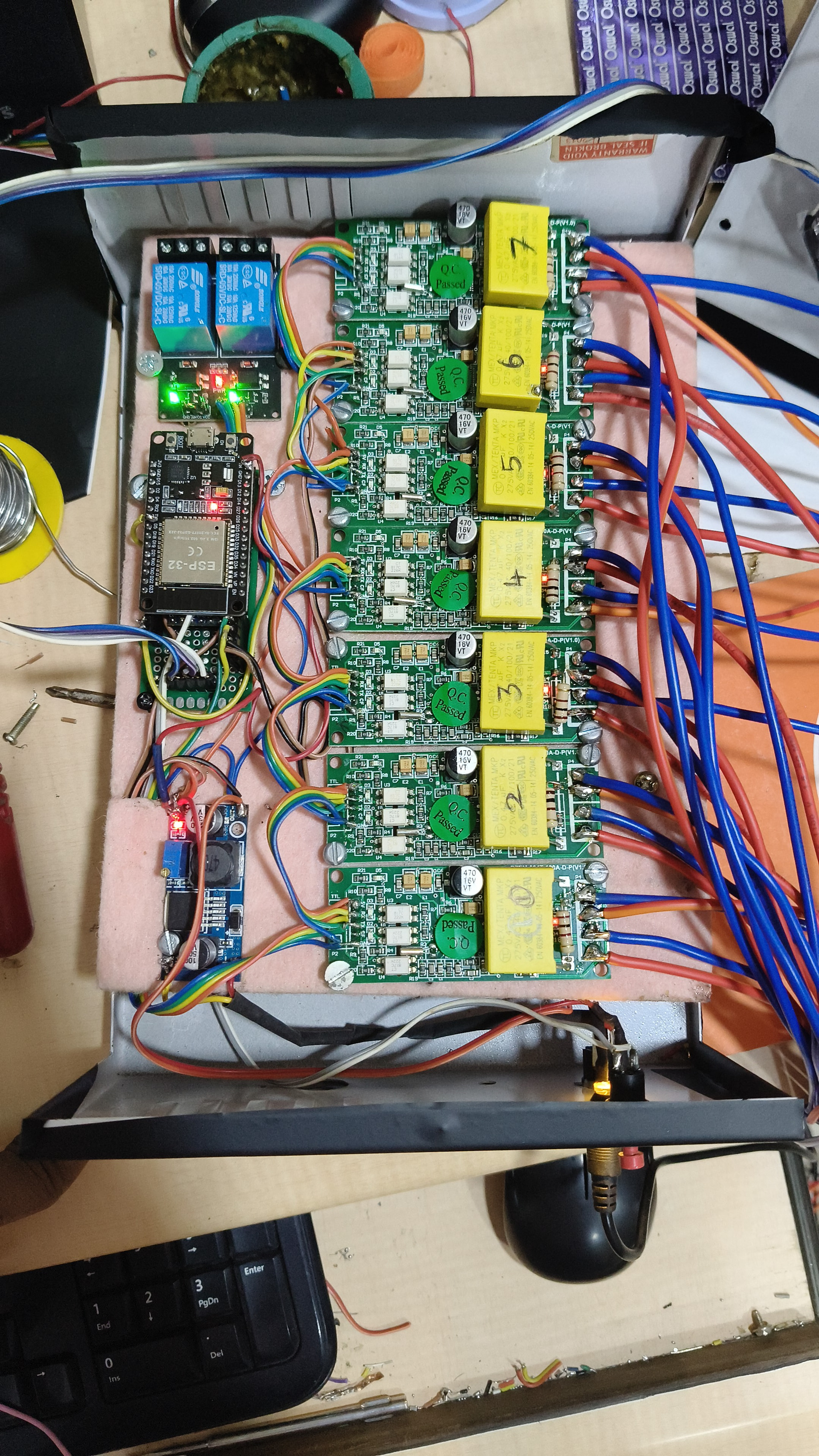
Well done @nitin29 . Could you please explain the connections in your 2nd picture. I am planning to do something similar . Would like to monitor three phases along with inverter backed power supply running all the DC electronics and also be able to measure 0v ( monitor power outages) . Any suggestion is welcomed. Thanks.
hi,
I was having problems with my PZEM and ESPHome build from September 2025, and got no response, but just updated to 2025.11.2 and started working perfectly using your code. You may want to try it. Good luck!
wifi:
  ssid: !secret wifi_id
  password: !secret wifi_pw


  ap:
    ssid: $devicename
    password: "1122334455"

substitutions:
  devicename: 3phase-power-monitor
  friendly_name: Power Monitor


esphome:
  name: ${devicename}
  friendly_name: ${friendly_name}
  name_add_mac_suffix: false
  project:
    name: esphome.web
    version: "1.0"


esp8266:
  board: esp01_1m


logger:
  baud_rate: 0        # free UART for PZEM
  level: DEBUG        # change to INFO later


wifi:
  ssid: "bespoq"
  password: "E1F01C3AEE"
  reboot_timeout: 15min
  power_save_mode: none
  ap:
    ssid: ${devicename}
    password: "1122334455"


ota:
  - platform: esphome


api:


web_server:
  port: 80
  version: 3


dashboard_import:
  package_import_url: github://esphome/example-configs/esphome-web/esp8266.yaml@main
  import_full_config: true


time:
  - platform: homeassistant
    id: homeassistant_time


uart:
  tx_pin: GPIO1
  rx_pin: GPIO3
  baud_rate: 9600
  stop_bits: 1
  parity: NONE


# Increased modbus timing to prevent bus contention
modbus:
  id: mod_bus_pzem
  send_wait_time: 2000ms  # 2 seconds between requests


binary_sensor:
  - platform: status
    name: "${devicename} Status"


text_sensor:
  - platform: wifi_info
    ip_address:
      name: "${devicename} IP Address"
    ssid:
      name: "${devicename} Connected SSID"
    mac_address:
      name: "${devicename} MAC Address"


sensor:
  - platform: wifi_signal
    name: "${devicename} WiFi Signal"
    update_interval: 60s


  - platform: uptime
    name: "${devicename} Uptime"


  # --------- PHASE L1 ----------
  - platform: pzemac
    id: pzemac1
    address: 1
    modbus_id: mod_bus_pzem
    update_interval: 90s  # Long interval, controlled by automation


    current:
      name: "Current L1"
      id: current_l1


    voltage:
      name: "Voltage L1"
      id: voltage_l1


    energy:
      name: "Energy L1"
      id: energy_l1
      device_class: energy
      state_class: total_increasing
      unit_of_measurement: "Wh"


    power:
      name: "Power L1"
      id: power_l1
      device_class: power
      state_class: measurement


    frequency:
      name: "Frequency L1"
      id: frequency_l1


    power_factor:
      name: "Power Factor L1"
      id: pf_l1


  # --------- PHASE L2 ----------
  - platform: pzemac
    id: pzemac2
    address: 2
    modbus_id: mod_bus_pzem
    update_interval: 90s


    current:
      name: "Current L2"
      id: current_l2


    voltage:
      name: "Voltage L2"
      id: voltage_l2


    energy:
      name: "Energy L2"
      id: energy_l2
      device_class: energy
      state_class: total_increasing
      unit_of_measurement: "Wh"


    power:
      name: "Power L2"
      id: power_l2
      device_class: power
      state_class: measurement


    frequency:
      name: "Frequency L2"
      id: frequency_l2


    power_factor:
      name: "Power Factor L2"
      id: pf_l2


  # --------- PHASE L3 ----------
  - platform: pzemac
    id: pzemac3
    address: 3
    modbus_id: mod_bus_pzem
    update_interval: 90s


    current:
      name: "Current L3"
      id: current_l3


    voltage:
      name: "Voltage L3"
      id: voltage_l3


    energy:
      name: "Energy L3"
      id: energy_l3
      device_class: energy
      state_class: total_increasing
      unit_of_measurement: "Wh"


    power:
      name: "Power L3"
      id: power_l3
      device_class: power
      state_class: measurement


    frequency:
      name: "Frequency L3"
      id: frequency_l3


    power_factor:
      name: "Power Factor L3"
      id: pf_l3


  # --------- DAILY ENERGY PER PHASE (kWh) ----------
  - platform: total_daily_energy
    name: "Energy L1 Daily"
    power_id: power_l1
    id: energy_l1_daily
    unit_of_measurement: kWh
    accuracy_decimals: 3
    filters:
      - multiply: 0.001


  - platform: total_daily_energy
    name: "Energy L2 Daily"
    power_id: power_l2
    id: energy_l2_daily
    unit_of_measurement: kWh
    accuracy_decimals: 3
    filters:
      - multiply: 0.001


  - platform: total_daily_energy
    name: "Energy L3 Daily"
    power_id: power_l3
    id: energy_l3_daily
    unit_of_measurement: kWh
    accuracy_decimals: 3
    filters:
      - multiply: 0.001


  # --------- CALCULATED TOTAL SENSORS ----------
  - platform: template
    name: "Total Power"
    id: total_power
    device_class: power
    state_class: measurement
    unit_of_measurement: W
    accuracy_decimals: 1
    update_interval: 30s
    lambda: |-
      float p1 = id(power_l1).state;
      float p2 = id(power_l2).state;
      float p3 = id(power_l3).state;
      if (isnan(p1) || isnan(p2) || isnan(p3)) {
        return NAN;
      }
      return p1 + p2 + p3;


  - platform: template
    name: "Total Energy"
    id: total_energy
    device_class: energy
    state_class: total_increasing
    unit_of_measurement: kWh
    accuracy_decimals: 3
    update_interval: 30s
    lambda: |-
      float e1 = id(energy_l1).state;
      float e2 = id(energy_l2).state;
      float e3 = id(energy_l3).state;
      if (isnan(e1) || isnan(e2) || isnan(e3)) {
        return NAN;
      }
      float total_wh = e1 + e2 + e3;
      return total_wh * 0.001;


  - platform: template
    name: "Total Daily Energy"
    id: total_energy_daily
    device_class: energy
    state_class: total_increasing
    unit_of_measurement: kWh
    accuracy_decimals: 3
    update_interval: 30s
    lambda: |-
      float e1 = id(energy_l1_daily).state;
      float e2 = id(energy_l2_daily).state;
      float e3 = id(energy_l3_daily).state;
      if (isnan(e1) || isnan(e2) || isnan(e3)) {
        return NAN;
      }
      return e1 + e2 + e3;


button:
  - platform: restart
    name: "${devicename} Restart"


  - platform: template
    name: "Reset Energy L1"
    on_press:
      then:
        - pzemac.reset_energy: pzemac1


  - platform: template
    name: "Reset Energy L2"
    on_press:
      then:
        - pzemac.reset_energy: pzemac2


  - platform: template
    name: "Reset Energy L3"
    on_press:
      then:
        - pzemac.reset_energy: pzemac3


# SEQUENTIAL POLLING - Critical fix for bus contention
# Poll Phase 1 every 30 seconds
interval:
  - interval: 30s
    then:
      - component.update: pzemac1


# Poll Phase 2 every 30 seconds, but offset by 10 seconds
  - interval: 10s
    then:
      - delay: 10s
      - component.update: pzemac2


# Poll Phase 3 every 30 seconds, but offset by 20 seconds
  - interval: 20s
    then:
      - delay: 20s
      - component.update: pzemac3
Have assigned unique ID’s for all 3 PZEMs
Individually, I’m able to read them in their respective IDs
But when connected altogether, they are not working
One observation from PZEM LED status is that all PZEMs transmit together, same with receiving too
Hardware Setup
Wemos D1 Mini
PZEMs are directly connected to TX-RX (parallel connection with no pullup resistor or diode)
Any support will be invaluable 
When you say “parallel connection with no pullup resistor or diode”, I assume you mean you haven’t added anything.
Each Rx and Tx line on each PZEM board has a pull-up resistor and an LED.
If you wire them all directly in parallel then:
The Tx from the MCU will be driving 3 PZEM Rx lines at the same time: about 21mA
And the Tx line of each PZEM will be trying to drive the MCU pull-up, it’s pull-up and LED AND the other two Tx lines as well!: > 21mA
From what I could find, the max output current of the Tx pin on the D1 Mini is 12mA.
So the MCU can’t Tx to all three at the same time without adding a transistor or removing pull-ups from the 2 of the PZEM boards. (If they are in parallel then you only need one pull-up, not three in parallel, same for LEDs.)
The CT817 opto on the PZEM can handle 50mA, so for 3 PZEMs in parallel it should be ok.
I am running 9 in parallel from a ESP8266 NodeMCU with these mods…
esphome:
  name: switchboard
  friendly_name: switchboard

esp8266:
  board: esp01_1m

# Disable UART logging as it interferes with pzem)
logger:
  baud_rate: 0
  level: NONE

# Enable Home Assistant API
api:
  encryption:
    key: "-some-big-encryption-key-here-"

ota:
  - platform: esphome
    password: !secret ota_password
  - platform: web_server

wifi:
  ssid: !secret my_wifi_ssid
  password: !secret my_wifi_pwd
  ap:
    ssid: $friendly_name
    password: !secret ap_password
#  manual_ip:
#    static_ip: 192.168.0.150
#    gateway: 192.168.0.1
#    subnet: 255.255.255.0

captive_portal:

web_server:

mdns:

uart:
  - id: com1
    tx_pin: GPIO1
    rx_pin: GPIO3
    baud_rate: 9600
    data_bits: 8
    stop_bits: 1
    parity: NONE

modbus:
  - id: mod_bus_pzem1
    send_wait_time: 250ms
    uart_id: com1

sensor:
  - platform: pzemac
    id: CB1
    current:
      name: "CB1 Current"
    voltage:
      name: "CB1 Voltage"
    energy:
      name: "CB1 Energy"
    power:
      name: "CB1 Power"
    update_interval: never
    address: 1
    modbus_id: mod_bus_pzem1

  - platform: pzemac
    id: CB2
    current:
      name: "CB2 Current"
    voltage:
      name: "CB2 Voltage"
    energy:
      name: "CB2 Energy"
    power:
      name: "CB2 Power"
    update_interval: never
    address: 2
    modbus_id: mod_bus_pzem1

  - platform: pzemac
    id: CB3
    current:
      name: "CB3 Current"
    voltage:
      name: "CB3 Voltage"
    energy:
      name: "CB3 Energy"
    power:
      name: "CB3 Power"
    update_interval: never
    address: 3
    modbus_id: mod_bus_pzem1

  - platform: pzemac
    id: CB4
    current:
      name: "CB4 Current"
    voltage:
      name: "CB4 Voltage"
    energy:
      name: "CB4 Energy"
    power:
      name: "CB4 Power"
    update_interval: never
    address: 4
    modbus_id: mod_bus_pzem1

  - platform: pzemac
    id: CB5
    current:
      name: "CB5 Current"
    voltage:
      name: "CB5 Voltage"
    energy:
      name: "CB5 Energy"
    power:
      name: "CB5 Power"
    update_interval: never
    address: 5
    modbus_id: mod_bus_pzem1

  - platform: pzemac
    id: CB6
    current:
      name: "CB6 Current"
    voltage:
      name: "CB6 Voltage"
    energy:
      name: "CB6 Energy"
    power:
      name: "CB6 Power"
    update_interval: never
    address: 6
    modbus_id: mod_bus_pzem1

  - platform: pzemac
    id: CB7
    current:
      name: "CB7 Current"
    voltage:
      name: "CB7 Voltage"
    energy:
      name: "CB7 Energy"
    power:
      name: "CB7 Power"
    update_interval: never
    address: 7
    modbus_id: mod_bus_pzem1

  - platform: pzemac
    id: CB8
    current:
      name: "CB8 Current"
    voltage:
      name: "CB8 Voltage"
    energy:
      name: "CB8 Energy"
    power:
      name: "CB8 Power"
    update_interval: never
    address: 8
    modbus_id: mod_bus_pzem1

  - platform: pzemac
    id: CB9
    current:
      name: "CB9 Current"
    voltage:
      name: "CB9 Voltage"
    energy:
      name: "CB9 Energy"
    power:
      name: "CB9 Power"
    update_interval: never
    address: 9
    modbus_id: mod_bus_pzem1

interval:
  - interval: 10s
    then:
      - delay: 500ms
      - lambda: "id(CB1).update();"
      - delay: 500ms
      - lambda: "id(CB2).update();"
      - delay: 500ms
      - lambda: "id(CB3).update();"
      - delay: 500ms
      - lambda: "id(CB4).update();"
      - delay: 500ms
      - lambda: "id(CB5).update();"
      - delay: 500ms
      - lambda: "id(CB6).update();"
      - delay: 500ms
      - lambda: "id(CB7).update();"
      - delay: 500ms
      - lambda: "id(CB8).update();"
      - delay: 500ms
      - lambda: "id(CB9).update();"
I am trying to use this to monitor power that’s on a vehicle’s shore power inlet.
That means that sometimes there is no AC power to the pzem and sometimes there is. I’m using a optoisolator with a big voltage divider to be able to know if/when power is coming in to shore power but I’m trying to figure out how to handle this on the esp32/esphome side of things since it seems like the pzem just doesn’t do anything at all without some AC-side power.
I was really hoping it could report 0V so I could get a consistent data feed but it doesn’t seem like that’s possible. Has anyone else done anything like this? Thanks!