Awesome, now I have a proper reason to try CAN and drop the ISG!
2 Likes
I also have a THZ 5.5 ECO (which is actually the same as the Stiebel Eltron LWZ 5 S TREND → Lüften, Heizen + externer WW-Speicher).
How do you know your IDs are different? And which ones exactly? My table matches canprogs/ElsterTable.inc at 5f7433533b7d16aeb6f70c020209f1ccf834d5a6 · andig/canprogs · GitHub pretty well, but also has some additional entries.
1 Like
Thanks @Exezz78 for your contribution here.
We also have a THZ 5.5 eco, so I’m trying this one out.
Parts are already ordered and looking forward to next week to try this one.
Few questions for now:
* how to connect the ESP32 to the Home Assistant instance, is it permant connected with USB?
- have you done al 5.5 specific repo yet?
Edit: read alot tutorials about the ESP32, think I’ll manage it to upload the repo and connect it to my home WIFI.
1 Like
1 Like
Hi @Schmidtjanroman Have a look at ESPHome. First flash of the yaml requires the ESP32 to be connected via USB. After that it connects via WiFi and you can change code over the air (OTA).
As @eugenpirogoff wrote, meanwhile the THZ 5.5 is added to the repo by @kr0ner , which is really great! It works for me without issues. Thanks a million for that! It helped me a lot for automations (e.g. to shutdown ventilation in case PM2.5 reaches a certain level, increase water temp if PV excess, monitor energy consumption for heating and water, monitor the vent frequency to be able to tell if the filters require maintenance…).
Happy to ready about your automations once installed.
With this setup no ISG is needed imho.
1 Like
Hi, @eugenpirogoff and @Exezz78 for your advices!
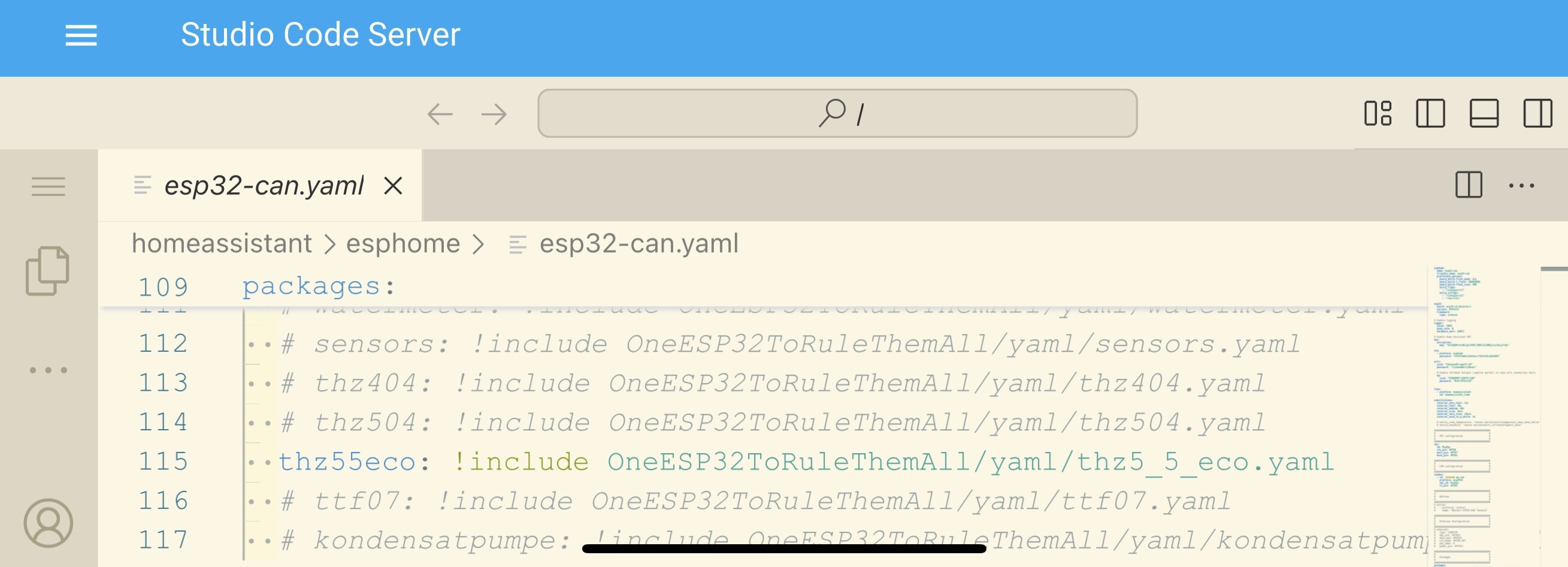
The Board is here, i’ve managed it to conntect it wirelessly to my HA/ESPHome and made the gitclone.
For now I don’t even own an ISG device from Tecalor / Stiebel Eltron.
To the config I did a few customizations, like WIFI Network and credentials, also I commented all other devices out, beside my THZ 5.5 Eco.
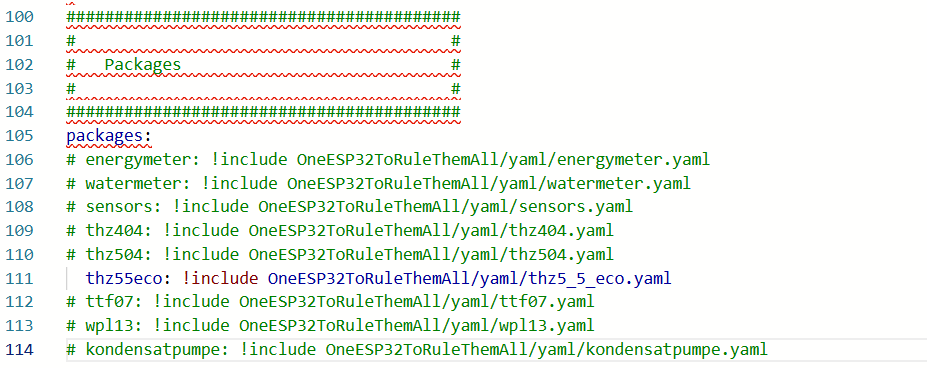
again @eugenpirogoff and @Exezz78, as a new forum member I’m not allowed to put two pictures in one post, so heres the next one:
When I try to upload the cusomized YAML code with Wifi or cable connection I recieve an error as shown below:
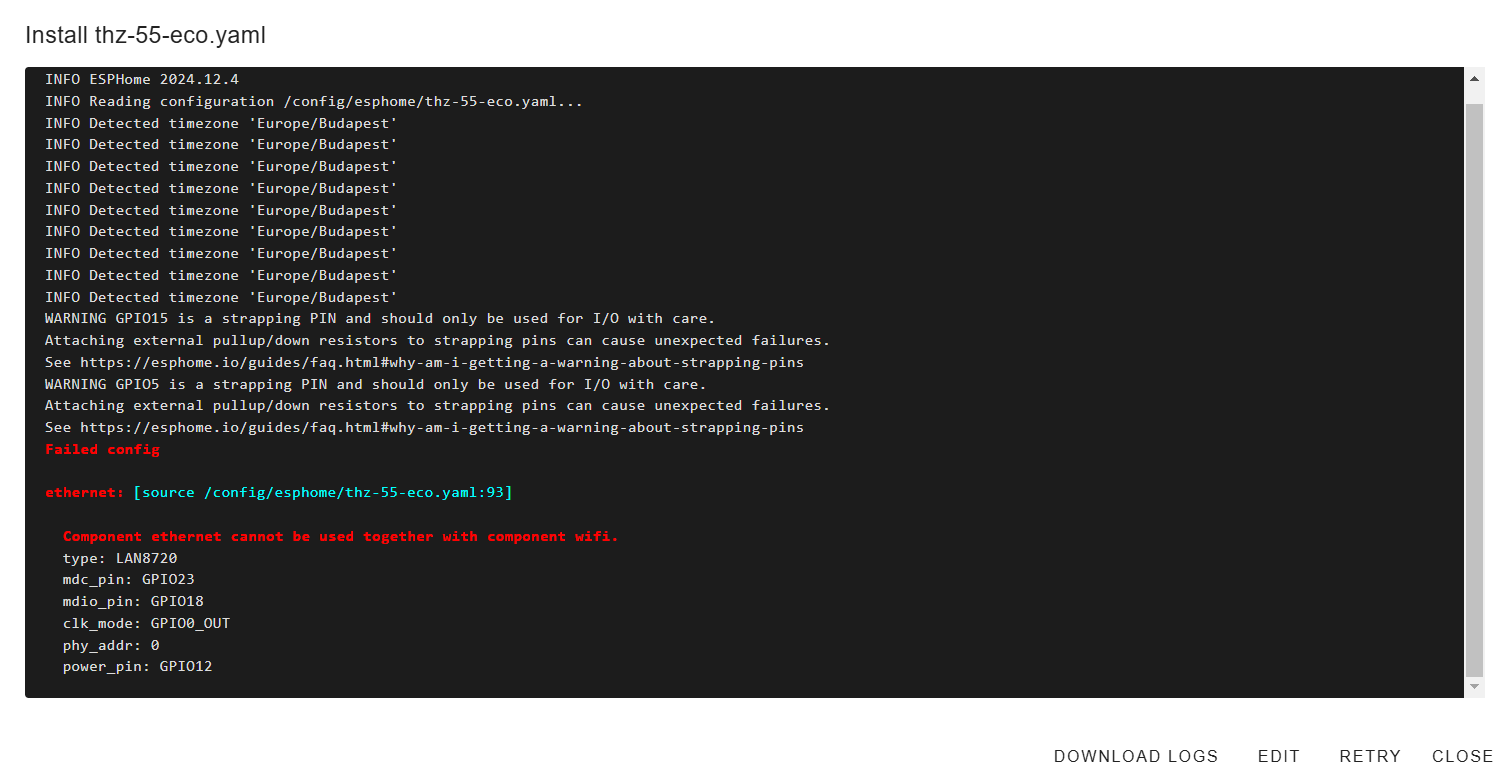
So far for now, hope to have time this week to find the issue on this, maybe with your experienced advices 
I guess Ethernet is not needed. Change it into a comment or delete the line.
Beside the tracking all those possible values, errors, and switching modes, another goal of mine is to send the dew point from an humidity sensor to the device to do my own way of floor cooling on hot summer days with the THZ. For what the THZ 5.5 eco was declared by Tecalor itself - i’ll see if thats possible in a few month.
@Exezz78, thanks for the ethernet hint, just oversaw that one code snipped which was nearly impossible to overssee with the commented section above 

Flashing the ESP32 was now successfull, no errors so far and over 106 new elements in my HA - looks great.
The goal for the next few days is to connect it to the THZ 5.5 Eco - I’ll keep you update.
1 Like
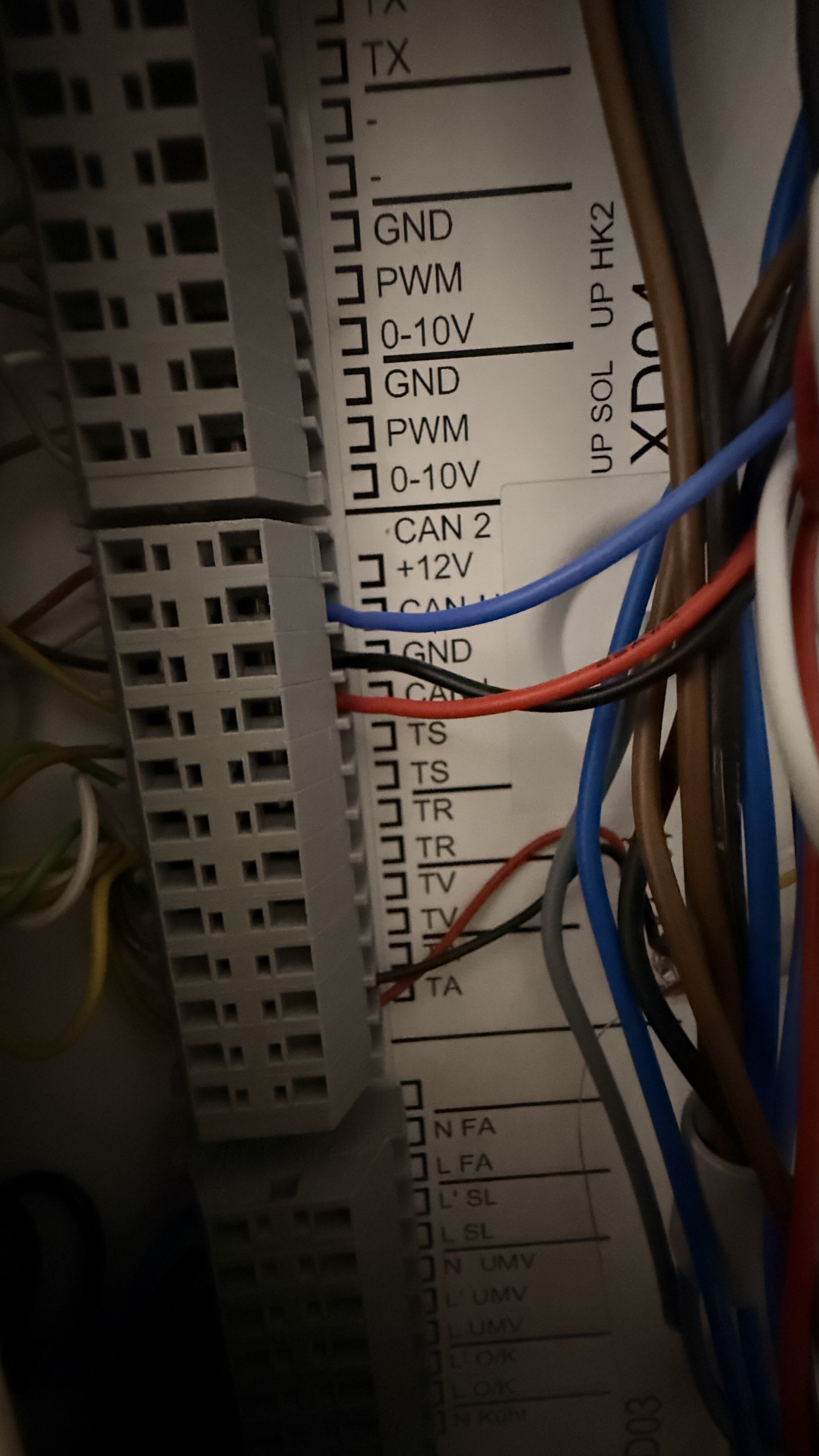
Thanks @eugenpirogoff, a few minutes ago I wired everything. Didn’t used ground for now, but want to run the power over the THZ with a 12v step-down.
I’m not sure if everything is connected correctly at my board, because I dont get all values at HA, I’ll wait now for 10 min and get back to this. The log looks like this:
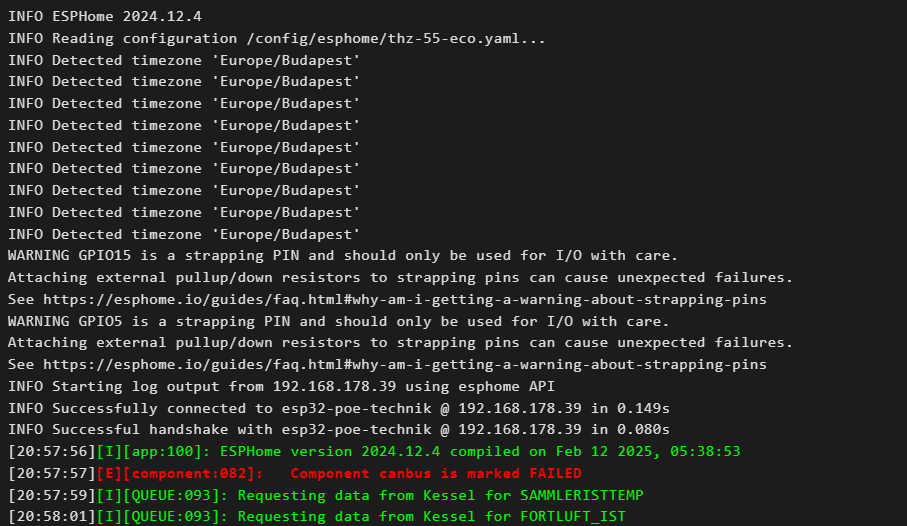
How long does it take on your THZ to get the values?
Learnings for today, those boards are all different 
Beside another wiring its also necessarry to change the GPIO values in the YAML file.
All values came up instantly into HA, looks really great!
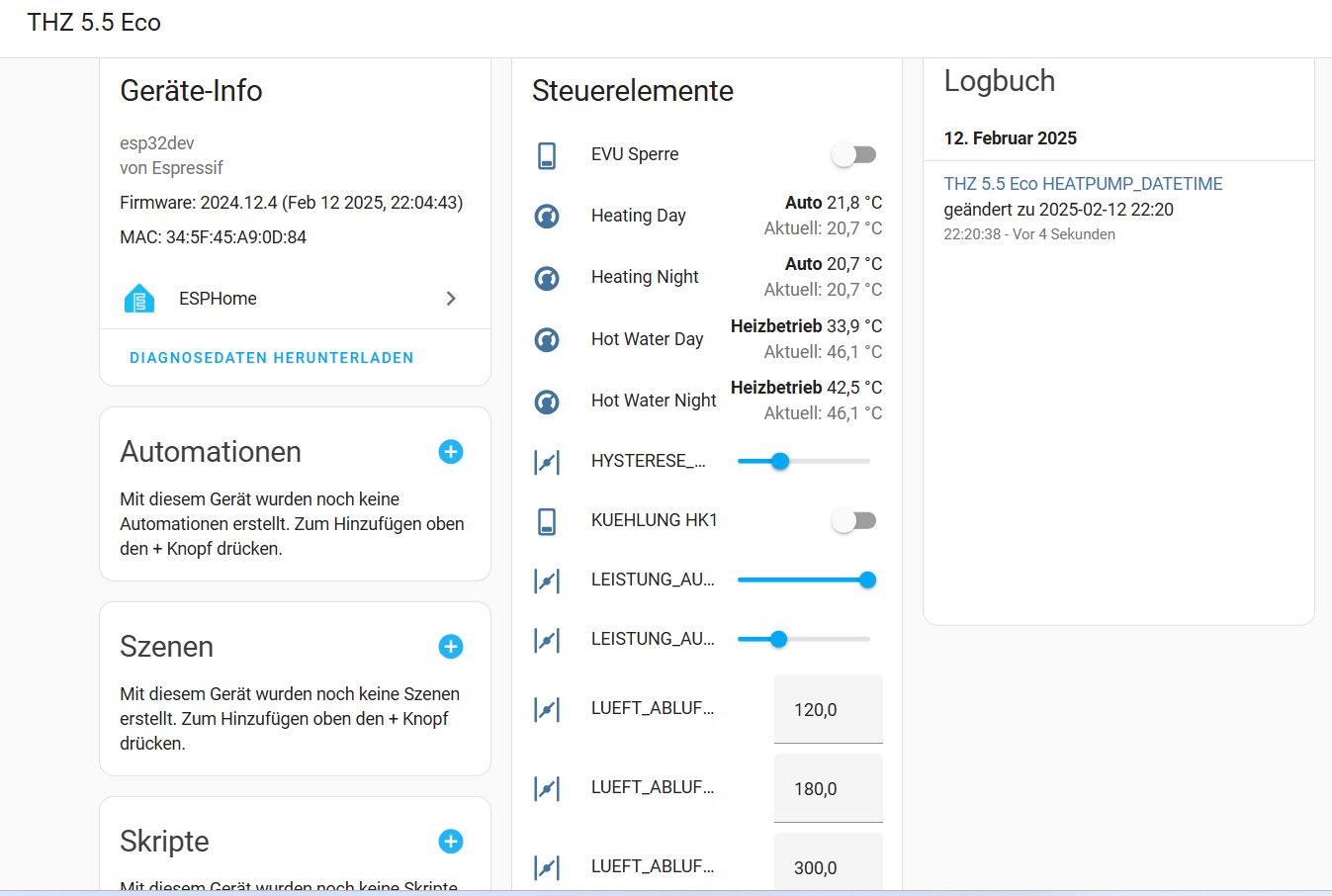
I’ve wrote down all steps together, maybe I’ll do a little tutorial for other people.
Thanks all for your great help!!
2 Likes
Happy that you found the issue and that it works now.
Great job
Looks like this is exactly what I wanted, so it’s my next project 
@kr0ner @ThyMYthOS did you managed it to send the values to the THZ 5.5?
When I’m reading the common.yaml I can setup two variables in HA.
Do they have to be in a certain format of their value?
My idea for now is to setup up to three sensors for temperature and humidity and build a helper for the average value of those entities.
#########################################
#                                       #
#   Home Assistant Sensors              #
#                                       #
#########################################
sensor:
  - platform: homeassistant
    name: "Temperature Sensor From Home Assistant"
    entity_id: $entity_room_temperature
    on_value:
      then:
        - lambda: |-
            ESP_LOGI("SET", "Updating room temperature to %f", x);
            id(gRAUMISTTEMP) = x;

  - platform: homeassistant
    name: "Humidity Sensor From Home Assistant"
    entity_id: $entity_humidity
    on_value:
      then:
        - lambda: |-
            ESP_LOGI("SET", "Updating humidity to %f", x);
id(gRAUMFEUCHTE) = x;```I own a Thz504 and am exactly doing what you are about to try. Temp needs to be Degrees Celsius e.g 21.3°C and humidity is in percent e.g. 32.5%
That should work. For testing purposes you can already now create a helper, set it’s value in the developer tools section to a given value and see if the heatpump reacts on the change
1 Like
Good tip for testing!
I’ve created a small Home Assistent helper in the helper section to set values
YAML:
initial: null
editable: true
min: 10
max: 25
step: 0.1
mode: slider
unit_of_measurement: °C
icon: mdi:thermometer
friendly_name: entity_room_temperature
Added the “input_number.entity_room_temperature” to the common.yaml.
After that I’ve did logging in the ESPHome and recieve this error in the wp_base.yaml line 175.
So I guess something is wrong with my helper value.
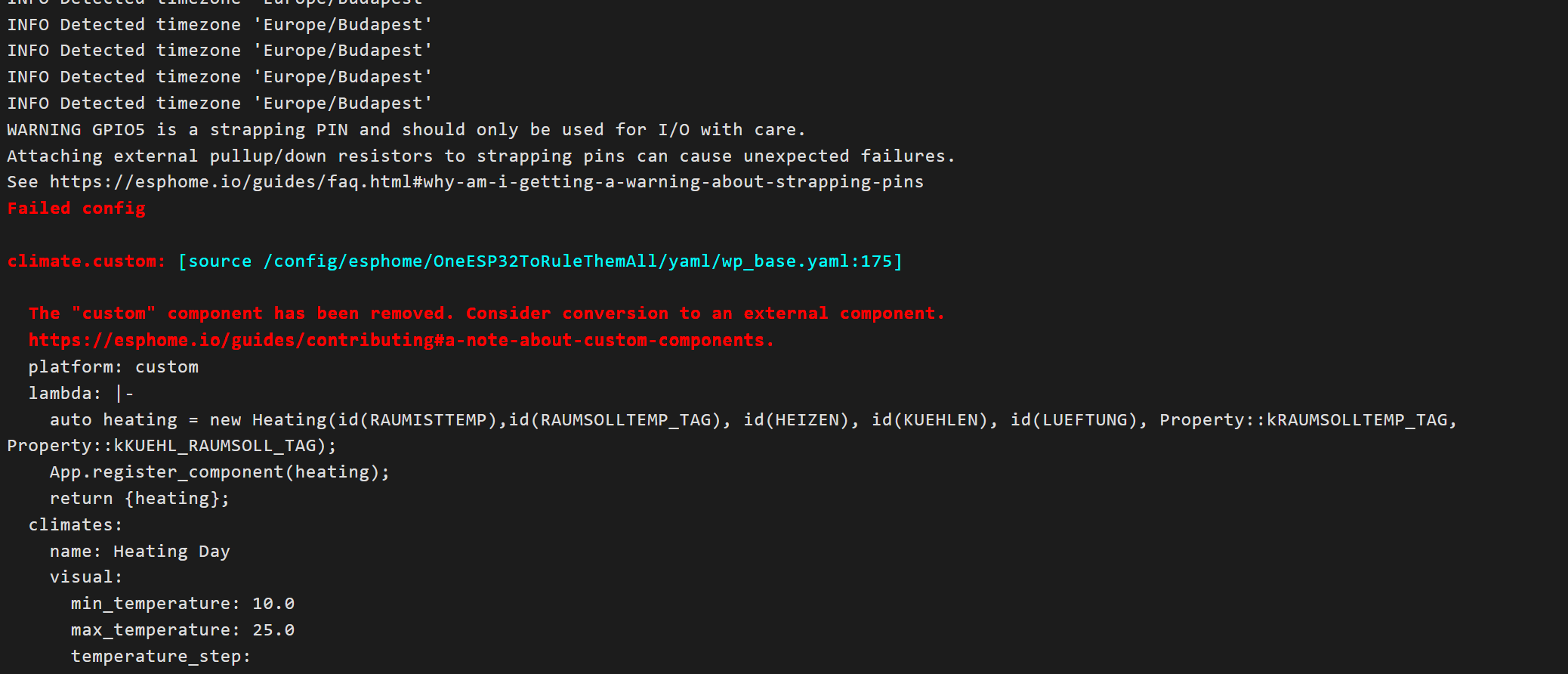
You need to create the helper in Home Assistant, not in ESPHome 
And for the error you need to pull again. ESPHome removed custom components
I’ve merged the fix some minutes ago
1 Like
Maybe I wrote a bit unclear, the helper is Home Assistant entity, created in the helper section. Sorry for that, edited the content above.
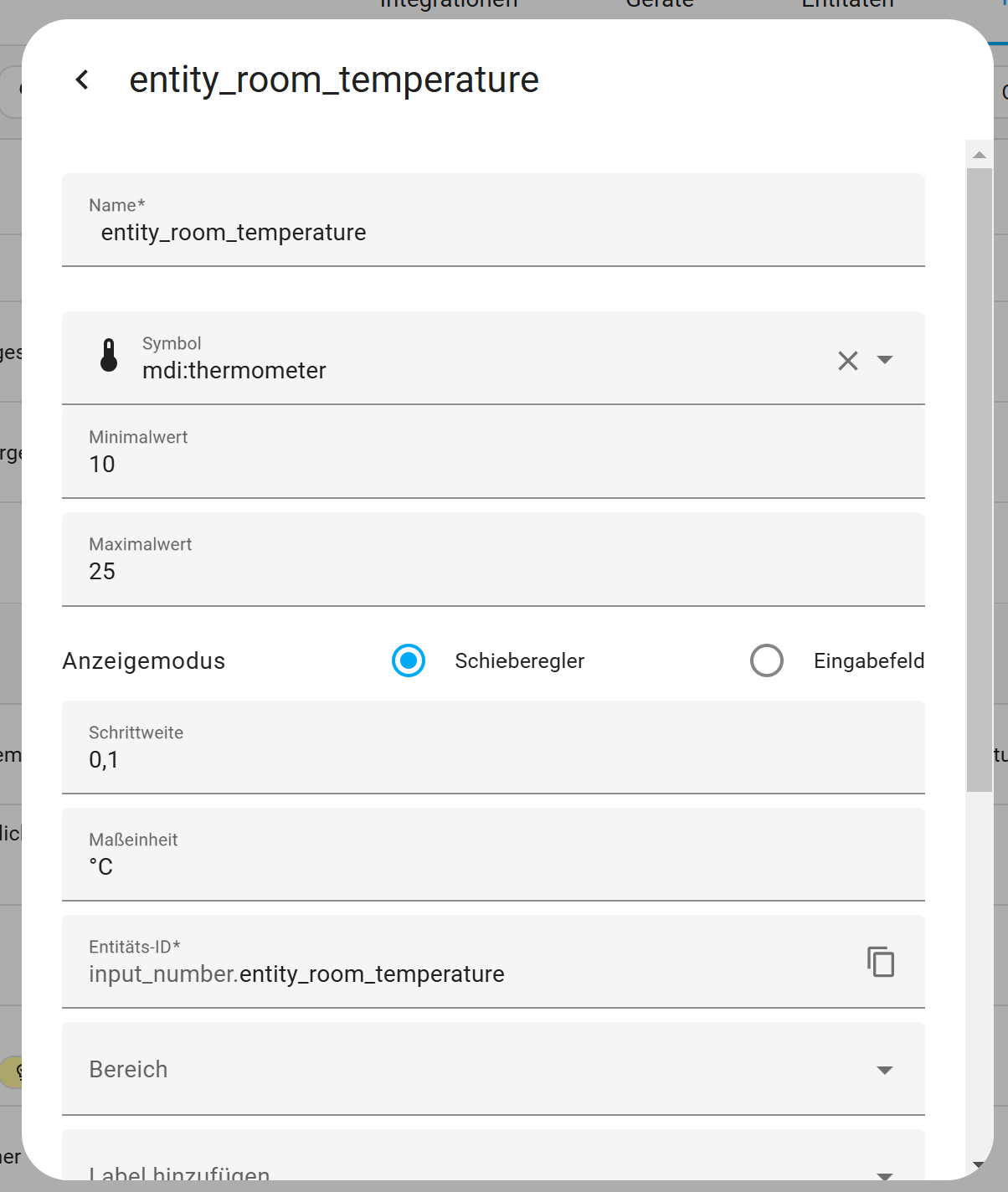
Updated my comment again
1 Like