Ok → So I woke up early (go figure). I power cycled my fireplace (since I haven’t used it in months).
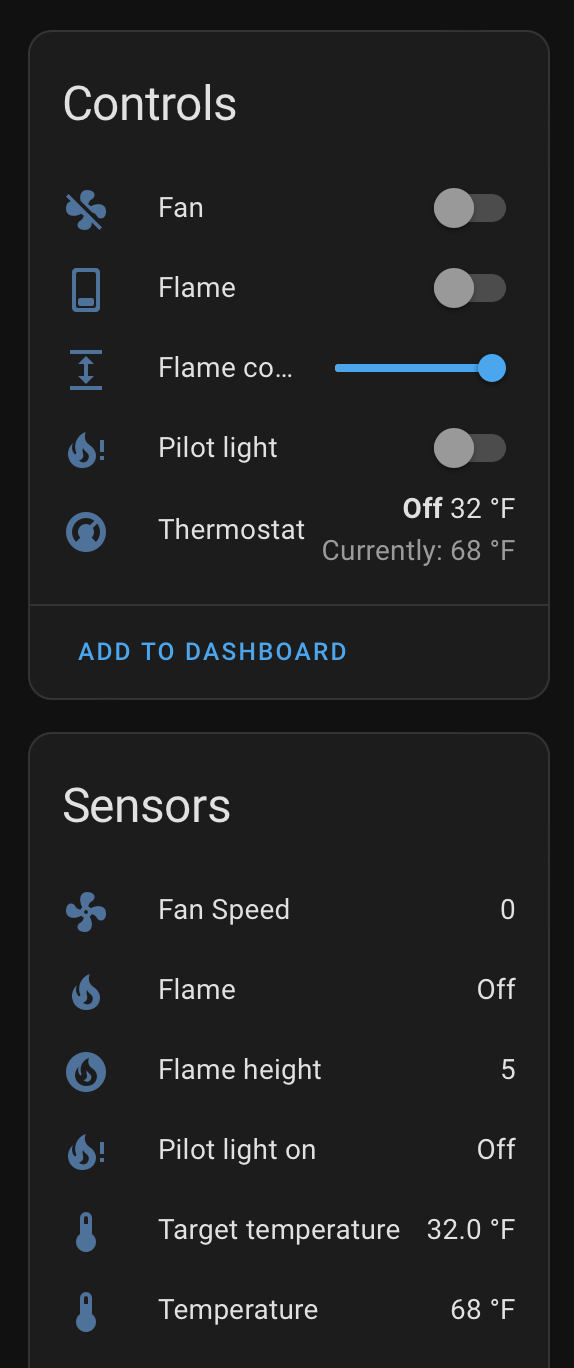
Booted up HA → it detected the fireplace (woohoo). I configure it and everything is working fine for me - currently.
Regarding Local vs HACS integration. My current plan is to build in both the option to use CLOUD or LOCAL control on the HA Core integration. The App uses Cloud based control - where as there is a local API I’m currently using.
One strange issue I’ve run into over the years is that sometimes the local API barfs and if you switch to cloud everything works better. The HACS integration should support switching between the two modes.
Keep me updated please because as fares I can tell all is good right now
Hey Jeff, I just worked with Garett to get my ECM working again, but noticed Im getting this stacktrace when I try to turn on the flame. Have you seen this before?
File "/usr/local/lib/python3.12/site-packages/intellifire4py/local_api.py", line 256, in _construct_payload
challenge_bytes = bytes.fromhex(challenge)
^^^^^^^^^^^^^^^^^^^^^^^^
TypeError: fromhex() argument must be str, not None
It’s been some time since I posted here and I wanted to share some updates. We’ve spent the last year working on further improving the service from all aspects. I reached out to @jeeftor and it was great to collaborate on continuing to support HA.
Cloud Server
The cloud server was updated over a dozen times during spring/summer 2024 through 10/15/2024 to support increased up-time and reduced latency in advance of “fireplace season.” We are at 178 days since our last outage/incident. Response times are at ~400ms, which we are mostly satisfied with. Smaller scopes of work are still planned for later this year as we button up remaining issues.
WiFi Module
We released firmware version 0.3.12 to respond to an issue where the WiFi Module “locks up” unexpectedly. This was due to a “Safe Mode” that the Zentri WiFi Chip we use can enter. If your WiFi Module stopped connecting and won’t perform a Factory Reset (indicated by not providing an Access Point afterwards) then it has failed and will require replacement. We are offering warranty exceptions and replacements to anyone impacted and encourage you to update your firmware whenever possible.
Mobile App
I know most of you do not use the IntelliFire Mobile App and that is totally fair. We updated it to provide an “Upgrade Firmware” button in response to the above. It is found in the “Other” tab of your main fireplace control screen.
ECM Offline
An issue that can occur with the use of the WiFi Module is “ECM Offline.” This results in the ECM (fireplace’s main controller) rejecting inbound commands from the WiFi Module. Power cycling fixes this temporarily, but it will re-occur at some point. In response to this, the ECM Firmware was updated to 2.1.9, which solves this issue permanently. We will make service parts available soon to fix this, I’ll come back around when I have more details on that. For any willing individuals, you can also use a PICKit to flash the ECM. I am willing to ship a PICKit 3 device out with instructions and a return label if you’d like.
Future Updates
We are hoping to release another WiFi Module firmware update in 2025. Targeting further improvements and bug fixes. The two most relevant to HA are:
A “local only” mode for the WiFi Module. Would be something you could toggle on/off. Removes cloud dependencies and would allow unauthenticated /post commands for controlling your fireplace.
Bug fix for a sockets issue we’ve noticed for some HA users by improving socket management.
As always, please feel free to reach me at [email protected] with any questions or feedback. Thank you!
I can confirm that Garrett is doing an awesome job improving this product and is active with the smart integration community. He sent me the ECM update tool and I can confirm for my 3 fireplaces this has completely eliminated the freezing and the units are much more responsive to commands. So much so that I am now using the fireplaces much more frequently (also could be the 0F weather). For anyone hesitating, you should do the ECM upgrade as it makes a huge difference. Cloud still works more reliably (though slower) than Local but there are plans to improve that as well later this year. Thanks again Garrett!
Hello folks - Garret from IFT sent me a replacement module about a month or two ago. I finally got it reinstalled today - which means … I’m back to working on this project again …
@jefftor Awesome to hear you got a new module. Anything new to report on the project? I am still on the HACS version. Did all your changes ever make it into core?
Since its almost fireplace season, I wanted to provide an update on the latest with our IntelliFire App and system:
Cloud Server
The cloud server was updated a few times over the summer to further enhance its reliability, eliminating issues such as a seg fault that could occur during user account deletion and other minor bug fixes. We’ve not had an unplanned outage since August of 2024. When we do updates, the server is unavailable briefly, so we do not plan for any updates during fireplace season to ensure reliability.
WiFi Module
WiFi Module version 0.3.12 is the only version shipping out of our factories at this point. This version is the latest and greatest, although we do aim to provide some future updates at a later time.
Mobile App
I know most of you do not use the IntelliFire Mobile App and that is totally fair. We updated it in September, 2025 for iOS and Android to modernize the fireplace control user interface and some other minor bug fixes.
ECM Offline
An issue that can occur with the use of the WiFi Module is “ECM Offline.” This results in the ECM (fireplace’s main controller) rejecting inbound commands from the WiFi Module. Power cycling fixes this temporarily, but it will re-occur at some point. In response to this, the ECM Firmware was updated to 2.1.9, which solves this issue permanently.
We’re now shipping version 2.1.9 as part of SRV2326-130 (our ECM service part) as well as IFT-WFM (important these are ordered “new” and not from a supplier’s existing stock). We can replace your ECM if you are having this issue as part of a Warranty Claim. [email protected] is a good way to kick off a support request for this. We will need the serial number of your fireplace (Starts with “LC,” “MP” etc.) to complete this request.
Awesome → I submitted the new icons → but I got flagged for something being off on the format - and its in my eternal TODO list to update them> I think maybe I made the 1x and 2x the same resolution or something
Hi jeeftor, I’m still using your HACS integration and for me, it’s solid as a rock since I flashed my wireless modules with the ECM fix and on latest firmware. One thing that happens that is interesting is that my integration loses connection with the wireless module when the batteries die in the remote. I’ve solved this by replacing the batteries with a 6V converter so they are always plugged in but didn’t know if that is something that can be changed. In addition, when I turn on the lights in the fireplace, it only illuminates to the next to highest power. I pretty much always want to use the highest light power so I have to manually go in and change that using the native app. Thanks!
This is what I emailed you about a while back @jeeftor. I hadn’t heard this before.
@homeontherocks is thermostat mode engaged on your fireplace when this happens? I do know our system responds to a loss of remote connectivity in this context. Why the WiFi module is having trouble after, I couldn’t say.
I never use thermostat mode. I have 3 fireplaces. If the batteries in the remote for any one of them dies, the Home Assistant HACS integration loses connection to the wifi module and the controls are greyed out (just for that unit). Replacing the batteries (and rebooting the wifi module) always fixes the problem.
Very cool to see a developer so active here and working with the integration maintainer. My new build a few years ago came with a direct vent heat n glo fireplace with the basic on/off remote and wall switch. I didn’t like the price or look of the RC400, and of course want to integrate with HA. I have a 6000C-IFT with the IFT-ECM with wifi sticker, so looks like I can add the IFT-WFM.
Where are you guys buying your IFT-WFM if adding it on after the fact? I see some questionable amazon sellers, and now I’m a bit concerend with recent comments there’s a new version but only being sold from new stock. Where can I get the newest?
Called 2 local fireplace shops. Both required their own tech to install it if ordered through them (no thanks) and one was confused about “order new vs supplier stock” while the other seemed to understand. I then tried www.efireplacestore.com and the CS rep understood I wanted a new one from a supplier, but didn’t call me back yet. Not holding my breath on that one.
@GarrettKranz is this a hardware revision, or just the newest firmware comes pre-installed or something?
I went ahead and ordered one since it sounded like this wasn’t a hardware revision reading all the comments again. My unit was made 4/25 and is on 0.3.12 FW and everything works great. I’m just using the official integration.
Is the current released official version using the local API for sensors and cloud for control?
Good stuff, Garrett and team! I also work on soft/hardware and this stuff isn’t easy. First impressions are really good. One thing I’d note is you are exposing the plaintext wifi password in the logs/forms on the dev site. Does that even really need to be persisted on your end? If so, please tell me it’s encrypted!
Hello. I’m new to HA (I’m in the process of migrating my system from Smartthings to HA). My first challenge seems to be trying to get the intellifire integration working. After reading through the posts above, I think my system is a bit different than the ones most people are talking about – it’s actually an electric fireplace (simplifire) but uses the same intellifire app. I was able to get the integration to show up, and can control things in a basic way (turn the fireplace on and off, turn the lights on and off, turn the heat on and off), but the thermostat doesn’t work.
Interestingly, it shows up, and the information it displays is correct (so if I set the thermostat using the intellifire app, the thermostat settings in HA change as well), but if I try to change the settings in HA, I get an error:
“Failed to perform the action climate/set_temperature. 422, message=‘Invalid Parameter’”
Any hints or suggestions would be greatly appreciated. Thanks!
Not an issue with your fireplace, the official integration is just very broken. Toggling switch states worked the first few nights for me, but setting the fan/flame height value never did. Now nothing works and throws a few different errors, some I recognize from this thread from 1-2 years ago. I’m not sure why this integration is in the state it is, looks like most people just use the custom component and call it a day. Not really acceptable, though. The official integration is so broken it shouldn’t even be enabled, at all. Integration maintainer and HA maintainers need to work out whatever is going on.
Shame, because it looks like the manufacturer is actually playing nicely in this case, but the maintainer isn’t maintaining. No reason to have started a custom component in early 2024. You need to follow the PR process.
Also, lmao @ 3 post limit for new users. People will just make new accounts to get around that. Just WHY?