When I try to add the OpenAI API key, this happens. Why?

Changed the model from gemini-1.5-pro to gemini-1.5-flash-8b, and now everything works
Feature request: Events/alerts on timeline only show 24hr time format. Would like to use 12 hour if possible.
It works now, almost. I send 10 frames to get a detailed account of all movements and all of them are in reverse. Cars are described as leaving when they are coming, etc. Is there a way to reverse the order the model receive the images?
I just added “process the images in reverse order” to my prompt …
1 Like
I am getting the following error when using the “AI Event Summary (v1.4.3)” blueprint. I’m fairly new to HA, about 1 month now.
Error: Cannot write Media Folder - Secured, no access to path; allowlist_external_dirs may need to be adjusted in configuration.yaml
I have this same issue. I’ve been looking around, but yours is the first report I’ve run into that matches what I’ve seen. Any luck in getting it to accept the API key?
You need to add tokens to your account via the platform portal. then it will work no problem
I was able to do it, but you have to pay for tokens. It doesn’t accept the free API key.
Did you find a solution ? I have the same error …
Did you find a solution ? I get the same error
I switched to public… folder since my HA instance is not exposed to the internet.
I got the blueprint working with a basic mobile notification, however I’d like to trigger a TTS action on a media player inside with chime_tts.
I get an error in my system logs and although there is a trace, everything is grayed out.
Here is my “additional actions”
action: input_text.set_value
metadata: {}
data:
  value: "{{ response.response_text }}"
target:
  entity_id: input_text.llm_vision_front_gate
I switched to setting an input_text after the chime_tts action gave the same grey trace and thought maybe this would fix it, no dice.
I’m wondering if the additional action is being run in a different context than the text is generated so it is undefined. Any suggestions to rectify this?
Here’s the error log I get from system logs>core. I’m not sure if the update entry is related.
Logger: homeassistant.helpers.template
Source: helpers/template.py:2982
First occurred: 12:06:15 (317 occurrences)
Last logged: 12:28:43

Template variable warning: 'update' is undefined when rendering '{{ iif(update, 'none', sound) }}'
Template variable warning: 'update' is undefined when rendering '{{ iif((update or sound == 'none'), 0, volume) }}'
Template variable warning: 'camera' is undefined when rendering '{{ camera }} snapshot'
Template variable error: 'response' is undefined when rendering '{{response.response_text}}'
Template variable error: 'response' is undefined when rendering '{{ response.response_text }}'
Hi everyone, I’m using the ‘AI Event Summary (v1.4.3)’ blueprint and I would like to select an image entity instead of a video entity. Is this possible, and if so, how can I configure it in the blueprint settings? Thanks in advance for your help!
Blockquote
Error: Cannot writeMedia Folder - Secured, no access to path;allowlist_external_dirsmay need to be adjusted inconfiguration.yaml
I’m getting the same problem, weirdly it doesn’t happen every time the blueprint runs - sometimes it’s fine.
I can’t find where to change the path that it’s trying to save to - can anyone give some pointers?
Fixed this by modifying the blueprint, hoping to make a PR when I have a chance.
@the_etk is it an option (secure for you) to set the public option in the drop down?
1 Like
Any way to view more than 10 events on the timeline? Such a low number!!
Currently everything is exposed to the card as extra attributes in the calendar entity. More than 10 events could cause performance issues. The timeline still stores more than 10 events in the database. In the future the card should be able to read directly from the database.
1 Like
LLM Vision 1.5.0: Improvements to Setup and Settings
In this post I’ll quickly go over the biggest changes for the integration and LLM Vision Card. You can find the full release notes for each here:
The documentation has been improved with GIFs to make setting up LLM Vision even easier. If you have any feedback for the docs, there is a new GitHub discussion.
The website has been redesigned and improved to better showcase features and examples: llmvision.org
Integration
This version marks a major milestone for LLM Vision. The setup process has been completely rewritten to make it easier to set up and reconfigure your existing providers.
A new Fallback Provider option lets you set a backup provider that automatically handles requests when your primary provider is unavailable.
Additionally, URLs, Frigate paths, and media-source:// paths are now supported in the video analyzer.
Provider Settings
You can now customize the default model, temperature and Top P for each provider.
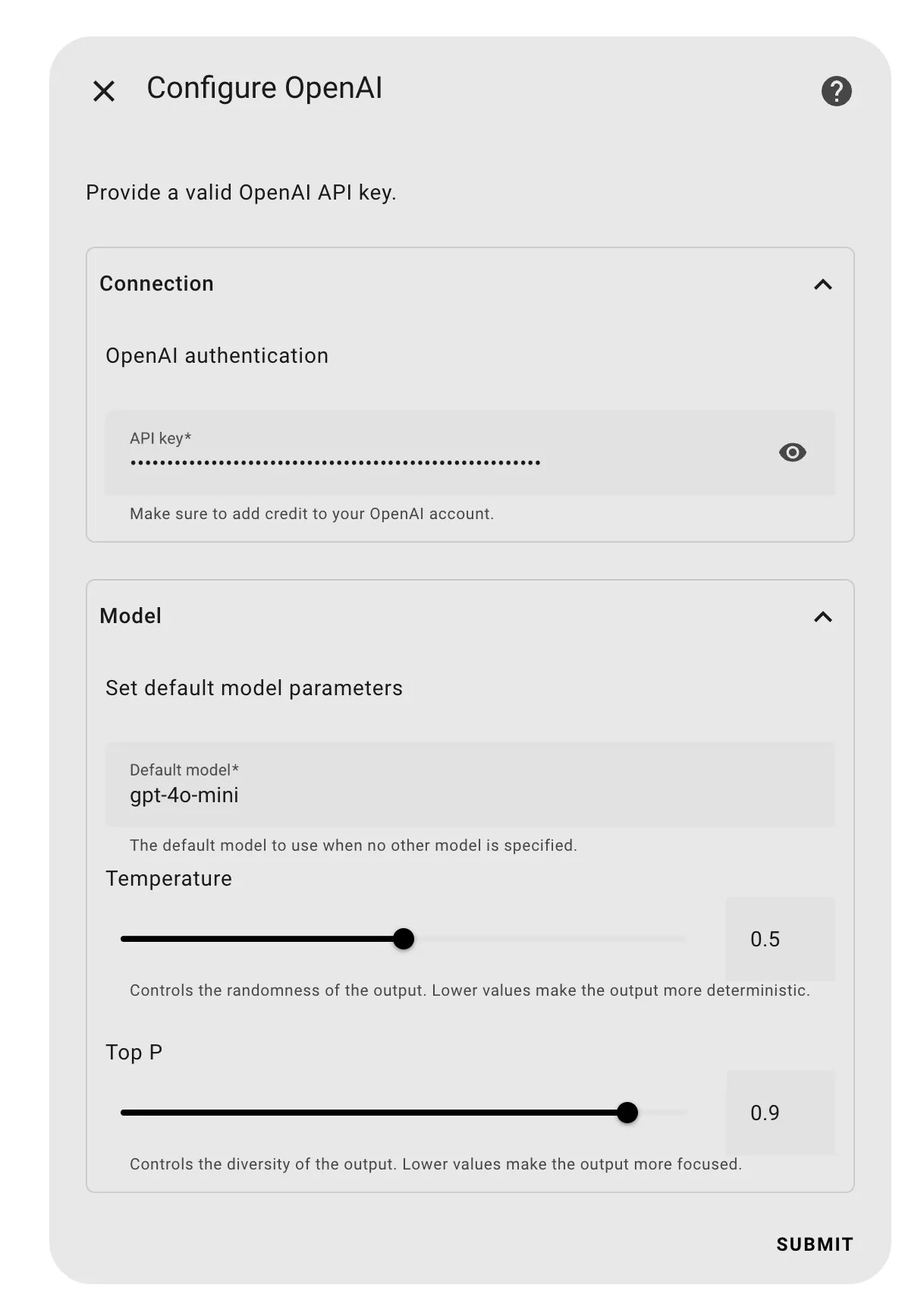
This new setup also enables provider-specific features. For example, Ollama now supports setting the context length and “keep alive” parameters for even greater control over your local models. More advanced options will be added to other providers soon.
LLM Vision Settings
Previously there were Timeline and Memory config entries. These have now been merged into the new Settings entry:
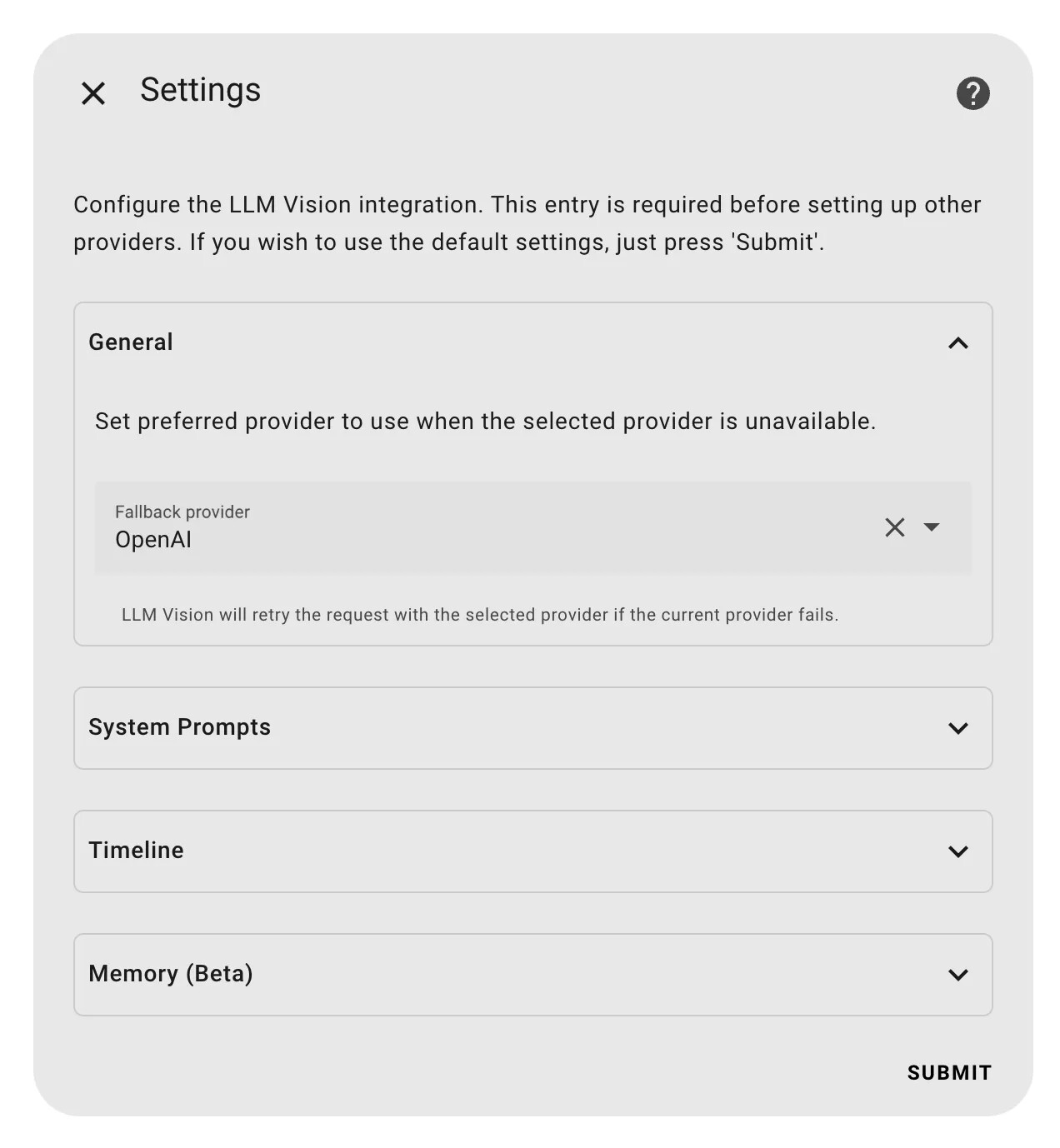
In addition to the Timeline, Memory, and System Prompts settings, you can now select a fallback provider. This is useful for when the selected provider fails. LLM Vision can then automatically send the same request to the configured fallback provider and seamlessly returns the result. No error handling required.
Card
This update adds a second card to display the LLM Vision timeline on your dashboard:
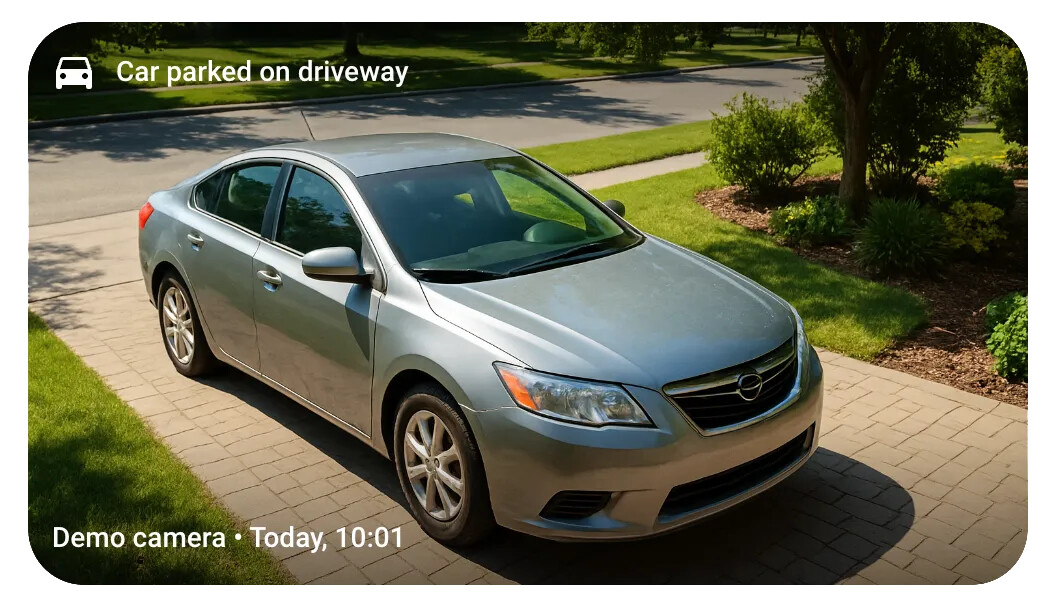
The Preview Card displays the most recent event from a selected camera or category, with the same filter options as the Timeline Card. When tapped, the card opens a details popup identical to the Timeline Card’s popup.
6 Likes
Thank you for v1.5.0.
Feature request: In action, give me the option to add a video recording link to timeline event. When the user reviews events in timeline card, he has option to launch the security cam recording in another browser tab. The recording URL is a jinja2 template that can be based on any number of variables like timestamp, camera name, etc…
This feature should be generalized enough to launch any URL, not just for a Fridgate recording bu other NVR recordings.
Personally, I am using Blue Iris as the security cam NVR, example recording link is http://192.168.1.311/ui3.htm?rec=505007909-259271&pause=1&cam=Street2
where rec param is timestamp, cam is camera name.