Is there any way how to integrate from Loxone lights, that works on old LightController V1 (in Loxone)? All lights controled by LightController V2 works fine, but I have 2 rooms, where I need version V1 (because V2 suppport max. 4 lights control which is not enough for me).
Hi,
I want to use some automations with home assistant and Loxone. I want to use a EIB Switch in Loxone to trigger a device in ha. I can see the Loxone switch as device and used it as a trigger in the automation, but it does not trigger (trace shows nothing). Do I miss something?
Thanks
Hi.
I use pyLoxne add-on and it works ok, but some sensor have problem and not work correct.
For example virtual status (which is InfoOnlyDigital entities) with states “zap” (on) and “vyp” (off).

In HomeAssistant it show OFF state when it is turn ON (in Loxone).
UUID is correct and this is how the sensor looks like in LoxAPP3.json files:
"17155ed0-0351-7acd-ffffe6948d87194f": {
  "name": "VZT skleník kolektor",
  "type": "InfoOnlyDigital",
  "uuidAction": "17155ed0-0351-7acd-ffffe6948d87194f",
  "room": "0ed7e2ef-0382-9622-ffff00bdc36df1d0",
  "cat": "0dfa57e9-035e-0334-ffff00bdc36df1d0",
  "defaultRating": 0,
  "isFavorite": false,
  "isSecured": false,
  "defaultIcon": null,
  "details": {
    "text": {
      "off": "Vyp",
      "on": "Zap"
    },
    "color": {
      "off": "#69C350",
      "on": "#E73246"
    }
  },
  "states": {
    "active": "17155ed0-0351-7acd-ffffe6948d87194f"
  }
},
Any idea whats wrong?
Hi JoJo,
I installed this bindig and it works perfect. Great job!
To manage Loxone objects from HA works perfectly. Is it possible also to get some data from HA to Loxone?
Sure. Just use websocket call.
If you need to send data regularly not just one-time events/intents you can use automations.
I am using following automation to get energy sensor data from HA to Loxone:
alias: Loxone - Set PC power
description: ""
trigger:
  - platform: state
    entity_id:
      - sensor.pc_power
    for:
      hours: 0
      minutes: 0
      seconds: 0
condition:
  - condition: template
    value_template: >-
      {{ ( as_timestamp(now()) -
      as_timestamp(state_attr('automation.loxone_set_pc_power',
      'last_triggered')) |int(0) ) > 10 }}
    enabled: true
action:
  - service: loxone.event_websocket_command
    data_template:
      uuid: UUID_OF_VIRTUAL_INPUT_IN_LOXONE
      value: "{{states.sensor.pc_power.state | float(0) * 0.001 | float }}"
mode: single
That template condition is there to limit how often the automation can run to not overwhelm Miniserver with lot of updates.
Hi JoJo and all,
first up, let me thx for great effort, This implementation works great for me, as is.
Now in the spirit of me being total newbie (fresh Loxon and HAOS install) and that there are no stupid question… 
Can you provide a bit more detail on creating custom sensors - extending the default sensor set. I have read the section and uuid search provision. Where does the custom sensor definition go? Do I need my own include, do I use configuration.yaml or modify one of the base files. sensor.py ?
thx for any help
First of all let me say thanks for making this really good integration. Now trying to create the frontend in HA as the Loxone frontend does not give much room for tinkering.
Question: when I create an extra light mood in the Loxone light controller. Is there anyway of reading this in HA? Would be really nice if these light scenes would automatically be imported/updated when they change in the mini server.
Can you post here any photos? What and where I must write/set ?
I have in HA any devices - infos, and I want it see in Loxone (Humidity,lux,temp, state of air purifier… etc)
No sure what kind of photos you are talking about.
If you need to get some sensor value from HA to Loxone you just define virtual input or UDP input in Loxone, then create automation in HA to send the data to that Loxone input and you are done.
Hello.
Pyloxone work me fine for a year. But now some entities dissappear (are unavailable). Its all binary entities (motion sensors, window contacts) and lights in 2 rooms. But for example temperature still works fine.
Do you have any idea what wrong?
When I look in http://192.168.1.xx:xx/data/LoxAPP3.json, UUID for missing entities are there.
For last mont, I make upgrade of HomeAssistan to 2024.08 version and also change (and reboot) loxone program (only small things not about missing entities).
I try new HA installation (with pyLoxone only) but the result was the same.
2024-09-13 10:41:56.514 ERROR (MainThread) [homeassistant.components.binary_sensor] Error while setting up loxone platform for binary_sensor
Traceback (most recent call last):
  File "/usr/src/homeassistant/homeassistant/helpers/entity_platform.py", line 361, in _async_setup_platform
    await asyncio.shield(awaitable)
  File "/config/custom_components/loxone/binary_sensor.py", line 85, in async_setup_entry
    entities.append(LoxoneDigitalSensor(**sensor))
                    ^^^^^^^^^^^^^^^^^^^^^^^^^^^^^
  File "/config/custom_components/loxone/binary_sensor.py", line 116, in __init__
    self._state_uuid = self.states["areAlarmSignalsOff"]
                       ~~~~~~~~~~~^^^^^^^^^^^^^^^^^^^^^^
KeyError: 'areAlarmSignalsOff'
hello all together.
I am a Loxone guru and now installed Home Asissstant on my Raspberry Pi for further integration of some devices which are not yet integrated.
I installed PyLoxone and connection is up and running.
But how can I now connect/link Entities (for examle Grohe Guard Temperature) with the Virtual Input I created for that Purpose?
Hi, thanks for this project, solves almost all my needs. I still don’t understand why it’s not possible to set temperature in climate control. GitHub discussions mention that it was discussed in the past but I can’t find that discussion. Is there any technical obstacle on Loxone side or it just wasn’t implemented?
Hi,
Is it still possible to integrate Loxone in Home Assistant?
I saw i have to install hacs in the add on store but can’t find it.
I have a Loxone Gen1 miniserver. Don’t know if it’s possible to bind…
Regards,
Bossi
should work using your local lan ip of your sever
Hi,
I started trying to setup this integration. I only imported devices over network and the latest was the esp32 usb & wifi…
This is again a total different way of programming and i don’t know how to interpret this…
I follow the readme and directly don’t know how to understand this:
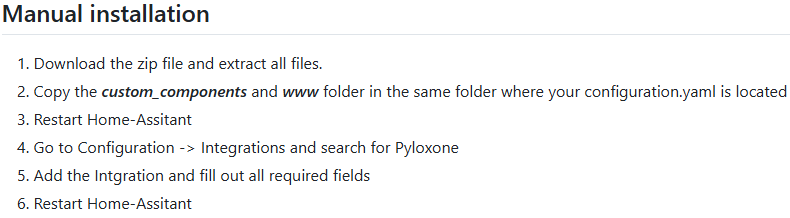
Do i copy the complete folder or do i open the folder first, copy everything and than paste in yaml? there are a lot of .py files, one yaml file and 2 other folders in the config folder. The www folder i can’t find.
If i know which files, i paste them in configuration.yaml of hass ? Just under everything?
Regards,
Bossi
Up and running but very different than haw it was explained….
Still one problem. I can’t select the original 8 outputs from loxone for automation.
anybody else who got this similar problem?
Solved  : put your output in the visible user interface on in Loxone software, restart hass,
Regards,
Bossi
Hi,
Thanks a lot for your project — you did a great job! I’ve been controlling all my blinds, lighting, and irrigation through Home Assistant, and it’s been working perfectly.
I’ve been using it since the beginning with MiniServer 1, and now with MiniServer 2. Everything was running smoothly until July this year.
In the past few years, every Home Assistant update worked without any issues. However, when I tried updating from version 2025.7.4 to any newer release, PyLoxone stopped working. So currently, I’m staying on the older HA version, but I’d really like to upgrade, especially since other integrations are starting to complain and require updates.
Are there any known changes or differences in how Loxone integrates with Home Assistant in recent versions?
Also, I’m not very familiar with reading logs — could you let me know which logs I should check to get more details about the binding issue?
Thanks again and best regards,
Robert