Here’s one for the 4-button P02 Pico (Bright/Cooking/Dining/Off) that handles short clicks, long clicks and double-clicks:

Here’s one for the 4-button P02 Pico (Bright/Cooking/Dining/Off) that handles short clicks, long clicks and double-clicks:
Hey, I am trying to set this up with the standard 5B Pico. But I will not lie. I am not Program savvy, I am decent when it comes to doing things with HAOS, but editing yaml files and such, I am completely lost!
For example. The main warning,
“Make sure you have enabled at least one Pico Event Entity for each device, they are default to not enabled as of 2023.3, otherwise they won’t show up as an available device in the drop down list.”
I am failing on understanding what this means and how to do it. Is there any assistance any one could provide?
Here’s one for the 5-button fan remote (PJ2-3BRL-GXX-F01). Practically identical to @GregTR’s original, just changing the device model to match the fan variant.
Did you get it working or are you still stuck? Personally, I didn’t have to worry about that warning as my remotes all appeared as options in this Blueprint for me to select. However, I’m happy to help you troubleshoot some ideas if it’s not working for you!
Here’s one for the paddle Pico remote switch (PJ2-1P-GXX)
Hi, I’m using Greg’s default 5-button blueprint. How do I setup the Up/Down buttons so that when I click and hold, the Light brightness goes up 15% until released, for example? Thanks, Patryk
Can you share the 2 button pico blueprint that includes double click?
Where you able to find a solution for this? I’ve been trying to do the same for a while.
Are you able to confirm if the L41 is able to pair with the Cesta non pro bridge, the L-BDG2-WH Smart Hub?
Has anyone used a pico’s center button to ‘toggle’ through devices to be adjusted?
As in, I have some switchbot tilt blinds. I’ve just configured the on/off buttons to open/close some blinds. But it occurs to me it’d be handy to be able to use the center round (favorite) button on the center of the pico to perhaps toggle through the blinds to allow individual tilt control. Maybe with doing a ‘jog’ of the blinds to reflect which one is about to be controlled with the up/down buttons on the pico.
Has anyone done something like this, with keeping a ‘state’ for a pico tied to a specific device? And rotating through them? I’m looking for advice on how to structure the commands for this.
I’ve asked this in another thread: Use a Pico button to toggle through Switchbot blinds
I created an integration that provides a flexible way to use Lutron Pico remotes (including the newer Paddle Pico) as general-purpose controllers inside Home Assistant. The integration listens to lutron_caseta_button_event and translates presses, holds, and releases into more predictable, domain-aware actions.
Full source, documentation, examples, and ongoing changes are available here: https://github.com/smartqasa/pico-link
This looks great, thanks! I’ve been using the blueprint from this thread for the 5 button pico for a few years now, but often it lags/doesn’t respond and my system is more than powerful enough. I’ll have to try out your solution and see how it compares.
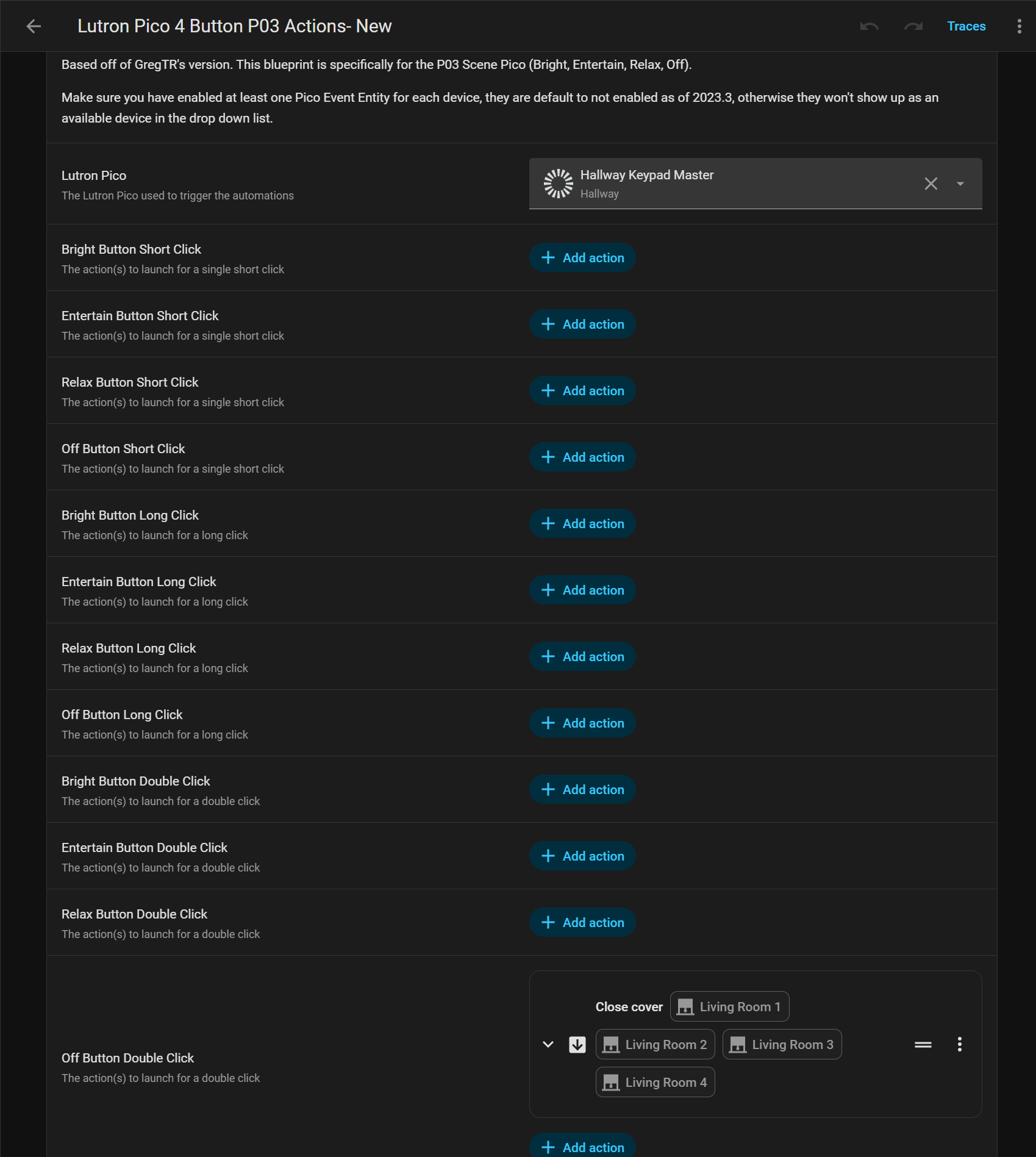
For those looking for a blueprint for the PJ2-4B-GXX-EX2BU (Pico4ButtonScene) remote, here’s a blueprint I created. It was a bit tricky as “button_4” is actually referenced as “off.”
Credit obviously goes to @GregTR for the OG blueprint and @jsb for their X21 blueprint, which I used as a starting point for this one.

Hey everyone. First, thank you for all the knowledge shared in this thread.
I downloaded the 4 Button Pico P03 (bright, entertain, relax, off) blueprint. I am able to see the Pico Keypad in the device drop down.
I would like to double tap "off" and have my Lutron shades close.
For some reason, when I double tap off nothing happens. However, when I test run the automation the shades close.
Any idea what could be preventing the double tap from communicating to HA?
Would be nice if this mentiosn what protocol its using/ which lutron integration it needs for this to work with