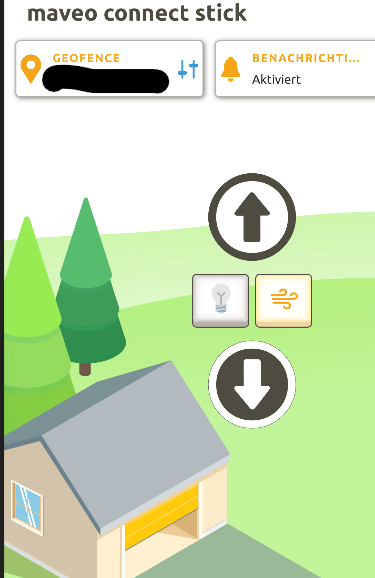
@blind-coder I’m in the same boat as you. I have the maveo connect stick (EU version, stick only without a box, version 1.2.0) and it looks like it’s exclusively cloud based.
I assume everybody referring to a working integration above has the box solution with local API access.
It seems the box isn’t sold anymore - there’s some remaining stock on eBay but that’s it.
Ich habe die Integration im HA zum laufen gebracht. Sobald ich in der Integration die IP Adresse der Maveo Box eintrage stürzt leider Home assistant ab. Gibt’s da eine Lösung?
Hat jemand einen screenshot, wie was einzutragen ist?
Mit der .yaml funktioniert wohl der status nicht. Vielleicht hat jemand mein Problem schon gehabt. Ich hab die IP der Maveo Box. Sobald ich die IP in der Maske eintrage und auf den gelben Knopf auf der Box drücke, Verliere ich die Verbindung zu HA. Ich schätze HA stürzt ab.
I have also a new Zapf garage with a Maveo Connect Stick.
Unfortunately UDP and TCP are blocked so I couldn’t use the existing integration provided here in this thread by Mattes.
To get the garage door into HomeAssistant, I did some reverse engineering on the Maveo Android App.
It is working now. Basically, my HomeAssistant is emulating the Maveo Android app.
Therefore I am using the HomeAssistant MQTT Integration together with a background script running in the AppDaemon addon.
Auth is done via AWS and then a MQTT stream is enabled which needs to be renewed from time to time.
I could publish the script or try to make a homeassistant integration from it, but crunchpoint is that there are several IDs (Client_Id, Device_ID) involved which most likely need to be reverse engineered individually.
If anyone is interested, let me know, I could try to make an instructiion how that works.
I’d be very interested in that. I got as far as connecting the Maveo Connect Stick to my own MQTT Server running in TrueNAS, so I can already get the IDs.
While using the solution of @tomu (without status) productively for a while now, the auto discovery of @Mattes83 popped up a couple of weeks ago (update?).
I tried to integrate it today with the current version 0.2.2 (both with the solution of @tomu in configuration.yaml included and excluded).
After pressing the yellow button on the maveo box, my Home Assistant always crashes and needs a manual restart.
So ignoring the integration again. Please let me know if I can be of any help for debugging @Mattes83
The problem with intermediate position is that I don’t know the command for it, as there is also no intermediate position button in the app I could reverse engineer.
However, you could make a HomeAssistant script as workaround which first opens/closes the door, then waits X second and then stops the garage door.
played around yesterday evening and found the command
i have created a pull request with a feature and the function with the new command.
the button in the app only shows up if the lower intermediate position is set in the marantec drive. The default set position from my garage manufacturer for the ventilation position was the upper position.
Hello Thomas. Have you considered to replace the cloud MQTT with its own, e.g. to force the Maveo thing to connect to a “fake” MQTT server? I tried to analyze its communication: it connects to the same DNS name as mobile phones, but uses MQTT directly in TLS (instead of websockets). Does it check Amazon’s TLS certificates? And, if not, does Amazon check Maveo’s certificate? Maveo sends a very simple like self-generated certificate to Amazon (issued by the well known Internet Widgits Pty Ltd ).
I managed to connect it to a private MQTT server, but haven’t done anything with it since.
You can not use the HA Add-On as that has anonymous connections compiled out.
I installed the eclipse-mosquitto app in TrueNAS (a mosquitto docker container) and exposed ports 1883 and 8883. The mosquitto configuration:
# anonymous is important, the stick connects this way
allow_anonymous true
log_type all

# mqtts listener for the maveo connect stick
listener 8883
protocol mqtt
allow_anonymous true
log_type all
# my personal ssl certificate
certfile /mosquitto/data/home.lan.crt
keyfile /mosquitto/data/home.lan.nopass.key

# upstream to HA
connection homeassistant
topic <maveo client ID>/# both
address 192.168.2.11:1883
remote_username secret
remote_password secret

# Try to connect to maveo's cloud, hasn't worked yet
#connection maveocloud
#topic # both
#topic <maveo client ID>/# both
#address a1fyijxfdsy6tr-ats.iot.eu-central-1.amazonaws.com:8883
#remote_clientid <maveo client ID>_01
#log_type all
Lastly, fake the maveo MQTT server’s IP address, I did it in pihole:
I have a question about the “Nymea” Integration and hope someone can help me here
All the entitis are showing up perfectly but if i change the status of the Garage the state isn’t changing…the state are just updating if i click on “reload device” in the integration. i tried opening the port 4444 and 2222 in my router for HA & the IP of the Garage but nothing changed.
I have activated the “third party devices” in the maveo app and the app of the maveo box shows the ports 2785 (TCP) & 2784 (UDP) for the third party applications. Did you have any idea how i can fix the issue? thank you