MeacoDry Arete® Two 18L Dehumidifier support

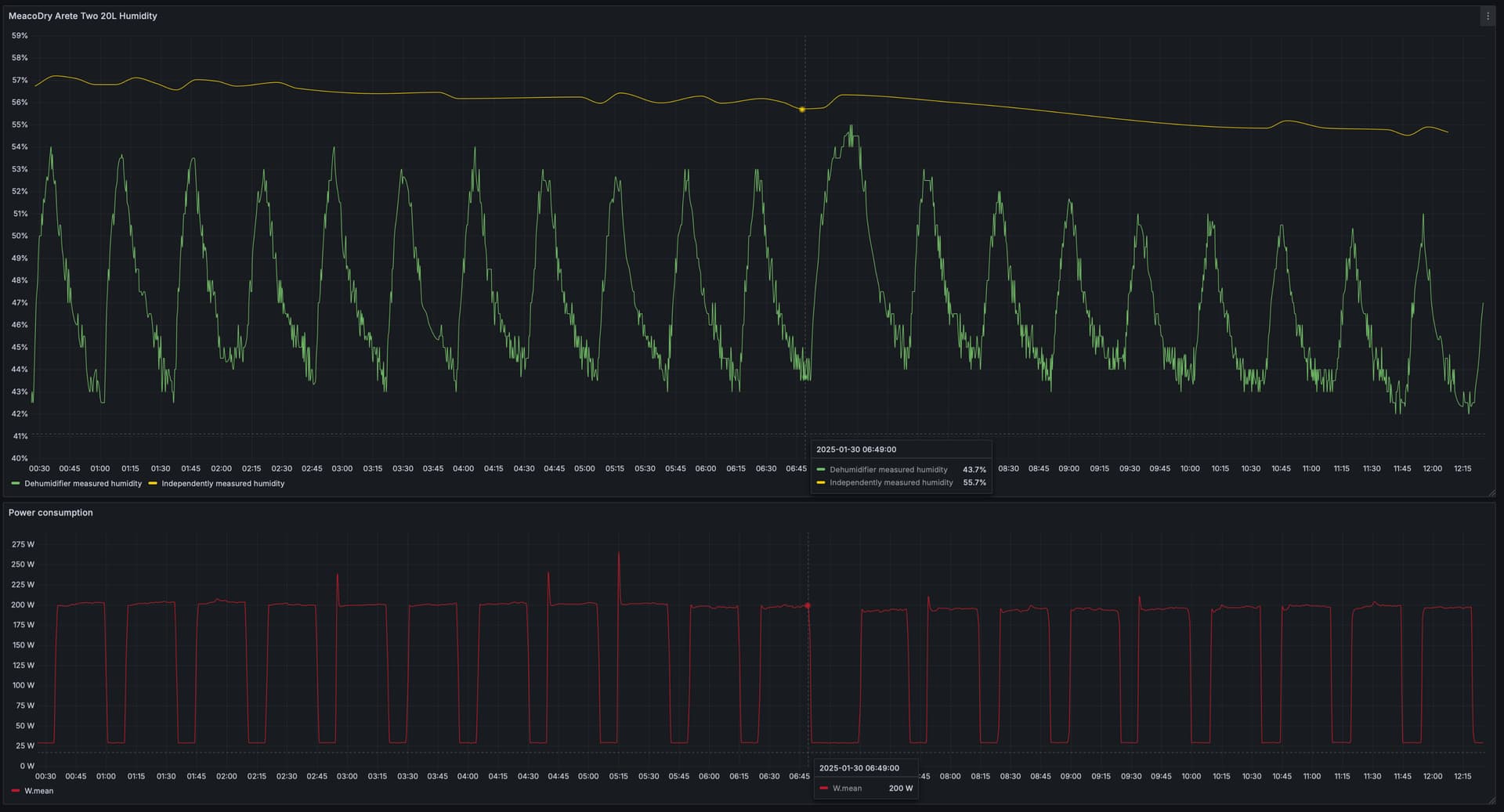
While on the subject of this Dehumidifier, anyone is experiencing the similar pattern of significant humidity underread and fluctuations during the power cycle?

Basically anytime the power cycles OFF (compressor de-energised, fan stays ON), the dehumidifier internally measured humidity spikes up towards sort-of actual value and then drops down to some random value during the ON cycle. Even the trend seems to be off sometimes. Makes me wonder what the dehumidifier is actually trying to achieve and what is it targeting.

Hi

Has anyone else had the issue that it seems to not report any changes in humidity, state or anything while in night mode??

This is annoying, cause I’d like to leave it with the lights off (arete two 12l, tuya integration)

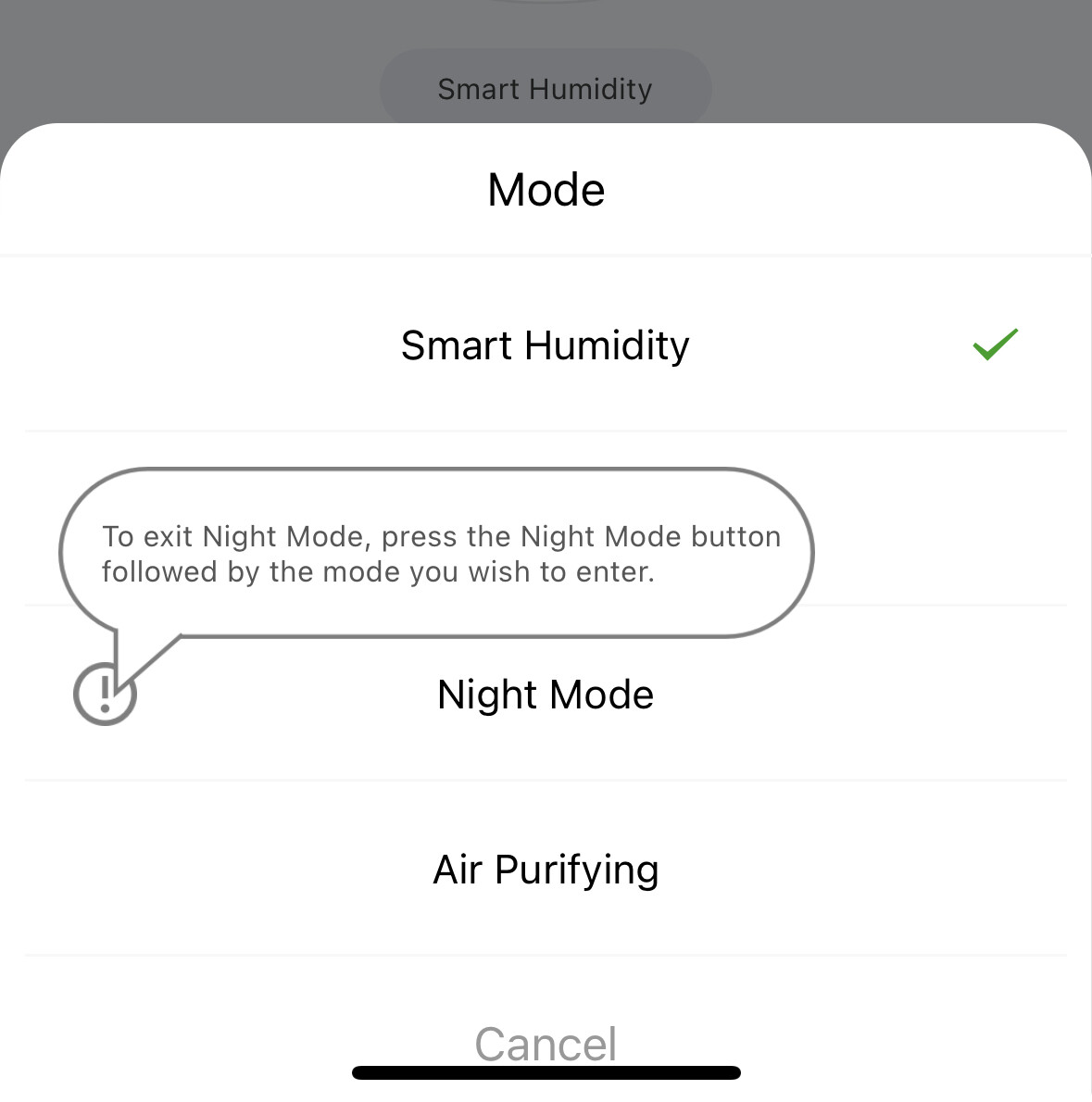
I did notice that once I enable night mode I can’t switch back. Maybe its related?

In the Tuya app you need to select Night Mode again to go back to Humidity Mode. It seems like this doesn’t work with the select action in HA.

I did try choosing Night Mode followed by Humidity Mode but it still doesn’t work. Maybe an automation might work.

I’ve posted a pull request to add support for the “tank full” error code in the Tuya integration: Add support for Tuya bitmap sensors by kevinbackhouse · Pull Request #137771 · home-assistant/core · GitHub.

Very very helpful to have this, in order to get through the setup quickly. Thank you @Phantomski !

1 Like

Thanks everybody who has contributed to this thread, some great suggestions to getting this device better integrated into HA. :slightly_smiling_face:

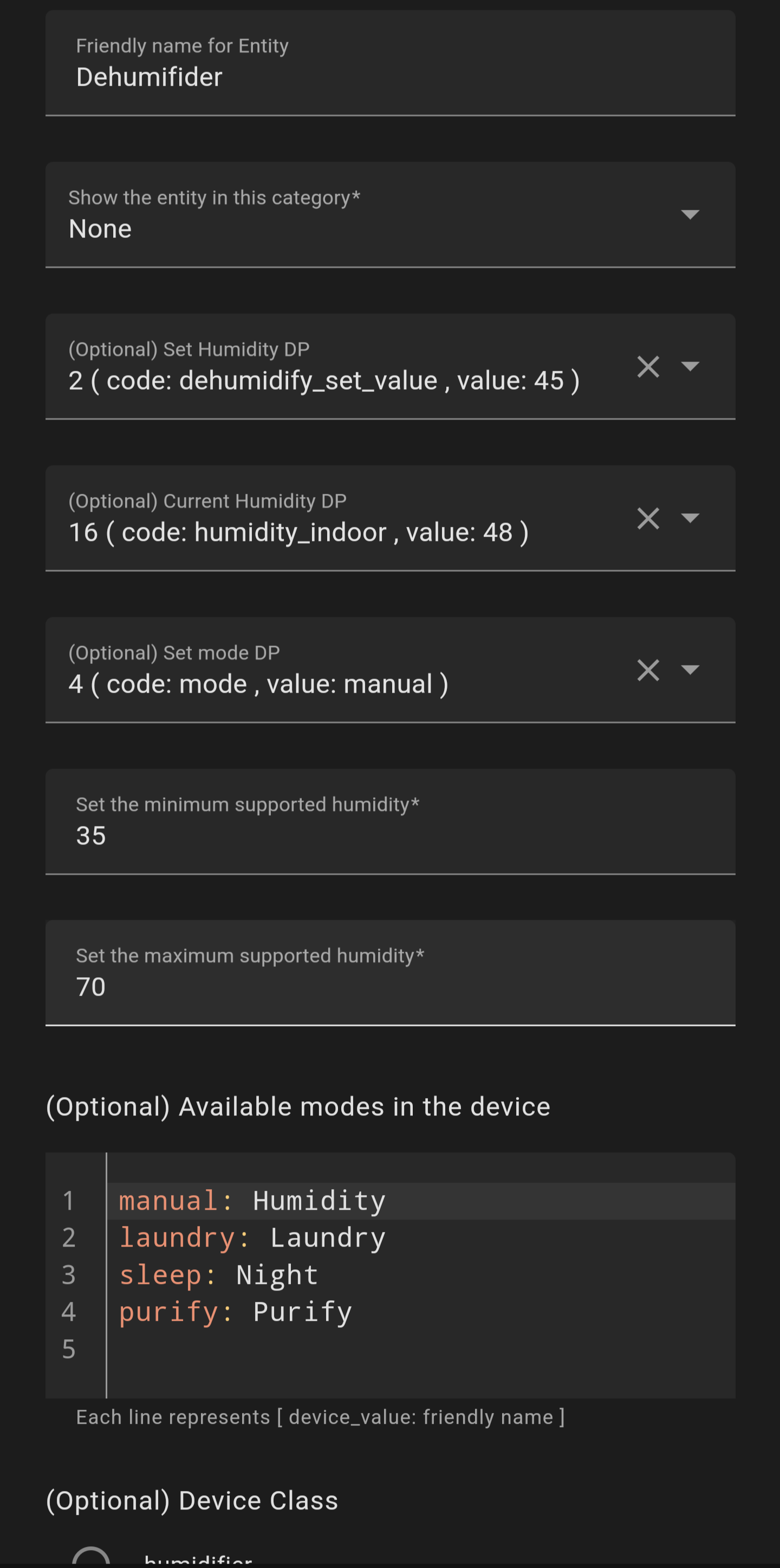
Just something I wanted to share was a SLIGHT alternative configuration if you prefer to have the mode, current/target humidity and power available via the humidifier card. I set the other entities up against the LocalTuya integration as per the above suggestions, however for 2: Dehumidifier, I set the following configuration:

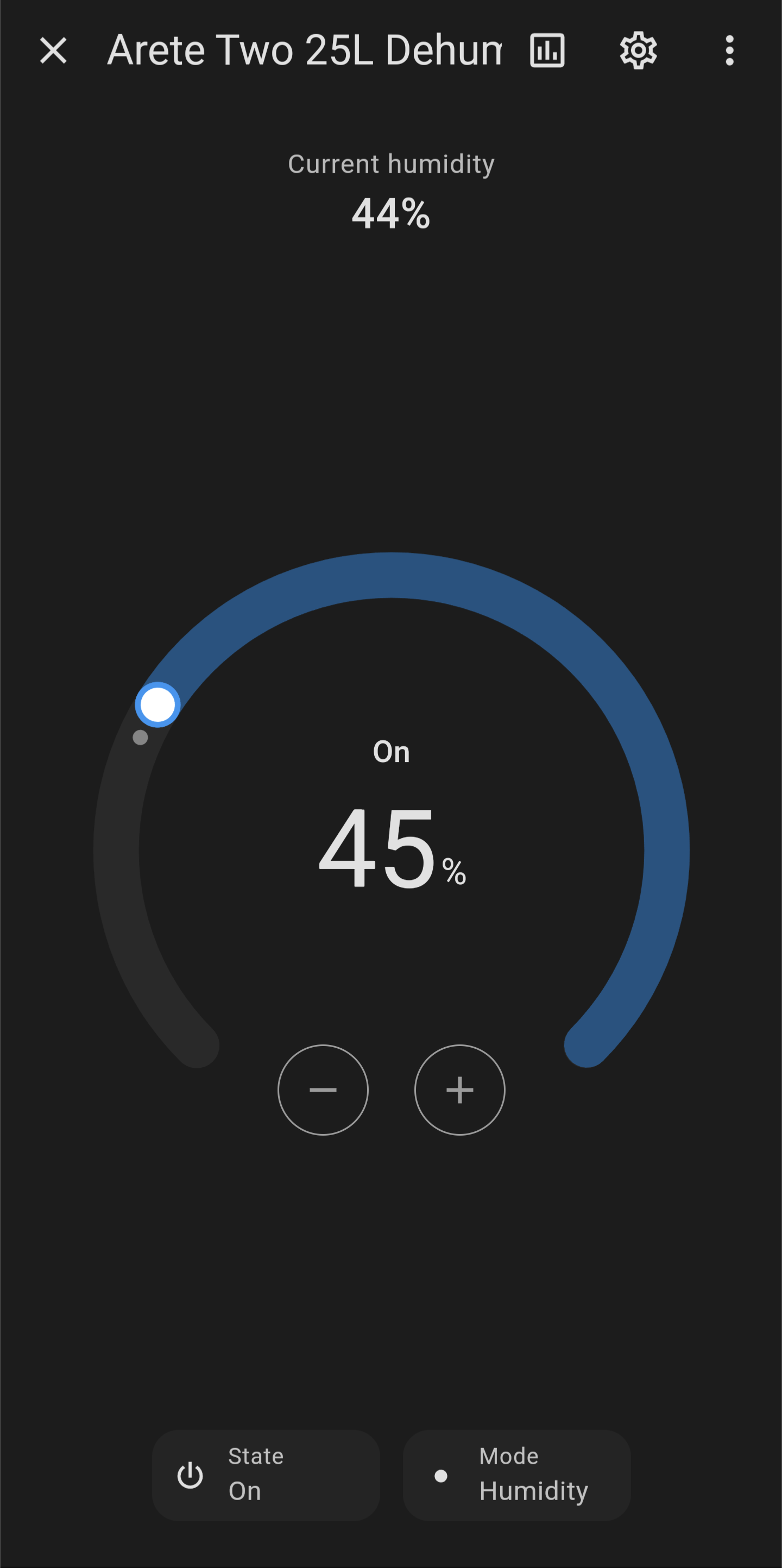
Everything is still controllable fine via my voice assistant (Google Assistant), but it also means the controls appear on my dashboard card:

Just a small alternative some may want to use.

Also…

I’m experiencing both of these behaviours, just wanted to add… :confused: Not sure exactly what can be done to work around these quirks.

2 Likes

I have a question - how did you get Dehumidifier to show in the drop down as a selection when assigning to ID 2? I just have switch, cover, fan, light, number etc. No option for Dehumidifier. Many thanks

Ah, Dehumidifier is likely to be the friendly name I gave it, if you can confirm or screenshot what ID codes you see during the original set-up, I’ll correct my previous post (save me having to re-configure). It should still show as 2, just can’t remember if it also has a default identifier value or just the number.

I seemed to be able to set mine up with very little trouble going via Tuya and the Tuya integration. Maybe things changed in the last few weeks?

Here is my solution

Also, did anyone work out why there is such a disparity in humidity levels? Mine is about 20% less than both the Google nest reading and the reading from my Ecowitt sensor.

David

1 Like

Hello HA Community (first ever post so be kind).

I have been following the guide from user Phantomski (David Dosoudil).

Everything seemed to be going fine, except when it came to adding the entities where I noticed there was no ID 2 (Target Humidity) entity which for a dehumidifier, is a pretty useful setting to automate.

This should be exposed but for some reason isn’t via localtuya / tinytuya. I have tried to add it manually in core.entity_entries file, for it to show up, but once added again into localtuya, its either disabled (which i then manually enable) or the slider to change it is greyed out.

I would much rather this be a local thing than a cloud integration. The cloud integration does work fine… but I would much rather this local integration.

Has anyone else had this with this model or any other Meaco models? Has anyone discovered other ways to add local control?

Thank you!

UPDATE

I have found what the problem was. I had a few other Tuya devices that I was adding at the same time, but I made an error adding one of them, so decided to remove the official tuya and localtuya integrations and start again.

It was this that caused the ID 2 - Target Humidity option to disappear.

The solution to this was these steps:

  1. Unlink your Tuya app from the cloud project. **Cloud -? Your Project → Devices → Link App Account → Click the three dots under Operation and press delete. This does NOT delete your account or app… its just removing the connection from your project.
  2. Delete the Cloud project itself
  3. In your Tuya App (IOS or Android) remove the Meaco Device completly and when it asks whether to clear all data…CLEAR ALL DATA.
  4. Then, re add everything as before. Link Device to the app, create cloud project, link app to cloud project, change devices from read only to controllable, install the Tuya official integration, install localtuya and go through adding entities for each device one by one.

If anyone is trying to find where their User ID is its located here: Cloud → Your Project → Devices → Link App Account → UID in the table. Adding this, and leaving the “Do not set up cloud account” option unticked means that the official device names are used rather then the device IDs. Just makes things cleaner in the long run. You will still be using a local connection regardless as to whether its ticked or not which I found a little misleading.

I hope this helped someone in future. All the best.

1 Like

Just a heads up regarding the recent Tuya T&Cs change for the Cloud API service. With the overall modernisation to Core IoT V2 (and addition of AI throughout - not the same thing :joy:) came a significant change in terms of what you get for free.

Which currently is not much - the only reasonable option is the “Trial Edition” of the IoT Core Plan with one project, one datacenter and 50 devices. There’s literally nothing else within the realms of normal end user. Standard validity is sadly only 1 month now, but it can be extended by online request (I’ve got mine approved within minutes) for up to 6 months. How often it can be repeated, I don’t know. I have a feeling that the whole Developer Platform is targeted at device/firmware developers, rather than “advanced” end users or people like us in HA community.

Anyway. If you’re connection of Tuya Local integration broke same as mine on failed authorisation, these are the steps to extend the Trial Edition:

  1. Login to Developer Platform
  2. Go to Cloud → Project Management and Open Project on the one you’ve created previously using the guide above
  3. Select Service API → IoT Core → View Details
  4. In My Subscriptions there will be an option to Extend Trial Period. In the form, I’ve used 6 months, Individual Developer, less than 50 devices.

It got approved within 5 minutes (on Saturday). Not sure if HA would pick up the renewal eventually, but I have reconfigured the Tuya Local integration manually - first by Reconfigure Cloud API account (just confirming what’s there, all still valid) and then Edit Device (again just confirming previous).

Bit of a pain and hard to say if it will change, unless we approach them en masse.

4 Likes

I just wanted to endorse the solution posted by David (@djcleland) above.
I’ve just set up my new machine using his guide and this was extremely simple (no developer account etc) and provided almost all of the resources I need*.

It is here: MeacoDry Arete Two Installation with Home Assistant | The Smart Home Blog

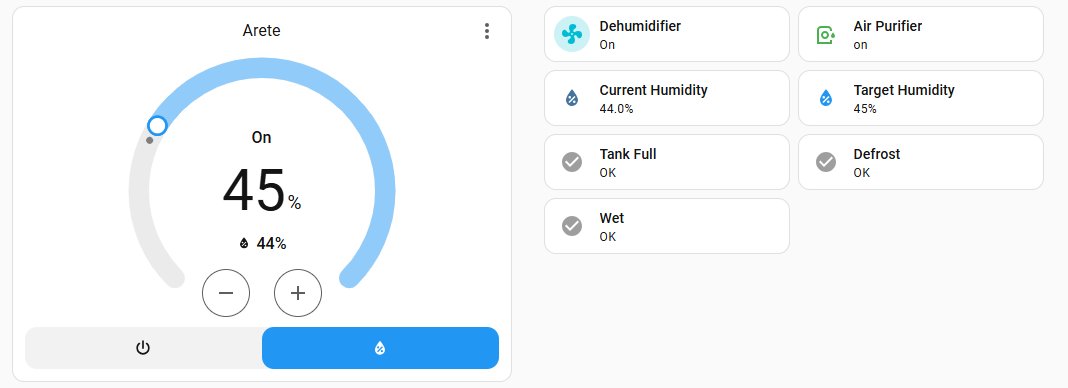
Here’s a basic dashboard:

*The only sensor that isn’t immediately provided by the Tuya integration is the target humidity.
But you can obtain it with this attribute: {{ state_attr(‘humidifier.arete_r_two_20l_dehumidifier_air_purifier’, ‘humidity’) }}

That solution seems fine if you’re happy using a cloud integration. What I liked about LocalTuya is it kept everything local. Having to validate manually every 6 months seems a bit of a pain though.

Lot of good information on this dehumidifier in this topic but I’ll talk a little bit about my own experience and ultimately my end result. This is from around 8-9 hours of trial, error and research.

Yes the TUYA integration works but features are missing. This is a deal breaker for me, plus the fact it’s cloud based. No thanks.

Local tuya I managed to get to connect but that’s all. Tuya currently hide the device key on the developer platform, but it’s still available in the query API on the free tier. However, even with all the manually added entities it wouldn’t send data to HA. Plus at the time of writing, the localTuya integration needs a patch to even get the thing to let you onboard a device, but that’s one character and documented in issues on the repo anyway.

Not to be dissuaded I decided to delve a bit deeper… Can anything actually control this outside of HA, Cloud and mobile apps? And yes, it can. By using the tinytuya python library I knocked up a quick script just to read the data off the dehumidifier and it worked…with protocol version 3.5. All I needed is the device key, device ID and the IP address.

If yours has stopped working, it’s more than likely because localTuya only goes up to protocol version 3.4

So using that, I wrapped the entire thing in an MQTT bridge in python to send data to HA (and auto create the entities). To control the device, the bridge listens on a handful of topics for timers, on/off, state and child lock. It’s not perfect, the HA UI glitches when you make any changes while everything “catches up” but it’s possible to control the thing over only a LAN now. A bit of tweaking later with binary sensors and template sensor for the bucket and I’ve got the status fully working.

Moving on to built in humidity sensors. The machine uses a smart algorithm to offset the read humidity. Because the sensor likely gets a more accurate reading with air moving over it, the dehumidifier has to turn the fan on. But it won’t do that if target = measured humidity. So it fudges the measured reading every so often to kick the fan on, runs normally, then turns off again (idles) if nothing has changed. It will not report this fudging via the TUYA API/HA etc.

You can validate this by setting it to eg 50%, letting it run to idle, then check the reading - it’ll be about 47-52%. Soft power cycle the dehumidifier and it’ll turn on but read eg 63% humidity and then come back down. I believe it behaves like this because some users can be a bit dumb and assume “I turned it on and nothing happens? It must be broken!”

So the humidity readings are fudged to try to ensure the dehumidifier maintains the target more accurately. I do have a Sonoff temp/humidity sensor (this is relevant in a minute). Despite the built in algorithm, I have seen humidity creep towards 60% and the dehumidifier not even turn on. To remedy that, I created an override humidistat in HA linked to the Sonoff sensor. If it turns on, it reads the current target of the dehumidifier, -5% and sets the dehumidifier target to that, forcing it to come in. When the Sonoff Humidistat turns off, it resets the dehumidifier back to where it was so it’ll turn back off.

I can share the MQTT bridge and some config if others find it useful. I’ll mention the bridge is running on Ubuntu, NOT the HA VM.
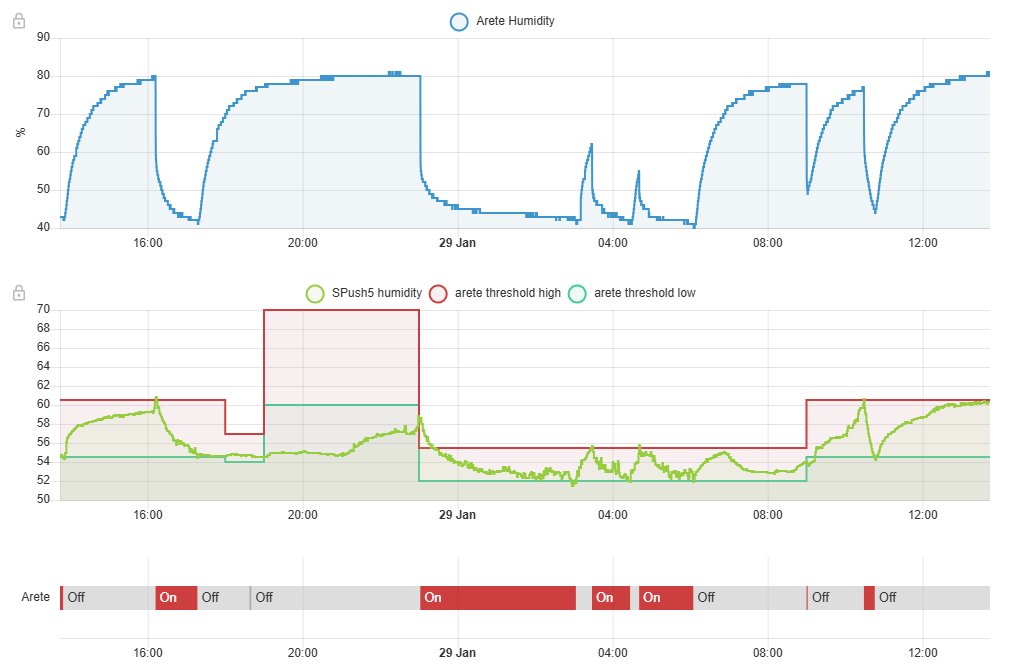
I set my machine to run continuously and then turn it on and off with automations based on a humdity sensor in the room.
I set my own thresholds for it, for different times of the day.
(The humidity figure that the machine thinks is in the room is quite strange when its not running - 80% !)
This is how this works: