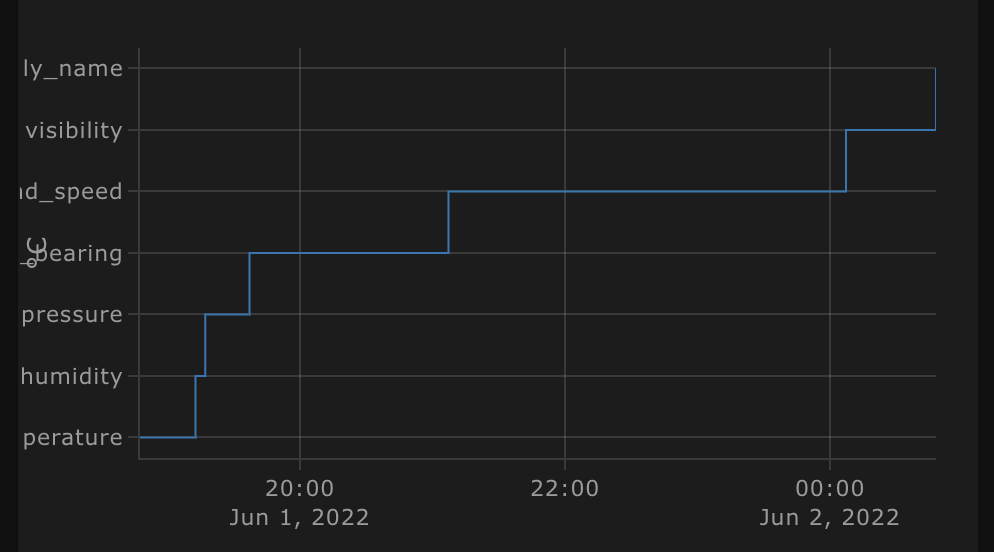
Love the card! I’m currently trying to build a plot based on the weather forecast. For this, I need to access a nested attribute like shown below. Is this possible? What can I do to make it work?
This is what the attributes from the weatherflow forecast are looking like:
temperature: 21.7
humidity: 32
pressure: 1019.2
wind_bearing: 131
wind_speed: 9
visibility: 40.2
attribution: Powered by WeatherFlow
friendly_name: Weatherflow Hourly based Forecast
forecast:
  - datetime: '2022-06-02T14:00:00+00:00'
    temperature: 22
    precipitation: 0
    precipitation_probability: 0
    condition: partlycloudy
    wind_speed: 7.2
    wind_gust: 7.2
    wind_bearing: 29
    feels_like: 22
    uv_index: 4
  - datetime: '2022-06-02T15:00:00+00:00'
    temperature: 22
    precipitation: 0
    precipitation_probability: 0
    condition: partlycloudy
    wind_speed: 7.2
    wind_gust: 7.2
    wind_bearing: 39
    feels_like: 22
    uv_index: 3
  - datetime: '2022-06-02T16:00:00+00:00'
    temperature: 22
    precipitation: 0
   ...
I wand to access the data in the forecast attribute like here in ApexCharts :
                data_generator: |
                  return entity.attributes.forecast.map((entry) => {
                    return [new Date(entry.datetime).getTime(), entry.temperature];
                  });
However, the “forecast” attribute seems to be not available in the plotly graph card.
As the code below shows, it is missing from the attribute’s keys:
type: custom:plotly-graph
entities:
  - entity: weather.weatherflow_hourly_based_forecast
    lambda: |-
      (ys, xs, entity) => {
        var attributes = new Map(Object.entries(entity[10].attributes));
        return ({x: xs, y: Array.from(attributes.keys())})
      }