@DreamT80
Hey,
thanks for sharing this bug. Did it resolve?
I have a TCL TV, and about 2000 entities as well, and it loads without any issues.
Did you try turning force-stopping the app and trying again? Turning the TV off and on?
Let me know what steps did you take to resolve it and if it still happens.
@supperka
Hey!
Sorry for not responding, been busy with the update and other personal ventures.
About the camera - maybe in the future, it’s quite a specific request haha
About the menu, what do you mean? Can you be more specific?
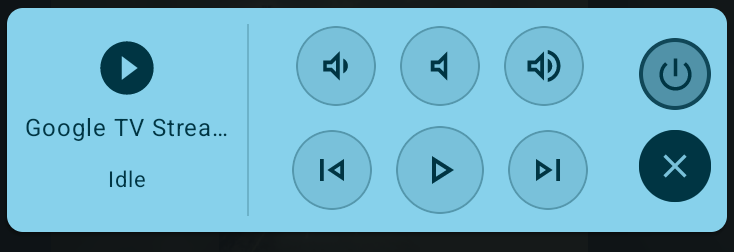
Media Player Entities: control your Media Players with play/pause, next/prev, volume, power controls.
QuickBars: press the same Trigger Key once to close, action buttons (inside expandable cards) now have a clear click animation.
Trigger Keys: long press action fires without lifting finger from the button, direct trigger Key controls for climate/fan (with state memory), covers, locks.
Failsafe for Trigger Keys: hold a recorded key for 5s to toggle remaps.
So, it’s working.
But I can’t launch the pip from HA.
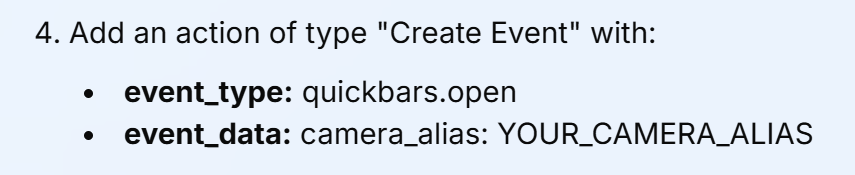
Alias for the cam is in place.
I can launch the quickbar from HA, but not the cam.
I did put in camera_alias, no go.
I can launch the cam from the popup quickbar.
@DreamT80
It sucks to hear… Another thing I’d try is to check HA logs if there’s some sort of block there, and maybe disable some of TCL Guard’s features (it’s not supposed to be related, but maybe some sort of memory/network optimization causes this).
There’s some information on TCL guard here in my website (look inside both “Can’t trigger a QuickBar…” sections), the rest I’m not so sure about (it came from user reports)
Yes I followed it exactly.
Named the cam “cam” in the app.
camera_alias: cam
when using just alias: quickbar
It does launch the Quickbar on screen
TCL Guard is not on installed.
Just seems odd I can launch the Quickbar, but not the Cam.
I’ve double checked everything. Well really the only thing that’s not working.
Which would be the camera alias. I deleted it and readded it. the name is cam in the alias field ???
When Accessibility is enabled for Quickbars, I cannot use long press for the volume buttons (long press does nothing). With Accessibility disabled, long pressing the volume keys adjusts the volume rapidly (as expected).
I haven’t mapped the volume keys in Quickbars.
P.S. An option to align entities (left/right/center) would be nice.
Thank you for this, I set it up this weekend without any issues and it is so nice to use the remote for things when something playing making it hard to talk to the voice assistant.
Going to keep tweaking things and seeing what all I can do, but so far everything I have tried is working great.
@Trooped another feature request is to have quick Bars open a menu where you can launch the Android TV Apps. That would be very useful. Make the app icons look like when opening a quick bar full of cameras.
@Trooped Thank you for a great program.
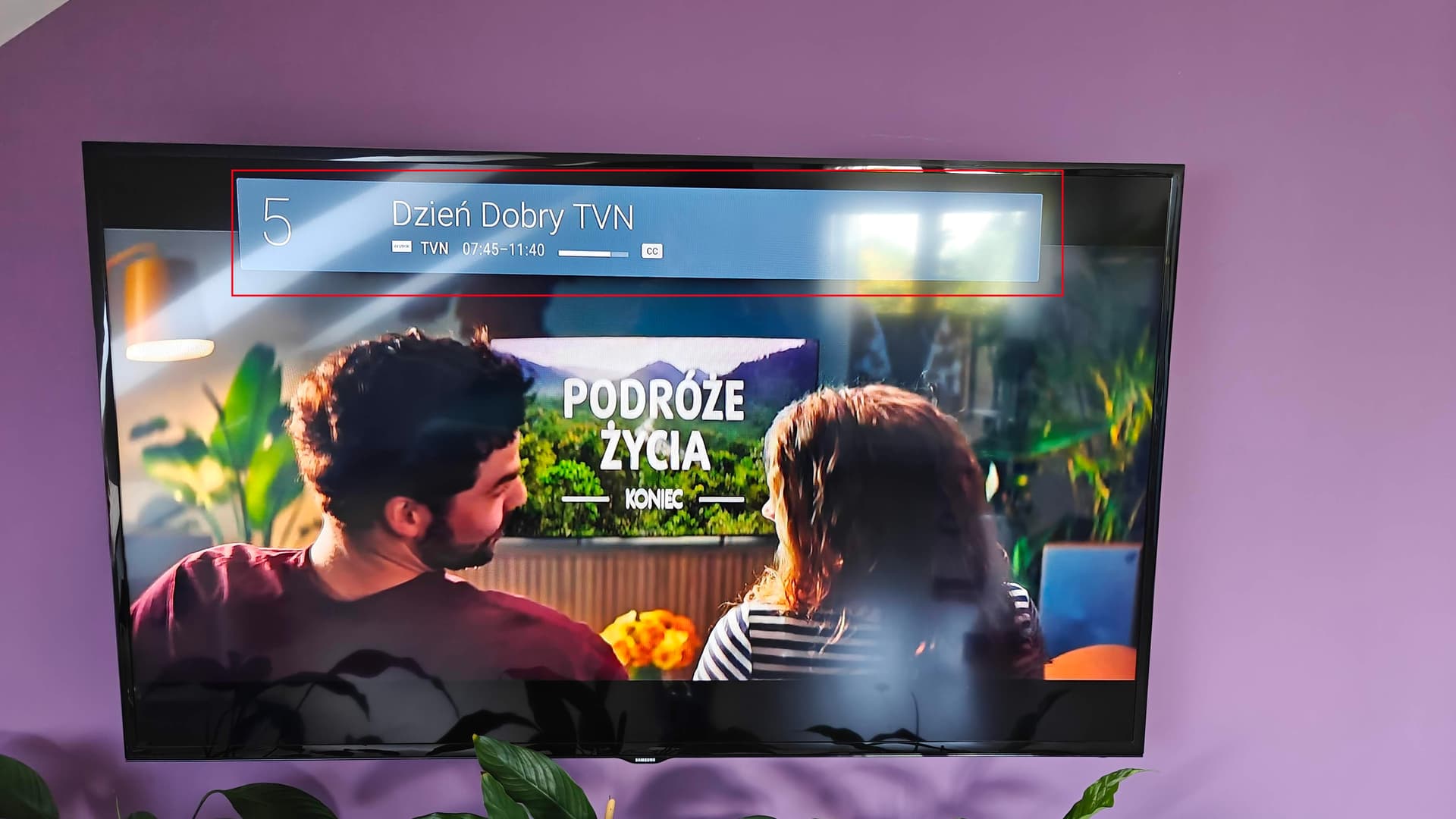
I’ve noticed a small issue. I use Live Channels to watch TV. When I switch channels, a banner with information about a specific channel appears, but then disappears after a few seconds.
When I enable the Accessibility service for QuickBars in Settings, the banner never disappears while watching TV in Live Channels (unless I physically press the BACK button on the remote). Is there any way to fix this?
@majdzik84
Hey, unfortunately that is a OEM quirk. This is a very specific functionality of how this TV works, and it doesn’t play nicely with my app.
I’d suggest that you create an accessibility shortcut / use my key remapping shortcut (since v1.2, you can long press 5 seconds on any Trigger Key you assigned to toggle remaps) to disable remaps, and only when needed - enable it beforehand.
@BlazoQ
Hey,
I’ve worked A LOT on this specific problem since a few people reported it. Unfortunately, that is definitely an OEM issue. The Trigger Key mechanism is written in a way that should prevent this problem, which happens on most TVs. A small fraction of TVs won’t play nice with it, and won’t let the user hold the volume buttons to increase/decrease volume. Unfortunately there isn’t something that can be done about it in the near future.
(for example, I have 4 Android TV devices in my house. 3 out of 4 devices have this feature you describe, with QuickBars installed and accessibility enabled on it. 1 out of 4 TVs doesn’t work with it).
@PrzemekSkw
Hey, the app is only available through the official Google Play Store, and anyways - the app’s core functionality doesn’t work on Amazon Fire TV, since it requires “show over other apps” permission, which Fire TV doesn’t have.
This isn’t a built-in app. Live Channel is an Android app, installed independently.
Unfortunately, disabling mapping by pressing the trigger button for 5 seconds didn’t help. I have to completely disable the Accessibility service for QuickBars in Settings to get everything back to normal
In that case - create an accessibility shortcut in settings. It’s a built-in way to disable/enable accessibility by clicking on 2 remote buttons at once.
@sysmoon
Hey, Thank you!
There are 2 possible problems:
You’re on version 1.1 of the app, update to 1.2
You’re on 1.2, but the scene appears as “greyed out”, and unclickable. In that case - activate it once (from HA) while the QuickBar is open, and it’s supposed to sort itself for later uses.