For the life of me, I can’t figure out the proper code for the San Antonio Spurs. Every other team works and someone above stated its SA. Tried that and got Not Found. Tried SAS, same thing. Anyone have the Spurs working?
It’s SA. But the API is not returning games for next season yat because the playoffs are still going on. You should get a result for IND and OKC.
Does the Team Tracker integration return results from the Club World Cup
Have a quick search…mentioned about 10 posts above…


First off, thanks again for creating and supporting TeamTracker.
Does it require displaying device to have internet access to work and not just wifi? I ask because it seems at least the team logos are downloaded from ESPN’s website. I try to restrict internet access to the display on my son’s wall. Is there a way to display them without internet access on the device or do I at least need to allow https://a.espncdn.com/i/teamlogos…?
Thanks.
I would imagine the download happens once … and it is cached and not redownloaded every time. Not sure 30 or so team logos kills your internet but that is your call
As you guessed, it needs internet access for the logos and minor functionality. Here’s how you can minimize it.
- Disable the card hotspots by setting Team, Opponent, and Bottom URL to
more-info - Turn off Show League or allow access to
https://a.espncdn.com/i/leaguelogosandhttps://a.espncdn.com/i/espn/misc_logos/500/ncaa.png - Allow access to
https://a.espncdn.com/i/teamlogosfor team logos. - Allow access to
https://a.espncdn.com/i/headshotsfor athlete headshots. - Allow access to
https://cdn-icons-png.freepik.com/512/9706/9706583.pngfor uknown athletes.
As the prior post says, you probably only have to do this once and then they will be cached, but I’ve never tried it to confirm and don’t know how long they would remain in cache.
It seems I don’t have the ability to do this with my router; I can only block all internet or block specific sites. I created a custom filter in AdGuard that applies to only that client. It blocks all internet access except for the address for these images. It appears to be working correctly. Thanks again.
One of the most popular requests has been a way to return all the matches for a soccer team across all of the leagues and tournaments they play in.
Github user rad1n5ky discovered that using all as the value for league_path when setting up a custom configuration and with the team_id set to the unique ESPN 3 or 4 digit Team ID will pull back all matches for the team across all leagues and tournaments.
Thanks to user rad1n5ky for the great find!
Details at the link.
I am trying to hide teams/sports that have the “not_found” state but my conditional card is not hiding the team. Any idea what I am doing wrong and how I might adjust my yaml coding?
type: conditional
conditions:
  - condition: state
    entity: sensor.dubs
    state_not: NOT_FOUND
card:
  type: custom:teamtracker-card
  entity: sensor.dubs
There is nothing obviously wrong that I can see. Are you sure the state is NOT_FOUND?
If so, have you tried using the Visibility tab for the card instead of the Conditional Card itself?
Otherwise I’d try redownloading the Conditional Card.
Maybe someone else sees something I am missing.
Tried the visibility card. No luck.
type: custom:teamtracker-card
entity: sensor.dubs
show_timeouts: false
show_rank: false
visibility:
  - condition: state
    entity: sensor.dubs
    state: NOT_FOUND
Nope. I tried all kinds of stuff and can’t get there.
This works for me.
type: conditional
conditions:
  - condition: state
    entity: sensor.zui_test00
    state_not: NOT_FOUND
card:
  type: custom:teamtracker-card
  entity: sensor.zui_test00
Thanks, me too.
Not sure if anyone else would want this, but posting just in case. It uses the TeamTracker sensors.
The Android app allows you to create widgets using items in HA. I didn’t always want to open the app and change screens to see sports scores.
So, I created a template widget on my phone. It is good for one team at a time. I use an input_select helper to pick the team I want it to display. You can list your favorite team from each sport. Then just change the input_select when seasons change.
ETA: The items in the input_select are the full sensor names, such as …
sensor.texas_rangers
sensor.dallas_cowboys
sensor.dallas_stars
etc.
Long press on your screen, choose widgets, scroll to HA and select the Template widget. Paste the following into the template
{%- set team = states('input_select.phone_team') -%}
{%- set output = '' -%}
{%- if states(team) != 'NOT_FOUND' -%}
  {%- set output = output + '<p style="text-align: center"; "font-weight: bold">' -%}
  {%- set starttime = as_datetime(state_attr(team, 'date')).astimezone().strftime('%a %-I:%M %p') -%}
  {%- set enddate = as_datetime(state_attr(team, 'date')).astimezone().strftime('%b %e') -%}
  {%- set break = enddate + ' Final' if states(team) == 'POST' else (state_attr(team, 'clock') | string) -%}
  {%- if state_attr(team, 'team_homeaway') == 'home' -%}
    {%- set hometeam = state_attr(team, 'team_abbr') -%}
    {%- set awayteam = state_attr(team, 'opponent_abbr') -%}
    {%- set homescore = state_attr(team, 'team_score') -%}
    {%- set awayscore = state_attr(team, 'opponent_score') -%}
    {%- set homerecord = state_attr(team, 'team_record') -%}
    {%- set awayrecord = state_attr(team, 'opponent_record') -%}
  {%- else -%}
    {%- set hometeam = state_attr(team, 'opponent_abbr') -%}
    {%- set awayteam = state_attr(team, 'team_abbr') -%}
    {%- set homescore = state_attr(team, 'opponent_score') -%}
    {%- set awayscore = state_attr(team, 'team_score') -%}
    {%- set homerecord = state_attr(team, 'opponent_record') -%}
    {%- set awayrecord = state_attr(team, 'team_record') -%}
  {%- endif -%}
  {%- set output = output + awayteam + ' @ ' + hometeam -%}
  {%- if states(team) == 'PRE' -%}
    {%- set output = output + '<br>' + awayrecord + ' - ' + homerecord + '<br>' + starttime -%}
  {%- else -%}
    {%- set output = output + '<br>' + break + '<br>' + awayscore + ' - ' + homescore -%}
  {%- endif %}
  {%- set output = output + '</p>' -%}
{%- endif -%}
{{ output }}
I set the text size to 35, theme to transparent, and text color to white.
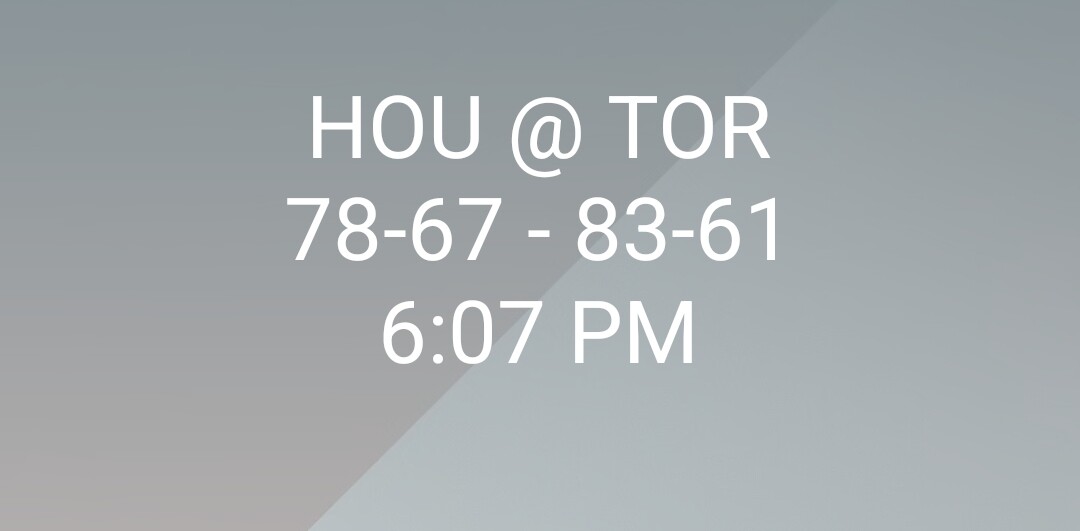
Before a game starts, it looks like
While the game is playing, it looks like

End of game is

Hope it is useful to someone.
I made a change from figuring out the sport and using quarters to calculate innings/quarters/period to using the clock attribute which I think does all of that for us. Code changed above. New screen shot posted.
Added %a to starttime in the code above to get the three letter day too. Just time was fine for baseball as we only see what is happening today. But, not for football. I could have used the clock attribute there too. But, I want it local time and wanted the day as opposed to date.
This is very cool, thank you for sharing!
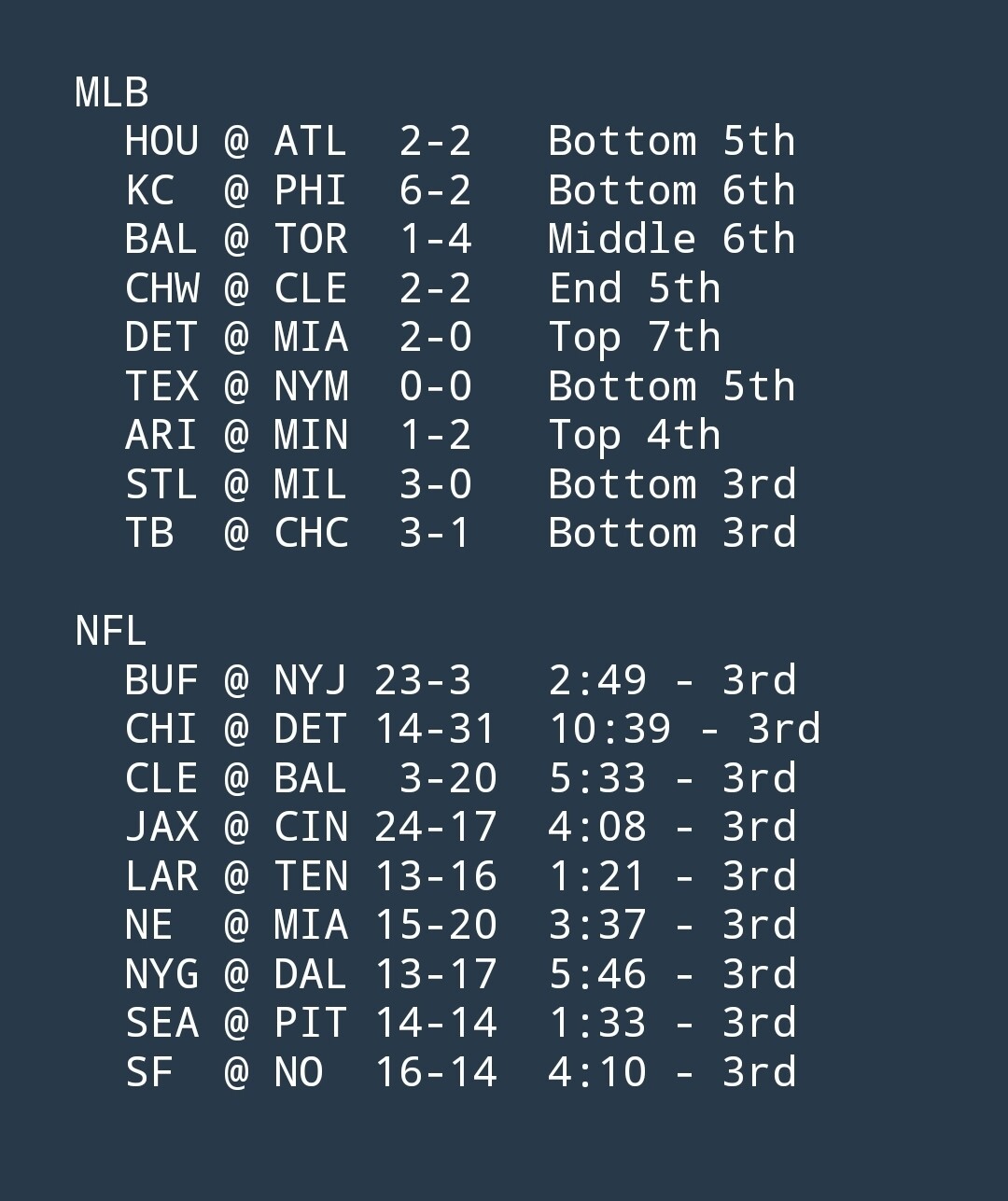
Here is another widget. It shows all of your TeamTracker sensors that are currently playing. So, they have a state of ‘IN’. It groups the games by league and sorts by the date attribute (start time of the game).
Widget text size of 18 seems to work on my phone.
{{ '<p style="text-align: start"; "font-weight: bold"><tt>' }}
{%- set ns = namespace(holdleague='') -%}
{%- set teams = integration_entities("teamtracker") | expand | selectattr('state', 'eq', 'IN') | selectattr('attributes.team_homeaway', 'eq', 'away') | sort(attribute='attributes.league,attributes.date,attributes.team_abbr') | map(attribute='entity_id') | list -%}
{%- for team in teams -%}
{%- if state_attr(team, 'league') != ns.holdleague -%}
{{ '' if loop.first else '<br>' }}
{%- set ns.holdleague = state_attr(team, 'league') %}
{{ state_attr(team, 'league')~'<br>' }}
{%- endif %}
{%- set teamscore = (' ' if state_attr(team, 'team_score') | length < 2 else '')~state_attr(team, 'team_score') %}
{%- set opponentscore = state_attr(team, 'opponent_score')~(' ' if state_attr(team, 'opponent_score') | length < 2 else '') %}
{%- set teamabbr = state_attr(team, 'team_abbr')~(' ' if state_attr(team, 'team_abbr') | length < 3 else '') %}
{%- set opponentabbr = state_attr(team, 'opponent_abbr')~(' ' if state_attr(team, 'opponent_abbr') | length < 3 else '') %}
{{ ' '~teamabbr~' @ '~opponentabbr~' '~' '~teamscore~'-'~opponentscore~' '~state_attr(team, 'clock') | replace('Rain Delay', 'RD) | replace('Delayed', 'Del)~'<br>' }}
{%- endfor %}
{{ '</tt></p>' }}
And it looks like
Yes, I am driving my wife nuts with my new toy … HA Widgets 
I added | replace('Rain Delay', 'RD) to the clock output as Rain Delay went too long and wrapped the line.
I added ’ | replace(‘Delayed’, ‘Del)’ after the Rain Delay replace today. The TB @ BAL had that today and it also wrapped the line.
I’ve been using this integration for a few months and it works great, but I’ve notice that when my team is playing the next day, at midnight it triggers an automation based on the score changing. I’m assuming this is because the game date changes which then enters the scores as 0-0 (I haven’t checked this out fully). I can’t find an attribute that is “In Progress” or something like that that I can use as a condition. Is there such a thing?