I figured out how to use REST. Now figuring out the attributes part.
rest.yaml file
##   ReefDose4-A
#  All Heads
  - authentication: basic
    scan_interval: 43200
    resource: http://192.168.40.99/dashboard
    sensor:
      - name: "rsdose4-a"
        unique_id: "rsreefdose4a"
        json_attributes_path: "$.heads"
        value_template: "OK"
        json_attributes:
          - "1"
          - "2"
          - "3"
          - "4"

  - authentication: basic
    scan_interval: 43200
    resource: http://192.168.40.99/supplement
    sensor:
      - name: "rsdose4-a_head_1_container_supplement"
        unique_id: "88c8172f-a6f7-4a2c-a04e-2feae71c22b6"
        json_attributes_path: "$.[0]"
        value_template: "Head 1 Container/Supplement"
        json_attributes:
          - "container_volume"
          - "supplement"
Within the configuration.yaml to template the sensors:
template:
  - sensor:
      - name: "RSDoserA-Head1-RemainingVolume"
        unique_id: "e4e75806-75ee-46e8-b0ee-38bc583ab247"
        state: "{{ state_attr('sensor.rsdose4_a_head_1_container_supplement','container_volume') | float }}"
      - name: "RSDoserA-Head1-DaysRemaining"
        unique_id: "a0e22ba9-67d2-4e50-8204-b3488ee79acd"
        state: "{{ state_attr('sensor.rsdose4_a','1')['remaining_days'] | float }}"
These events seems to work on the lights.
Are there others in your decompilation? In particular, anything that might be a command URL?
I have my own Mosquito server running, I’d be happy if I could trigger the lights to use that for control.
I’ve added the dumps of the authentication part in the cloud (get access_token: Reverse engineering the Cloud API · gjongenelen/reefbeat-homeassistant Wiki · GitHub
POST https://cloud.reef-beat.com/oauth/token
Payload:
grant_type: password
password:   {{YOUR_PASSWORD}}
username:   {{YOUR_USERNAME/EMAIL}}
Response:
{
    "access_token": "...",
    ...
    "refresh_token": "...",
    ...
}
Hey Team,
I’m also interested in creating an integration with the ReefBeat app, would love to be involved in reverse engineering the APIs - I tried to setup a MitM but didn’t get a lot of success, I did get the same list of APIs mentioned here but not having success creating the AuthN/Z token and the one I can pull out is only short-lived, so I’m curious @g1n0 if your method is still working?
Hello. Nice thread. I was struggling to integrate my doser.I am a bit confused about the different uid that you have on rest and conf file. Are 2 different dosers?
TIA
I get this
This entity is no longer being provided by the template integration. If the entity is no longer in use, delete it in settings.

At that time, only one doser. I have two now. Anyway, my understanding was each uid had to be unique.
Can you provide a copy of your code? There is a LOT of yaml to write for this! 
#  All Heads
  - authentication: basic
    scan_interval: 43200
    resource: http://***.***.*.**/dashboard
    sensor:
      - name: "rsdose4-a"
        unique_id: "rsreefdose4a"
        json_attributes_path: "$.heads"
        value_template: "OK"
        json_attributes:
          - "1"
          - "2"
          - "3"
          - "4"

  - authentication: basic
    scan_interval: 43200
    resource: http://***.***.*.**/supplement
    sensor:
      - name: "rsdose4-a_head_1_container_supplement"
        unique_id: "7d88888c-fde0-88d4-882a-dc666666acb"
        json_attributes_path: "$.[0]"
        value_template: "Head 1 Container/Supplement"
        json_attributes:
          - "container_volume"
          - "supplement"
          - "short_name"
          - "total_volume"
config
#REDSEA DOSER


  - sensor:
      - name: "RSDoserA-Head1-RemainingVolume"
        unique_id: "7d88888c-fde0-88d4-882a-dc666666acb"
        state: "{{ state_attr('sensor.rsdose4_a_head_1_container_supplement','container_volume') | float(0) }}"
      - name: "RSDoserA-Head1-DaysRemaining"
        unique_id: "7d88888c-fde0-88d4-882a-dc666666acb"
        state: "{{ state_attr('sensor.rsdose4_a','1')['remaining_days'] | float }}"
      - name: "RSDoserA-Head1-TotalVolume"
        unique_id: "7d88888c-fde0-88d4-882a-dc666666acb"
        state: "{{ state_attr('sensor.rsdose4_a','1')['total_volume'] | float }}"
I’m very interested in this topic and thought of contributing by ading my first post to the HA community and sharing some code.
I like the nice work @raz77281 and will add this to my config aswell!
Did anyone perhaps made some progress on the ReefLED endpoints?
I’ve tested the \dashboard endpoint on the RS ATO+ which came back with some information. Created the following REST yaml
rest:
  - resource: http://***.***.***.***/dashboard #RSATO+
    sensor:
      - name: ATO pomp actief
        icon: mdi:pump
        unique_id: "rsATO_is_pump_on"
        value_template: "{{ value_json['is_pump_on'] }}"
      - name: ATO Osmosewater
        icon: mdi:air-filter
        unique_id: "rsATO_volume_left"
        value_template: "{{ value_json['volume_left'] }}"
        device_class: volume_storage
        unit_of_measurement: "L"
      - name: ATO Temperatuur
        icon: mdi:thermometer
        unique_id: "rsATO_ato_sensor_current_read"
        value_template: "{{ value_json['ato_sensor']['current_read'] | round(2) }}"
        device_class: temperature
        unit_of_measurement: "°C"
      - name: ATO Waterniveau
        icon: mdi:waves
        unique_id: "rsAto_ato_sensor_current_level"
        value_template: "{{ value_json['ato_sensor']['current_level'] }}"
      - name: ATO Waterlekkage
        icon: mdi:water-alert
        unique_id: "rsAto_leak_sensor_status"
        value_template: "{{ value_json['leak_sensor']['status'] }}"
I believe I see your issue. each unique_id must be unique. It is not used as a reference. Only the name is used as the reference. Also, it will convert the “-” to “_” if I remember correctly.
Anyway, for each sensor name, use a unique ID. I could have used a UID in the first section of the rest.yaml piece I had in here. Give it a shot.
For who is interested, i found an additional endpoint (…/manual) for RSLED. Created following Rest yaml and added it to my aquarium dashboard.
- resource: http://***.***.***.***/manual #ReefLED 90 - Right
  sensor:
    - name: "rsled_right"
      unique_id: "rsLed_manual_right"
      value_template: >
        {% if value_json['white'] == 0 and value_json['blue'] == 0 and value_json['moon'] == 0 %}
          Off
        {% else %}
          On
        {% endif %}
      json_attributes:
        - "white"
        - "blue"
        - "moon"
        - "fan"
        - "temperature"

That is excellent - does it seem to correlate to a control API at all?
Yes it does, light value change in the ReefBeat app are updated almost at instant in HA. Temperature and Fan speed however are not shown in the ReefBeat app and the on/off state i calculate within the REST value template.
I’ll play with whether I can send a command to the device on this endpoint. How did you find it, proxy? Maybe I’ll set up a proxy in my local network and see what calls come through.
Thank you. I’ma buy you a beer:
curl -i -X POST -H 'Content-Type: application/json' -d '{"white": 0, "blue":100, "moon": 0 }' http://xx.xx.xx.xx/manual
This works to set the light to manual mode. It does not seem to respond to fan commands. In the app, the manual mode reverts after some time, and I haven’t done the proxy thing to see if there is an additional control to set that.
THIS is what I have been looking for since the very beginning.
 Within the app i saw some similarities in doser endpoints. I tried some with the led and /manual worked. Also /acclimation comes back with data, the other options don’t. So no proxy, just a lucky guess.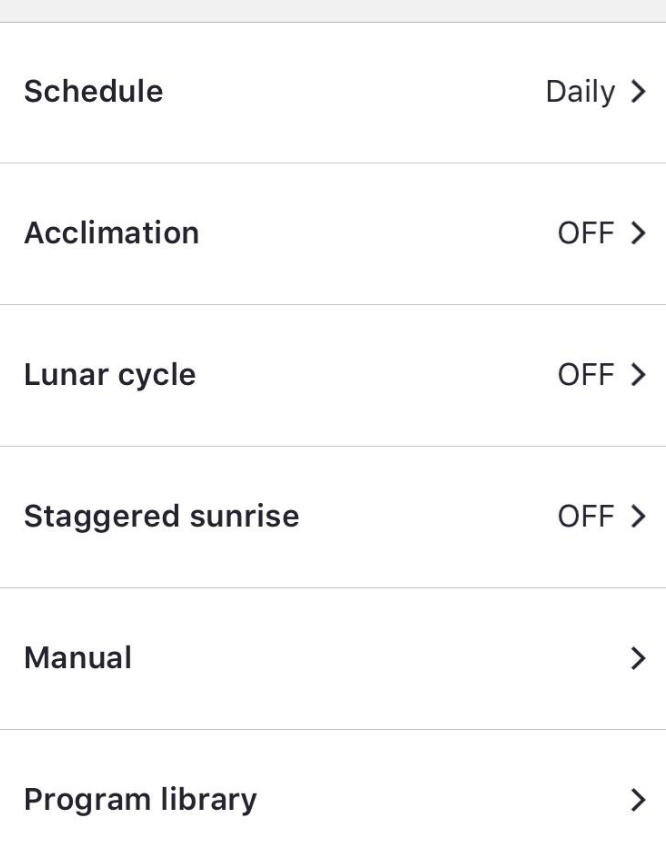
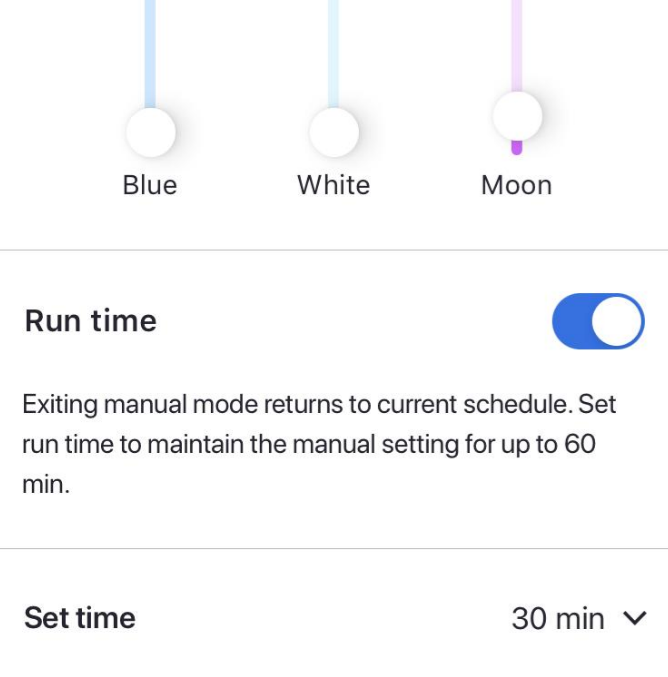
Than you for your time.
No matter what i do (obviously wrong) i can"t bring information in HA.
Hi @raz77281, strange that you don’t get any information in HA. I’ve more or less copied you code and it works for me. I did however remove the ‘authentication’ and ‘scan_interval’.
Just to check if you get results, can you try and copy the resource URL in your webbrowser and see if it gets back with data?
Code used:
- resource: http://***.***.***.***/dashboard #ReefDose4
  sensor:
    - name: "RSDose Heads"
      unique_id: "rsdose_heads"
      json_attributes_path: "$.heads"
      value_template: "{{ value_json['is_active'] }}"
      json_attributes:
        - "1"
        - "2"
        - "3"
        - "4"
    - name: "RSDose Head1"
      unique_id: "rsdose_head_1"
      json_attributes_path: "$.heads.1"
      value_template: "{{ value_json['heads']['1']['state'] }}"
      json_attributes:
        - "supplement"
        - "auto_dosed_today"
        - "doses_today"
        - "daily_dose"
        - "remaining_days"
        - "stock_level"
        - "recalibration_required"
Representation in HA:

Nice.This is the rest.yaml right?
Can you share your config yaml to ?