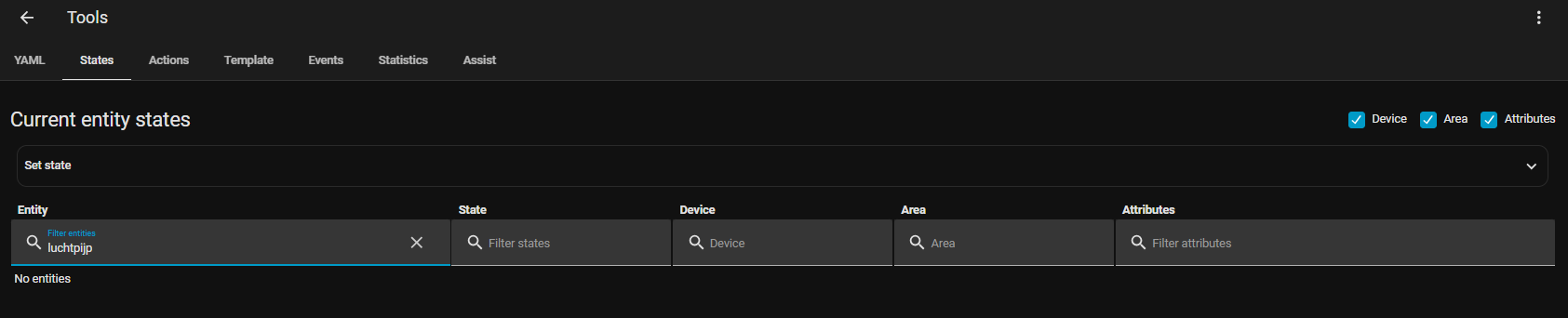
123
June 14, 2026, 3:09pm
21
You are using !include_dir_list so the contents of luchtpijp.yaml should appear as a list.
Add a leading hyphen to the first line as shown in the example below. In addition, it should not contain platform: rest because that's a different way to configure a REST sensor .
- resource: http://xxx.xxx.xxx.xxx/data.json
  scan_interval: 30
  sensor:
  - name: "luchtpijp_software_version"
    value_template: '{{value_json["software_version"]}}'
  - name: "luchtpijp_temperature"
    value_template: '{{value_json["sensordatavalues"][2]["value"]}}'
    unit_of_measurement: °C
    icon_template: mdi:home-thermometer-outline
  - name: "luchtpijp_humidity"
    value_template: '{{value_json["sensordatavalues"][3]["value"]}}'
    unit_of_measurement: '%'
    icon_template: mdi:water-percent
mmstano
June 14, 2026, 3:09pm
22
If that last code block is a true copy pasta, then you're missing indentation on each sensor, as well.
123
June 14, 2026, 3:12pm
23
For the YAML processor, all of these examples are correct:
- resource: http://xxx.xxx.xxx.xxx/data.json
  scan_interval: 30
  sensor:
  - name: "luchtpijp_software_version"
    value_template: '{{value_json["software_version"]}}'
- resource: http://xxx.xxx.xxx.xxx/data.json
  scan_interval: 30
  sensor:
    - name: "luchtpijp_software_version"
      value_template: '{{value_json["software_version"]}}'
- resource: http://xxx.xxx.xxx.xxx/data.json
  scan_interval: 30
  sensor:
      - name: "luchtpijp_software_version"
        value_template: '{{value_json["software_version"]}}'
mmstano
June 14, 2026, 3:14pm
24
I didn't realize that. I thought the 2 spaces indentation rule applied across the board. Good to know. Thanks.
123
June 14, 2026, 3:17pm
25
It's a common convention, mostly for stylistic reasons. I use it as well but not when cumulative indentation pushes everything far to the right, like in a choose.
After some attempts still no luck
- resource: http://xxx.xxx.xxx.xxx/data.json
  scan_interval: 30
  sensor:
  - name: "luchtpijp_software_version"
    value_template: '{{value_json["software_version"]}}'
  - name: "luchtpijp_temperature"
    value_template: '{{value_json["sensordatavalues"][2]["value"]}}'
    unit_of_measurement: °C
    icon_template: mdi:home-thermometer-outline
  - name: "luchtpijp_humidity"
    value_template: '{{value_json["sensordatavalues"][3]["value"]}}'
    unit_of_measurement: '%'
    icon_template: mdi:water-percent
No further configutation errors
petro
July 28, 2026, 7:59pm
27
You have to restart after adding things to yaml, and show us how you are looking for the entities.
Smeagel21
September 1, 2026, 5:47pm
28
Multiple restarts and update/upgrades.
petro
September 1, 2026, 7:51pm
29
You’re going to have an error then. Post your entire configuration.yaml and any included files.
Smeagel21
September 1, 2026, 8:35pm
30
configuration.yaml:
---
#
# The configuration.yaml is only used to bootstrap the system.
#
homeassistant:
  # Load packages
  packages: !include_dir_named integrations
# IMPORT STATISTICS
import_statistics:
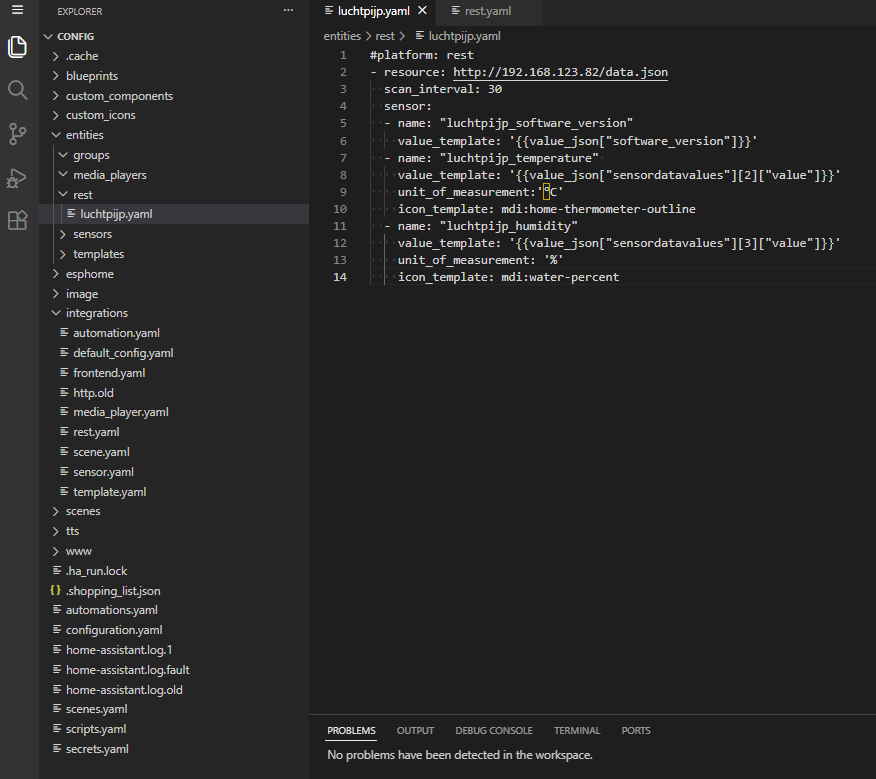
In the Integrations directory there is rest.yaml:
rest: !include_dir_list ./entities/rest
In the “entities” directory there is a subdirectory “rest” which contains the luchtpijp.yaml:
#platform: rest
- resource: http://xxx.xxx.xxx.xxx/data.json
  scan_interval: 30
  sensor:
  - name: "luchtpijp_software_version"
    value_template: '{{value_json["software_version"]}}'
  - name: "luchtpijp_temperature"
    value_template: '{{value_json["sensordatavalues"][2]["value"]}}'
    unit_of_measurement:'°C'
    icon_template: mdi:home-thermometer-outline
  - name: "luchtpijp_humidity"
    value_template: '{{value_json["sensordatavalues"][3]["value"]}}'
    unit_of_measurement: '%'
    icon_template: mdi:water-percent
To make it visual:
petro
September 2, 2026, 10:38am
31
That looks correct, there should be an error in your logs if the entity isn’t created. Unfortunately, there’s nothing else we can go off here.
It may be worthwhile just to put the configuration in configuration.yaml directly without the includes to see if that’s your issue.
 ; there are still no sensors showing up in HA.