Hello Erik. I received my unit about 2 months ago and finally had a chance to connect it up. I am getting these errors via MQTT.
Loading log…
2025-06-28 16:35:50: New connection from 192.168.93.76:64575 on port 1883.
2025-06-28 16:35:50: Client SaltSentry disconnected, not authorised.
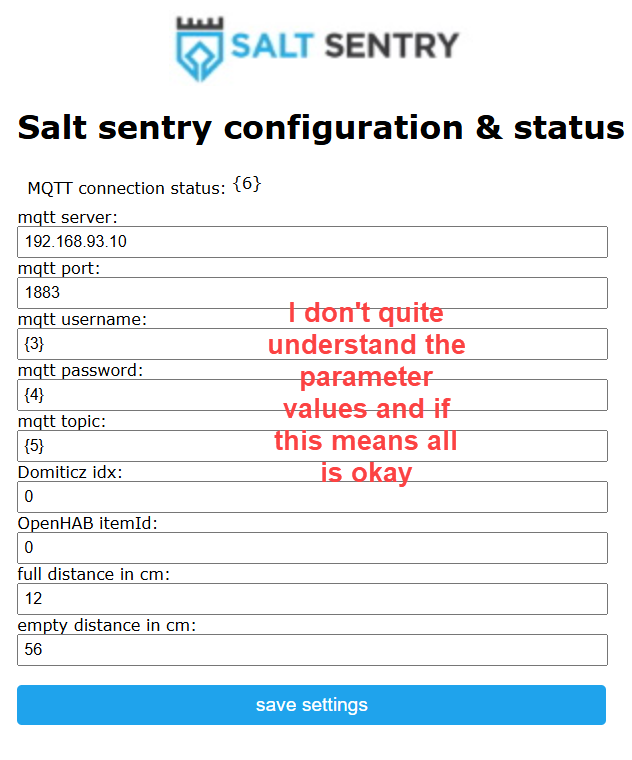
I am positive about the MQTT username and password as I can connect via MQTT Broker with the same credentials. I wonder about that ClientID “SaltSentry”. See below the configuration page. Any pointers?
It seems like something wend wrong, in the fields username, password and topic, you should see the actual values you filled in, so unless you changed them to take the screenshot, you might want to try to fill them in again.
If that does not work right away, you might to do a factory reset and then try again.
Thank you for the suggestions. I now have twice tried a factory reset without success. Meaning, I get back to the same situation. I am new to ESPHome. But is there a way to do a diagnostic at that level?
ESPHome is a different way to use the Salt sentry— that’s also a perfectly good option! But if you’re using ESPHome, the setup is entirely different and the manual doesn’t apply. You can use this ESPHome example config: ESPHome.yaml
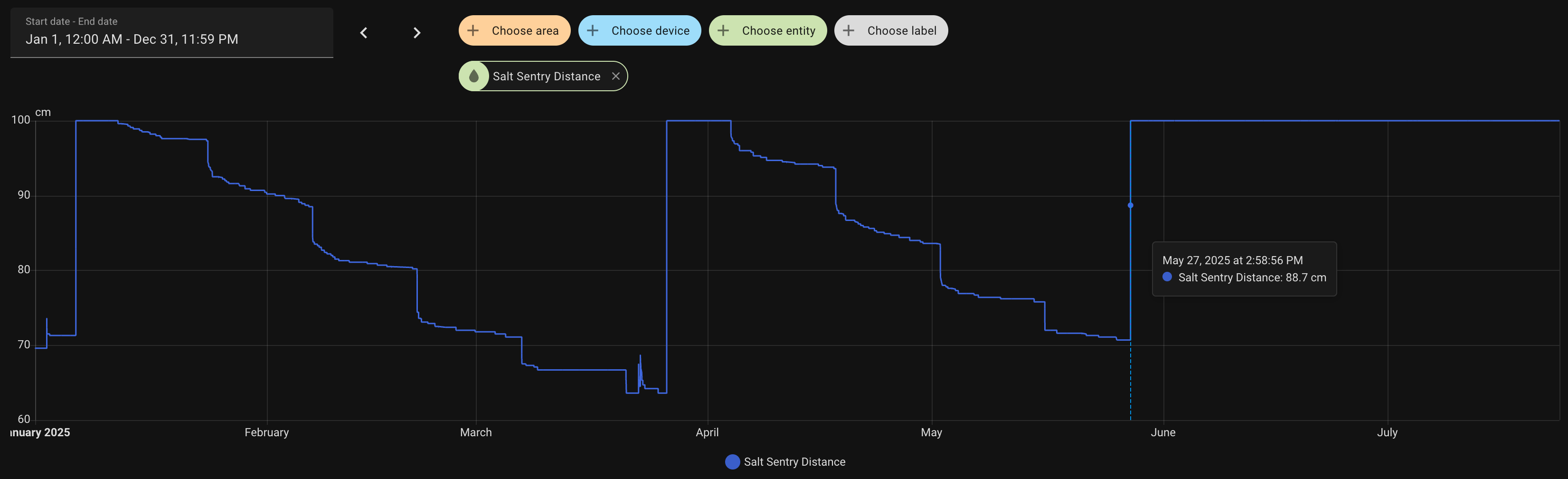
I’ve been using a Salt Sentry for a while and it’s been fine, apart from some power cycling every now and then when it would stop reporting for some reason.
Recently it reports flat 100%, even though the salt is being used and inside the brine tank the level drops as usual.
Here’s some stats so you can see how it was trending, and how it is now:
Possible bug when setting the distances. I set the Empty distance to 64.135.
When setting the distance with more than 2 decimal places it seems to wig out the interface. Sometimes after reloading the full and empty distances will have extra numbers with "} appended. When the Empty had the 3 decimal places I could not edit the full distance, it kept defaulting to 5.
Once I changed the empty to 64.14, I was not seeing the funny characters and was able to edit the full distance.
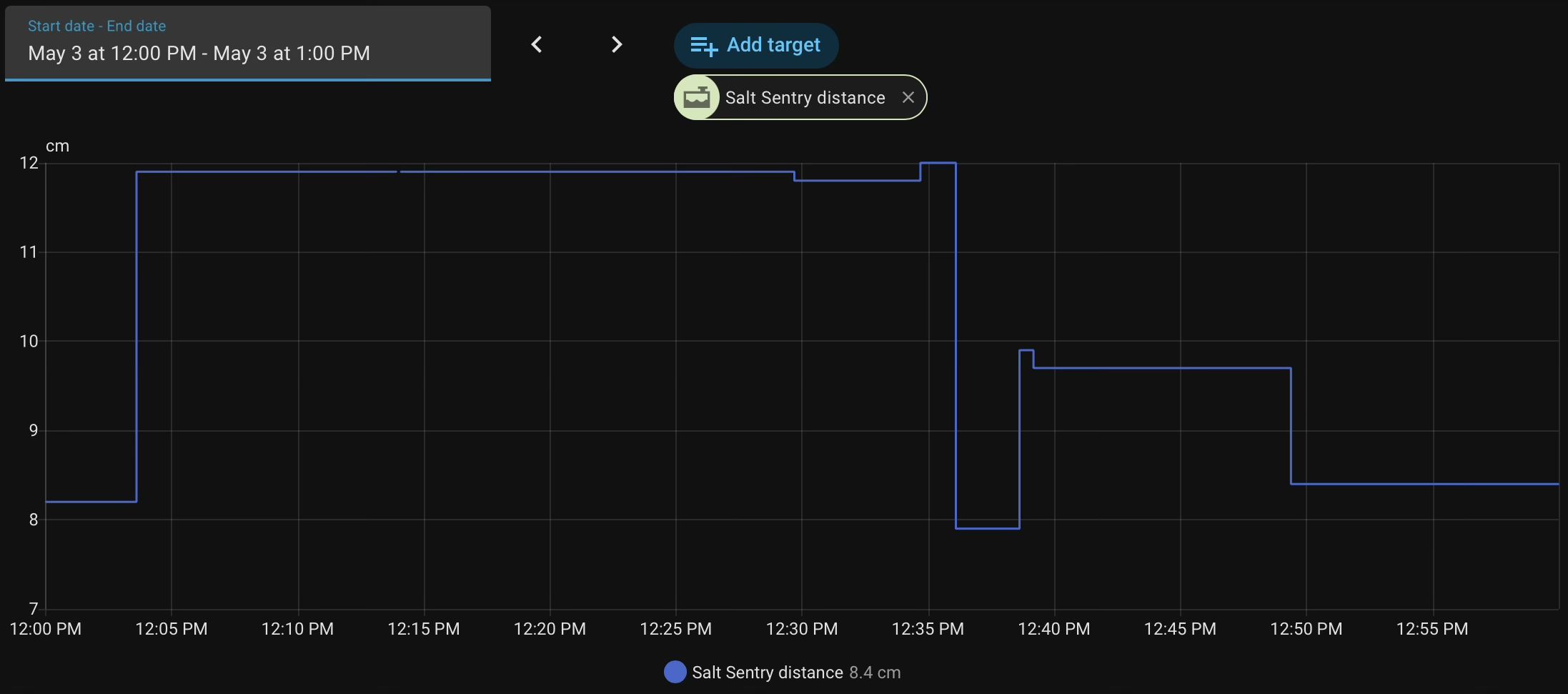
Not that I have that figured out, the distances I’m getting back is not right. I had it setup in the Kitchen and seemed to be working just fine. Now that it is mounted in the tank, the distances seem to be off. Tank is currently Empty and it is reporting that it’s only 7.9cm. It should be closer to that 64cm.
12:03 Putting the lid back on and figuring out the decimal place issue.
12:39 Seeing that its not right and taking the lid off again pointing it across the room
12:50 putting lid on.
The issue with more than 2 decimal places sounds indeed like a UI/config parsing bug. I’ll take that into account for a future firmware update, but for now I’d recommend sticking to 1–2 decimals (higher precision probably isn’t really useful for the use case anyway).
Regarding the incorrect distance (7.9 cm vs ~64 cm), it’s hard to say where that comes from.
Could you share what type of water softener you have and what kind of salt you’re using (pellets, crystals, tablets, etc.)? That can make a difference.
Feel free to send me a DM if you want to troubleshoot further
I has it setup on the kitchen counter and it seemed to be okay. I mounted it to the top of the lid of my brine tank. I've pointed it across the room vs in the tank and the value changes, but not anywhere close to the distance it should be, it only changes a cm or few. The salt tank is the rock salt type. The task has one back of salt in it , so it's not just water at the bottom.
I was assuming that the distance it just raw distance and nothing to do with the distance to full/empty, that the Full Empty distances were to calculate the percent value.
I do have VSCode setup on my Mac. I have not tried connecting to it.
I’ve been selling the Salt sentry for a few years now, and thanks to everyone who bought one, gave feedback or shared their setup here.
I finally found the time to write a completely new firmware, and a lot has changed:
New firmware:
Completely rewritten firmware with much better UI and more options.
Support for cm and inches
OTA firmware updates
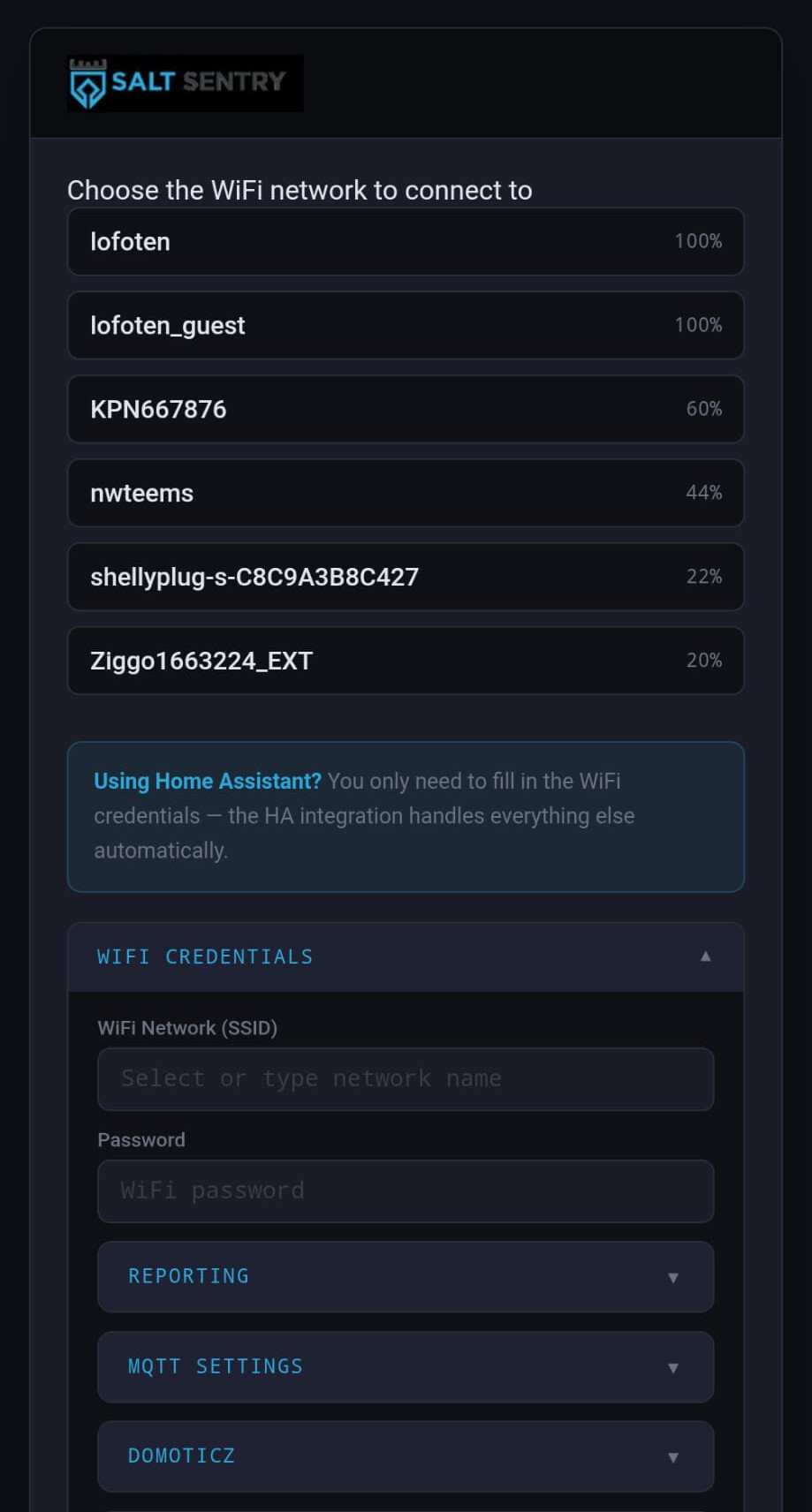
Softener presets. Pick your water softener model from a dropdown and it fills in the Full and Empty distances for you.
Live calibration. The config page and setup portal show the current live reading. You can set the Full and Empty distances from it, apply a calibration offset, and get validation feedback on the values you enter.
Stability fixes. These include a persistent WiFi connection, a persistent HTTP client (no more dropped connections), and low-heap page rendering.
Wow, just stumbled on this news randomly; this is such an awesome update.
I’ve been having issues with my old saltsentry where connectivity and other items led me to just ignore it over the years. The salt tank we have made it so mounting and measurements were very imprecise, and because it’s on the edge of our wifi, it was troublesome to tinker with the settings because connectivity was unreliable in our environment.
It’s a small change, but the new “current reading” function is a significant improvement for usability. I just updated it two days ago. Thanks to being able to configure the measurements in realtime, the readings are already much more accurate than they’ve ever been.
Hi Erik, thanks for the new firmware and integration, keen to move my older unit across.
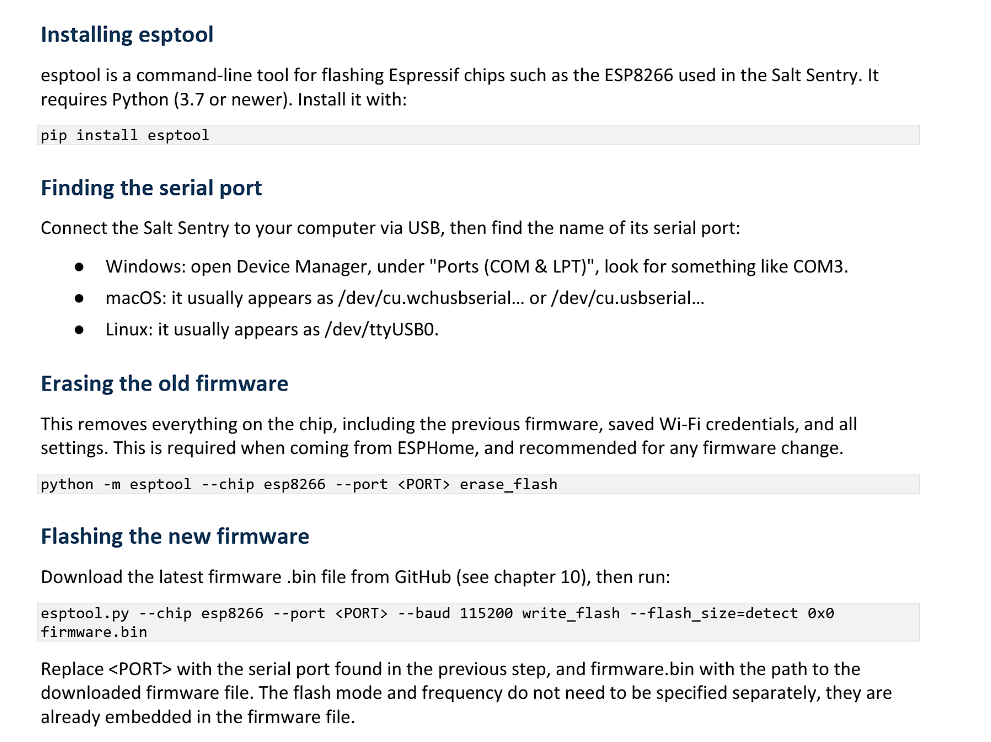
My board is a V2.1 (W318891AXZ25), still on firmware 0.1.0. I’ve been trying the chapter 11 USB upgrade with esptool 5.5.0 on Windows 11, using the WCH CH340 driver (it shows as COM3) and a known data cable.
esptool can’t connect (“Serial data stream stopped: Possible serial noise or corruption”). With --trace, every byte esptool sends comes straight back: the sync packet is echoed exactly. I checked with a simple serial test:
Whatever I send is echoed back, whether DTR/RTS have the chip running, held in reset, or anything in between.
The ESP never sends anything itself, not even the 74880 baud boot message after a reset, and nothing at 115200 while the firmware is running.
RTS does reset the chip (it drops off Wi-Fi and comes back), so the reset wiring works.
So the module’s TX doesn’t seem to reach the CH340 at all, while the CH340’s TX loops back to its own RX. Is V2.1 flashable over USB, or is there a jumper, pad or button sequence I’m missing? If it’s a board issue, which of R6 / R10 should I check?
The unit works fine otherwise (MQTT, readings OK).
Which method are you using for the firmware update? Arduino or Python?
I had trouble getting the update to work in windows so I spun up a linux image and used the python method outlined in the latest manual (labeled v1.0). Worked smoothly after that:
Thanks @silencery, that did it! Turns out the problem was never Windows. My earlier attempts all failed at the very first handshake with esptool echoing everything back, which looked like a board fault, but with a different USB cable/port it connected first time. So most likely a dodgy cable or connection all along.
Followed the manual’s Python method on Windows: erase_flash, then write_flash at 115200 with 0x0 salt_sentry.bin. Flashed and verified fine, and it’s now booting v1.0.0 with the sensor reading OK. Tip for anyone else stuck on “Serial data stream stopped”: try another cable (plenty are charge-only or flaky) and plug straight into the computer, not a hub.