Perfect that’s what I was looking for. Thanks a lot
Hi everyone, I am using this awesome integration for over a year now. Thanks for creating and maintaining it.
Just recently, I discovered a small “issue”. During the night, when my battery is empty, the inverters AC power is negative (~ -80W) which leads to the problem that my house energy draw is calculated incorrectly (with a difference of ~ -80W  ). For the calculation of the house energy consumption I am following the docs:
          {% set i1_ac_power = states('sensor.solaredge_i1_ac_power') | float(0) %}
          {% set m1_ac_power = states('sensor.solaredge_m1_ac_power') | float(0) %}
          {% if (i1_ac_power - m1_ac_power <= 0) %}
            0
          {% else %}
            {{ (i1_ac_power - m1_ac_power) }}
          {% endif %}
How are you solving this problem or is it me not understanding/interpreting the values correctly?
I appreciate any help. Thanks a lot in advance.

Hey Guys!
Thanks for all the good inputs from all of you!
i am running the Modbus Multi integration and this works fine, but i have some troubles with the correct configuration for the energy dashboard.
my installation is different than the described ones here, i have 0 batteries but 2 inverters (i1 and i2) and a meter wich is connected to i1 (i1_m1). i took the good energy.yaml from @SgtBatten but i am struggling to add the second inverter in the calculations… can someone help me with this?
      - name: "Solar Panel Production W"
        unique_id: solar_panel_production_w
        unit_of_measurement: "W"
        icon: mdi:solar-power
        state: >
          {% if states('sensor.solaredge_i1_dc_power') | float(0) + ('sensor.solaredge_i2_dc_power') | float(0) <= 0 %}
            0
          {% elif is_state('sensor.solaredge_i1_dc_power', 'unknown') %}
            0
          {% else %}
            {{ states('sensor.solaredge_i1_dc_power') | float(0) + ('sensor.solaredge_i2_dc_power') | float(0)}}
          {% endif %}
is this correct in my setup?
and next problem for me is “Solar Panel To House W”
How should this look like with the second inverter integrated?
      - name: "Solar Panel To House W"
        unique_id: solar_panel_to_house_w
        unit_of_measurement: "W"
        icon: mdi:solar-power
        state: >
          {% if states('sensor.solaredge_i1_m1_ac_power') | float(0) > 0 %}
            {{(states('sensor.solaredge_i1_ac_power') | float(0) - states('sensor.solaredge_i1_m1_ac_power') | float(0))}}
          {% elif states('sensor.solaredge_i1_m1_ac_power') | float(0) < 0 %}
            {{states('sensor.solaredge_i1_ac_power') | float(0)}}
          {% elif ((states('sensor.solaredge_i1_dc_power') | float(0)) < 0)%}
            0
          {% else %}
            {{(states('sensor.solaredge_i1_dc_power') | float(0))}}
          {% endif %}
thx in advance for your inputs
I guess the -80W is the consumption of the invertert, because it is always using this when a battery is connected. Sad I know.
Thanks for your reply. I agree, it is most probably the inverter consumption. But using the provided template of the integrations this consumption is substracted from (and not added to) the total house consumption - which makes no sense in this case. Is anyone already using another template to work around this situation?
Hey there,
first of all many thanks for the work you did and are doing here - it is really impressive and i love it!
In my setup i have two meters. One E+I (M1) and one for Produktion ext. (M2) - is there anything i would have to change in the templates for this? as far as i got it i would add the M2 exported energy to the energy dashboard and thats it?
In your code i think i saw that there is a m1_ac_power variable but it seems to only be invoked when there is a negativ value or did i miss something?
Bests
Hi, I was trying to understand if this setup would work with a modbus Proxy in between (like GitHub - Akulatraxas/ha-modbusproxy: Hassio Addon packaging modus-proxy) or if this isn’t required…
(I also want to make my solaredge inverter available to evcc…)
Yes, that works. I use exactly this combo for over a year now.
For all, I found the right setup. Set upstreamport & downstreamport to the port of your inverter and the ‘network’ port to the one you want.
Hi all. I have an older SE4000 and original powerwall 1. This integration has limited functionality for my setup, but I can manage to change storage mode to force a charge from grid. However, when scheduled this has no affect at midnight.
I think that this may be due to night mode being active, preventing modbus Comms?
Does that sound feasible / avoidable?
Thanks all.
FYI anyone using modbus proxy: the integration has been updated starting with Release v3.0.6 to allow same IP with different port numbers for multiple hubs in the unique checks. Previously only the IP was checked to count as already configured, now it will check IP address and the port number.
Hi, I’ve used (parts of) your setup to configure my connection to my SolarEdge inverter via Modbus. I have a single inverter with a meter and a single battery. I’m getting some weird numbers sometimes though, because my raw data coming from modbus has some strange jumps from time to time. As an example:
The weird numbers are already there in the raw data
An example:
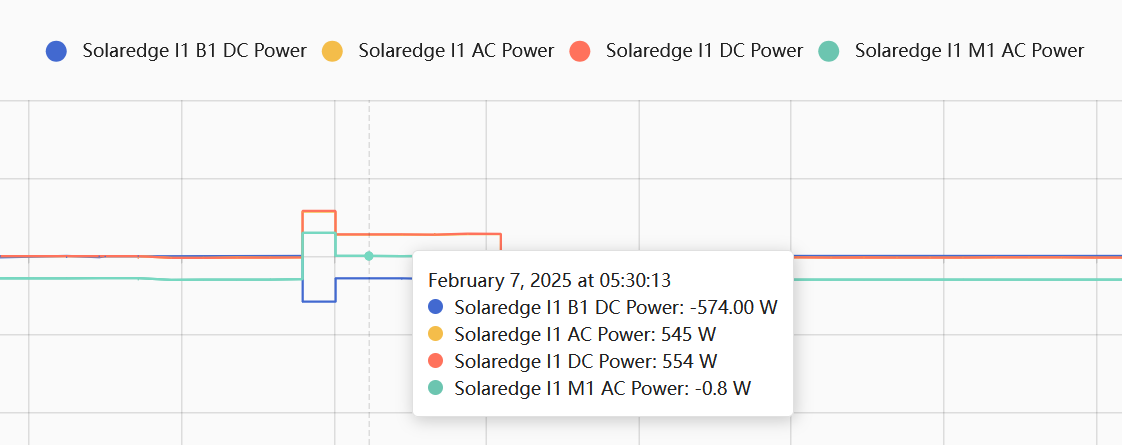
This is from yesterday morning. My battery was empty, it’s still dark, and normally the battery should be configured that it is not being charged from the grid. Yet, all of a sudden the raw data seems to suggest that I was suddenly able to power our house from the battery for a minute.
Now, these have repercussions in the integrated values, as many of these quirks seem to add up to the system claiming that we use 3kWh of grid power to fill our battery.
Does anyone have experience with these kinds of quirks? Is something wrong with my HA setup, or worse, with the inverter?
I tried smoothing out the raw inverter data, but that did not help me in getting better results, the quirks simply seemed to “move around” to other places.
I would essentially hope that at some point, the raw data, derived power flows and integrated values would match to what the SolarEdge app says, at least within some small error margin.
Perhaps one thing that could be relevant: I set up a rather high refresh rate (1s) because I really like seeing the solar production jump up/down live.
I have a Solaredge Home Hub USSNBBL14 6e6000H. One inverter, solar panels, one LG 10H Prime, and using the inverter’s built in Production + E/I meter. Screen shots below:
I am not able to have the battery recoginized by either Solaredge Local or the ‘multi’ version either. I have tried snooping the RS-485 bus to see if I can find the batter but no joy. How have people gotten the battery to be recognized. It shows fine in the Solaredge site, but does not show up anywhere on the Mod Bus.
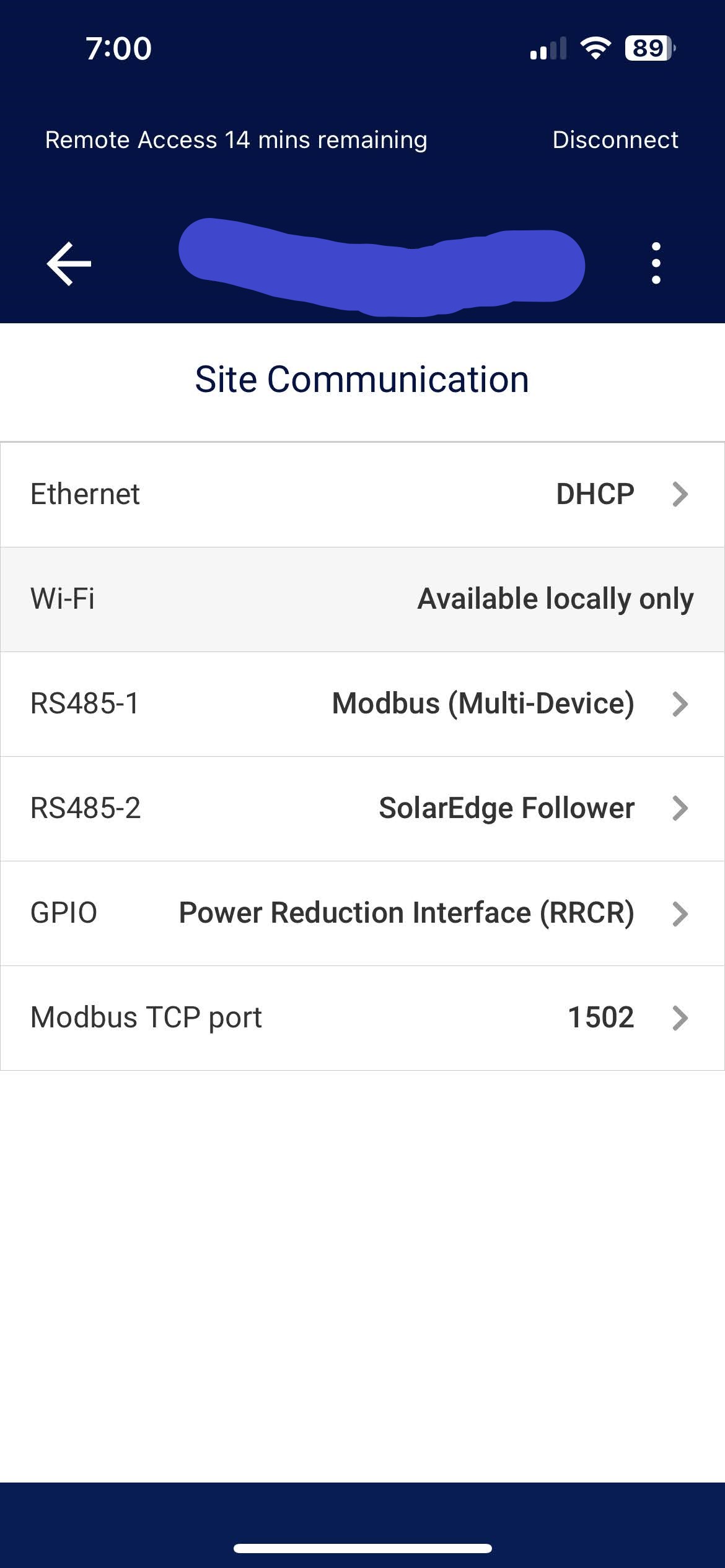
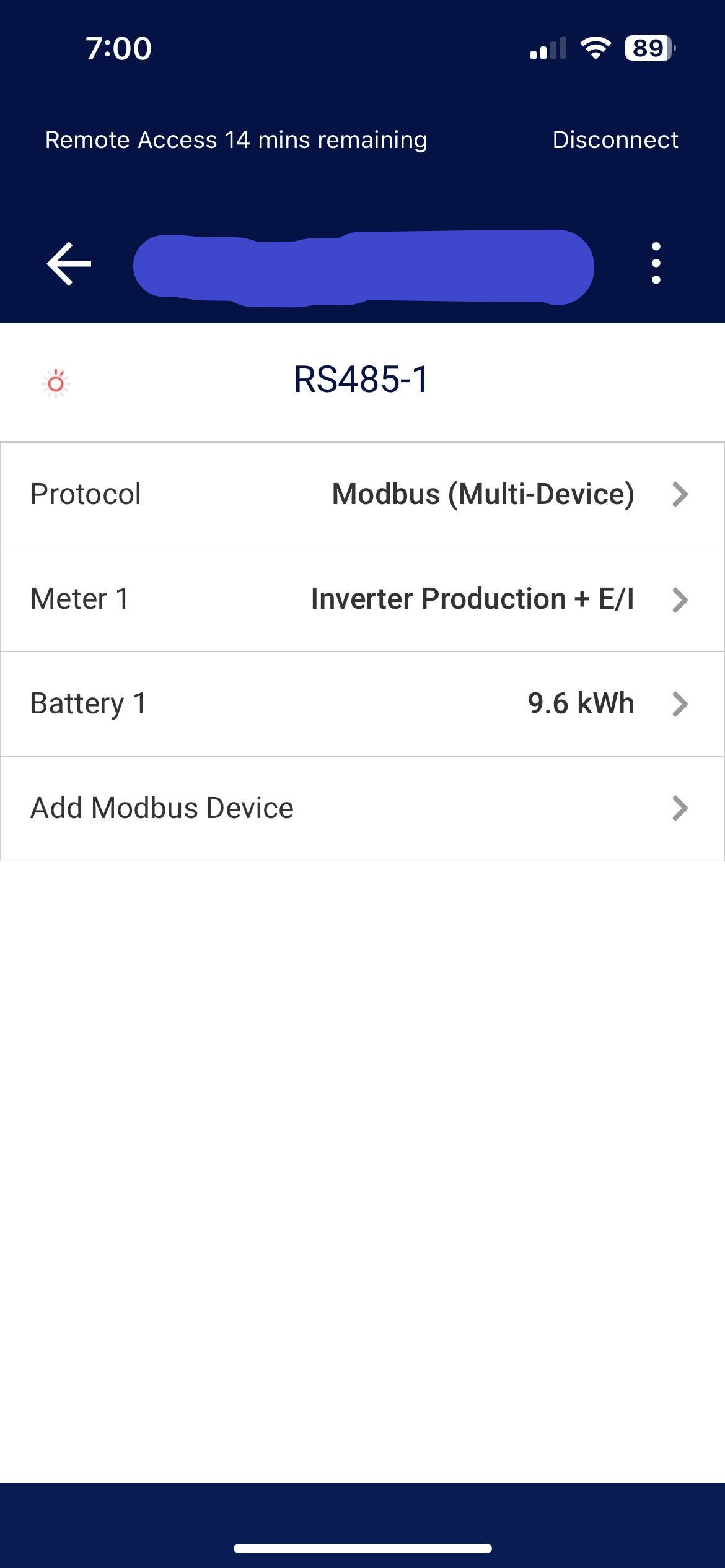
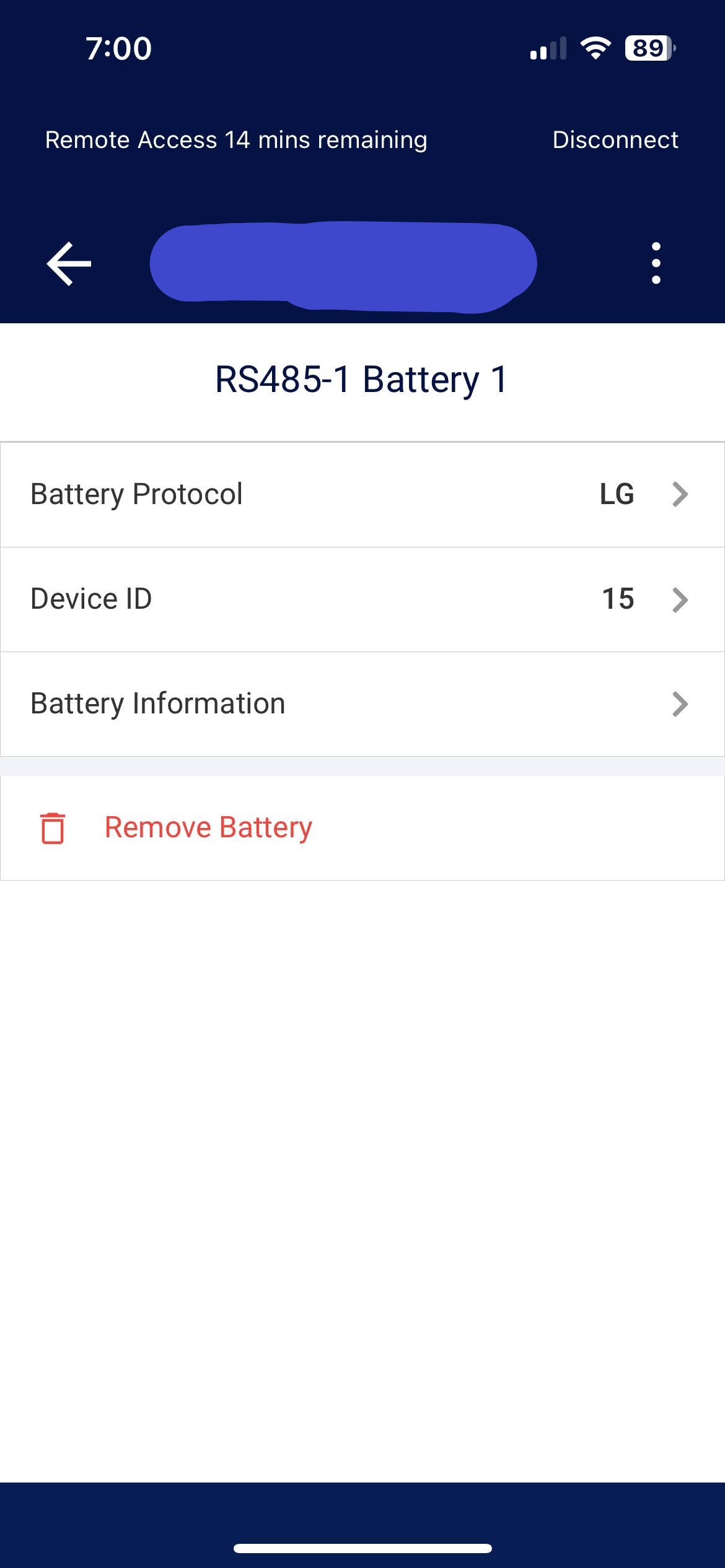
It’s known issue that some inverter firmware versions don’t expose battery access or commands over modbus. Meters and inverters are universally supported, but batteries and commands are not.
The Modbus/TCP interface on SolarEdge inverters is more like a proxy, not a direct access to devices behind the inverter. I don’t personally have batteries on my system so I can’t say what versions or models are “good” for battery modbus access.
1 Like
There is more info in the Known Issues section of my wiki:
1 Like
Hi all… I have only recently found this integration and installed it… I have a SE5000H inverter with no batteries… The integration connect with the inverter and expose 26 entities… Between them I do not find any M1 sensor, any idea?
Meters will be under separate meter devices, not under the inverter device.
Batteries are disabled by default and the option to detect batteries has to be turned on after adding the hub.
This is the situation I have, just one device available. I know batteries need to be enabled, but I have no batteries on my system.
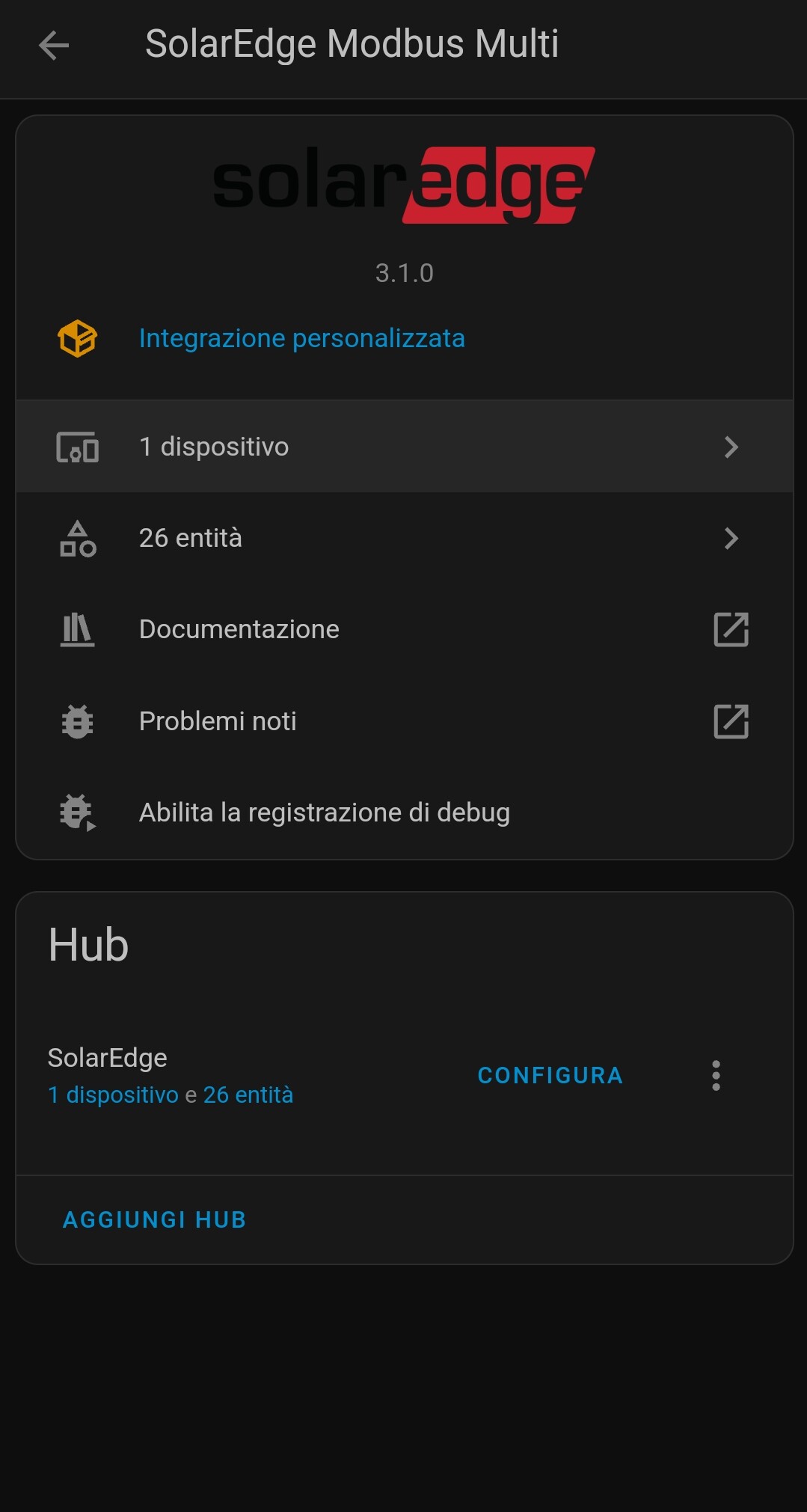
Meter detect is on by default, so if you didn’t get any meter devices then you probably don’t have any physical meters attached to the inverter. If you do have a meter attached and detection isn’t working, then it’s possible you have a wireless (energeynet or home network) meter which are known to sometimes not register with modbus.
For batteries click on Configure and turn on auto detect batteries.
Ok, I was supposing that the inverter had meters inside of it, but I now got it, and that was my mistake. So I do not have meters on my system, hence I could just monitor my production but cannot monitor consumption…  Thanks