Unavailable / Unknown Entity Monitoring - Template Sensor

You can change the ignore_seconds value to 900 (15 minutes) so entities don’t show up in the list for 15 minutes.

You can change the time pattern trigger in the group update automation so the group only updates every 15 minutes meaning the entity_id attribute change will only trigger the notification at the most every 15 minutes.

      - trigger: time_pattern
        minutes: "/15"

You could change the for: parameter in your notification automation to 15 minutes, but if the entity id list changes again before the 15 minutes, it won’t notify you for 15 minutes after the LAST change. If the list changes every 5 minutes, you will never get notified.

      - trigger: state
        entity_id: group.unavailable_entities
        attribute: entity_id
        to: ~
        for: 
          minutes: 15 

Or a combination of any of these.

@jazzyisj Thank you for laying this out for me (and others). I’m not quite to the point of knowing the details of how things really will work based on reading the yaml yet.

It looks like the ignore_seconds is really what I’m after based on your explanation. Some devices are just flaky on my network for seemingly no reason and this will be good for those intermittent drop offs. I don’t have many mission critical devices but I guess if I did, I could run your template twice and change the entity names in the second one to be able to have 2 different notifier list.

Hey there,
came accross your template and I realy like it for the purpose of showing unavailable devices.
Got the idea, if it wouldn’t be possible to working with labels. In a way that instead of “hardcode” ignores entities, you set a label and ignore the entities with the set label.
Any idea how to implement this?

Best, Tristan

Got if for entities, but you have to set the label for each entity.

| rejectattr('entity_id', 'in', label_entities('your-label-name'))

If somebody found a solution to set the label only once to the device, that would be realy cool!

Good idea! I’ll add this example next time I update the package.

Here ya go…

  {% set ignore_seconds = 60 %}
  {% set ignore_ts = (now().timestamp() - ignore_seconds)|as_datetime %}
  {% set ignored_entities = namespace(value=[]) %}
  {% set ignored_devices = label_devices('Ignored') %}
  {% for device in ignored_devices %}
    {% set ignored_entities.value = ignored_entities.value + device_entities(device) %}
  {% endfor %}            
  {{ states
      | rejectattr('domain', 'in', ['button', 'conversation', 'event', 'group', 'image',
        'input_button', 'input_text', 'remote', 'tts', 'scene', 'stt', 'update'])
      | rejectattr('entity_id', 'in', state_attr('group.ignored_entities', 'entity_id'))
      | rejectattr('entity_id', 'in', ignored_entities.value)
      | rejectattr('entity_id', 'eq', 'group.unavailable_entities')
      | rejectattr('last_changed', 'ge', ignore_ts)
      | selectattr('state', 'in', ['unknown', 'unavailable'])
      | map(attribute='entity_id') | sort }}
1 Like

Just want to add another automation example, where you geet notified by message on your mobile device about new failing devices:

action: notify.mobile_app_xxx
metadata: {}
data:
  title: "Not available devices / entities "
  message: >
    {% set ns = namespace(result=[]) %} {% for s in
    expand(state_attr('group.unavailable_entities', 'entity_id')) %}
      {% set ns.result = ns.result + [
          device_attr(s.entity_id, "name") ~ "|" ~ device_id(s.entity_id) ~ "|- **" ~ s.name ~ "**\n"
        ]
      %}
    {% endfor %} {% set ns.result = ns.result | sort %} {% set lastdev =
    namespace( id="" ) %} {% set tarr = ns.result %} {% set ns.result = [] %} {%
    for item in tarr %}
      {% set dev = namespace( id="" ) %}
      {% set entity = namespace( data="" ) %}
      {% set dev.id = item.split("|")[1] %}
      {% if lastdev.id != dev.id %}
        {% if dev.id != 'None' %}
          {% set ns.result = ns.result + [ "  " ~ device_attr(dev.id, "name")] %}
        {% else %}
          {% set ns.result = ns.result + [ "**Entities without device**" ] %}
        {% endif %}
        {% set lastdev.id = dev.id %}
      {% endif %}
    {% endfor %} {{ ns.result | join('\n') }}
alias: Message on my mobile device

this is working fine with the lables on devices - thank you!
Is there a way to set also a lable on entities?

| rejectattr('entity_id', 'in', label_entities('your-label-name'))

1 Like

v2.4 has been released which now automatically ignores entities belonging to disabled devices and adds the capability to ignore devices and entities using labels.

4 Likes

Hello everyone, and first of all, a big thank you to Jason for his fantastic work.

This should be natively integrated into Zwave-Js.

In short, I’d like to send a notification to my phone and a ping to the relevant node.

I can send the notification, but I’m stuck on the ping.

Could you help me?

alias: Action noeud mort
description: ""
triggers:
  - trigger: time_pattern
    minutes: /5
conditions:
  - condition: numeric_state
    entity_id: sensor.unavailable_zwave_noeud_entities
    above: 0
actions:
  - action: notify.notify
    metadata: {}
    data:
      title: Noeud mort
      message: >-
        {{ state_attr('group.unavailable_zwave_noeud_entities', 'entity_id') |
        join('\n') }}
  - action: zwave_js.ping
    metadata: {}
    data:
      device_id:
        - { state_attr('group.unavailable_zwave_noeud_entities', 'entity_id') |
        join('\n') }}
mode: single

Here’s my solution for that. Have a good look at the ping_buttons attribute of the offline zwave devices template, that is the key.

@jazzyisj

Some of my Tasmota devices have been dropping off the WiFi network and manually looking for those periodically has been driving me nuts so this is a godsend.

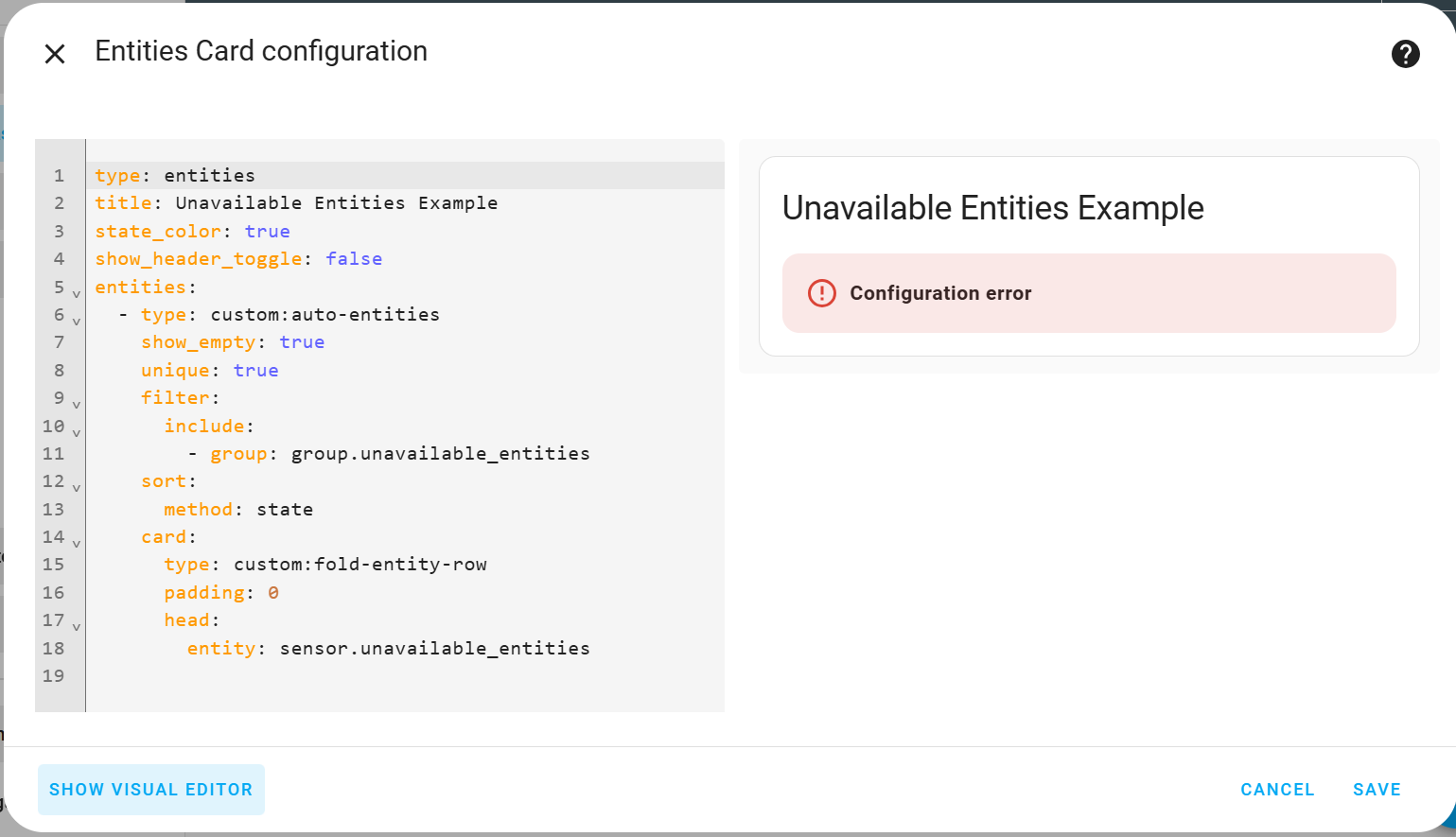
I set it up as a package and tried to use your example card but it gives me a configuration error. If I look at group.unavailable_entities manually, though, I can see the unavailables and the unknowns.

Where do I start looking to debug this?

Also, is there a quick way to filter out the unknowns and only show the unavailables as the first filter?

Thanks

Posting the configuration error would be a good start! Let’s get it working then worry about customizing it later.

And I figured out how to show only the unavailables.

I have some entities created for devices that are currently unused and end in _unassigned. For example, switch.treatlife2_unassigned

Shouldn’t an added configuration entry like

            | rejectaddr('entity_id', 'search', '_unassigned')

suppress them?

In practice, it causes the automation to announce an error

It’s rejectattr, you spelled it with 2 Ds.

I’ve stared at it so many times to figure out what I was doing wrong and didn’t notice the typo!!!

Thanks

I’m using the same config as before but a newer version of HA and the dashboard tells me there is a Configuration Error. Where would I go to look for additional details on the error?

Thanks

Thank you for your help. I’ve been struggling with my Zwave network for several months. I managed to get the Zwave Status and Offline Zwave Device sensors working, but not the others (Zwave Network, etc.). They seem to use binary that listen to the controller’s status. But how do I create them? I admit I’m a little lost.
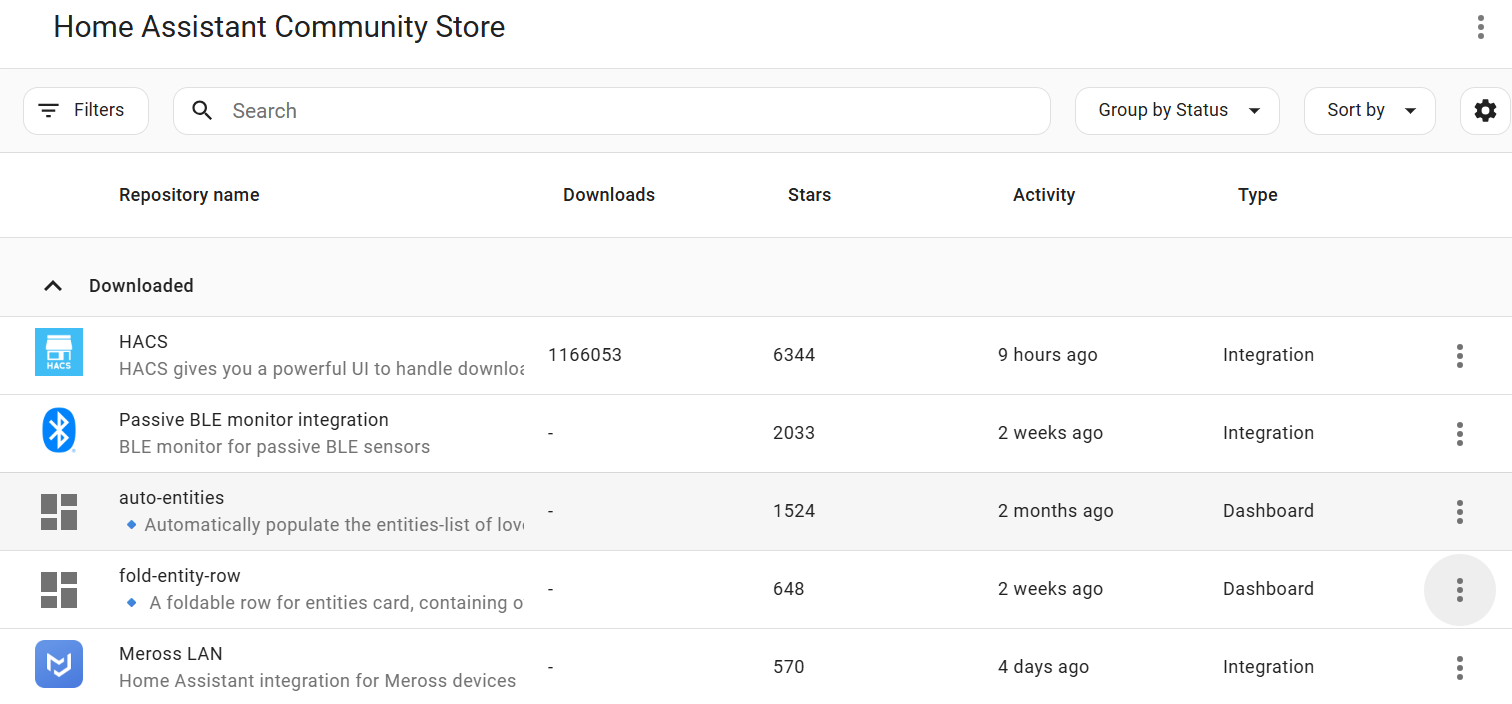
In any case, thanks again.