Device: Failed to open the serial port. Resource temporarily unavalable. Can not lock port ZW0100…
I suspect that there is something wrong with the instalation:
I have one Z wave JS integration where the server url is ws://core-zwave-js:3000.
I have one Zwave JS add on with host name core-zwave-js
I have one Z-Wave JS to MQTT add on with host name a0d7b954-zwavejs2mqtt
It seems to me that the integration should point to server ws://a0d7b954-zwavejs2mqtt:3000 ???
I have tried to re configure the server (in the integration) but it refuses to connect to ws://a0d7b954-zwavejs2mqtt:3000 with the error ! Failed to connect (Yes I removed the tick on Use the Z-Wave JS Supervisor add-on)
SUBMIT
CAN I reinstal the zwave JS integration and add on and the zwave JS2mqtt without loosing all the devices and nodes on the USB Stick???
Will my RED-Nodes automations and other references to the zwave nodes be lost?
You can, but you cannot run them both at the same time. Only one of them can be active at the same time.
Since you have both add-ons installed at the same time, they are competing for exclusive access to the USB controllers, hence the “cannot lock port” error. You can’t simply re-configure the integration, because to re-configure it, the old server must be running, but if you try to set the new server that is not running, it fails to connect, as you’ve seen. Kind of a chicken-and-egg problem, and a bit annoying.
If you don’t have more than one ZWave coordinator stick, you’re correct. There’s one too many things installed here (depending on what your preferences are) and im almost positive two off them are trying to ‘open’ your ZWave stick. Once one does nobody else can.
Im betting since you aren’t able to open the Zwavejs2mqtt control panel. (Btw, Zwavejs2mqtt control panel, not MQTT control panel that’s something else entirely) I’m pretty sure based on yorj description that ZWave Js add on is doing it.
Thank you for answering… I did read your guide and the referenced post…The strange thing is that I have been runing this config for about 6 months but not without problems thoug but without this error… I did follow the integration documentation (at least i think i did) … To be precise… The zwavejs2mqtt control panel has been working so it’s not a matter of a new install of the 2mqtt but I guess I can still use your guide which seems very detailed… since there is a competition betwee the two who knows which is used…AND THE SYSTEM IS WORKING IN THE SENSE THAT THE NODES ARE CONTROLLED BY HASS
I have read your guide and it’s for a slightly different scenario than mine. I am technicaly not switching to 2mqtt but rather reinstalling it… So do I delete it at the start reinstal it and follow your guide?
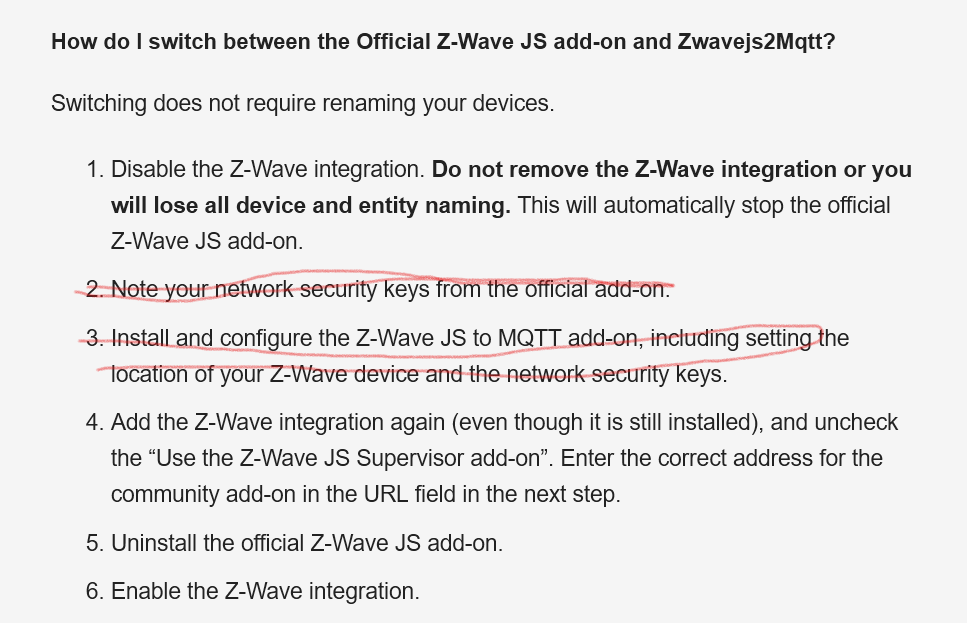
If you follow the instructions in either the docs I linked, or the guide I wrote, you’ll find that you can “re-configure” the integration, by adding it again.
I assumed you literally tried to do a “re-configure”, by clicking the “re-configure” button in the integration. That will not work in your scenario. So maybe confusing, but no contradiction.
Sorry… Yes I did. The contradiction is between your post and the one from RickKramer… I think his proposal will not work so I will follow your guide.
There is one unclarity… Do I uninstal the zWave2Mqtt add on as a first step and then follow your guide?
You’re overthinking the problem. It sounds like you already have zwavejs2mqtt installed and it was working. If that’s the case, you’re more than halfway there. You just need to re-configure the integration and uninstall the official addon.
Thank you for your patience and for increasing my competence on this… Sorry for beeing a pain in the a… It did not work Here is what I did in detail:
Disabled the Z-Wave integration
Let the two add ons continue runing: z-Wave JS and Z-Wave JS 2 MQTT
Add integration Z-Wave , uncheked the “Use the Z-Wave JS supervisor add-on”
Specified the URL ws://a0d7b954-zwavejs2mqtt:3000 (The 3000 port is set up in the Z-Wave JS 2 MQTT add-on
At this point I get a red error message Can not connect!
I reactivate the integration and stop the Z-Wave JS 2 MQTT add-on and restart HASS. I can then control the zwave nodes from homeassistant
If I stop the Z-Wave JS add-on and start the JS 2 MQTT add-on and restart HASS. The zwave nodes can NOT be controlled from homeassistan.
This must mean that there is comunication with the stick through /dev/serial/by-id/usb-0658_0200-if0
I did have the Z-Wave JS 2 MQTT Control Panel working. AFter u upgrade I remember that all the zwave nodes needed to be reintervied so I guess something happended with the instalation (I might have done something to cause this but I don’t have any idea what that is)
I hav looked through the Device I/O set up which is /dev/serial/by-id/usb-0658_0200-if00 for both (device specific passthough in Proxmox)
Should I uninstall the zwave JS 2MQTT add-on and follow your guide?
When both are turned on where does the integration connect… (Tried it it did not work)
I have got it working …
Checked all setings and updated them to the correct ones serial i/o, network keys etc etc ++++
Disabled the Z-Wave integration
Turned off: z-Wave JS add-on and let Z-Wave JS 2 MQTT add-on be runing
Added integration Z-Wave , uncheked the “Use the Z-Wave JS supervisor add-on” and Specified the URL ws://a0d7b954-zwavejs2mqtt:3000 (The 3000 port is set up in the Z-Wave JS 2 MQTT add-on in next window
I get the error device already configured which must mean that I have configured it during one of the trials even though EVERY ONE of them has given the error Failed to connect
When I activated the Z-Wave JS integration again and restarted HASS the control panel was back!!!
Thank you all advidsors and freschcoast in particular!!!
Now its time for backups and to start changing from Aeon usb stick 5 to 7…