Waveshare 3.49 and mipi_spi

it was the rotation that was the culprint, without that (and color_order: RGB) i get clear image, testet with image in that orientation.

display:
  - platform: mipi_spi
    id: main_display
    model: custom
    bus_mode: QUAD
    color_order: RGB
    cs_pin: 9
    reset_pin: 21
    init_sequence:
        - [0xBB, 0x00, 0x00, 0x00, 0x00, 0x00, 0x00, 0x5A, 0xA5]
        - [0xC1, 0x33]
        - [0xBB, 0x00, 0x00, 0x00, 0x00, 0x00, 0x00, 0x00, 0x00]
#    rotation: 90
    update_interval: never
    dimensions:
        height: 640
        width: 172


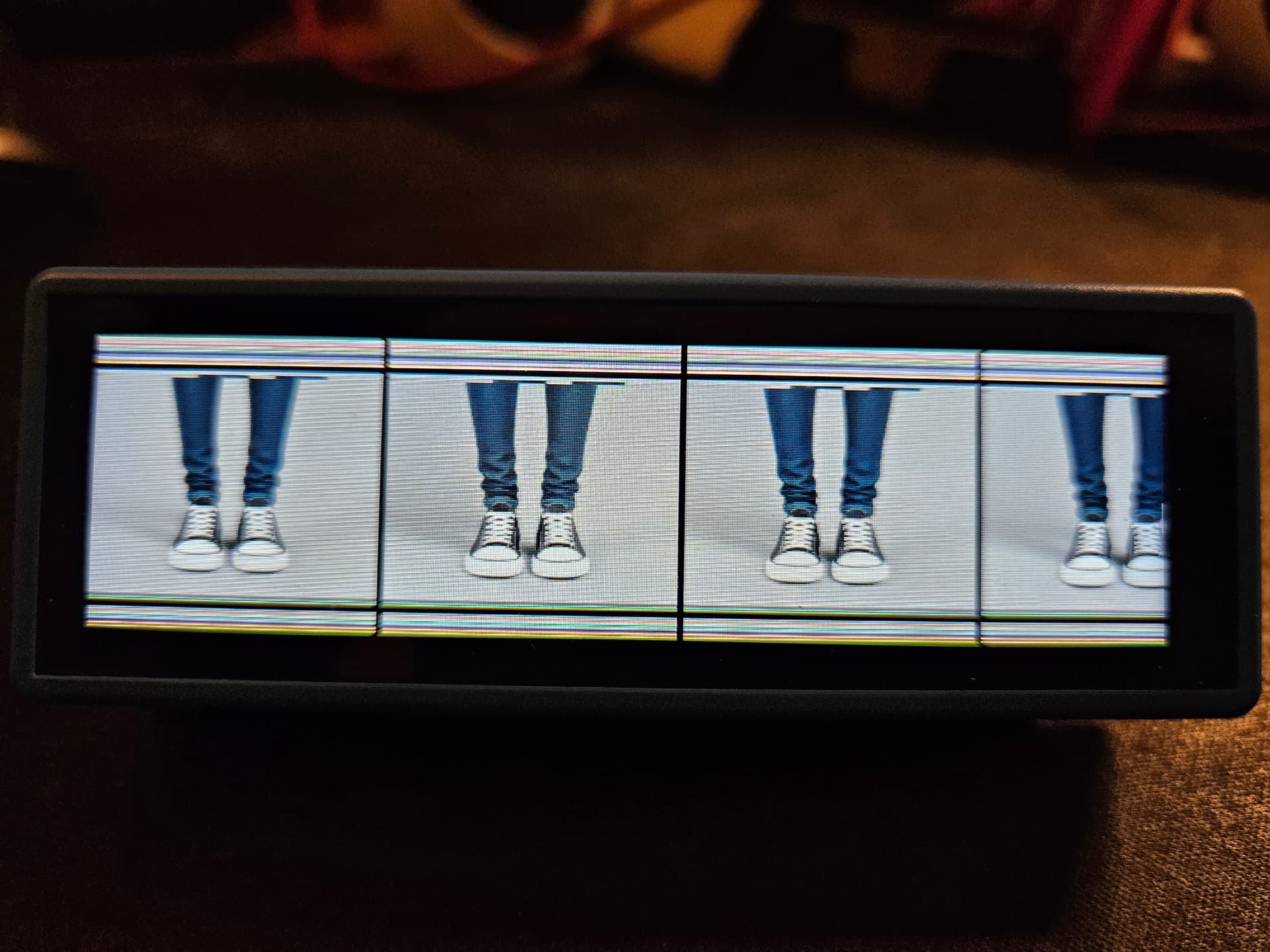
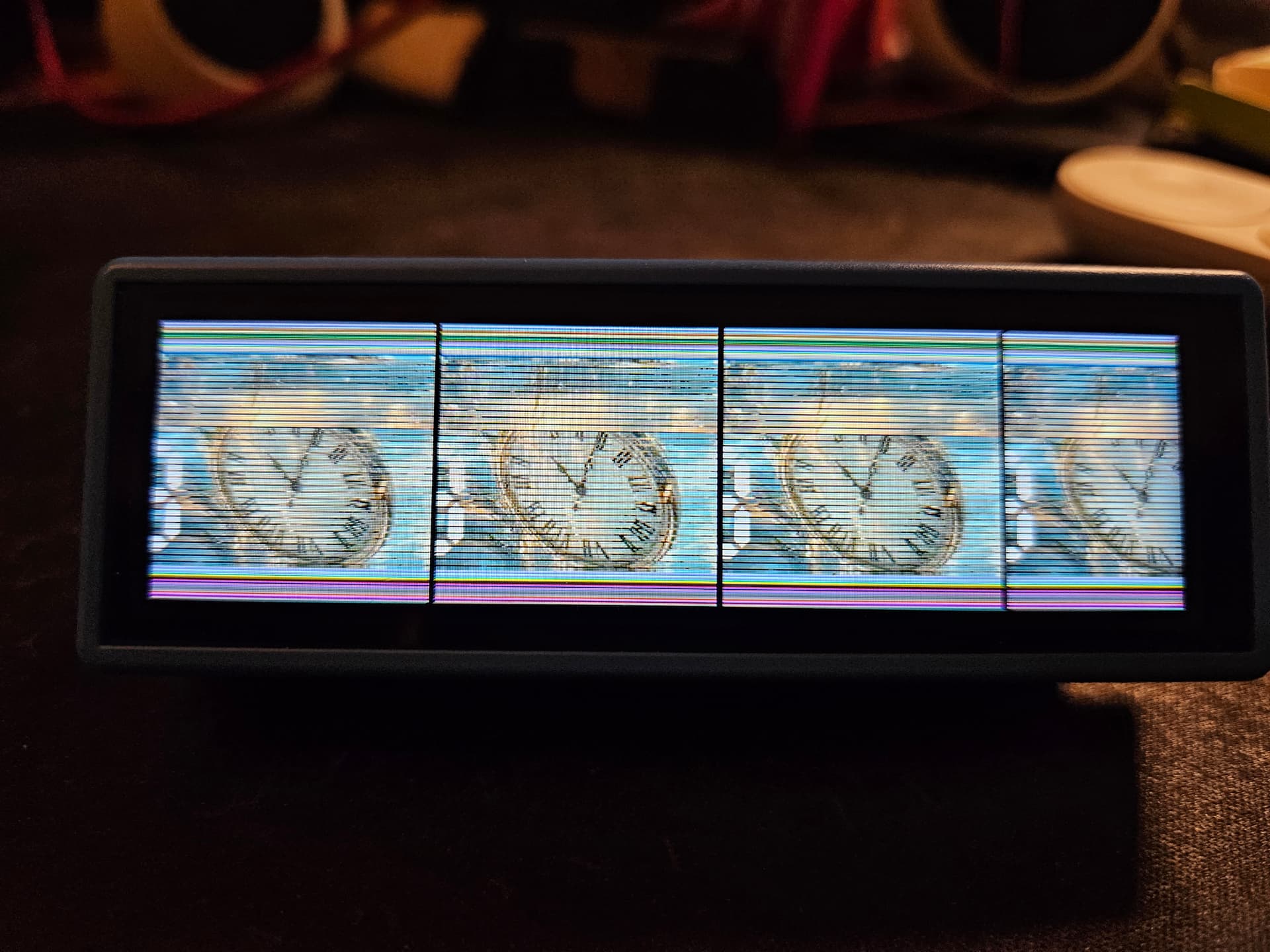
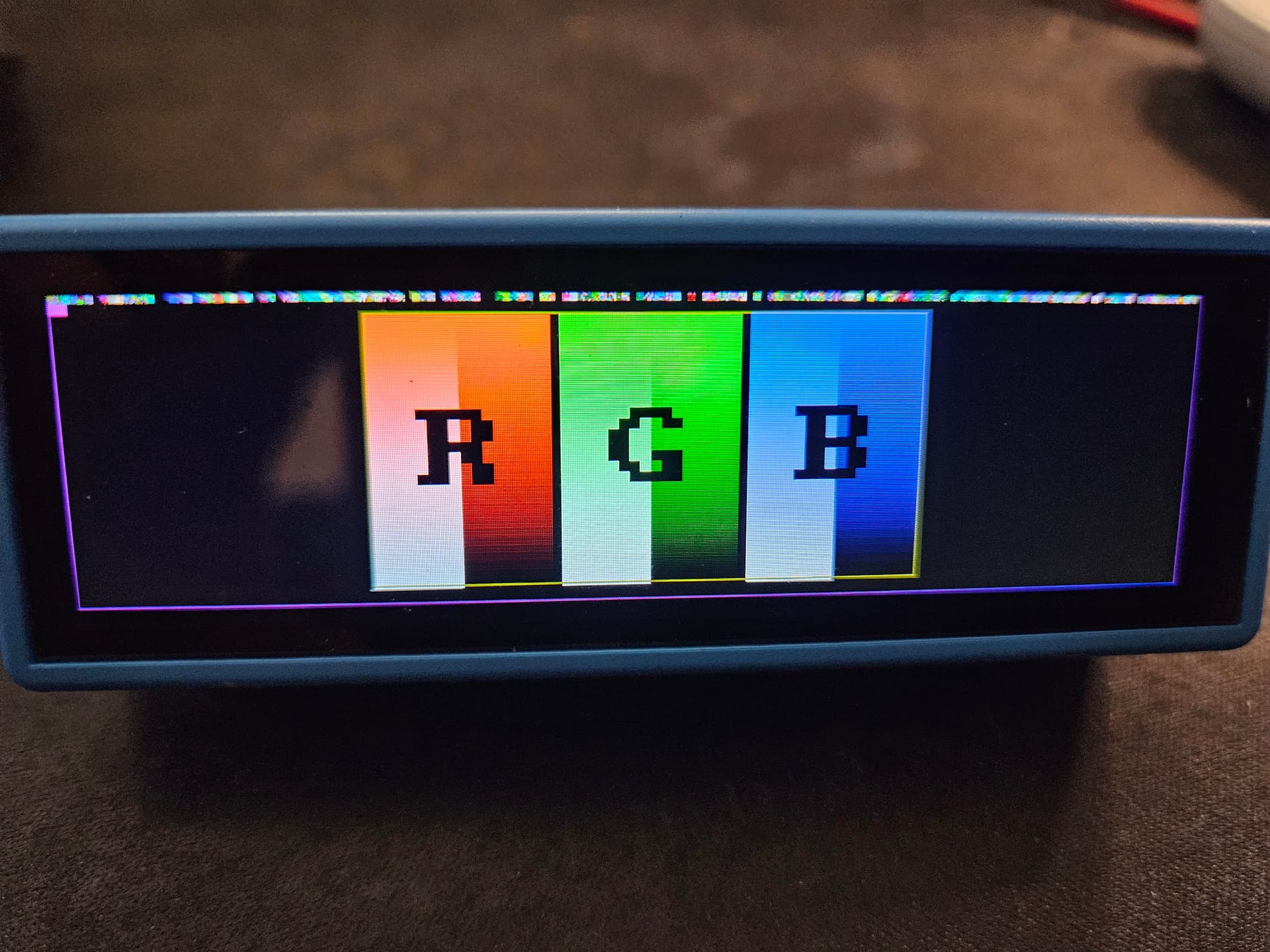
but as soon as i add rotation back i get those bars in top and below, split up in 4 sections… i testet with image size 172x172 to be sure it wasn’t the image size that did it

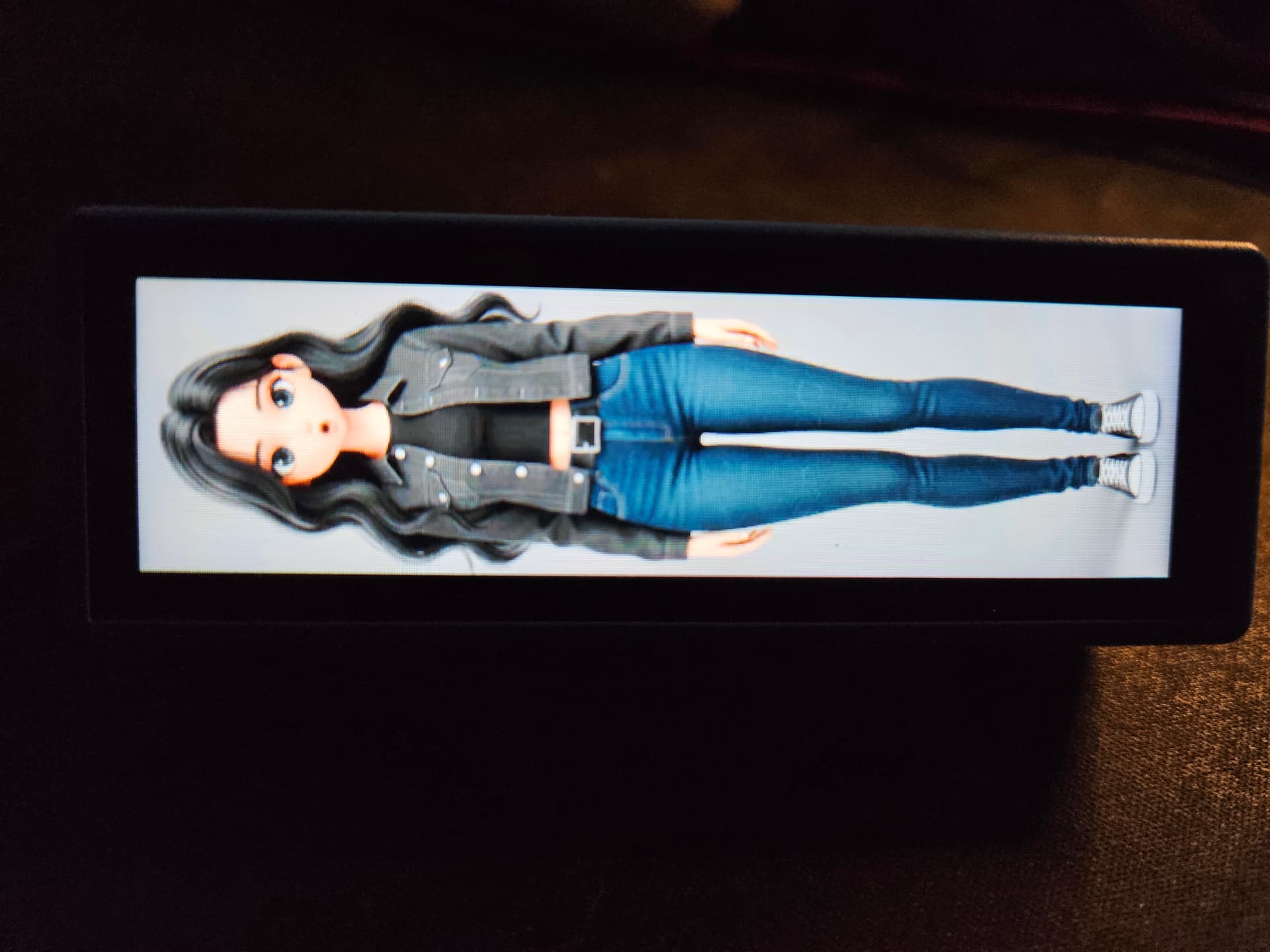
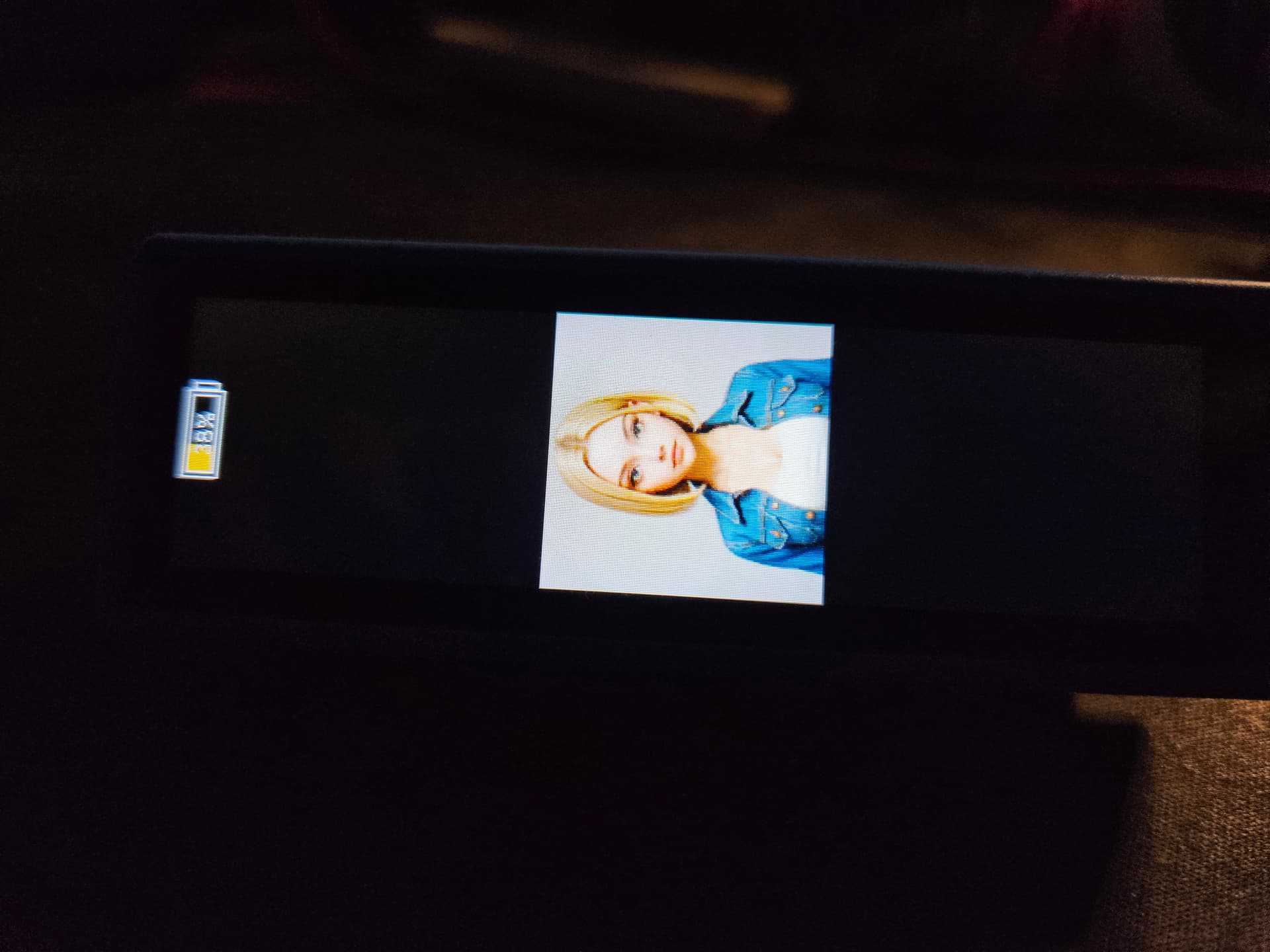
in 0 and 180 it’s fine: (0 here)

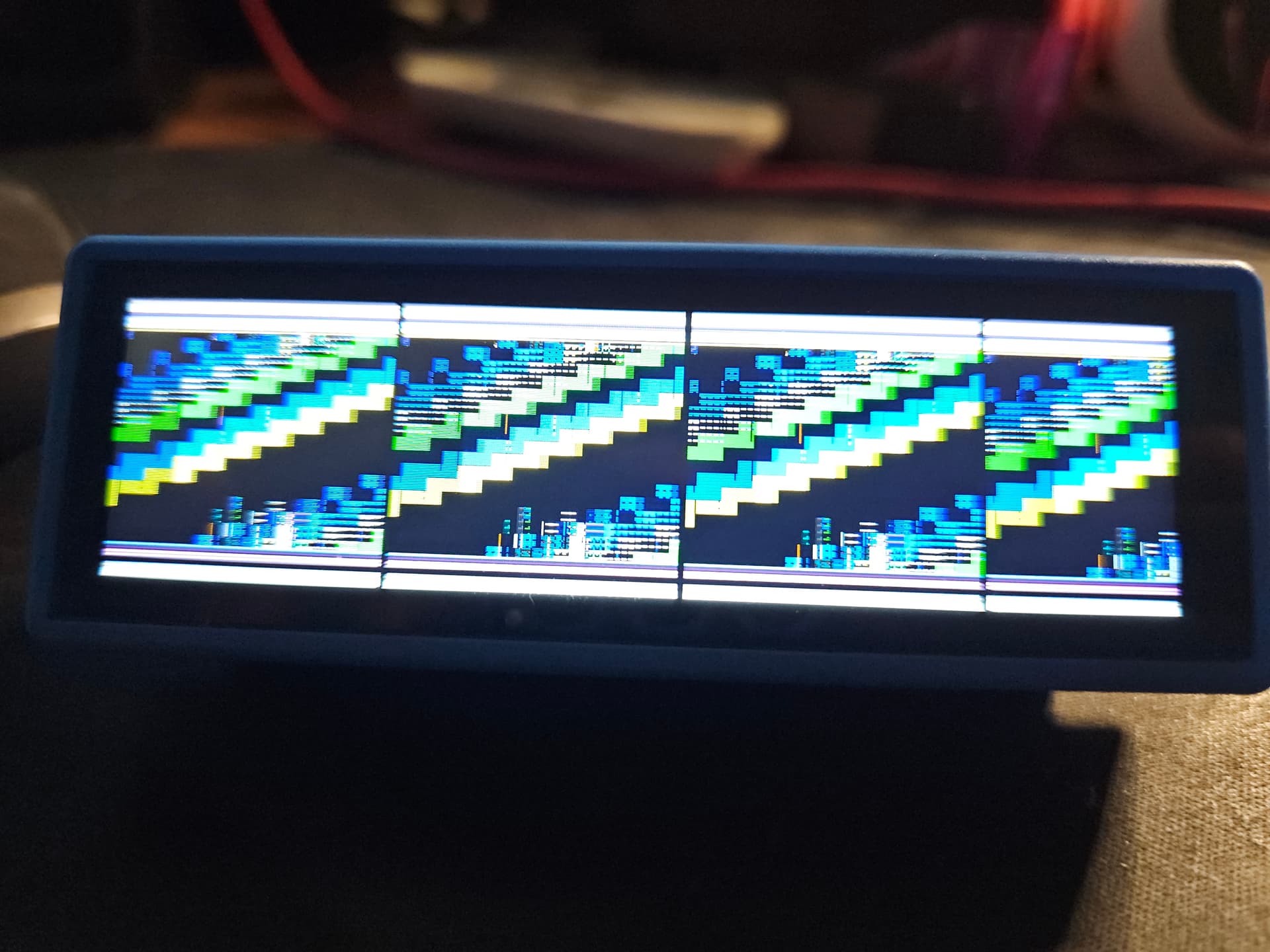
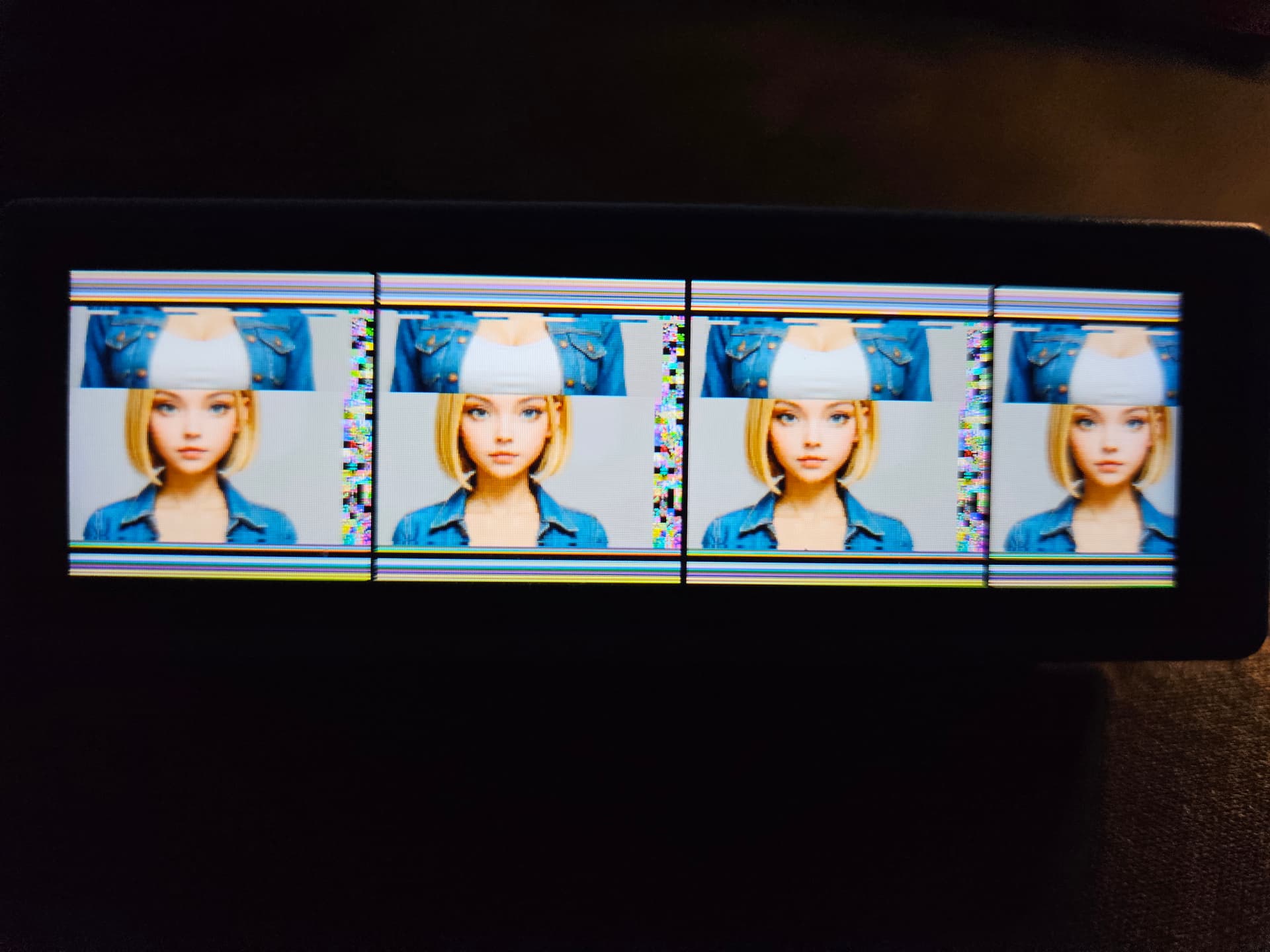
but in 90 and 270 i’s like this: (270 here)

it’s esphome 2025.9.3

i also tried (just to eliminate) setting screen size to 172x172 (as image size)

with 0 rotation:

and with 90 degree rotation:

if thats any clue :man_shrugging:

It’s a bug, fixed in the next release. for now swap the width and height when rotating. It’s supposed to do that automatically with rotation.

already tried swapping width and height with same result,
no matter what i tried, i get those 4 times same image with bars on top and below the second i use using rotatation: 90
display works with 0 rotation and custom drivers (vertical mode).

Try with the ESPHome dev version (leaving the dimensions at their unrotated values.) There is a fix in there for rotation, which will be in the next release.

it’s the same problem, as soon as i use rotate i get the 4 boxes…

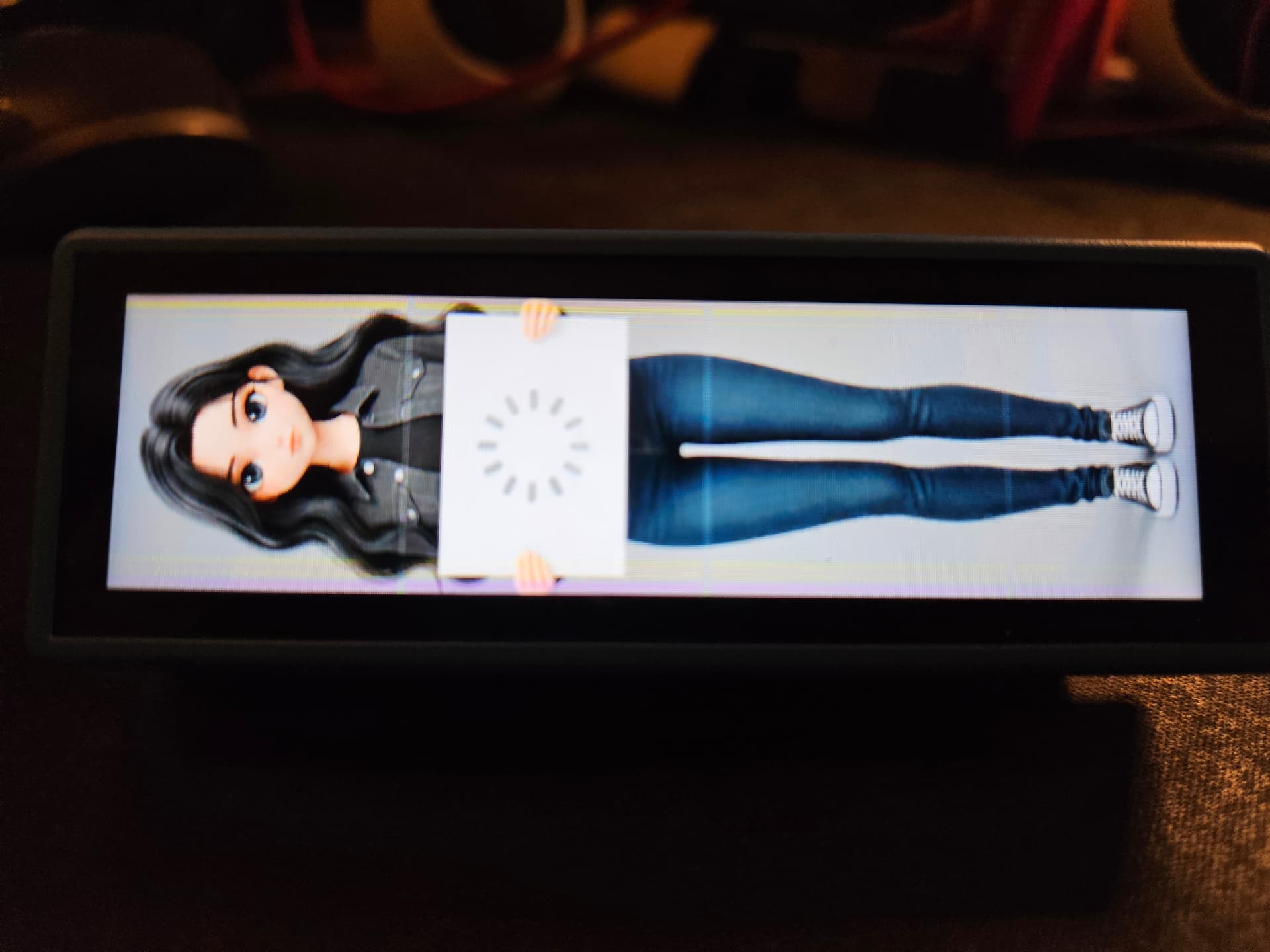
here with image in original vertical size

imagewidth: “172”
imageheight: “640”
(substitutions used for picking the right image)

display:
  - platform: mipi_spi
    id: main_display
    model: custom
    bus_mode: QUAD
    color_order: RGB
    cs_pin: 9
    reset_pin: 21
    init_sequence:
        - [0xBB, 0x00, 0x00, 0x00, 0x00, 0x00, 0x00, 0x5A, 0xA5]
        - [0xC1, 0x33]
        - [0xBB, 0x00, 0x00, 0x00, 0x00, 0x00, 0x00, 0x00, 0x00]
    rotation: 90
    update_interval: never
    dimensions:
        width: 172
        height: 640

i get this:

and with image in horizontal size

imagewidth: “640”
imageheight: “172”

display:
  - platform: mipi_spi
    id: main_display
    model: custom
    bus_mode: QUAD
    color_order: RGB
    cs_pin: 9
    reset_pin: 21
    init_sequence:
        - [0xBB, 0x00, 0x00, 0x00, 0x00, 0x00, 0x00, 0x5A, 0xA5]
        - [0xC1, 0x33]
        - [0xBB, 0x00, 0x00, 0x00, 0x00, 0x00, 0x00, 0x00, 0x00]
    rotation: 90
    update_interval: never
    dimensions:
        width: 640
        height: 172

i get this:

and if i in last example with horizontal image size:

imagewidth: “640”
imageheight: “172”

and leave the dimension as original size:

display:
  - platform: mipi_spi
    id: main_display
    model: custom
    bus_mode: QUAD
    color_order: RGB
    cs_pin: 9
    reset_pin: 21
    init_sequence:
        - [0xBB, 0x00, 0x00, 0x00, 0x00, 0x00, 0x00, 0x5A, 0xA5]
        - [0xC1, 0x33]
        - [0xBB, 0x00, 0x00, 0x00, 0x00, 0x00, 0x00, 0x00, 0x00]
    rotation: 90
    update_interval: never
    dimensions:
        width: 172
        height: 640

i get this:

and of course if i use image in vertical size

imagewidth: “172”
imageheight: “640”

with no rotate and original vertical dimension:

display:
  - platform: mipi_spi
    id: main_display
    model: custom
    bus_mode: QUAD
    color_order: RGB
    cs_pin: 9
    reset_pin: 21
    init_sequence:
        - [0xBB, 0x00, 0x00, 0x00, 0x00, 0x00, 0x00, 0x5A, 0xA5]
        - [0xC1, 0x33]
        - [0xBB, 0x00, 0x00, 0x00, 0x00, 0x00, 0x00, 0x00, 0x00]
    rotation: 0
    update_interval: never
    dimensions:
        width: 172
        height: 640

all is good, i can still see the lines from the “4 boxes” but they disappear after a while:

so no matter what i do, as soon as i use rotate 90 it’s 4 boxes :man_shrugging:

So is that using the dev version? Post your full yaml and the compile log.

yes thats with the dev. version 2025.11.0-dev20251013, full yaml is in several files but i can put them together as one later and do the logs, have to be at work soon :slight_smile: :+1:

Best reduce it to a simple example with just the display config.

quick cutdown of the yaml:

substitutions:
  name: esphome-web-c0c120
  friendly_name: Touch-LCD-3.49

  imagemodel: "Sarah"
  imagewidth:  "172"
  imageheight: "640"
  idle_illustration_file: https://github.com/RealDeco/xiaozhi-esphome/raw/main/images/${imagemodel}/${imagewidth}x${imageheight}/idle.png

esphome:
  name: ${name}
  friendly_name: ${friendly_name}
  min_version: 2025.9.0
  name_add_mac_suffix: false

esp32:
  board: esp32-s3-devkitc-1
  flash_size: 16MB
  cpu_frequency: 240MHz
  framework:
    type: esp-idf
    sdkconfig_options:
      CONFIG_ESP32S3_DEFAULT_CPU_FREQ_240: "y"
      CONFIG_ESP32S3_DATA_CACHE_64KB: "y"
      CONFIG_ESP32S3_DATA_CACHE_LINE_64B: "y"

logger:

api:

ota:
- platform: esphome

wifi:
  ssid: !secret wifi_ssid
  password: !secret wifi_password

psram:
  mode: octal
  speed: 80MHz

image:
  - file: ${idle_illustration_file}
    id: casita_idle
    resize: ${imagewidth}x${imageheight}
    type: RGB565

captive_portal:

output:
  - platform: ledc
    id: backlight_output
    pin: GPIO8
    inverted: true

light:
  - platform: monochromatic
    id: Sled
    name: Screen
    icon: mdi:television
    entity_category: config
    output: backlight_output
    restore_mode: ALWAYS_ON
    default_transition_length: 250ms

spi:
  id: display_qspi
  type: quad
  clk_pin: 10
  data_pins: [11, 12, 13, 14]

display:
  - platform: mipi_spi
    id: main_display
    model: custom
    bus_mode: QUAD
    color_order: RGB
    cs_pin: 9
    reset_pin: 21
    init_sequence:
        - [0xBB, 0x00, 0x00, 0x00, 0x00, 0x00, 0x00, 0x5A, 0xA5]
        - [0xC1, 0x33]
        - [0xBB, 0x00, 0x00, 0x00, 0x00, 0x00, 0x00, 0x00, 0x00]
    rotation: 90
    update_interval: 1s
    dimensions:
        width: 172
        height: 640
    lambda: |-
      it.image((it.get_width() / 2), (it.get_height() / 2), id(casita_idle), ImageAlign::CENTER);

and compile logs:

INFO ESPHome 2025.11.0-dev
INFO Reading configuration /config/esphome/esphome-web-c0c120.yaml...
INFO Generating C++ source...
INFO Using hardware transform to implement rotation
INFO Compiling app...
Processing esphome-web-c0c120 (board: esp32-s3-devkitc-1; framework: espidf; platform: https://github.com/pioarduino/platform-espressif32/releases/download/54.03.21-2/platform-espressif32.zip)
--------------------------------------------------------------------------------
INFO Package configuration completed successfully
HARDWARE: ESP32S3 240MHz, 320KB RAM, 8MB Flash
 - framework-espidf @ 3.50402.0 (5.4.2) 
 - tool-cmake @ 3.30.2 
 - tool-esp-rom-elfs @ 2024.10.11 
 - tool-esptoolpy @ 5.0.2 
 - tool-mklittlefs @ 3.2.0 
 - tool-ninja @ 1.13.1 
 - tool-scons @ 4.40801.0 (4.8.1) 
 - toolchain-xtensa-esp-elf @ 14.2.0+20241119
Reading CMake configuration...
No dependencies
Compiling .pioenvs/esphome-web-c0c120/src/main.cpp.o
Linking .pioenvs/esphome-web-c0c120/firmware.elf
usage: esp_idf_size [-h] [--format {table,text,tree,csv,json2,raw,dot}]
                    [--archives] [--archive-dependencies] [--dep-symbols]
                    [--dep-reverse] [--archive-details ARCHIVE_NAME] [--files]
                    [--diff MAP_FILE] [--no-abbrev] [--unify] [--show-unused]
                    [--show-unchanged] [--use-flash-size] [--lto] [-d]
                    [-o OUTPUT_FILE] [-s COLUMN] [-F PATTERN] [--sort-diff]
                    [--sort-reverse] [-q] [--no-color] [--force-terminal]
                    [--doc]
                    MAP_FILE
RAM:   [=         ]  11.3% (used 36916 bytes from 327680 bytes)
Flash: [=         ]  12.6% (used 1022174 bytes from 8126464 bytes)
Building .pioenvs/esphome-web-c0c120/firmware.bin
Creating ESP32S3 image...
Successfully created ESP32S3 image.
merge_factory_bin([".pioenvs/esphome-web-c0c120/firmware.bin"], [".pioenvs/esphome-web-c0c120/firmware.elf"])
Info: bootloader.bin not found - skipping
Info: partition-table.bin not found - skipping
Info: ota_data_initial.bin not found - skipping
Info: esphome-web-c0c120.bin not found - skipping
Using FLASH_EXTRA_IMAGES from PlatformIO environment
Merging binaries into /data/build/esphome-web-c0c120/.pioenvs/esphome-web-c0c120/firmware.factory.bin
Merging binaries with esptool
SHA digest in image updated.
Wrote 0x109a70 bytes to file '/data/build/esphome-web-c0c120/.pioenvs/esphome-web-c0c120/firmware.factory.bin', ready to flash to offset 0x0.
Successfully created /data/build/esphome-web-c0c120/.pioenvs/esphome-web-c0c120/firmware.factory.bin
esp32_copy_ota_bin([".pioenvs/esphome-web-c0c120/firmware.bin"], [".pioenvs/esphome-web-c0c120/firmware.elf"])
Copied firmware to /data/build/esphome-web-c0c120/.pioenvs/esphome-web-c0c120/firmware.ota.bin
========================= [SUCCESS] Took 5.35 seconds =========================
INFO Successfully compiled program.
INFO Connecting to 10.66.66.120 port 3232...
INFO Connected to 10.66.66.120
INFO Uploading /data/build/esphome-web-c0c120/.pioenvs/esphome-web-c0c120/firmware.bin (1022576 bytes)
Uploading: [============================================================] 100% Done...

INFO Upload took 4.17 seconds, waiting for result...
INFO OTA successful
INFO Successfully uploaded program.
INFO Starting log output from 10.66.66.120 using esphome API
INFO Successfully resolved esphome-web-c0c120 @ 10.66.66.120 in 0.000s
INFO Successfully connected to esphome-web-c0c120 @ 10.66.66.120 in 5.175s
INFO Successful handshake with esphome-web-c0c120 @ 10.66.66.120 in 0.326s
[17:45:12.399][I][app:185]: ESPHome version 2025.11.0-dev compiled on Oct 13 2025, 17:44:53
[17:45:12.401][C][wifi:679]: WiFi:
[17:45:12.406][C][wifi:458]:   Local MAC: 98:A3:16:C0:C1:20
[17:45:12.406][C][wifi:465]:   IP Address: 10.66.66.120
[17:45:12.411][C][wifi:469]:   SSID: 'GGGprivate'[redacted]
[17:45:12.411][C][wifi:469]:   BSSID: E4:FA:C4:AC:04:1C[redacted]
[17:45:12.411][C][wifi:469]:   Hostname: 'esphome-web-c0c120'
[17:45:12.411][C][wifi:469]:   Signal strength: -41 dB ▂▄▆█
[17:45:12.411][C][wifi:469]:   Channel: 12
[17:45:12.411][C][wifi:469]:   Subnet: 255.255.255.0
[17:45:12.411][C][wifi:469]:   Gateway: 10.66.66.1
[17:45:12.411][C][wifi:469]:   DNS1: 10.66.66.2
[17:45:12.411][C][wifi:469]:   DNS2: 10.66.66.3
[17:45:12.415][C][logger:261]: Logger:
[17:45:12.415][C][logger:261]:   Max Level: DEBUG
[17:45:12.415][C][logger:261]:   Initial Level: DEBUG
[17:45:12.415][C][logger:267]:   Log Baud Rate: 115200
[17:45:12.415][C][logger:267]:   Hardware UART: USB_SERIAL_JTAG
[17:45:12.418][C][logger:274]:   Task Log Buffer Size: 768
[17:45:12.428][C][spi:067]: SPI bus:
[17:45:12.430][C][spi:068]:   CLK Pin: GPIO10
[17:45:12.432][C][spi:069]:   SDI Pin: 
[17:45:12.434][C][spi:070]:   SDO Pin: 
[17:45:12.438][C][spi:072]:   Data pin 0: GPIO11
[17:45:12.438][C][spi:072]:   Data pin 1: GPIO12
[17:45:12.439][C][spi:072]:   Data pin 2: GPIO13
[17:45:12.441][C][spi:072]:   Data pin 3: GPIO14
[17:45:12.444][C][spi:075]:   Using HW SPI: SPI2_HOST
[17:45:12.462][C][ledc.output:150]: Output:
[17:45:12.465][C][ledc.output:151]:   Pin GPIO8
[17:45:12.467][C][ledc.output:152]:   Channel: 0
[17:45:12.467][C][ledc.output:152]:   PWM Frequency: 1000.0 Hz
[17:45:12.467][C][ledc.output:152]:   Phase angle: 0.0°
[17:45:12.467][C][ledc.output:152]:   Bit depth: 14
[17:45:12.470][C][light:088]: Light 'Screen'
[17:45:12.473][C][light:091]:   Default Transition Length: 0.2s
[17:45:12.473][C][light:091]:   Gamma Correct: 2.80
[17:45:12.487][C][psram:016]: PSRAM:
[17:45:12.488][C][psram:019]:   Available: YES
[17:45:12.490][C][psram:021]:   Size: 8192 KB
[17:45:12.494][C][display.mipi_spi:201]: MIPI_SPI Display
[17:45:12.494][C][display.mipi_spi:201]:   Model: CUSTOM
[17:45:12.494][C][display.mipi_spi:201]:   Width: 172
[17:45:12.494][C][display.mipi_spi:201]:   Height: 640
[17:45:12.498][C][display.mipi_spi:211]:   Swap X/Y: YES
[17:45:12.498][C][display.mipi_spi:211]:   Mirror X: YES
[17:45:12.498][C][display.mipi_spi:211]:   Mirror Y: NO
[17:45:12.498][C][display.mipi_spi:211]:   Invert colors: NO
[17:45:12.498][C][display.mipi_spi:211]:   Color order: RGB
[17:45:12.498][C][display.mipi_spi:211]:   Display pixels: 16 bits
[17:45:12.498][C][display.mipi_spi:211]:   Endianness: Big
[17:45:12.500][C][display.mipi_spi:225]:   CS Pin: GPIO9
[17:45:12.502][C][display.mipi_spi:227]:   Reset Pin: GPIO21
[17:45:12.508][C][display.mipi_spi:230]:   SPI Mode: 0
[17:45:12.508][C][display.mipi_spi:230]:   SPI Data rate: 10MHz
[17:45:12.508][C][display.mipi_spi:230]:   SPI Bus width: 4
[17:45:12.511][C][display.mipi_spi:458]:   Rotation: 0°
[17:45:12.511][C][display.mipi_spi:458]:   Buffer pixels: 16 bits
[17:45:12.511][C][display.mipi_spi:458]:   Buffer fraction: 1/1
[17:45:12.511][C][display.mipi_spi:458]:   Buffer bytes: 220160
[17:45:12.511][C][display.mipi_spi:458]:   Draw rounding: 2
[17:45:12.525][C][captive_portal:116]: Captive Portal:
[17:45:12.530][C][esphome.ota:093]: Over-The-Air updates:
[17:45:12.530][C][esphome.ota:093]:   Address: esphome-web-c0c120.local:3232
[17:45:12.530][C][esphome.ota:093]:   Version: 2
[17:45:12.544][C][safe_mode:018]: Safe Mode:
[17:45:12.544][C][safe_mode:018]:   Successful after: 60s
[17:45:12.544][C][safe_mode:018]:   Invoke after: 10 attempts
[17:45:12.544][C][safe_mode:018]:   Duration: 300s
[17:45:12.548][C][web_server.ota:241]: Web Server OTA
[17:45:12.564][C][api:222]: Server:
[17:45:12.564][C][api:222]:   Address: esphome-web-c0c120.local:6053
[17:45:12.564][C][api:222]:   Listen backlog: 4
[17:45:12.564][C][api:222]:   Max connections: 8
[17:45:12.566][C][api:234]:   Noise encryption: NO
[17:45:12.570][C][mdns:179]: mDNS:
[17:45:12.570][C][mdns:179]:   Hostname: esphome-web-c0c120

with the settings here (rotation 90) i get this:

I will try testing this later, but the first thing that jumps out at me is that you are trying to display an image that is 172x640 on a screen that is, after rotation, 640x172 so that’s not going to end well in any case.

Did you try show_test_card as I previously suggested?

the image is also available in 172x640, thats why i left the substitutions in top, yes i tried test card when you suggested, didn’t change anything but tthat was with the full yaml

edit: i think i tried every combination of image orientation including 172x172 as in my earlier example, which should work no matter how it’s rotated, right?

Ok, I found some issues and raised a PR. You should now be able to use this:

external_components:
  - source: github://pr#11226
    components: [mipi, mipi_spi]
    refresh: 1h

display:
  - platform: mipi_spi
    id: main_display
    model: AXS15231
    data_rate: 80MHz
    cs_pin: 9
    reset_pin: 21
    draw_rounding: 4
    rotation: ${rotate_display}
    dimensions:
        height: 640
        width: 172

cool, i will try after work, thanks :slight_smile:

Just to summarise - using the custom model caused the driver to try to use hardware transform to implement rotation which the AXS15231 doesn’t support; the PR fixes that by allowing the transform to be disabled.

Using the AXS15231 model prevented that (as it’s preconfigured to not use hardware transform) but overriding draw_rounding didn’t work when checking the dimensions, so that’s also fixed.

So two issues found from this slightly torturous thread. Can I suggest that next time it would help to be a bit more explicit about exactly what you tried and what the result was - trying to debug remotely is hard when you don’t have the full picture. But thanks for hanging in, we got there in the end.

Also, I added this model to the PR, so you can also try just this:

display:
  - platform: mipi_spi
    model: WAVESHARE-ESP32-S3-TOUCH-LCD-3.49
    rotation: 90

i’m sorry if my explanation isn’t so good, non native selftaught english :), i tried the best i could and put image because i know you don’t have this odd sized display to test with. i basically just wanted it to work as it does with qspi so i was ready for when it gets removed.

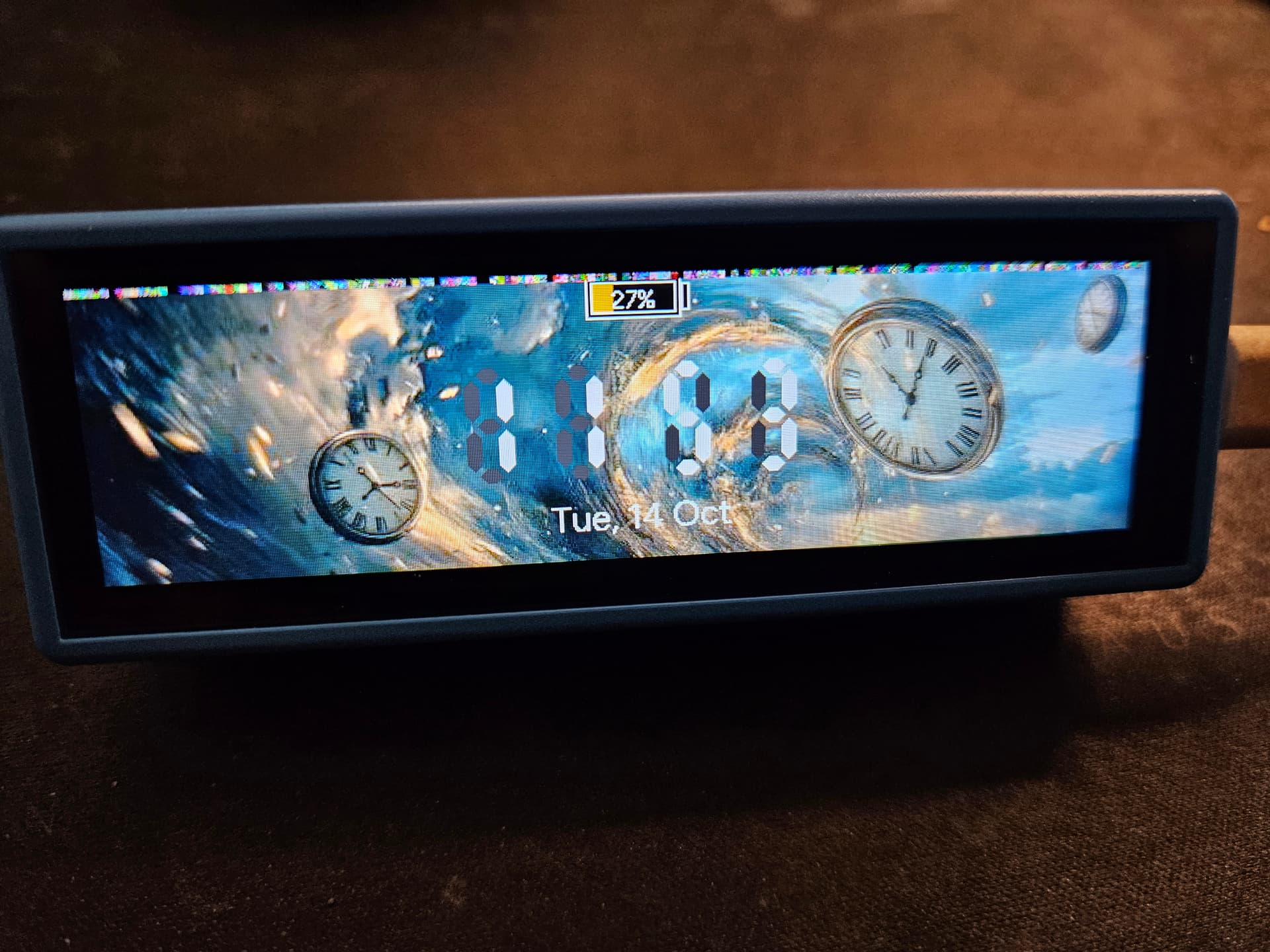
looks like we are getting closer, i can now rotate but there’s 4 lines of garbage at the top (looks like 4), using these settings:

external_components:
  - source: github://pr#11226
    components: [mipi, mipi_spi]
    refresh: 1h

spi:
  id: display_qspi
  type: quad
  clk_pin: 10
  data_pins: [11, 12, 13, 14]

display:
  - platform: mipi_spi
    id: main_display
    model: WAVESHARE-ESP32-S3-TOUCH-LCD-3.49
    data_rate: 80MHz
    cs_pin: 9
    reset_pin: 21
    draw_rounding: 4
    rotation: 90
    dimensions:
        height: 640
        width: 172

compiled on 2025.9.3 standard, side observation is that installing the dev version alongside, broke the standard version with the error i hear many report of after installing 2025.9.3 (Discord)
though i was running 2025.9,3 already., remove and install the standard addon again so all is fine, just an observation.

if you want me to compile this with the dev. version let me know :slight_smile:

No need to compile with the dev version if you are using the PR as an external component, it brings in the earlier fixes as well.
But do test with show_test_card: true - it’s important to eliminate as many variables as possible. You can however remove the display config lines after model except for rotation - the rest are preconfigured for that new model name.

And your English is fine - better than many native speakers.
It’s more about the testing process (eliminate as many variables as possible, change one thing at a time) and communication - show full config, and clear statements of what worked and what didn’t, to eliminate any confusion.

For example, in your post above you didn’t include the display lambda - that could be important - which is why I suggest using show_test_card - it is a known quantity. If the display is perfect with the test card, then any problems with your image must be in the lambda or image. If it’s not perfect with the test card, then it’s a display driver problem. That’s the kind of step-wise process that gets the result as quickly as possible - like a binary search.

i understand, this is with the cutdown test yaml so:

external_components:
  - source: github://pr#11226
    components: [mipi, mipi_spi]
    refresh: 1h

spi:
  id: display_qspi
  type: quad
  clk_pin: 10
  data_pins: [11, 12, 13, 14]

display:
  - platform: mipi_spi
    id: main_display
    model: WAVESHARE-ESP32-S3-TOUCH-LCD-3.49
    data_rate: 80MHz
    cs_pin: 9
    reset_pin: 21
    draw_rounding: 4
    rotation: 90
    dimensions:
        height: 640
        width: 172
    show_test_card: true
#    lambda: |-
#      it.image((it.get_width() / 2), (it.get_height() / 2), id(casita_idle), ImageAlign::CENTER);

and i still get those 4 lines

Ok, update the external components block (I tweaked the test card image.)

external_components:
  - source: github://pr#11226
    components: [display, mipi, mipi_spi]
    refresh: 1h

Then try with rotation: 0 to see if there is still a problem with rotation.

Then try with widths each of 176 and 168 in case it’s the 8-pixel alignment problem coming into play.

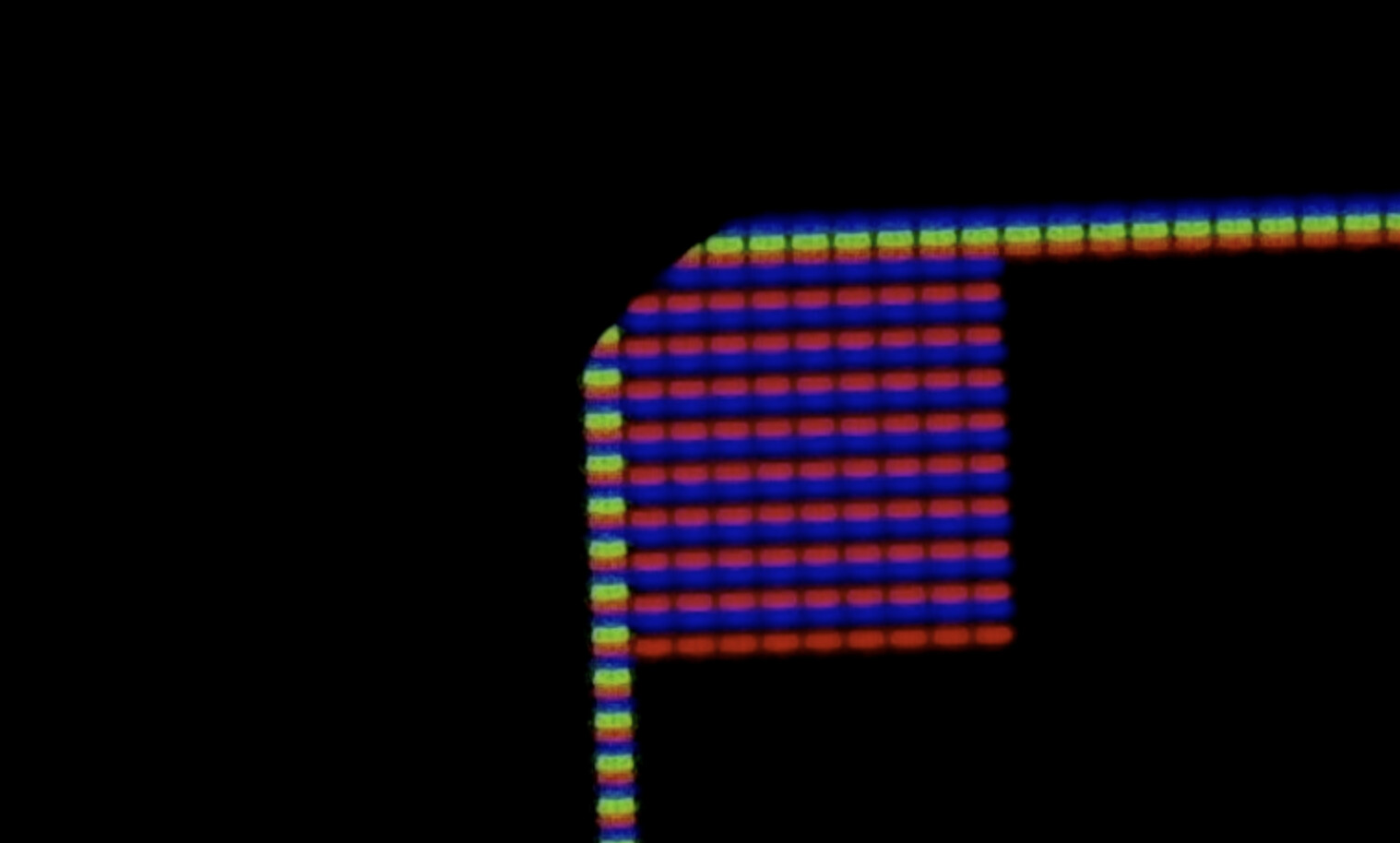
With all the tests, have a close look at the corners with a magnifying glass and see if you can see the 10x10 magenta square there and see how much of it is missing.

It does look like from your photo that 4 pixels are not being written but it’s a bit hard to tell - it is quite hard to get crisp images - I used a microscope to get the one below (that display has slightly rounded corners.)