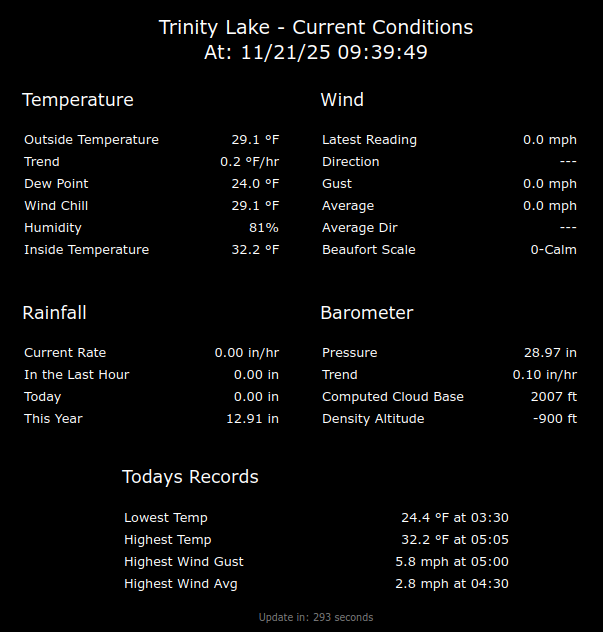
I made a basic webpage to display each of my remote weather stations. These weather station webpages are on my personal website, so they also can be displayed via a Webpage card on a home assistant dashboard. Therefore, all I need to do to “modernize” the display, is to make any changes in just one file/folder…The trick to this is to also install the crt · weewx/weewx Wiki · GitHub to weewx. This creates a text file that can easily be parsed by javascript, and displayed on a webpage…

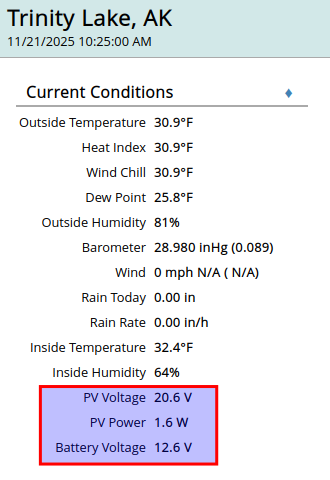
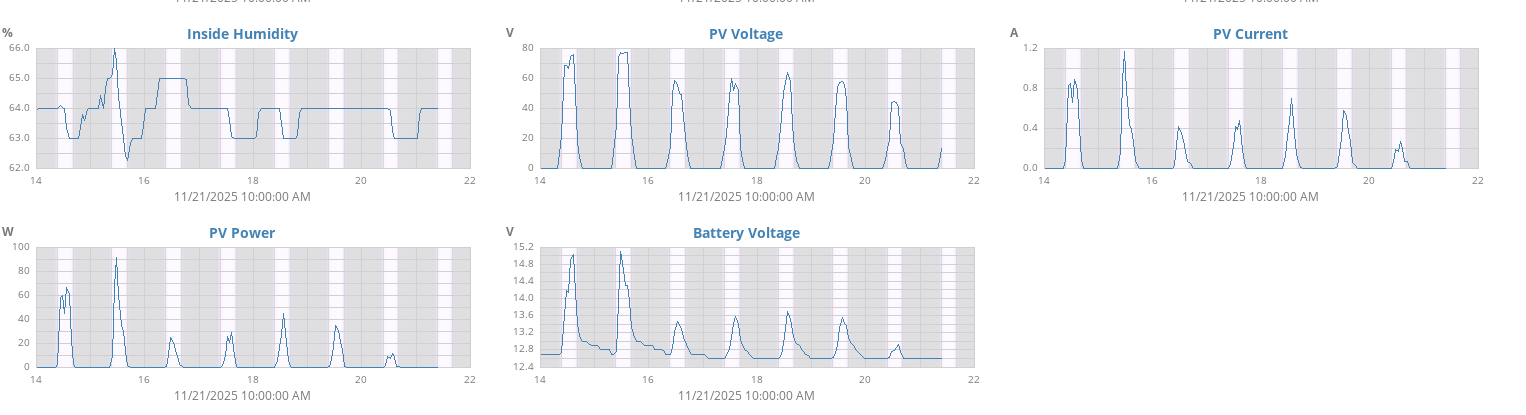
Interesting… I am also doing something similar with one of my remote solar systems…I have a physical add-on to my solar charge controller that can publish to a MQTT broker. So I wrote my own WeeWx extension that subscribes to the pertinent charge controller mqtt topics, then updates the WeeWx database with these values.
Thanks area_49, can you please confirm that in the restful_services = … line, I simply add
, user.mqtt.MQTT - I ask because when I did so, weewx stopped updating.
I did notice that all the other entries are prefixed weewx.restx.Std…
Yes, confirmed for:
- WeeWX version 5.1.0
- Ubuntu 24.04.3 LTS
You really shouldn’t have to manual add that entry. In my experience, the following linux commands will automatically do that for you:
- wget -O weewx-mqtt.zip https://github.com/matthewwall/weewx-mqtt/archive/master.zip
- sudo weectl extension install weewx-mqtt.zip
OK, I decided to got for broke and just run those 2 commands. Unfortunately, this broke Weewx again, so I removed the
user.mqtt.MQTT
from the conf file and weewx sprang back into life.
I think I’ll create a new uSD card with Weewx on it and try and get MQTT working on that…
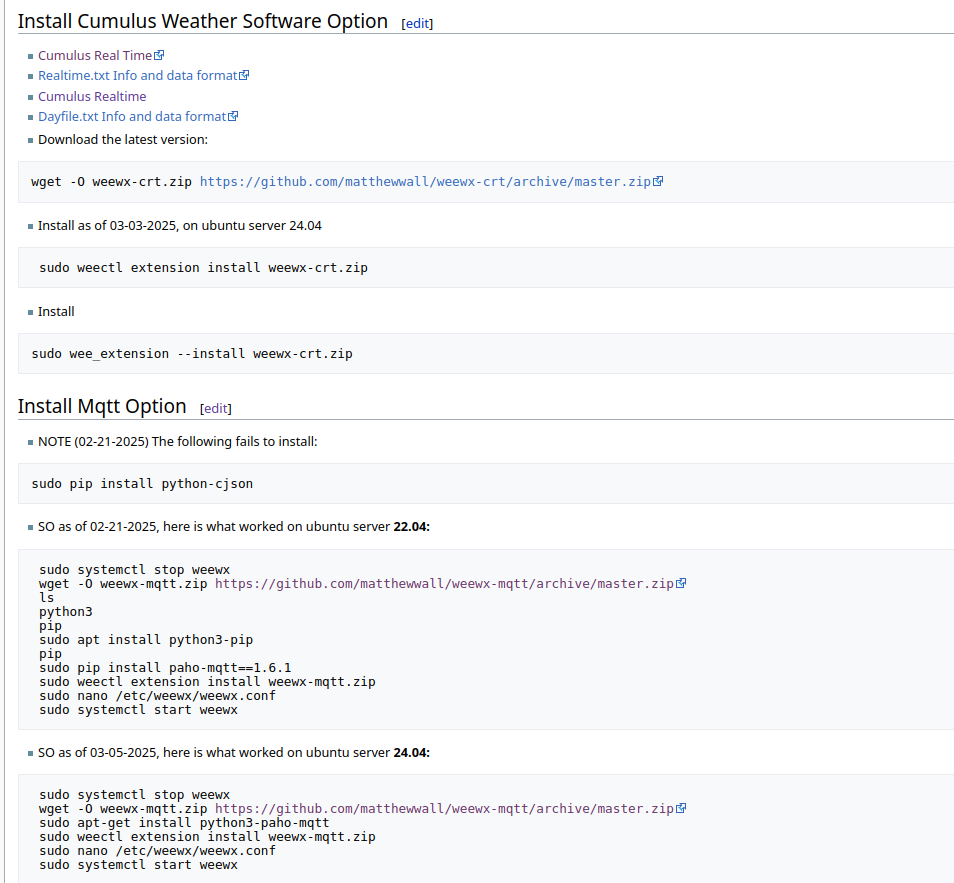
Sorry to hear that. My notes do show that I’ve run across different methods to get this to work depending on what base OS is being used and what version of weewx is installed. My first attempt was on a raspberry pi about 5 years ago…That one was way different than installing today on an ubuntu base OS…BTW, weewx does a bunch of writing to the database, so using a raspi may not give very good results in the long term (Mine lasted abot a year bfore the high quality micro sd card failed). I’ve switched to small form factor computers with real ssd drives because the raspi micro sd cards are not that robust (even the higher quality ones)…A FYI, notes on this from my personal mediawiki…These notes do work for the base OS installed, and the latest version of weewx.
Ok - when you say “broke weewx”, can you be a bit more specific. If you run weewx from the command line, you should see a bunch of output. Please post that.
OK, I’ve made some progress…!
I created a new instance of weewx on another RPi and then followed exactly your notes:
sudo systemctl stop weewx
wget -O weewx-mqtt.zip https://github.com/matthewwall/weewx-mqtt/archive/master.zip
sudo apt-get install python3-paho-mqtt
sudo weectl extension install weewx-mqtt.zip
sudo nano /etc/weewx/weewx.conf
sudo systemctl start weewx
With the only edits to weewx.conf:
[StdRESTful]
[[MQTT]]
server_url = mqtt://mqtt-user:******@192.168.1.154:1883
topic = my_remote_wx/wxstation
retain = True
“user.mqtt.MQTT”
was indeed added automatically.
So, I now have two weewx servers up and running (the original one connected to the ClimeMET console) and the new one using the built-in Simulator.
Both are now sending MQTT messages to HA.
This is what MQTT Explorer sees:
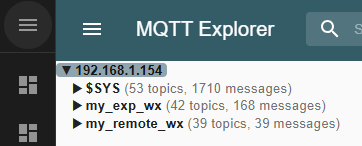
(my_exp_wx is from the new (experimental) client, and my_remote_wx is the real one).
Strangely, the experimental one is sending data every 5 minutes, but the real one will not update unless I refresh the page!
The other problem is that HA gives the following error when checking the YAML files:
Configuration warnings
Invalid config for 'sensor' at configuration.yaml, line 20: required key 'platform' not provided
NB: The above were my notes from Sunday night. I didn’t touch either weewx installs until today (Tuesday).
Yesterday (Monday) I installed a couple of Linknlink eRemotes devices to HA that interface via MQTT…
I now find that neither weather stations work, the databases appearing to be corrupt.
So, this evening I’ve started again from scratch and now have a Simulator weewx server (referred to as my_remote_wx).
Having added the following to configuration.yaml:
sensor:
- state_topic: "my_remote_wx/wxstation/outTemp_F"
  name: "Weewx Outside Temperature"
  unique_id: "tnc-mqtt-my_exp_wx-outtempf"
  unit_of_measurement: "°F"
  device_class: "temperature"
  value_template: "{{ value | round(1) }}"
  icon: "mdi:thermometer"
I now get the following error:
Logger: homeassistant.config
Source: config.py:939
First occurred: 22:22:28 (1 occurrence)
Last logged: 22:22:28

Invalid config for 'sensor' at configuration.yaml, line 19: required key 'platform' not provided, please check the docs at https://www.home-assistant.io/integrations/sensor
Strangely, without any input from me, all the entities and devices associated with eRemotes have magically appeared in HA, whereas nothing from weewx has appeared.
Hi Clay, I normally monitor the weewx output by putting IP_of_weewx_server/weewx into a browser and it shows the weewx dashboard… but after modifying weewx.conf for mqtt, the weewx dashboard stopped refreshing…
As of tonight, since rebuilding the new weewx server, it is refreshing…
OK - so are you seeing the MQTT messages?
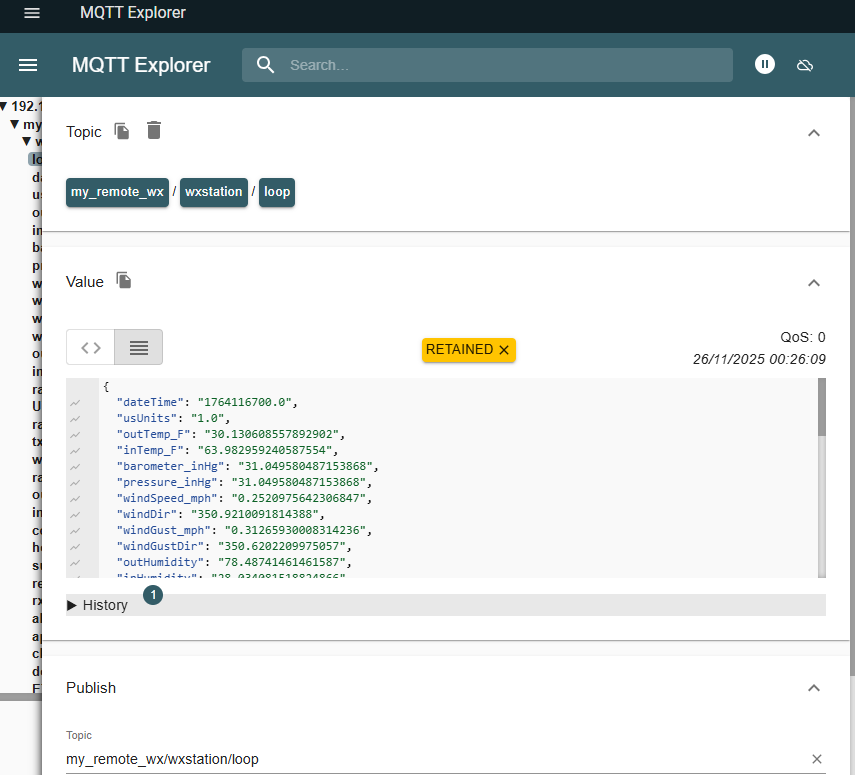
OK, where to start. Last night I managed to get this thing working - I’ve not yet figured out how!
I initially decided to simply connect the new Simulator Weewx server to the FineOffset WS2080. This immediately showed a full set of live data, updated every 5 minutes.
HA still didn’t see any data, so I tried to make sense of the error messages coming out of the configuration.yaml - it was saying that it needed a platform defined - so I tried platform = mqtt but it didn’t like that. After some head scratching and beer drinking, I decided to move all the mqtt sensors into an mqtt.yaml file - which didn’t require the platform definition.
All this time I was expecting the Weewx sensors to be listed under the MQTT but all that appeared was:
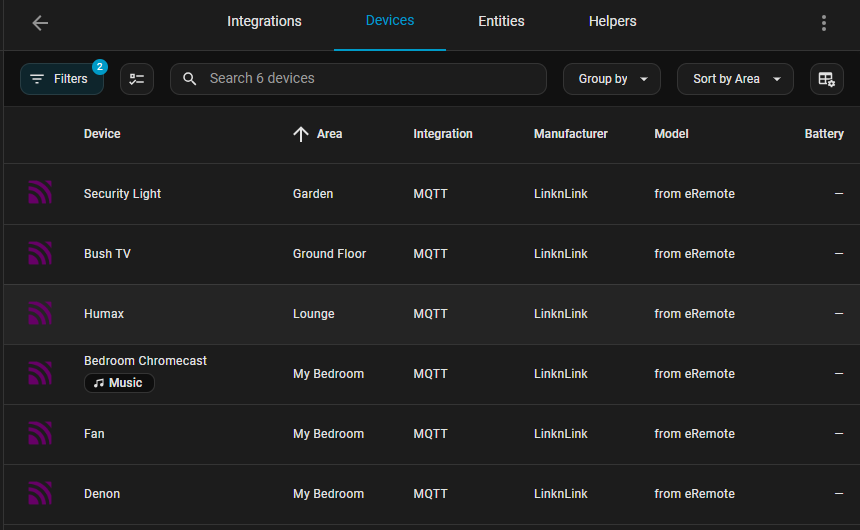
However, since sorting out the configuration.yaml, I found the Weewx sensors listed here:
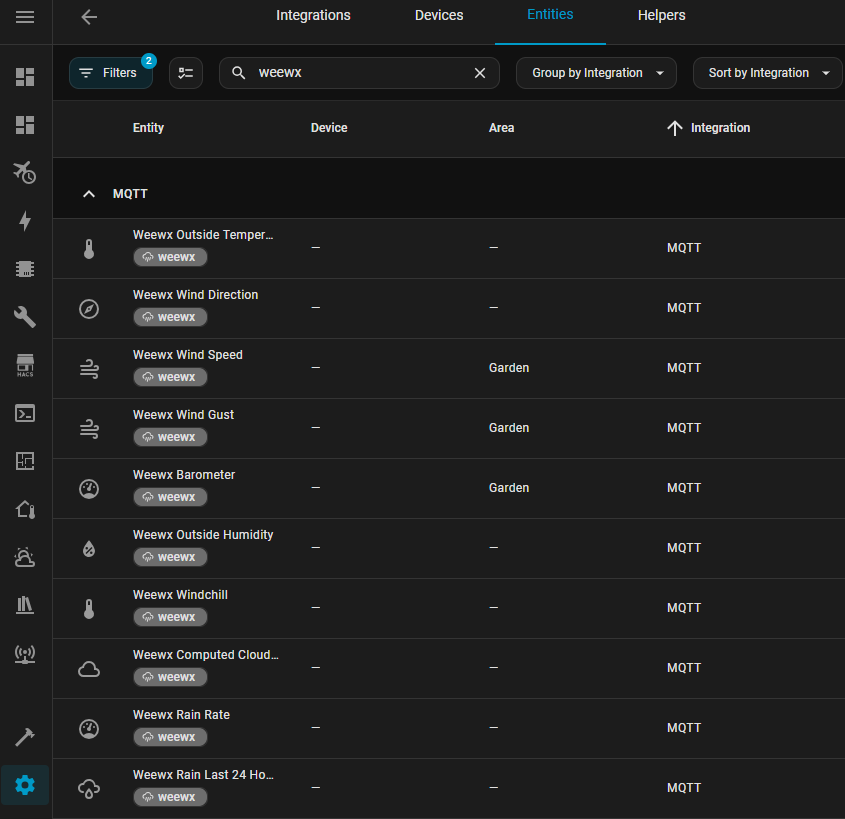
So I now have my Weewx data listed in HA!
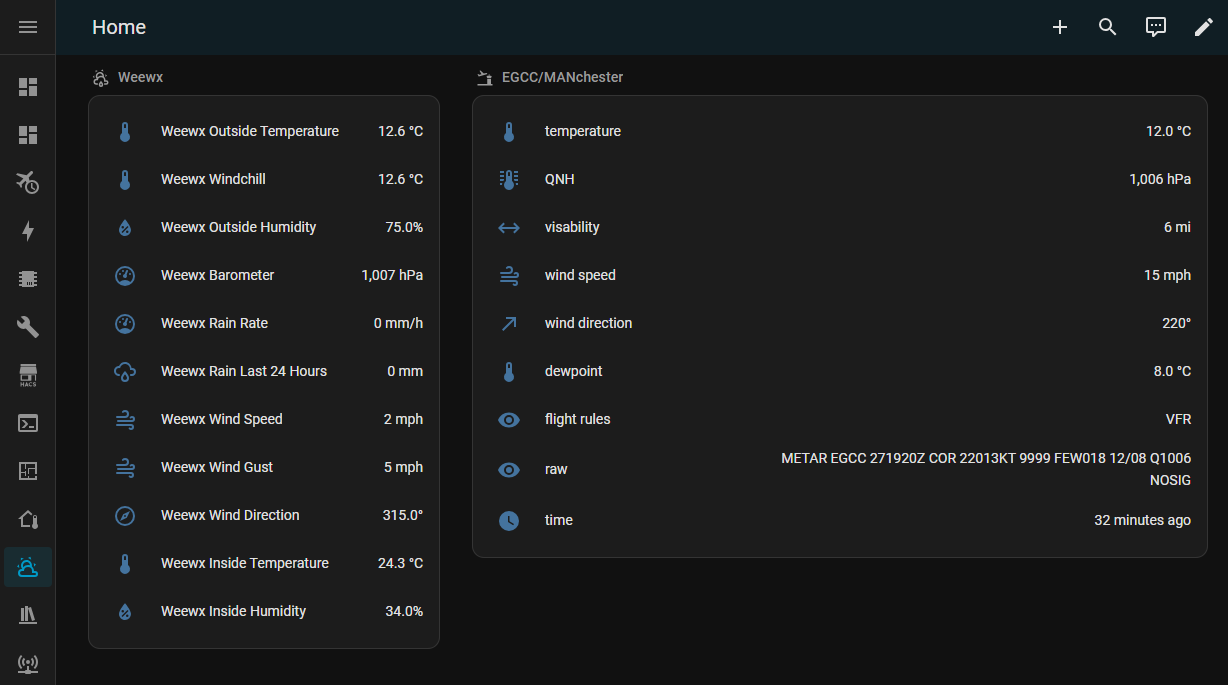
Sorry, I’ve been away for a bit… Sounds like you finally got it all figured out and working!
Again, I understand your frustration with the installation process. The learning curve for both Weewx and Home Assistant is pretty steep…but once figured out and configured properly, both are pretty amazing pieces of software!
Yes, I found it frustrating at times and I have to admit I did wonder whether it was worth it, but you and Clay, et al, kept me going. 
I’ve even given it a background!
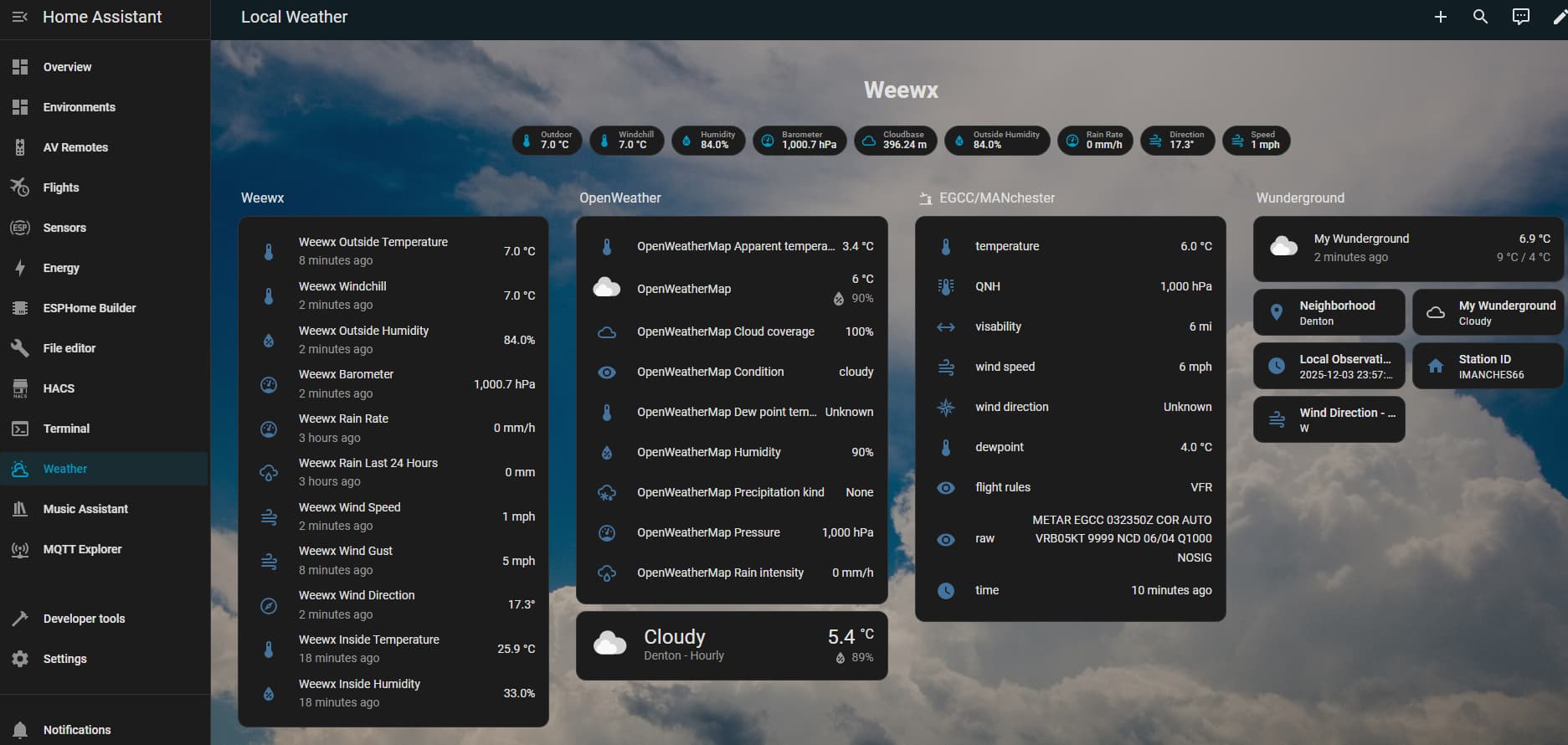
1 Like
Looks great!
One other feature/option of WeeWx that I use for two of my weather stations - is the “Fileparse” input option. I wrote a python tool that periodically queries the api from aviationweather.gov, then outputs a text file that the WeeWx fileparse input option can read. So, I have my own personal weewx instances of the Kona Hawaii airport and the Lake Hood Alaska weather stations…
I also used this input method many years ago to have a stand alone temperature sensor in my company’s server room. WeeWx installed on a raspberry pi zero with a DHT 11 connected. I wrote a python script to periodically read/write the temperature and humidity readings to a text file that Weewx reads. I’m retired now, but that hardware/software setup is still is being used by the current IT group to monitor the room temperature…
Edit:
I just noticed that you have some aviation information on that screenshot…Perhaps you are a pilot? Just about every other person here in Alaska is a private pilot, so paying close attention to the weather is second nature to us. One of my remote weather stations is in a valley where there are a number of remote cabins that the owners fly into. There is also a world class helicopter ski lodge there. I’ve been told that my weather station is used by all the pilots that fly there - including the pilots that shuttle skiers to the lodge…
1 Like
I’ve been using Wview, then Weewx for many years - my first setup used a first generation RPi. I’ve been feeding flightradar24 for almost as long, using various RPis with SDR dongles.
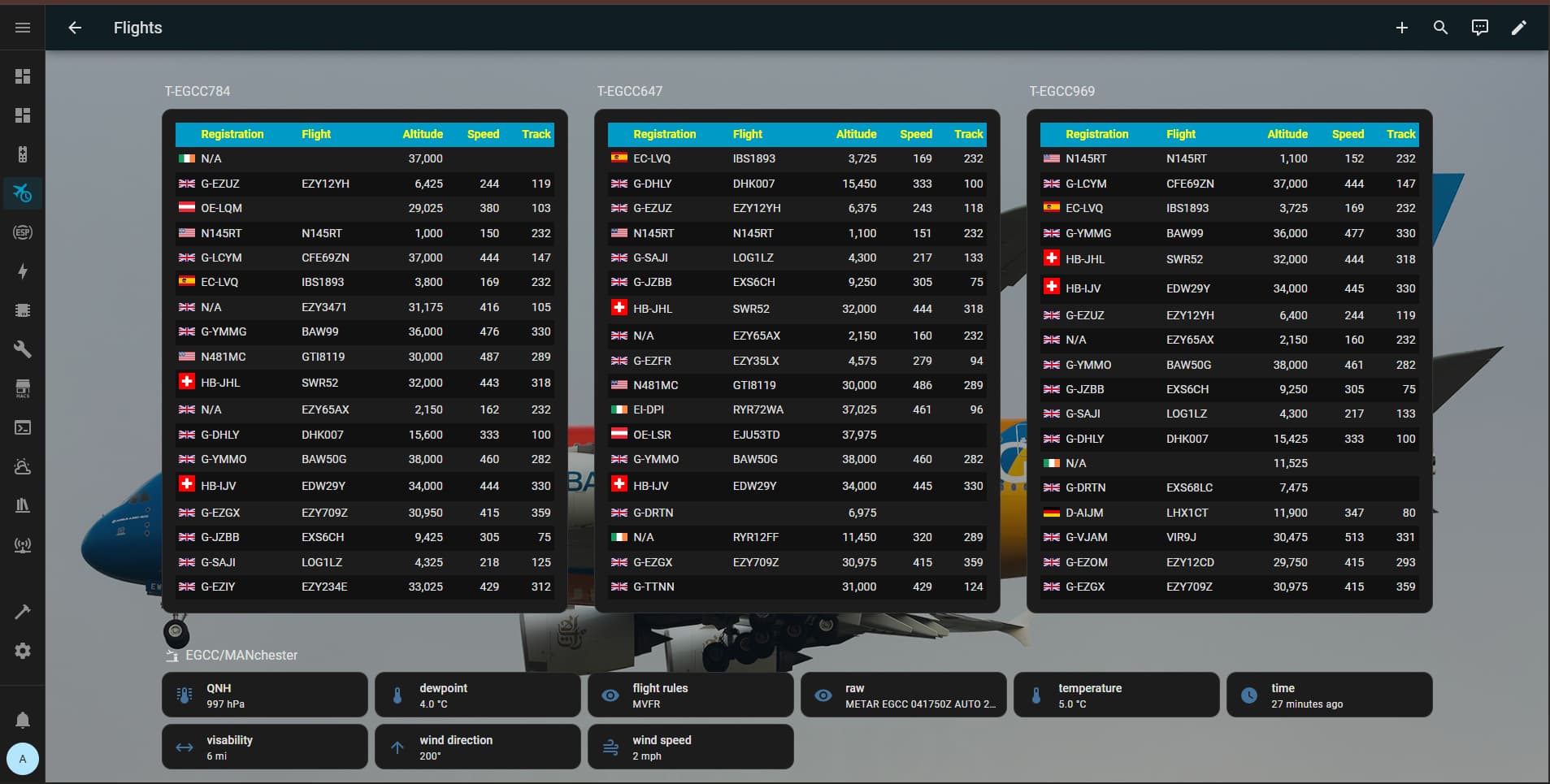
I live about 7 miles from Manchester Airport, and have been a “'plane spotter” most of my life (the nearest I’ve been to being a pilot was winning a raffle to sit in the cockpit of a Cathay Pacific 747 during take off, flying from Manchester to Frankfurt!)
I’m using AVWX to show weather info from Manchester Airport (GitHub - eduwardpost/aviation-weather: Aviation weather HACS integration).
I’ve just worked out the relevance of Area 49!
Nice!
FYI - I’m working on my own Home Assistant add-in for using ADS-B info (from Opensky) to track my friends airplanes, and to track when any planes land at the lake where one of my remote cabins is located. I just finished writing my own Home Assistant tool for knowing if a tracking device is within a polygon, circle, or corridor. So combining that tool with ADS-B tracking, I can now know if planes have landed at the lake, or are flying to/from the lake from here…
My cabin partner is a retired 747 cargo pilot. Before that, he flew C-17’s in the Air Force and during Operation Desert Storm - he’s got a few hairy stories about that!
Don’t know if this might be of interest to you GitHub - ColinWaddell/FlightTracker: Raspberry Pi flight tracker with a dot matrix display that shows real-time overhead aircraft info using FlightRadar24 and custom animations It taps into flightradar24 data and then displays it on a LED matrix depending on a defined volume of sky - ie you state the diagonally-opposite lat, long and the min/max altitude. I use it to show me a/c on final approach to Manchester…

Respect to your cabin partner.