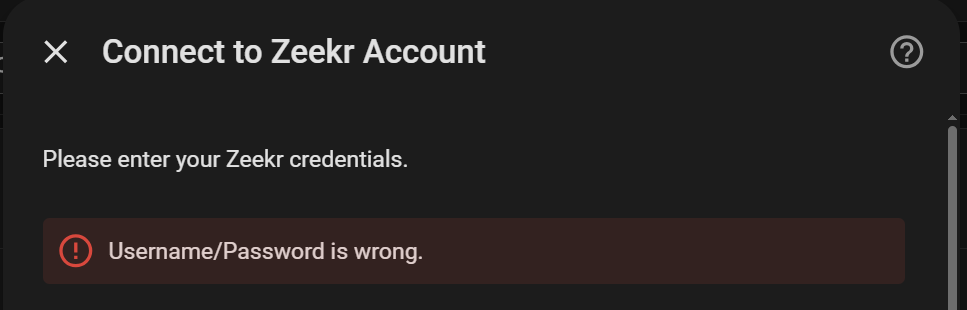
the one that worked for me ends in 7da04
my error was "Username/Password is wrong." - didn't check what the fail code was
the one that worked for me ends in 7da04
my error was "Username/Password is wrong." - didn't check what the fail code was
Thanks.
Not sure what l’m doing wrong but it’s not working for me.
EU user, Denmark, Zeekr 7X, com.zeekr.overseas app. Extracted keys with --region EU. Login fails with username/password error regardless of email or phone number. All 7 prod_secret candidates tried. Any help?
Second one in two days, sounds like the app updated and the key extractor needs an update too
Is that something you are looking into? angelface ![]()
Not my project ![]()
I should have taken more caution when updating the app... also stopped working here. Bummer!
Does this mean the keys changed?
Oddly the API part of the integration shows connected, but the other part with all of the entities is not functioning.
Updating the app wouldn't have affected it. Try going to the configuration of the integration and logging in again (don't have to change any values)
Unfortunately, this does not work for me. Any other tips? I have all the keys extracted but keep getting a Username/Password is wrong, with or without the toggle. Thanks!
fixed it, had to use a different prod_secret key.
Next challenge, I am not seeing any entities other than:
AC Operation Duration
Zeekr EV API Integration
Seat Operation Duration
Zeekr EV API Integration
Steering Wheel Heat Duration
Nothing on charging state or anything, let alone being able to sent commands.
Anything in the logs?
After a good night sleep I checked the thread again and saw something about sharing the car. I remembered that this was an option in the app and shared the car with the dedicated user for HA, And then all of a sudden 70+ entities appeared.
Great work by the people who made this possible. Next week I will receive my Victron 50 Kwh home battery and the integration of the car to HA gives me a lot of new possibilities to optimize my energy usage!
Makes sense since with one account, every time you open the phone app it would log out the integration
Anyone have any good automations or scripts set up around this yet?
I saw one person has automated the charge port to open when he activated his charger which is neat.
I have tried to create a pre-heat for the cold mornings which sets the driver and passenger seat heating to L3, sets climate to heat/cool at 24 C, and switches the steering wheel heating on.
When i get in the car though the only thing which is still on is the steering wheel, cant figure out why???
Interested to hear what anyone else has done, and how well it works
Thanks for the intergrations and guidance.
I've run in to an issue, where I can only extract 4 of the 6 keys. Stating the VinKey and IV are not found. I've tried my best navidating the file with JADX and Claude with no luck.
I authenticated on the app, logged in, connected to vehicle and ran the entire process again just to see if any change, but the same result.
Any clue as to why, or how to obtain these another way?
Cheers,
Clark
Hope somebody can help me
Trying to extract the needed key's but having some issues
Getting this error (ERROR: capstone is required. Install with: pip install capstone
) , but when i check this or try to re-install :
Requirement already satisfied: capstone in C:\Users\xxx\AppData\Local\Programs\Python\Python314\Lib\site-packages (5.0.9) Requirement already satisfied: pyelftools in C:\Users\xxx\AppData\Local\Programs\Python\Python314\Lib\site-packages (0.33)
also tried to install the requested capstone>=5.0.0 and pyelftools>=0.29, but still :
Requirement already satisfied: capstone>=5.0.0 in C:\Users\Simone\AppData\Local\Programs\Python\Python314\Lib\site-packages (5.0.9)
Requirement already satisfied: pyelftools==0.29 in C:\Users\xxx\AppData\Local\Programs\Python\Python314\Lib\site-packages (0.29)
But after this, the same error: ERROR: capstone is required. Install with: pip install capstone
May not be compatible with Python 3.14. try 3.11 or 3.12.
Try:
winget install Python.Python.3.12
py -3.12 zeekr_extract_secrets.py zeekr_base.apk zeekr_arm64.apk
tried this , and getting this back
C:\Windows\System32>py -3.12 zeekr_extract_secrets.py zeekr_base.apk zeekr_arm64.apk
ERROR: capstone is required. Install with: pip install capstone
then i did exactly (while i kno capstone is already installed)
Requirement already satisfied: capstone in C:\Users\xxx\AppData\Local\Programs\Python\Python314\Lib\site-packages (5.0.9)
Okay, we are a few steps further ( i wont give up) , and extracted the Json file . and entered everyting in this integration (as much copy paste as possible) but getting the error : username/password is wrong...and a know 200% sure it isnt . The password itself is a 16 digit random (pwd generated) one, is this maybe the problem ?
@TheCostmicGate (and others).
Your user/pass is not wrong, I had a different issue to you but still the same outcome error wise as despite it working, it didnt give me what I needed (missing VINkey etc), and I would get the user/pass wrong. I knew it was correct as it would log me out of the app each time I tried.
The Solution:
I had to roll back (uninstall) APK 1.5.7 from my phone and installed 1.5.5. https://apkpure.net/zeekr/com.zeekr.global/download/1.5.5
Big thanks to Stormshaker who posted an issue on Git calling this out, I was able to start again, extract everything and connect to HA first attempt. His issue can be found v1.5.7 (com.zeekr.global) fails to extract VIN key/IV — use v1.5.5 instead · Issue #10 · wysie/zeekr_key_extractor · GitHub