1.28 inch 240*240 ESP32C3 Round Display with Rotary Knob UEDX24240013-MD50E by VIEWE company

Hi, just message the seller. Should not be a problem.

Hi guys,

I’m currently using this device to display an arrow in the direction of a float value received from the RX pin of the dev board. I’m unsure of which GPIO is meant to be attached to the RX and TX pins, as I tested “GPIO20 RX, and GPIO21 TX” which was previously mentioned by OP and didn’t receive any data. Is anyone able to check this for themselves? I couldn’t find it in the documentation either.

I have also been trying to use gpio 20 & 21 with no luck (i am connecting a mp3 player). From my understanding these are UARTO and used for the usb/serial monitoring.

I unplugged the usb after uploading software, I connected power/ground separately separately, disabled usb CDC on boot and still no communication over these pins.

Gpio3 is available and accessible via the adapter board but i need two pins. Gpio10 is also available but not accessible on the adapter board so i would need to solder directly to the C3 board. Trying to avoid this.

Anybody had luck with rx/tx communications over GPIO 20/21?

Hello, I was able to successfully connect via gpio pins 20 and 21 (tx1 and rx1 on the adapter board) and send and recieve communications. They are UART0. U need to enable USB CDC in arduino settings.

Your attached device needs to be powered on AFTER the knob boots up.

This is because the boot ROM momentarily uses UART0 for debug until USB CDC fully takes over. That can glitch your accessory’s RX during boot.

Can you post your code please?

Here is a video with functioning mp3 player attached.
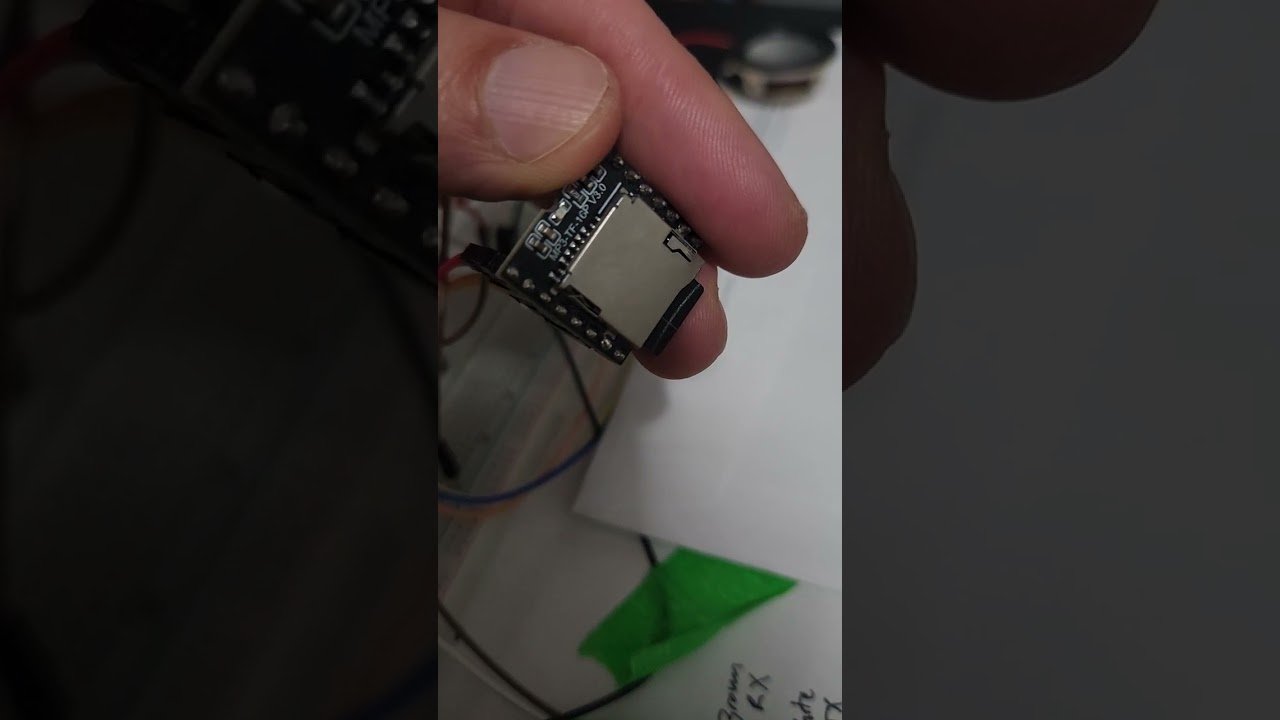
CODE, PLEASE! Post the YAML file.

code would be epic if available please… I am trying to rotate between buttons as a menu but I am failing LOL

I just picked up the same 2.1" model, has anyone been able to get ESPHome on it yet?

has anyone made any progress with these yet? I have one and have it running ESPhome, so far I have it sending events for presses and rotation and displaying a basic light control, but would love a nice graphical display like the vent hood example OP made, any tips how to get this?

Code please? I haven’t even gotten as far as you.

I got the urge to find a small LCD touchscreen to control some items on my camper… was looking thru e-bay and realized i had a couple of these devices that I have never been able to use… so with this threads help and some vibe coding, I have a working prototype right now.

I’m storing my code up in github… GitHub Camper Screen Remote

I still need to work on mine… I have the comms going from the camper controls to the screen, but control actions do NOT go back to the camper (yet… i think i know pretty much what is needed there).

I ran into a host of problems… tried LVGL, using lambda instead of pages, had to figure out the colors were reversed, what BGR/RGB order, figure out the backlight PWM (ledc) control i needed… its easy to get frustrated and think its not displaying anything, when its actually black text on black, or the backlight isnt sufficient, etc… I’ll continue updating my code over in github and add in the projects for the camper IoT controller and towing vehicle monitor.

Keep in mind, for me, this is supposed to work on the road or on top of a mountain as well as it does at home in range of my home network and Home assistant… so ESPNow is critical. I do use local web servers as well (sometimes for debugging only) but they can help for remote use… although finding the hotspot, logging in, then logging into the website (with a password) is a bit cumbersome. Also trying to save power by deep-sleeping will mess with web pages and cause you to refresh manually a lot.

But for what its worth, I’m happy to share back to this community. Thanks for the help, hope this is valuable!
-=RB

I have one of these that I could never get to work. Please keep us up to date here as your project progresses.

Hello everybody.
You need to change the given code just a bit, since esphome keeps changing. I set it to esp-idf and used the mipi-spi platform since the ili9xxx platform seems to be deprecated.

display:
  - platform: mipi_spi
    model: GC9A01A
    cs_pin: 10
    dc_pin: 4
    reset_pin: 2
    rotation: 0
    id: round_display
    spi_id: spi_bus
    invert_colors: true
    # next two lines required for LVGL mode
    auto_clear_enabled: false
    update_interval: never

Haven’t done much else yet, but it displays on first try now and the hardware seems to all work.