ha core options --duplicate-log-file=true
ha core rebuild
ha core restart
OLD POST BELOW
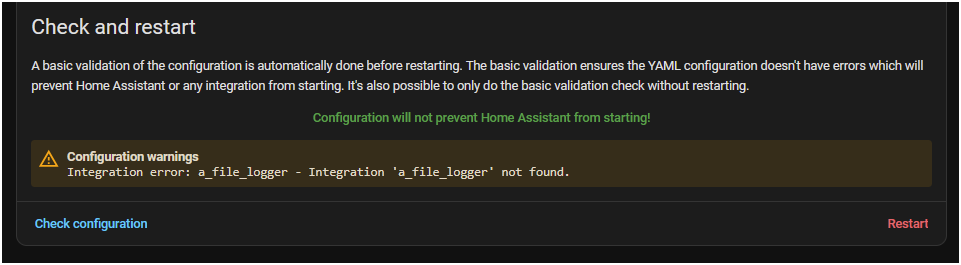
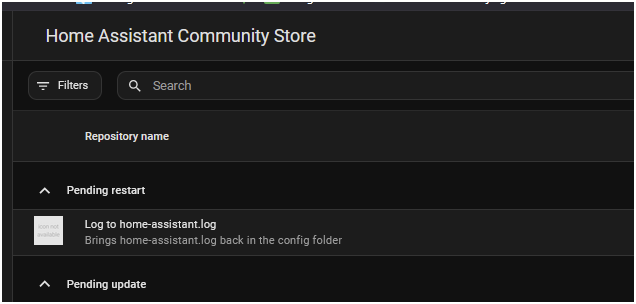
For those of you that want the log file back after updating to 2025.11, you can use this integration.
Installation through HACS
Just keep in mind that it will not capture some lines when HA starts up. It should start pretty early it just may not capture all the debug logs about custom integrations.
It adds the logging handle back. So it’s essentially the same as before, just a delayed startup because it loads it as an integration instead of loading in the bootstrap.
If this ends up being popular, I’ll see if I can load it faster.
The custom integration works fine, thanks @petro. I use the log-viewer addon to see the logs, however the “new” log files dosen’t load there. Is it possible to view the log fies with a web viewer?
I’m not overly concerned about ‘losing’ the logs but would like to be able to know the size of the file.
I use it to show me if something is going badly
What is the location of the ‘actual’ log file and can I interrogate it?
That’s just it it’s not there anymore and you cannot unless you put it back.
I also spent two hours last night trying to hit it from the HA api and that endpoint doesn’t seem to work anymore (and I would think redirecting REST to the internal storage would bee the natural alternative…) with or without the file in place. It just 404’s. The only thing I’ve been able to do to hit it programattially is put it back with Petros solution and then command line sensor it…
This one id REALLY like to thump whomever did NOT think this one through…Absolutely boneheadded decision…
I’ve changed my mind.
I really miss the logs being accessible outside of HA (in my config folder)
Given petro created this in ‘no time’ after the HA version release (without in any way wishing to denigrate the effort you put in) surely this could have been added as an option. It really is this kind of small but far reaching decision that I think is often a blot on the otherwise impeccable copybook of the HA ‘leadership’.
I am using that custom integration and i am seeing it creates an home-assistant.log, an home-assistant.log_1 and an home-assistant.log_old. Is this behaviour correct?