Massive thank you to @joostlek ! Finally we are free to choose across a large number of LLM via the openrouter integration.
2 Likes
2 Likes
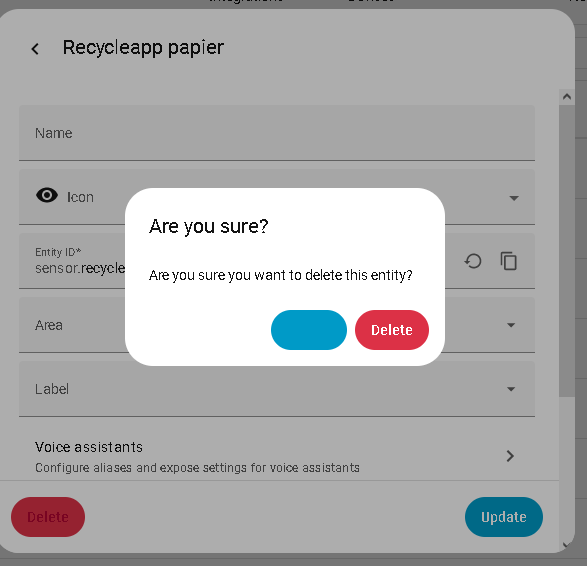
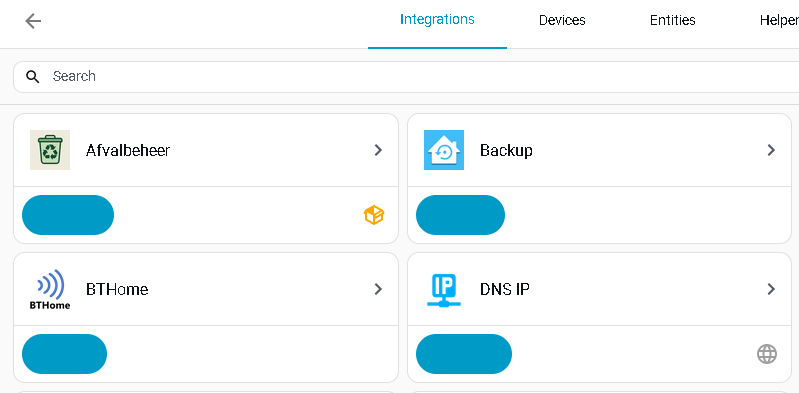
Finding the same on Android with webView. You will find that all the ‘plain’ buttons are missing transparent background. Seems to be that some Browsers are not correctly cascading the same style definition. I have the details and now you confirm it’s not just me I will submit an issue.
Is it just me, or does this version change the colour?
I don’t see any mention of this colour (or the US ‘color’) in the release notes…

6 Likes
In this example of my living room card, today, it’s my way to group and use/control lights.
Most of the time, I don’t use the dashboard because of hue scene and motion sensor do their job but I still find this useful to tweak or change depending of my need.
“Cheminee” light is a grouping of 3 lights which are also visible below in the card where small slider are present to control them individually.
With this release, I may consider now to remove the 3 sliders  thank you Paul @piitaya for this.
What I would like also in this group entity is a kind of favourite positions like you see with low/med/high. Touching a slider on the more info card is sometime tricky to have a good and fast action to get the desired amount of light.

Has anyone tried the updated Pi-Hole integration in this release, and can confirm that you can replace the HACS custom integration?
I notice that custom integration says it has extra features.
Frontend issue created. Buttons of appearance=plain do not have transparent background on some Browsers · Issue #26425 · home-assistant/frontend · GitHub
2 Likes
Maybe I’m wrong, but is it impossible now to give Home Assistant read-only permissions to Unifi Protect? I can’t seem to find any way to restrict what can be done with the API key. And it includes Unifi Network too. I intentionally do not give Home Assistant this kind of access, for security reasons, so this makes me quite uncomfortable to do. I’m rolling back to 2025.07 for now, until there is a way to restrict the permissions. Otherwise I’m probably going to replace the integration with RTSP streams and some webhook automations through alarm manager, because I’m using it read-only anyways, but that would definitely not be a good way to do it.
3 Likes
Still no love for the Xiaomi integration that fail autentication. Sad.
1 Like

I’m sorry, but the example data makes no sense to me. The
"text": using colon without a value, and the number of “{” not the same as “}”. It feels like it was pasted in as example text before it was complete.
I firmly believed that Xiaomi authentication would be fixed.
3 Likes
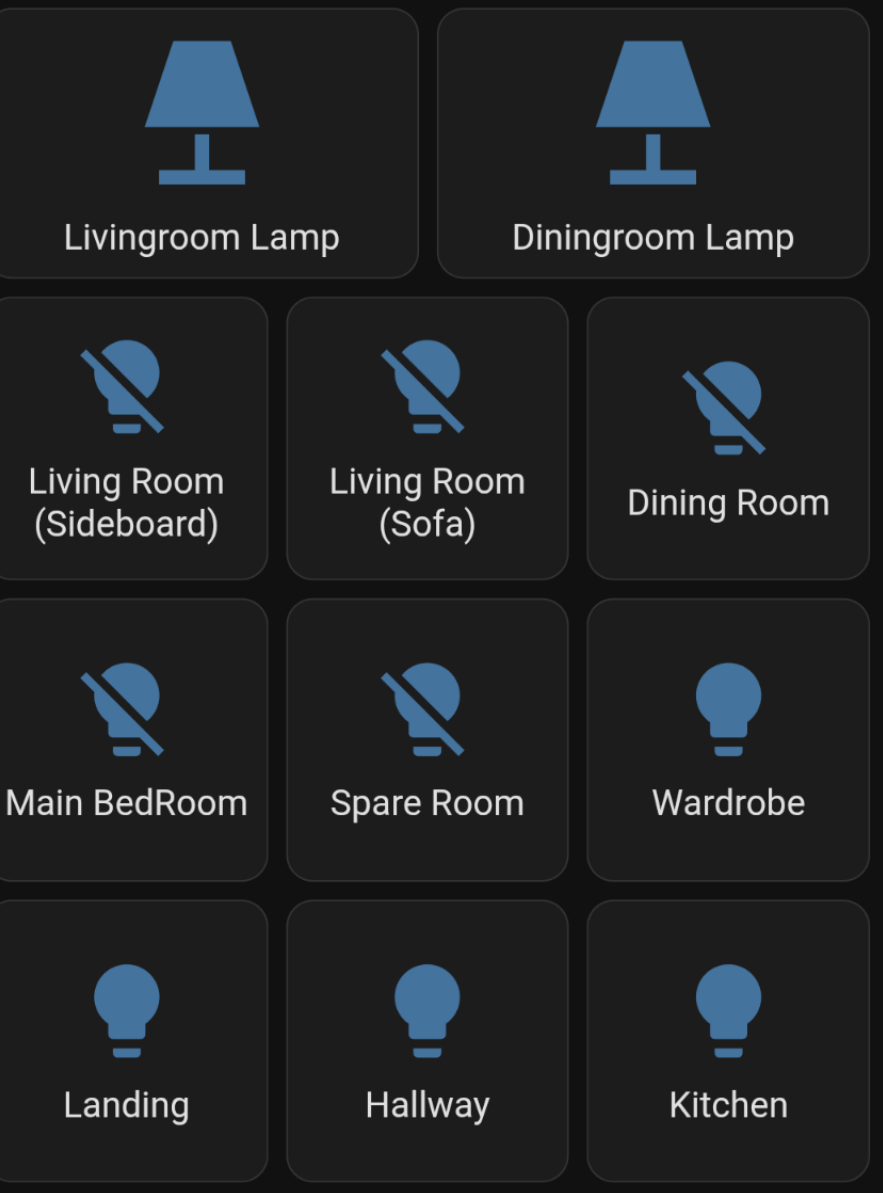
Since updating some of my light entities have changed the “off” state to a bulb with a line through it.
Any idea how to fix ?
Just updated to 2025.8
Unfortunately “Stiebel Eltron ISG” isn’t working anymore. Tried to remove/add the device again.

It seems to be a problem with Modbus. Are there any changes in the latest update?
Thanks
I think this is not a bug. See https://github.com/home-assistant/core/pull/148749
2 Likes
It is not just you:
So this release introduces updates to buttons and colors as the first step in refreshing the Home Assistant interface. Our main goal is to improve accessibility by ensuring all interface elements meet at least AA contrast standards (WCAG).
We’re also addressing limitations of the old button component, which offered little variety in color, size, and style. This often led to buttons appearing equally important—even when they served different purposes.
And finally, on a technical level, we’re moving away from Google’s Material Web Components (which are either deprecated or in “maintenance” mode) and beginning a transition to Web Awesome and custom-built UI components.
From here: https://discord.com/channels/330944238910963714/427516175237382144/1400379668045103124
5 Likes
… and a speedy result with fix already merged. 
1 Like
Thanks for the info , I fixed it by changing the icon back to lightbulb in the card settings
Hi,
I am seeing excessive logging from the frontend when looking at the new energy flow card. Over 5000 entries in ten minutes. I’m using the Docker HA version. This is from the log file:
Logger: frontend.js.modern.202508060
Source: components/system_log/init.py:331
First occurred: 09:41:57 (5263 occurrences)
Last logged: 09:55:21
Uncaught error from Firefox 141.0 on Windows 10 TypeError: can’t access property “length”, e is undefined p0 (node_modules/zrender/lib/animation/Animator.js:13:14) interpolate1DArray (node_modules/zrender/lib/animation/Animator.js:364:43) map (node_modules/zrender/lib/core/util.js:228:19) val (node_modules/zrender/lib/animation/Animator.js:360:32) step (node_modules/zrender/lib/animation/Animator.js:594:34) onframe (node_modules/zrender/lib/animation/Clip.js:36:13) step (node_modules/zrender/lib/animation/Animation.js:76:32) update (node_modules/zrender/lib/animation/Animation.js:98:38)
Uncaught error from Firefox 141.0 on Windows 10 TypeError: can’t access property “length” of undefined p0 (node_modules/zrender/lib/animation/Animator.js:13:14) interpolate1DArray (node_modules/zrender/lib/animation/Animator.js:364:43) map (node_modules/zrender/lib/core/util.js:228:19) val (node_modules/zrender/lib/animation/Animator.js:360:32) step (node_modules/zrender/lib/animation/Animator.js:594:34) onframe (node_modules/zrender/lib/animation/Clip.js:36:13) step (node_modules/zrender/lib/animation/Animation.js:76:32) update (node_modules/zrender/lib/animation/Animation.js:98:38)
Logger: homeassistant.util.logging
Source: util/logging.py:74
First occurred: 09:42:17 (1 occurrence)
Last logged: 09:42:17
Module frontend.js.modern.202508060 is logging too frequently. 200 messages since last count
@MindFreeze I think there is a logical error on the (very nice!) new Energy Flow chart.
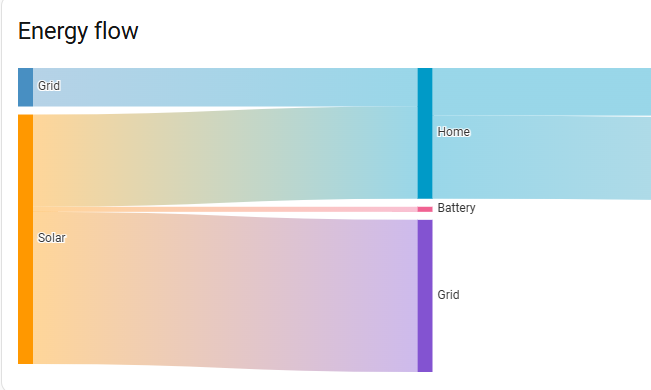
Battery consumption plays a big part in my home energy setup, but it only shows as a tiny bar in the chart. It seems to me only the difference between battery charge and battery discharge is tracked. It tracks battery efficiency, not battery use.
What I think it should be:
- Sum of all battery discharges as an energy source on the left
- Sum of all battery charges in the middle
In other words:
A home has 3 energy sources: Solar, Grid and Battery
Energy obtained has 3 possible targets: Home consumption, Grid or Battery
5 Likes
All very impressive, I love HA for many years and I appreciate the integration of AI very much and will try asap – but: ala I did not find a simple solution to increase overall font sizes in dashbords it is difficult for me and my wife to handle HA. I understand: the majority of developers are much younger than me (77), but eyes do not get better when aging. Perhaps anybody may show me a simple Method to go. Thanks.
2 Likes