There is no way to do what you are suggesting and maintain uniformity across mutliple installations. The previous installations all migrated from an overview dashboard that had stuff on it, so all those cards “just stayed the same”. This most recent installation didnt migrate to the new views, it started out there, and by virtue of not having migrated anything, it wont let me change the overview dashboard.
I cant ship a customer a bunch of installations “but hey this one here just is gonna be different from all the rest cuz Dave said so”.
You are not understanding what I’m saying. You can STILL have the ‘old’ style dashboard as the default for ALL HA installs. You are not forced to use the premade dashboards at all.
I was on the beta from day 1, no issues other than some custom cards. Now on the stable and still no issues, most of the custom cards have already been fixed too.
creating a new dashboard, which appears in the left, that “visibly is not the overview dashboard”, is not the same as “having the overview dashboard continue to function like it was literally 2 hours ago”.
adding a custom dashboard is not the same as editing the overview.
in the dashboards config there is no way to ‘change the overview dashboard back to lovelace’. the option just isnt there. If you want to duplicate what I’m seeing, I suggest you try a fresh install somewhere without migrating any data, and you’ll see what im talking about
I’m not going to do that because I know how to achieve what you want without creating a new install. Place go read up on how to manage your dashboards before commenting again.
dude the blogpost even says “if you want to go back, just create a new dashboard”. There’s no way to ‘change the overview’, the only option is to add a new dashboard. The functionality has been removed.
EXACTLY! Then make that dashboard the ‘default’, ie: the overview. It’s not rocket science.
Liked the old Overview as a way to build your custom dashboards? You can still do it. Go to Settings > Dashboards, select Create , and pick the Overview (legacy) template.
The problem with doing that is now there is a divergence - every other HA install ive setup has “the overview” be the … overview. the place where all the cards live.
Now I’m stuck with this one installation thats going to be different, “the overview” is … empty, and I have to create a new dashboard to have the same content.
I’m not saying its “hard”. I’m saying “it puts me in a bad position because now there is a breaking change, and my customer is gonna be pissed”
I guess what youre refusing to acknowledge is that because the older installations “migrated data across”, the are now functionally different. Now I have to hand a customer equipment that is gonna come with riders and caveats because there is functionally no way to “make them all look and feel the same”.
and as per the screenshots i posted, you cannot do that. a fresh new installation of HA as of this afternoon will not let you edit the yaml of the overview dashboard
You don’t need to do that. Make any old yaml file and treat that as the overview. You can even name it overview. The overview still exists too, it’s just not the built in default dashboard. The home dashboard is the default now, which can’t be edited. You’re confusing things.
I have created a new lovelace dashboard, and setting it to ‘legacy’ lets me paste yaml into it, but thats not “the overview dashbaord”. its “another one that wont let me call it overview”, thats now in the bottom of the stack on the left in the navbar area.
Since you’ve refused to light up a fresh installation of the newest version, you wont be able to reproduce what I’m describing
because you cant have two dashboards with the same name. delete the other one first.
I don’t need to fire up a new install to know that you are wrong. Please just think about what you are trying to do. You can’t have two entity ID’s exactly with the same name either
I have two installations here that had stuff in the overview before migrating to the new version. Those look and feel exactly the same, and you’d never know there was a big change.
However this fresh installation that didnt migrate any data has changed the layout and orientation of the overview dashboard to the new format, and there are no toggles, hamburger menus, or other ‘edit buttons’ available to paste yaml into the overview, so that its functionally identical, visually, to what it was just a day ago.
I’m saying installations that have been migrated that already had data are behaving differently than fresh installs. It’s like if you had stuff in the overview dashboard yesterday, and you ran the update today, “nothing changed”. But if you’re starting from scratch, its a whole different ballgame.
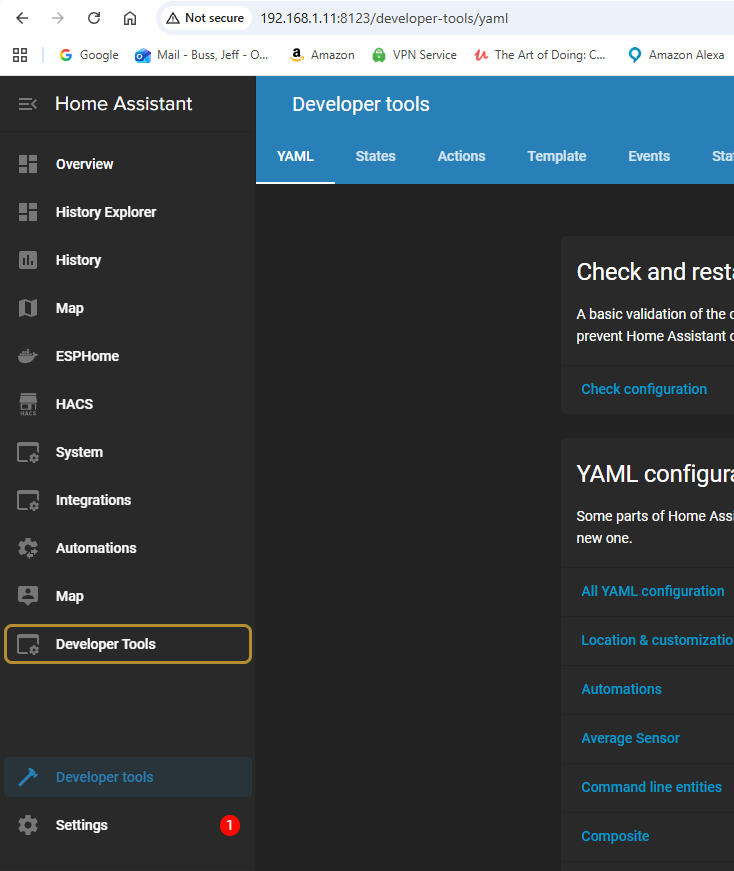
I agree. I am using the developer tools quite often and being required to do an extra step would be annoying.
But you can install “Custom Sidebar” through HACS and then you can put nearly anything you want to the sidebar. Including getting back the dev tools.
You can also give the icons colors, which makes the whole sidebar look a lot more interesting and makes the navigation easier, because you’re brain can choose by color instead of having to decipher the icon or read the attached text.
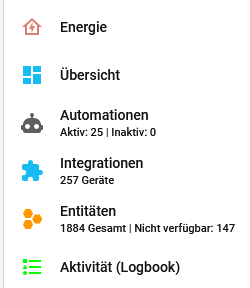
This HACS plugin is really quite neat and I wouldn’t want to miss it. Determine the color and order of sidebar items. Hide entries easily only for certain users, add an entire URL to the sidebar, change the icons and best of all: add numbers such as the amount of entities (available and unavailable) right below your custom entry “Entities”. So you can always see those figures and immediately notice if the number of unavailable entities has gone up rapidly to realized that something might have gone wrong. Here’s an example (sorry, my Dashboard is in German, but you can give it any name or description):
Yeah, I missed that. Another unnecessary decision to change things for change sake.
I believe you can get the same functionality by doing this in configuration.yaml but it’s another set of hoops to jump thru just to get back to the exact same functionality as we had before:
 THEN, set that new dashboard as the default / overview.