Updated to b0 and have some issues with setting up automations due to triggers:
Automation NS Panel 2 Motion Wakeup failed to set up

Error · Reported by Automation

The automation "NS Panel 2 Motion Wakeup" (`automation.ns_panel_2_motion_wakeup`) is not active because its triggers could not be set up.

Error:`Integration 'binary_sensor' does not provide trigger support. Got {'id': '1682464404091', 'alias': 'NS Panel 2 Motion Wakeup', 'description': 'Wake NS Panel 2 when motion detected in Kitchen', 'triggers': [{'entity_id': ['binary_sensor.kitchen_presence'], 'to': 'on', 'platform': 'state'}, {'entity_id': ['binary_sensor.kitchen_ms6_home_security_motion_detection'], 'to': 'on', 'platform': 'state'}, {'entity_id': ['binary_sensor.passage_ms6_south_motion'], 'to': 'on', 'platform': 'state'}, {'entity_id': ['binary_sensor.presence_sensor_fp2_75e7_presence_sensor_...`.
and:
Automation Garage personnel door lock failed to set up
Error · Reported by Automation
The automation "Garage personnel door lock" (`automation.garage_personnel_door_lock`) is not active because its actions could not be set up.

Error:`Integration 'binary_sensor' does not provide trigger support. Got {'id': '1762559697040', 'alias': 'Garage personnel door lock', 'description': '', 'triggers': [{'entity_id': ['alarm_control_panel.house'], 'to': ['disarmed'], 'id': 'disarmed', 'platform': 'state'}, {'entity_id': ['alarm_control_panel.house'], 'to': ['armed_away', 'armed_home', 'armed_night', 'armed_vacation', 'armed_custom_bypass'], 'id': 'alarm armed', 'platform': 'state'}, {'at': '20:30:00', 'weekday': ['sun', 'mon', 'tue', 'wed', 'thu', 'fri', 'sat'], 'id': 'night', 'platform': 'time'}, ...`.
I’m unsure if they are covered by this reported issue:
Speed up trigger tests by emontnemery · Pull Request #166522 · home-assistant/core · GitHub
You probably had occupancy triggers used in those automations. Those are no longer provided by the binary_sensor domain, they now live in the new occupancy domain. You will need to edit the automations.
Ah yep, that’s correct. At first the repair wasn’t opening the automation to allow me to edit it but it is now. I can see the faults now.
Thanks
Did I miss where the new domain is mentioned?
Feels like it should be a breaking change (and perhaps mentioned in the summary, too). I think that’s going to cause some issues for many people.
It is in the release notes, along with many others, and you would’ve had to opt in via the labs feature.
- Occupancy: trigger when occupancy is detected or cleared, and check if a space is occupied.
- Temperature: trigger when the temperature changes or crosses a threshold (from temperature sensors, climate devices, and more).
Looks good.
However, why the forced renaming without a warning or depreciation heads up? I would’ve liked it if there was a log warning or something for at least 3 releases. Now when I update I am forced to rewrite my whole dashboard. If I would have known earlier, I could have started already…
At least there’s a warning, which wasn’t exactly a rule before, so i appreciate that. (remember esphome renaming mess… ? )
But, hey, you still have appr. one week time for changing names before production version comes out.
Personally i’ll wait for update and then see what to change. Now i don’t have a clue which entities i changed, and i certainly won’t check 1000+ of them one-by-one just to figure that out.
At least now i know i must update only when i’ll have a few hours of spare time after that to correct my “mess”.
Haha, yes I remember that. I think my wife does too. 
Yeah, it was late when I was reading the notes.
It doesn’t mention that it is going to break existing triggers, though. I still think this should be mentioned in breaking changes,
EVERYBODY does… 
be prepared…
I’d suggest all to check the Discord topic inside the #beta channel on the entity naming subject.
my thoughts: it’s bad, as we can no longer control the naming of our entities in the Dashboard on the entity UI. no matter what we set there, the system appends it, with a device name, or, if you set the same name including the device, cuts all relevant info from it…
no matter we can set names in individual cards, that is not the same as setting a name for an entity and have the system use that everywhere
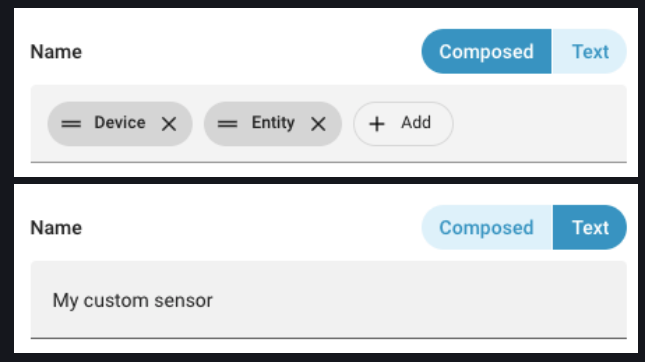
yeah but we always could set a custom name in a card. thats not the issue at all.
the issue is the entity name isnt used in cards, even if the user sets it explicitly .
setting this in the entity
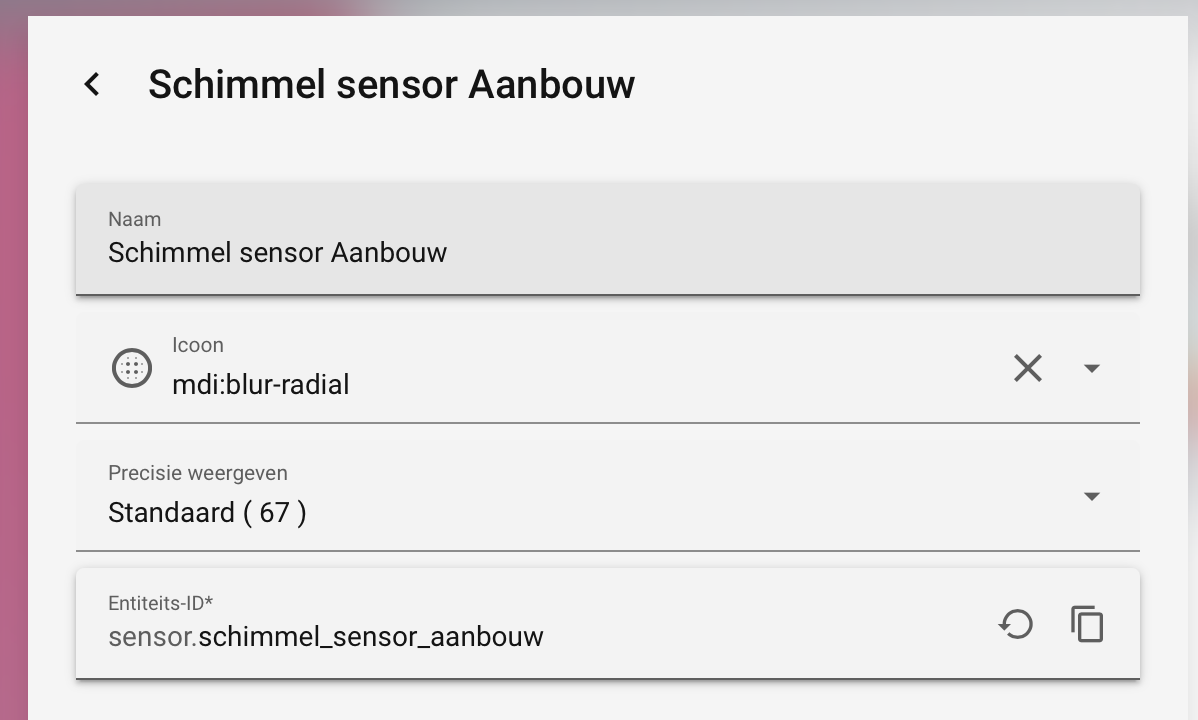
results in this in an entities card:

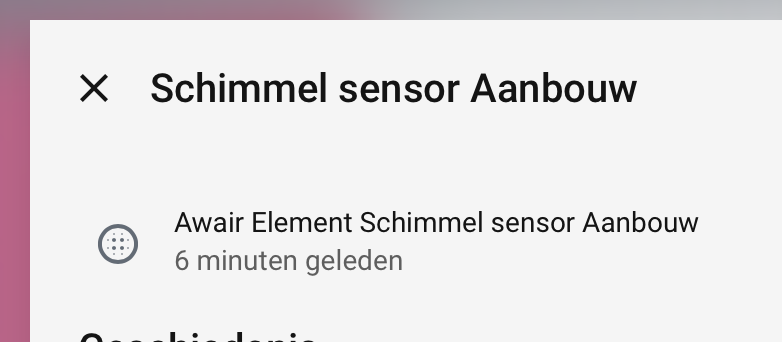
and its more-info even shows both… it’s so confused 
but, no need repeating that discussion, hop over to that discord chat if you want to
For clarification, this is only on custom cards and cards that don’t adopt the new system. There are already talks about potentially altering this, so I’d temper the expectations a bit here. I’m not touching my names until a decision has been reached. Whether that’s revert, keep, or alter, we have to just wait.
Wait might be wise yes .
But it is also happening on core cards, like entities etc.
Yes, hence why I said
Holy crap. They’re doing WHAT?
OK Someone get me a whole damn popcorn truck. This is gonna get wild.
Im just now reading this naming BS and yeah… This is gonna HURT. All I can say is please don’t.
Rule 1 don’t mess with user data. Rule 2 see rule 1.
They aren’t messing with user data. The data is retained. On the surface it looks like user data is altered, it’s not. Just the display is. Let’s avoid this doomsday talk to please, I’m sure a sensible solution will be reached.