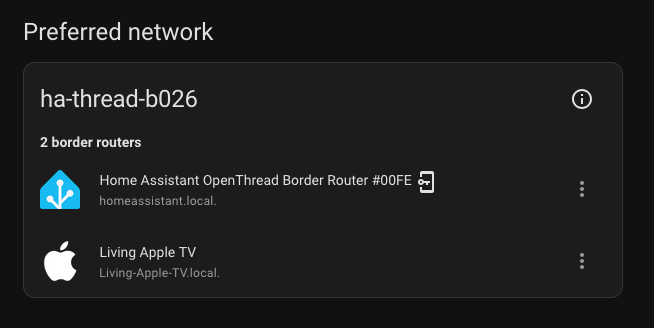
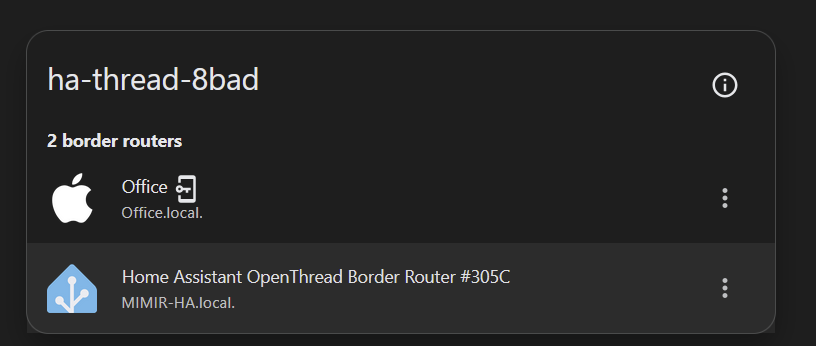
I am considering buying a new Apple TV. I’ve learned it can also act as a thread border router.
I already have a ZBT-1 with about 10 devices connected via Thread. They work pretty well. I’m convinced adding an Apple TV could strenghten my Thread network (among other things), and having a second TBR could make it more reliable overall.
But I have read that Apple will create it’s own thread network. Is that true?
Yes, as far as I am aware, there isn’t a way to force apple thread routers to join an existing thread network, however you can have multiple thread gateways and them connected together.
If you have saved the OTBR credentials to your iCloud keychain (using the HA companion app’s “Send Credentials to Phone” feature) then — in theory — your new HomePod will see that you already have a Thread network and add new devices to that existing network. Note however that I’ve only heard of this working if there is a single network in the iCloud credentials list, and you need a Mac (Keychain Access app) to manually remove entries. If you try this, let us know if it works for you!
Confirmed - it is possible and fairly straightforward to get an Apple TV on you ha thread network.
Steps:
Ensure you’ve got a ha thread network and you’re managing credentials for it via ha.
Ensure there are no Thread devices using the Apple TV’s thread network by removing/resetting them or migrating to the ha network.
Turn off your Apple TV.
On MacOS ensure passwords are being synced in iCloud (I assumed this was needed, perhaps keychain is synced regardless of this)
On MacOS open keychain access, under “View” menu enable “Show invisible items”, then search for “thread” and delete all entries.
Wait… also another assumption from me, but typically iCloud syncing can be fairly slow. I waited an hour or so to assume the deleted entries had been removed from my iOS device.
Now, open iOS ha app and go to the Thread device, then configure icon and hit the send credentials button. You can confirm these are synced in the companion app section of the apps settings.
Wait some more (again I wanted to make sure these were synced back up to iCloud, perhaps this step isn’t needed and the Apple TV gets the credentials via your local network instead).
Turn the Apple TV back on, once it boots you should see something like the below…
Hi, did you delete all Thread entries in the Keychain Access? I have ApplePreferredNetworkRecordLabel and Thread network credentials Active Data Set Record, some going back to 2022.
Thanks.
I gave this method a go with a Homepod Mini (and I used a MacOS VM through VMWare to use Keychain Access - I couldn’t get it working with Proxmox because of specific hardware checks MacOS does with Apple servers).
I did delete all Thread entries, including the ApplePreferredNetworkRecordLabel entries.
I don’t have an iPhone, but following syncing the Thread credentials from HA to my partner’s iPhone, I was able to set up the HomePod Mini. After completing the setup in Apple Home, it automatically appeared in my HA Thread integration as a Thread Border Router.
I did this today with good success and slightly simpler steps:
Use Keychain Access on MacOS to delete the old Thread info - View, "Show Invisible Items", search for "Thread", delete both entries (Preferred Thread network and Thread credentials).
Open the HA app on iOS, Settings, Thread, for the target Thread network click "Send credentials to phone".
Reboot the Apple TV.
This just worked. No need to power off first or wait to sync.