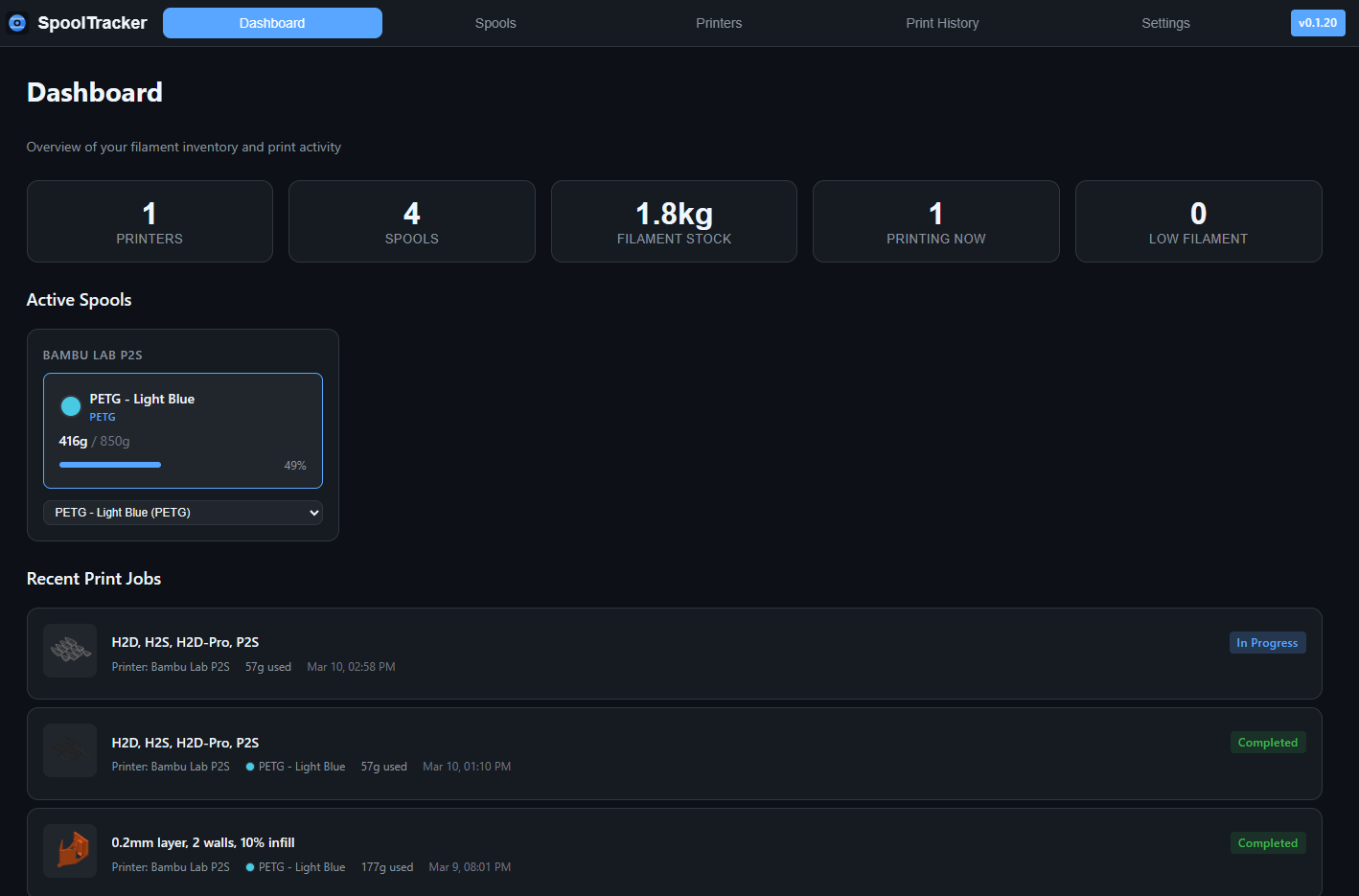
I’ve built a Home Assistant add-on called HA Filament SpoolTracker and would love some feedback and testers.
It currently integrates with Bambu Lab printers via the Bambu Lab integration, and I’m planning to add OctoPrint integration in an upcoming versions so you can track filament usage across more printers from the same UI.
Spool management: Add, edit, archive, and delete filament spools with color, type, weight tracking, and remaining filament progress bars.
Automatic print logging: Detects print jobs from Bambu Lab printers via the HA integration and auto-logs project name, thumbnail, and filament used.
Automatic filament deduction: When a print completes, the used filament is deducted from the assigned spool; supports manual deductions for failed prints or calibration runs.
Multi-printer support: Tracks multiple Bambu Lab printers, auto-discovered from Home Assistant.
Dashboard UI: Overview of filament stock, active prints, low-filament warnings, and recent print history.
Notifications: Home Assistant persistent notifications for low filament levels, unassigned print jobs, and expiring spools.
Planned: OctoPrint integration so non–Bambu Lab printers can participate in the same tracking and spool deduction flow.
Hi!
I just started to test it. One question: what’s the purpose of “initial weight” ? It seems that this weight is not deducted from initial weight or remaining weight, which could perhaps be a good idea, since if empty spool weight is known then the easiest way is to weigh total reel and enter it into database. Then program would deduct empty weight and calculate remaining filament.
Second: is there a plan to support prusa printers?
Initial weight is the net filament weight when the spool is new (what you’d get from the shop or by weighing a full spool minus the empty spool).
Remaining weight is the current estimated filament left on the spool.
We use the initial weight to compute the remaining percentage and to draw the progress bar. If you already know the net filament weight (e.g. from the product specs), you can enter it directly.
If you only have total reel weight and empty spool weight, you can calculate = − once, and then the add-on will track the remaining weight for you.
We could add optional fields for “total reel weight” and “empty spool weight” so the add-on does that subtraction for you. For many users who order by known filament weight, that might be unnecessary. If you’d find those fields useful (e.g. you usually weigh full reels), tell me your use case, and I can consider adding them.
Prusa printer support — I’d like to add support for Prusa printers but don’t have one to test with. If you use Prusa with Home Assistant, could you share which add-ons or sensors you use (e.g. for print status, job name, weight)? That would help me investigate how to integrate. I’m also planning to add OctoPrint support in a future releases.
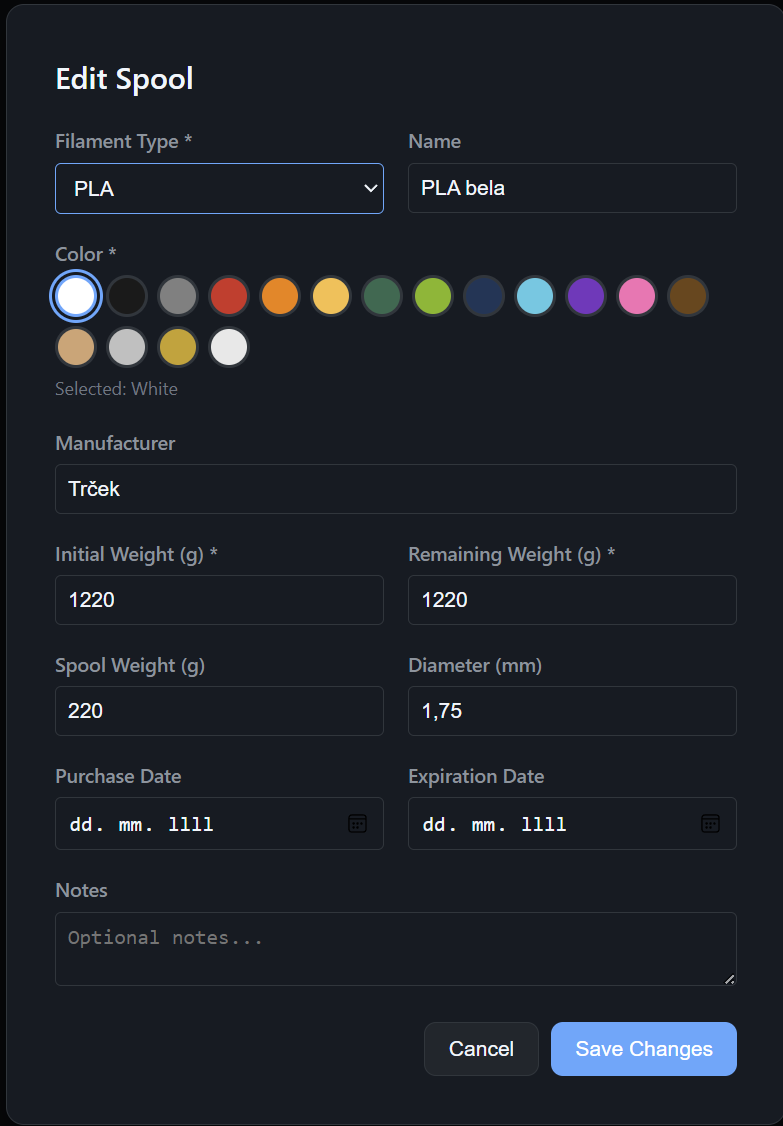
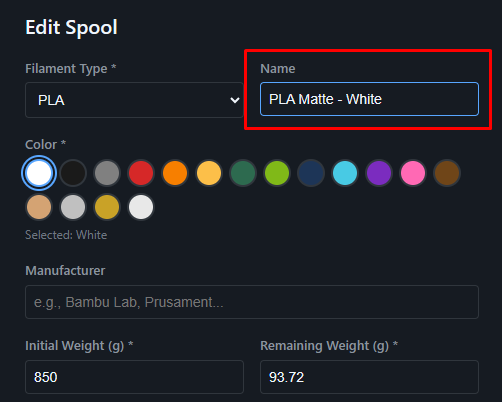
Hi! Thanks for explaining. The reason i’m asking is because either i’m doing something wrong or i understand wrong; namely, in my case i know empty reel weight and it’s not deducted from initial weight i enter:
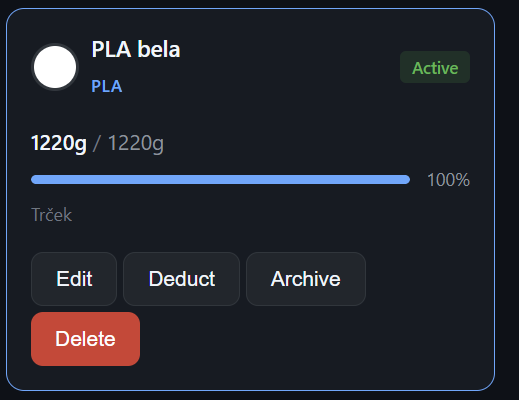
i enter this for new reel:
I guess this should state 1000g/1000g ? Or am i understand wrong?
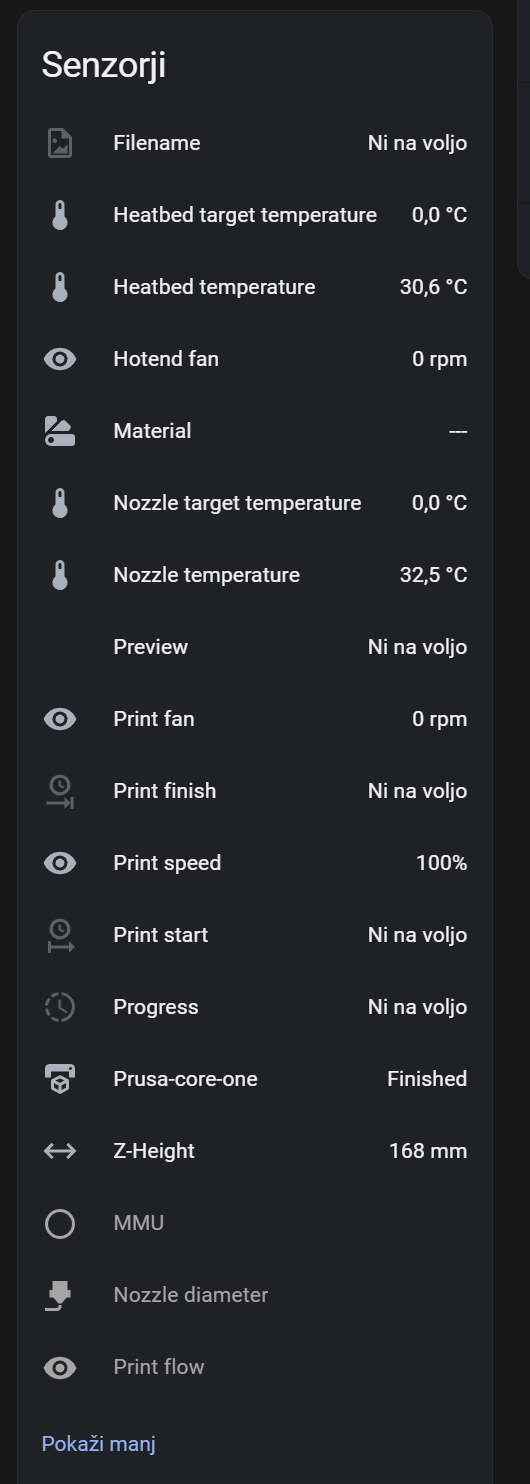
regarding Prusa: when re-thinking, i think that perhaps Prusa is not yet ready for this, since i don’t see any weight info on my Prusa page. It contains print status, temperatures, job name, but not weight. Does Bambulab has this info in HA?
Oh, I see, the field ‘Spool Weight (g)’ is optional and, looks like, a bit confusing. This field is not used in calculations. So, you should input just filament weights (Initial Weight and Remaining Weight, both in your case 1000g).
It looks like Prusa is not yet ready for this Addon, but you can still add prints manually, so, you’ll still be able to track remaining filament.
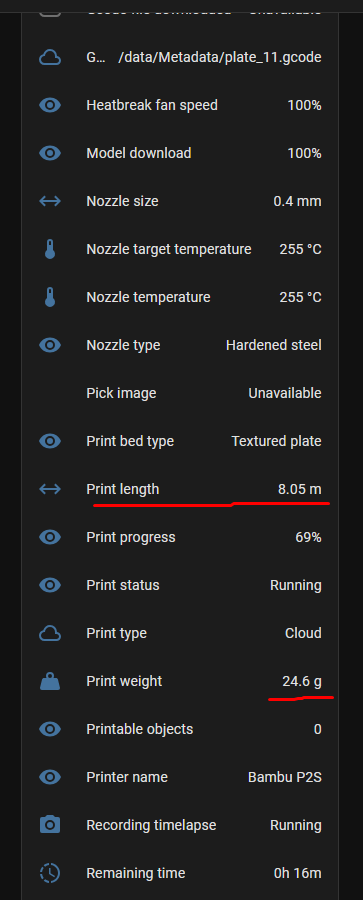
Bambulab has this info in HA (it even has Print length for some reason)
I see. Well, i’ll have this only as a guide, not as accurate or automated “thing”. I just need to have some sort of info about approximate stock of mine, and excel is not exactly very friendly and nice looking…
However, i think it would be nice and very usefull if spool weight would be used in calculations and be deducted from total weight, because in that case whole thing would be very simple: it’s just needed to weigh total spool weight and by auto-deducting empty weight you would know very accurately what’s left on it.
Hi,
I’ve updated the code and added a README section with Docker-based run instructions.
Please, refer to the Readme for details.
Let me know if you have issues.
Thanks!
I had to do a bit of modifications to the compose to get it to load but did manage to get it going and successfully connected to HA!
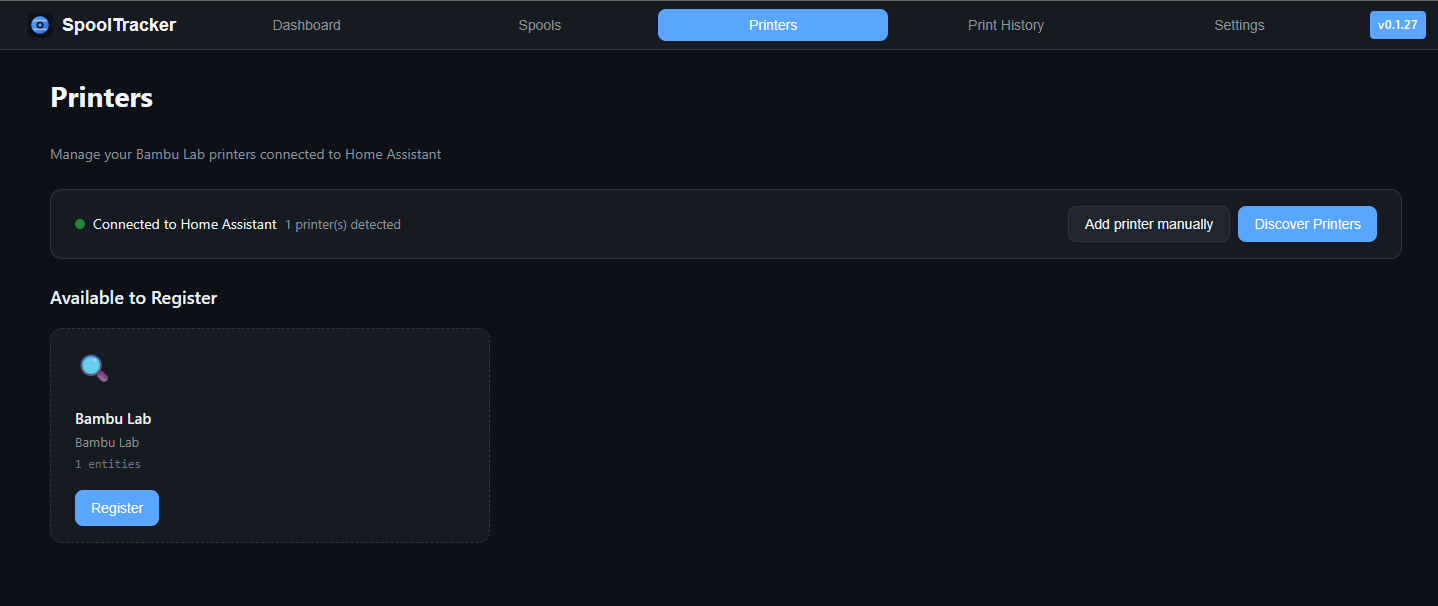
A few bugs remain - rather than detecting my one printer it seems to detect every single entity as a separate printer, and it spams “Filament may have changed” notifications from some of the random entities (e.g AMS 2 humidity)
I’ve not done any prints yet so not had chance to test the full behaviour. I wonder if ultimately it would be possible to have the add-on create entities in HA for the spool weight?
Yes, I’ve added a notification for a potential filament change detection. I wasn’t able to test it carefully, so I’ve added an option to disable the notification. Please, check the Settings tab
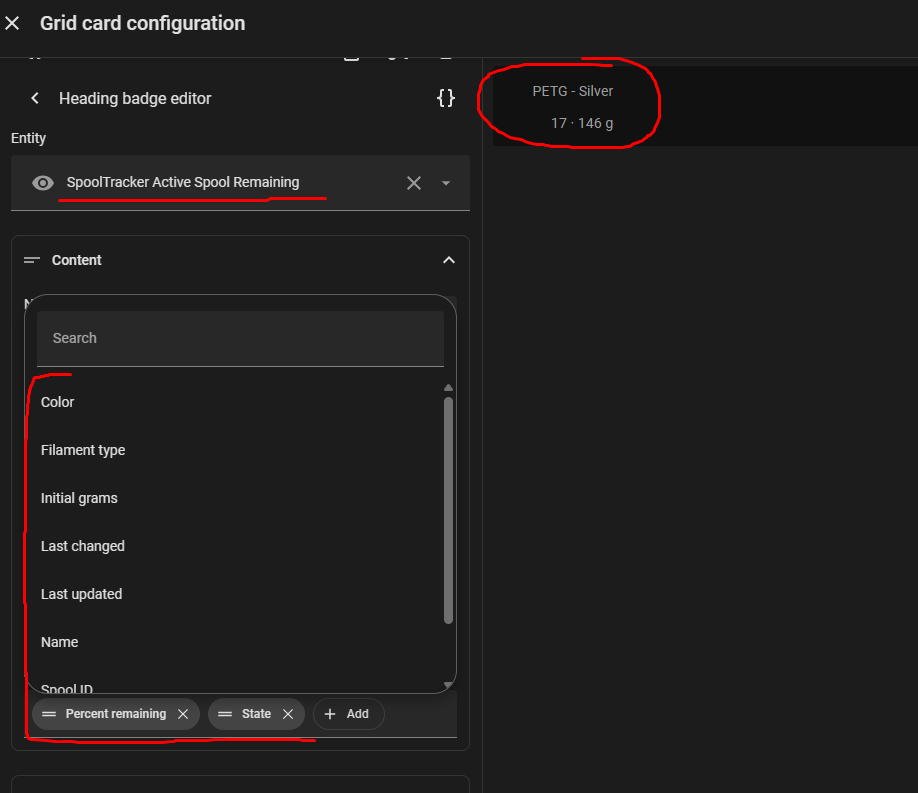
The addon is publishing a sensor with a bunch of attributes (name, type, weigth and etc.). The name is ‘SpoolTracker Active Spool Remaining’
But for some reason printers are not being detected properly.
I have 2 printers setup with ha-bambulab. But only 1 shows up and that too with wrong entity id.
Indeed I had to instantly disable the notifications! Having just done a print - it does register a print but hasn’t managed to assign it to a spool or do the deductions. I found the entity you refer to - but it just reports 0g for me with no attributes. I suspect these are remaining gremlins from not running as an addon? I would also suggest an entity for each registered spool would be more useful to track each one individually.
the entity will be updated every 6 hours, or when the active spool is changed, or when filament is deducted. If nothing listed occurs, then the entity remains unchanged.
Yeah, I was thinking about it, I agree it could be good to have multiple active spools with their entities, but for now - I can test it, and I don’t know how to implement it. For sure, I’ll implement it in the next iterations
Thank you for the feedback and great ideas! I really appreciate it!
yeah, multiple printers was not tested properly, so issues can be here.
Could you, please, share your printers sensors and addon logs, so I’ll be able to investigate it and, probably, fix the detection?
I found the issue and resolved it for me.
2 solutions:
Update name of entity and and then trigger update entity id’s in HA to trigger printer list in Spool Tracker
Have bambu in entity name so that spool tracker finds it before starting first time.
For some reason your else statement for checking manufacturer didn’t work for me. Because the one entity it find didn’t even exist.
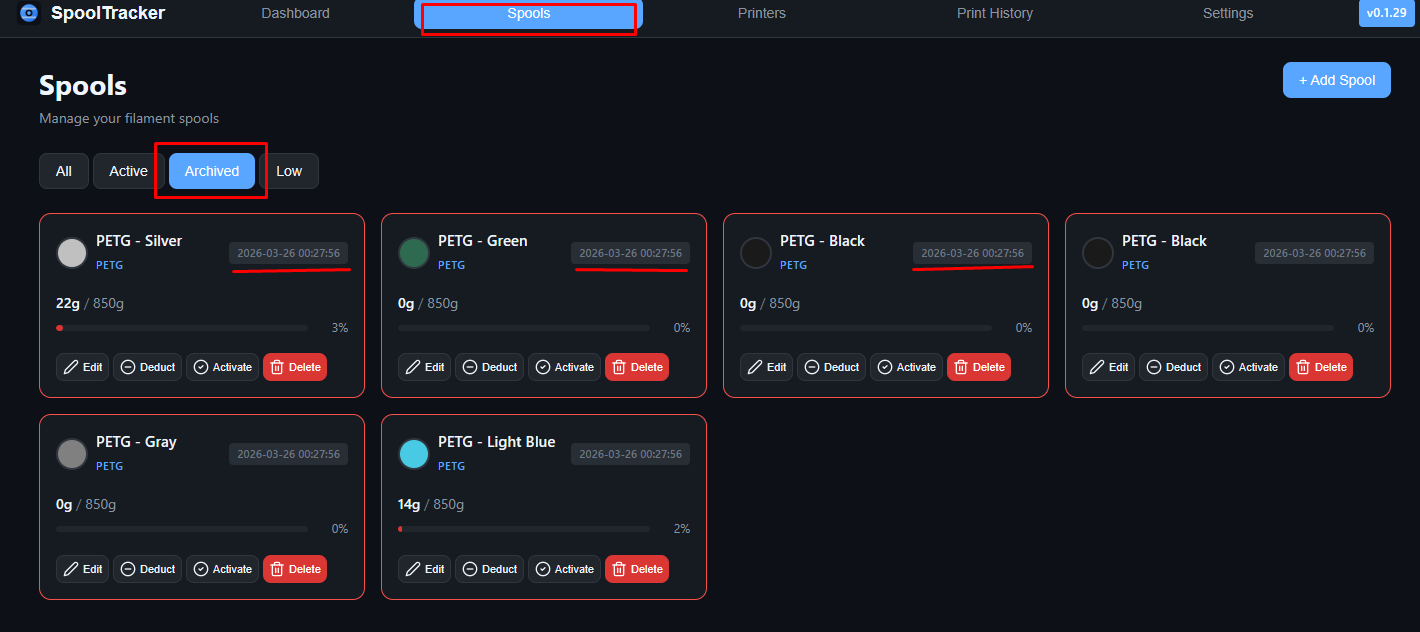
See when a spool was archived (Spools): On each spool card, the archived date and time appear in the header—same spot as the green “loaded on printer” label when a spool is active—in year-month-day and time format.
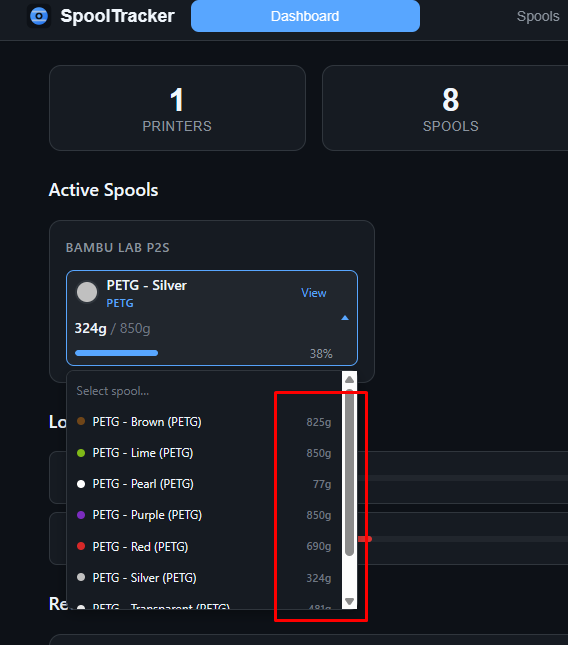
Pick the right spool from the list (Dashboard & Printers): When choosing which spool is loaded on a printer, the dropdown shows remaining grams as well as name and color, so similar spools are easier to tell apart.
Consistent inactive spools (Spools, Dashboard, Print history, Home Assistant): Archived spools are treated the same in filters, the dashboard, print history, reminders, and what Home Assistant reflects for active spools.
Easier standalone Docker updates: If you run the add-on in Docker outside the Home Assistant OS stack (see README), the database updates automatically when the container starts, with fewer manual steps after an upgrade.
Home Assistant add-on: Startup now applies the same migration step as standalone Docker instead of a schema “push,” so upgrades add archived-spool timestamps correctly and avoid failed syncs that left the database out of date (which could break the active-spool sensor).