Dominion Power (Virginia and North Carolina) use Opower. What is needed to add Dominion Power to the Opower integration?
2 Likes
Would love to see this, too. ChatGPT basically says, “Go there, add the Dominion information.” Ummmm … No?
1 Like
Dominion may use opower, but it’s not supported by the integration.
Obviously, Dominion Power isn’t currently supported by the integration. That’s why I asked what is needed to add it. I can login to Dominion Power and see my usage through Opower.
The Opower integration for Home Assistant is powered by the tronikos/opower library under the hood. Its README has instructions for adding a new integration:
To add support for a new utility that uses opower JSON API (you can tell if the energy dashboard of your utility makes network requests to
opower.com, e.g.pge.opower.comin the network tab of your browser’s developer tools) add a file similar to pge.py or pse.py or bge.py etc.
When I open up myaccount.dominionenergy.com for my account in Virginia, though, I only see API requests going to prodsvc-dominioncip.smartcmobile.com, not opower.com. @gebjeff are you sure Dominion uses Opower? If there’s a way to confirm this, it might just be a matter of adding the auth + parsing support to the opower library
2 Likes
Did you ever have any luck getting data from your Dominion meter?
1 Like
Sorry for the delay in getting back to you, I wish that I’d get alerts when someone responds to my posts.
I did some further research and confirmed that Dominion Power VA uses prodsvc-dominioncip.smartcmobile.com and not opower.com. I did find the following suggestion:
- Fork the tronikos/opower this library and add support for Dominion by:
- Reverse-engineering the API calls from Dominion’s portal (using browser dev tools).
- Creating a new utility module (e.g.,
dominion.py) similar to existing ones likepge.py. - Implementing authentication and data parsing logic tailored to Dominion’s system.
Unfortunately, I’m not much of a coder and I think this is beyond my skills.
1 Like
I’m happy to report that I created a library and integration for Dominion Energy. I have only used it with Dominion Energy Virginia, so if you are in any of their other areas, it’s worth testing. The Readme files should help you set it up. You just need to add the ha-dominion-energy repo as a Custom Repository in HACS and then download the resulting Integration and set it up. This works with your Dominion username and password! It also supports the 2FA flow. Right now it seems like only the SMS 2FA flow is working, just FYI, the email flow won’t complete.
You can add your energy usage to the HA Energy Dashboard using the consumption statistic (don’t use the sensor statistics).
This was super fun to make. The library, dompower, can also be used as a CLI tool.
Please enjoy. Please create Github issues if anyone finds any bugs.
5 Likes
Im a Dominion customer living in VA and have been waiting for some sort of “Official” support. Happy to see someone smarter than me has created something to bridge that gap.
I’ll give this a whirl this weekend and let you know if I find any problems!
Thanks!
How did it go? I’ve been searching for an integration like this for years, but am wary that it will actually work.
Works well. A few bugs prior to 1.1.9 but its great!
thank you! this is working for Dominion Energy in North Carolina.
Just installed this and works really well!! Couple questions
- is it possible to get statistics going back >60 days for the dashboard?
- Anyone see an issue with it showing Euros as currency in the energy dashboard even though the cost sensor has $
Edit - I just saw this
your github give me an entity without state called “Dominion_energy:####_energy_consumption”. is that normal? what do you use for Grid consumption usage and cost? I’m still getting into HA.
Screenshot
Has anyone in SC been able to get this to work? I have entered my Dominion credentials, which I have tested and allow me to sign into the Dominion Portal, but do not work for the HA integration. Have tried username and email address.
1 Like
Thank you so much for this integration!
Same issue trying to get Dominion SC to work.
I see requests going to Register My Account | Register… ; perhaps SC uses a different API? Just started looking into the differences to understand what the integration code is doing vs. what SC website does.
Anyone else try to get this integration working for non-VA Dominion customers?
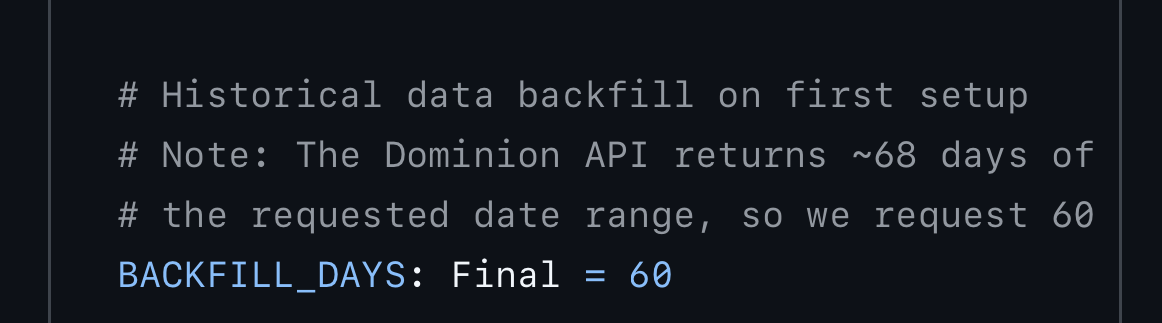
Just installed v1.3.3 today on my Dominion Energy Virginia account — working great, including the 60-day historical backfill. @YeomansIII thank you for building this, it fills a real gap since Dominion VA doesn’t use Opower.
Heads up for other VA users: the amount field from the Dominion API (which feeds last_bill_charges, effective_rate, and cost sensors) doesn’t match your actual bill total. I verified against my last 12 statements and found the API consistently excludes three line items from “Taxes, Fees & Other Charges”:
- County Utility Tax — flat monthly amount (varies by county)
- State/Local Consumption Tax — ~$0.00156/kWh
- Deferred Fuel Cost Charge — ~$0.0029/kWh
Formula:
API amount = Bill PDF total − County Utility Tax − State Consumption Tax − Deferred Fuel Charge
Matched to the penny on all my past 12 bills. The net effect is the effective_rate sensor understates the true all-in rate by ~$0.006/kWh (~4%). Not a bug — just how Dominion’s API reports charges. Worth knowing if you’re comparing against actual statements.
For anyone using this alongside solar/battery integrations: I’d recommend keeping your own rate sensor (derived from actual bills) for Energy Dashboard cost tracking, and using the Dominion sensors for trends and validation.
Great work on this integration 
If you are interested, I did some reverse engineering how the dominionenergysc.com site pulls data. Appears to use bidgely API. I started a project to integrate Dominion SC in a custom integration. You can checkout the Github at GitHub - kilo323/dominion-sc: Dominion client code for energy use + Home Assistant custom component for integration. · GitHub
There are ceratinly bugs that I am in the process of working out. But it does appear to at least authenticate, initiate a 2FA code request, and login once you enter the 2FA. Subsequent runs will use the stored 2FA token when logging in to avoid user interaction.