Hi everyone,
I’d like to share a custom Home Assistant solution I built for controlling and monitoring a small pool / whirlpool setup. It consists of:
- a Home Assistant custom integration:
pool_controller - a matching Lovelace dashboard card (no iframe):
pc-pool-controller(Pool Controller Dashboard Frontend)
Both are designed to be “YAML-first”: the card can work with only a climate_entity, and it will auto-discover the related sensors/entities created by the integration.
English Example:
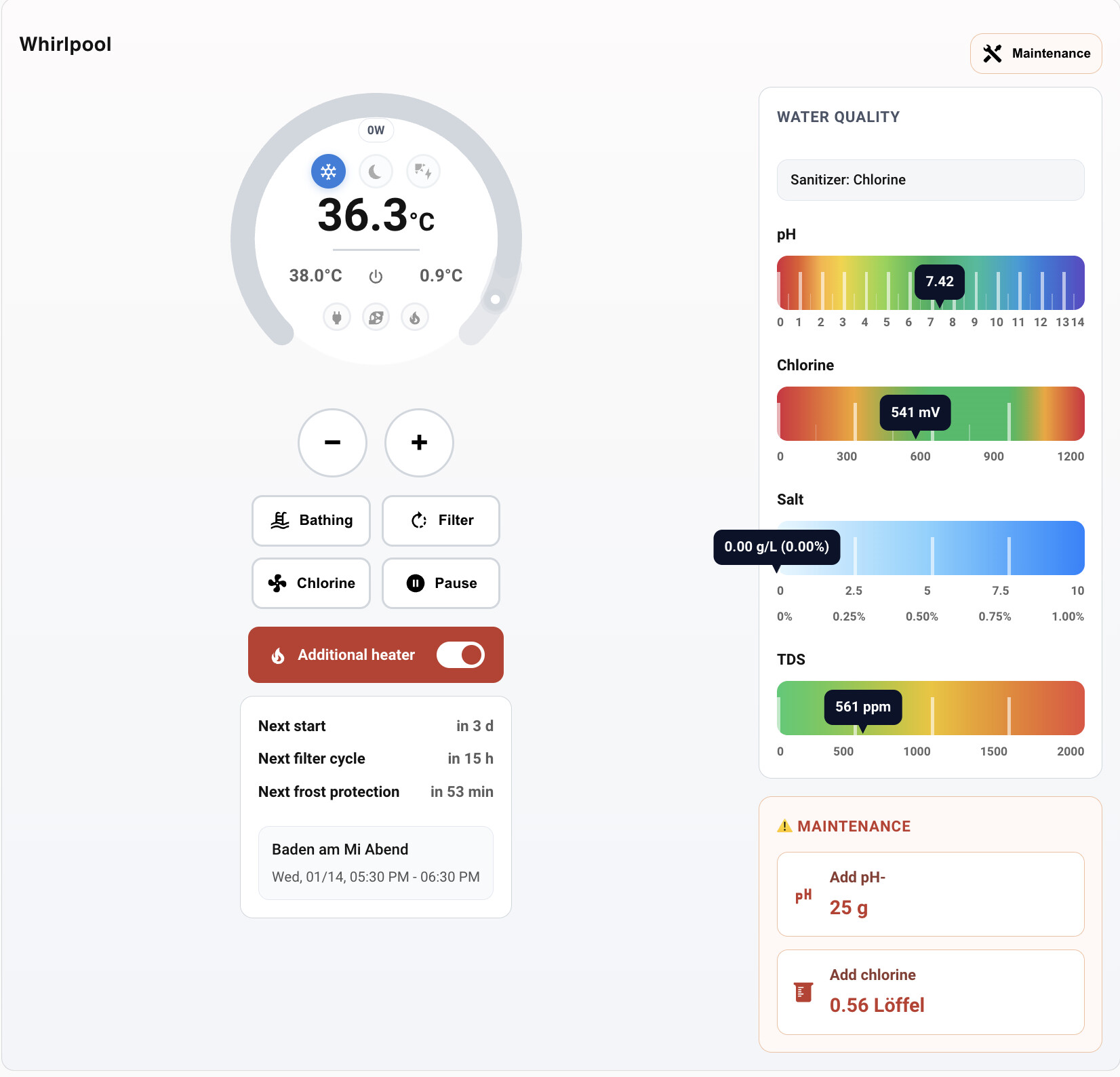
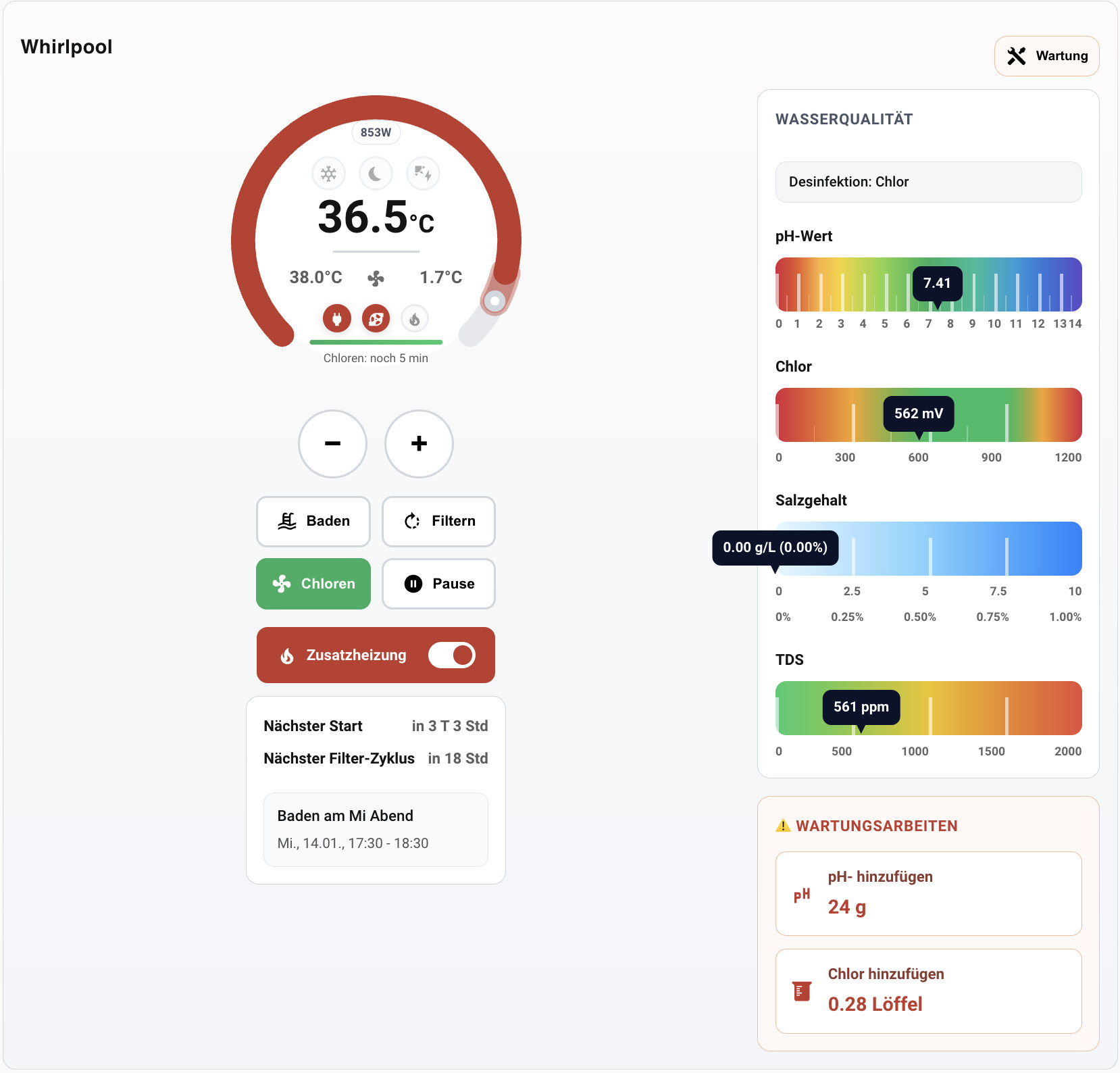
German Example:
GitHub (HACS releases):
- Backend integration: https://github.com/lweberru/pool_controller
- Frontend card: https://github.com/lweberru/pool_controller_dashboard_frontend
What it does
- Provides a single “controller” climate entity (setpoint, min/max/step, preset modes) to run the pool/whirlpool automation.
- Drives real switches via a coordinator/state-machine approach (the coordinator is authoritative).
- Exposes sensors for water quality and automation status (pH, chlorine, salt, TDS, PV, quiet hours, frost protection, timers, power usage).
- Includes a modern dashboard card with a dial-based temperature control and action buttons.
Key features
- Manual action timers: Bathing, Filter, Chlorine, Pause
- Maintenance mode (“hard lockout”): disables automation (including frost protection) and disables controls in the UI
- Quiet hours support (neighbor-friendly behavior)
- Frost protection duty-cycle with an “only in extreme cold during quiet hours” override
- PV surplus integration (optional): can allow heating/filtering only when enough PV surplus is available
- Frontend uses backend-provided min_temp, max_temp, and target_temp_step automatically when the climate entity exposes them
- Multi-language UI strings (currently de/en/es/fr)
Installation (HACS)
- Add the backend repository to HACS (Custom repositories → Integration), install it, restart Home Assistant.
- Add the frontend repository to HACS (Custom repositories → Lovelace), install it.
- Add the card resource (Settings → Dashboards → Resources) if needed by your HA setup (depending on HACS / HA version).
Configuration
- Configure the integration via the UI (Config Flow). It will ask for your switches and sensor entities (water temp, outdoor temp, optional power sensors, optional chemistry sensors, PV sensor, calendars, quiet hours, etc.).
- Add the dashboard card. Minimal YAML example:
Services / actions
The integration exposes simple services (targetable by climate_entity or config_entry_id), e.g.:
pool_controller.start_bathing/pool_controller.stop_bathingpool_controller.start_filter/ pool_controller.stop_filterpool_controller.start_chlorine/pool_controller.stop_chlorinepool_controller.start_pause/pool_controller.stop_pausepool_controller.start_maintenance/pool_controller.stop_maintenance
The card uses these services when available, and falls back to legacy entity triggers if needed.
Notes / feedback
- This is a hobby project tailored to a real installation, but I tried to make it reusable (clear config flow, safe defaults, auto-discovery in the card).
- I’d love feedback on the UX of the dashboard card, the config flow wording, and additional real-world setups (especially different hardware/switch layouts).
If you’d like to try it, please install via HACS releases from the repos above and let me know what works (or breaks) in your environment.